timeline_editor
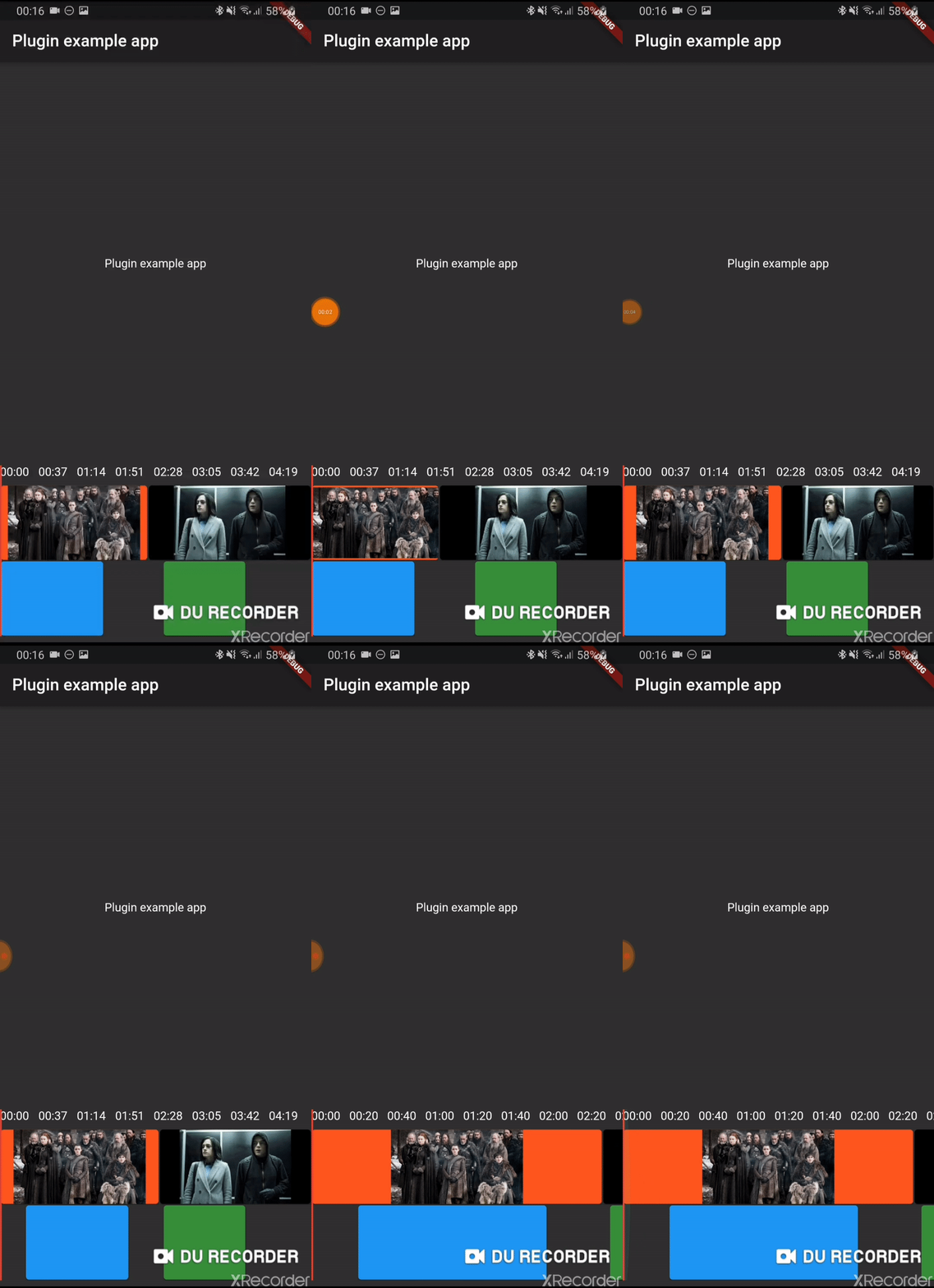
Early version of a timeline editor. Support:
Move of element
Context menu
Zoom of timeline
Progress indicator
track boxes
continuous tracks
scrub
Usage
Installation
Add timeline_editor as a dependency in your pubspec.yaml file (what? ).
Import
Import timeline_editor:
import 'package:timeline_editor/timeline_editor.dart' ;
Migrate from V2 to V3
We now use Duration instead of seconds. To migrate you can use the helper functions to transform your seconds to Duration:
Duration durationFromSeconds (double seconds)
double durationToSeconds (Duration duration)
widgets
See example
TimelineEditor (
positionStream: positionStream,
onPositionTap: (s) => position = s,
countTracks: 2 ,
trackBuilder: (track, pps, duration) => track == 1
? TimelineEditorTrack (
defaultColor: Colors .green[700 ],
boxes: [
TimelineEditorBox (box1Start, 100 ,
onMoved: updateBox1,
color: Colors .blue,
onMovedEnd: () => print ('end moved' )),
TimelineEditorBox (157 , 80 ),
],
pixelsPerSeconds: pps,
duration: duration,
)
: TimelineEditorTrack .fromContinuous (
continuousBoxes:[
TimelineEditorContinuousBox (
Duration .zero,
color: Colors .deepOrange,
child: const Image (image: const AssetImage ('assets/image2.jpg' )),
),
TimelineEditorContinuousBox (
box2Start,
menuEntries: [
PopupMenuItem <String >(child: Text ('Delete' ), value: 'deleted' )
],
onMoved: updateBox2,
onSelectedMenuItem: (v) {
print ('Selected: $v ' );
setState (() {
deleted = true ;
});
},
onTap: (start, duration) =>
print ('tapped for $start to ${start + duration} ' ),
color: Colors .black,
child: const Image (image: const AssetImage ('assets/image.jpg' )),
),
],
pixelsPerSeconds: pps,
duration: duration,
),
duration: Duration (seconds: 300 ),
))
TimelineEditor
Main widget used to hold your tracks, display position and time
TimelineEditorTrack
A provided track to use with the TimelineEditor track builder (you can use your own)
It can either hold simple TimelineEditorBox with a start and an end
or TimelineEditorTrack.fromContinuous with TimelineEditorContinuousBox to have a conitunuous track where you only set start time and duration will be calculated so the box go up to the next box
Example
/example