搜索插件、代码仓与 APP 分类

touch_indicator 封面
插件详情v2.0.0

touch_indicator

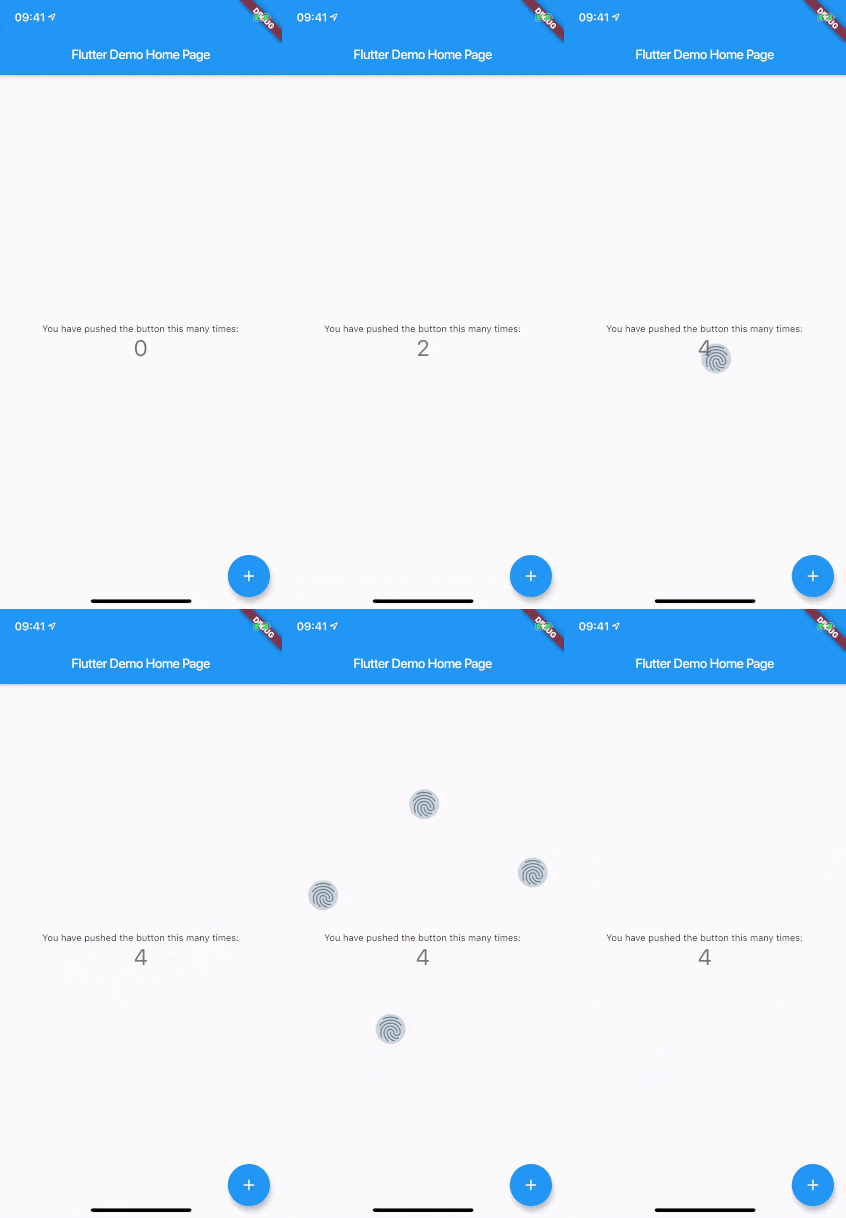
在屏幕上触摸的位置显示最多5个触摸指示器。在向观众演示或录制应用程序时非常有用。

AndroidiOSWebmacOSWindowsLinux
近 30 天下载
1.3万
喜欢数
57
Pub 分数
150

安装插件

flutter pub add touch_indicator

插件介绍

基于插件公开信息、社区数据与项目使用情况整理的选型参考。

touch_indicator 包在用户触摸屏幕的位置显示最多五个视觉指示器。非常适合现场演示或屏幕录制,有助于观众准确看到交互发生的位置。这些指示器细微但清晰可见,非常适合展示应用程序功能,而不会干扰用户体验。该包可在所有主要平台(包括移动、Web 和桌面)上使用,可轻松集成到 Flutter 应用中,设置简单。该包体积轻巧,专为演示或教程期间临时使用而设计。

适合场景

  • 实时应用程序演示
  • 屏幕录制教程
  • 用户交互反馈
  • 教育类应用程序使用指南
  • 调试触摸行为

主要特点

  • 最多显示 5 个触控点
  • 跨平台支持
  • 最小性能影响
  • 简单集成
  • 可自定义外观

适合对象

  • 开发者展示应用程序
  • 演示软件的教育工作者
  • UI 测试人员
  • 应用演示创作者
  • 录制教程视频

使用建议

  • 不适用于生产环境
  • 最终构建中应禁用指示器
  • 在所有硬件上可能无法可靠工作
  • 在演示期间临时使用最佳
  • 在某些上下文中,视觉指示符可能会造成干扰

原始 README

以下为关联源码仓库的 README 原文快照,最新内容请访问源码仓库。

touch_indicator

When you are recording a screencast of your app, you often want to give visual indication of where your fingers are touching the screen. Showing that on Android is easy. On iOS it's less intuitive. touch_indicator makes it easier and consistent on both platforms.

You add this widget as the main widget where you want to display user touches. Usually this will be the direct child of your MaterialApp. It will show an indicator on every touching finger and is completely customizable.

Installation

Add the plugin to your pubspec.yaml:

dependencies:
  touch_indicator: ^2.0.0

Usage

Import the package in your Dart code:

import 'package:touch_indicator/touch_indicator.dart';

Wrap all routes in your app in the TouchIndicator widget:

class MyApp extends StatelessWidget {
  MaterialApp(
    title: 'Touch indicator example',
    builder: (context, child) => TouchIndicator(child: child!),
    home: MyHomePage(title: 'Flutter Demo Home Page'),
  );
}

Customization options

indicatorColor

Changes the color of the backdrop and icon. Default is Colors.blueGrey.

indicatorSize

Changes the size of the indicator. Default is 40.0.

indicator

By adding a Widget here, you can change the complete look of the touch indicators. Make sure to supply a proper indicatorSize in order for the indicators to be positioned at the center of your touchpoints.

forceInReleaseMode

When you want to show indicators when the app is running in release mode, make sure to enable this option. Default is false.

enabled

You can enable or disable display of the indicators on the fly with this option. Default is true.

所属分类

源码仓库

使用此插件的项目

暂无相关数据。