搜索插件、代码仓与 APP 分类

transformable_list_view 封面
插件详情v0.8.0

transformable_list_view

扩展默认 ListView 的小部件,可根据其滚动位置添加项目变换动画

AndroidiOSWebmacOSWindowsLinux
近 30 天下载
212
喜欢数
133
Pub 分数
150

安装插件

flutter pub add transformable_list_view

插件介绍

基于插件公开信息、社区数据与项目使用情况整理的选型参考。

一个扩展 ListView 的 Flutter 小部件,可根据列表项的滚动位置实现流畅的变换动画。它允许开发者创建动态、交互式列表,并在项目进入或退出视口时添加缩放、旋转或淡入淡出等视觉效果。非常适合用于增强滚动密集型界面的用户体验。该包支持所有主要平台,包括 Android、iOS、Web、macOS、Windows 和 Linux。

适合场景

  • 创建动画滚动列表
  • 通过滚动触发的变换增强用户界面
  • 构建引人入胜的产品轮播
  • 设计沉浸式内容流
  • 实现类似视差的效果
  • 滚动时添加视觉反馈

主要特点

  • 基于滚动位置的项目变换
  • 平滑的动画过渡
  • 跨平台兼容性
  • 与现有 ListView 代码的轻松集成
  • 支持缩放、旋转和不透明度变化
  • 可自定义的动画曲线和时序

适合对象

  • 寻求交互元素的UI设计师
  • 开发滚动驱动动画的开发者
  • 需要引人入胜的列表交互的应用程序
  • 针对多个平台的项目
  • 专注于打造精致用户体验的团队

使用建议

  • 在大数据集上可能影响性能
  • 需要仔细调整动画参数
  • 最适合中等大小的列表
  • 不太适合高度复杂的动画
  • 需要在不同设备和平台上进行测试

原始 README

以下为关联源码仓库的 README 原文快照,最新内容请访问源码仓库。

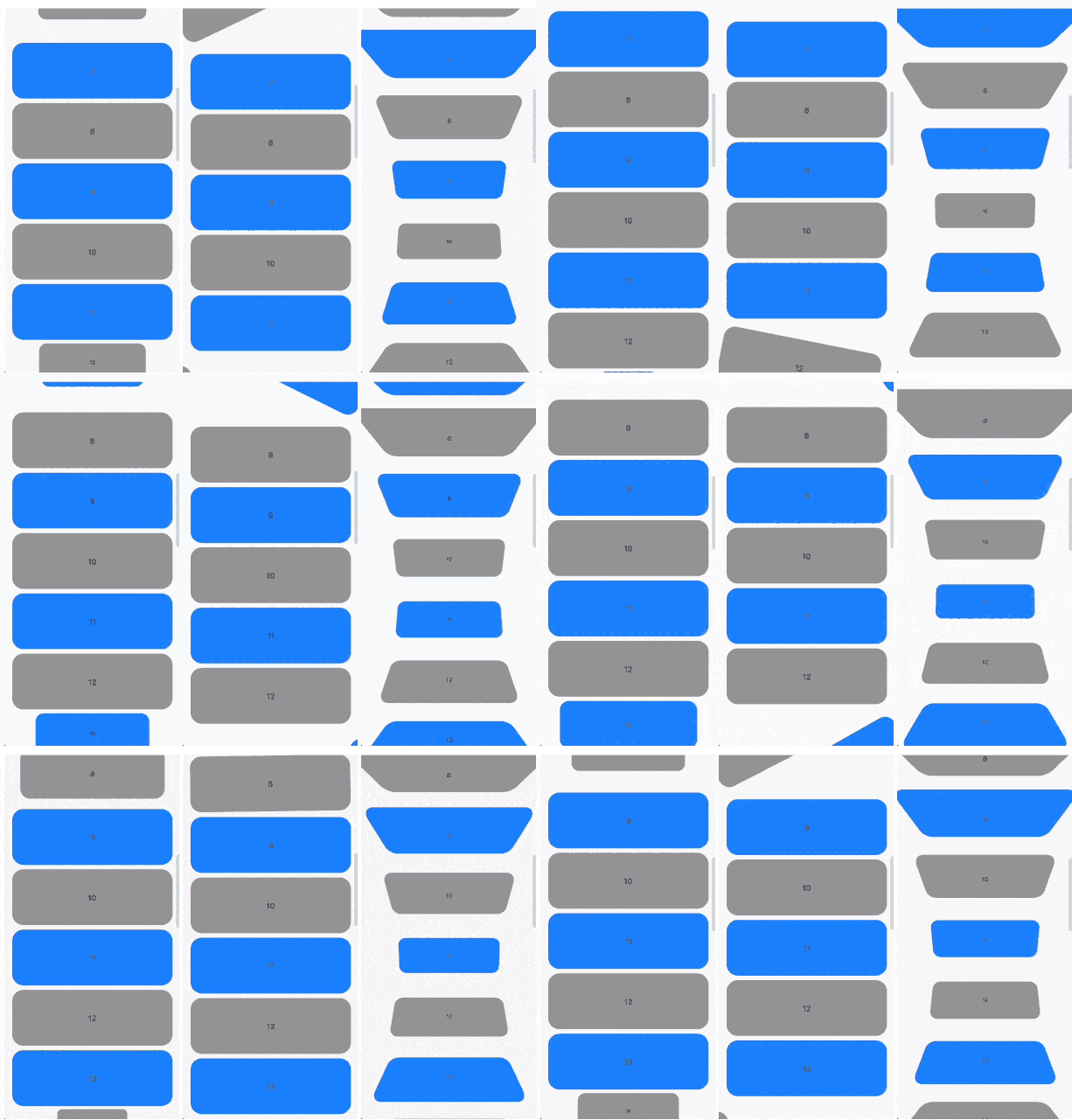
Scrollable widgets with easily customizable transform animations.

Features

The package contains 3 widgets:

  • TransformableListView that extends ListView
  • TransformableSliverList that extends SliverList
  • TransformableSliver that extends SliverToBoxAdapter

Each of then has getTransformMatrix callback. In the callback you need to return Matrix4 that represetns transormation of the child at the current moment. If you don't need any transformations you can simply return Matrix4.identity().

In getTransformMatrix callback you receive TransformableListItem with the data about list item:

  • Offset offset is main axis offset of the child. By default (with vertical, non reversed scroll view) offset.dx is always 0 while offset.dy is the distance between top edge of the child and top edge of the viewport.
  • Size size is the child size received from its RenderBox.
  • SliverConstraints constraints describes the current scroll state of the viewport from the point of view of the sliver receiving the constraints.
  • int? index is the index of the child. Will be null when using TransformableSliver.
  • TransformableListItemPosition position is child position on the main axis viewport. Can be .topEdge, .middle or .bottomEdge.
  • double visibleExtent is currently visible portion of item. For example, if item is hidden it will be 0 while it's completely displayed will equal to size.height or size.width depending on axis.

Usage

First you need to add TransformableListView where you need transformations

TransformableListView.builder(
  getTransformMatrix: getTransformMatrix,
  itemBuilder: (context, index) {
    return Container(
      height: 100,
      margin: const EdgeInsets.symmetric(
        horizontal: 16,
        vertical: 4,
      ),
      decoration: BoxDecoration(
        color: index.isEven ? Colors.grey : Colors.blueAccent,
        borderRadius: BorderRadius.circular(20),
      ),
      alignment: Alignment.center,
      child: Text(index.toString()),
    );
  },
  itemCount: 30,
),

Second you need to implement getTransformMatrix callback

Matrix4 getTransformMatrix(TransformableListItem item) {
  /// final scale of child when the animation is completed
  const endScaleBound = 0.3;

  /// 0 when animation completed and [scale] == [endScaleBound]
  /// 1 when animation starts and [scale] == 1
  final animationProgress = item.visibleExtent / item.size.height;

  /// result matrix
  final paintTransform = Matrix4.identity();

  /// animate only if item is on edge
  if (item.position != TransformableListItemPosition.middle) {
    final scale = endScaleBound + ((1 - endScaleBound) * animationProgress);

    paintTransform
      ..translate(item.size.width / 2)
      ..scale(scale)
      ..translate(-item.size.width / 2);
  }

  return paintTransform;
}

You can implement your own callback or check more at /example folder.

Additional information

You can read more about matrix transfomations in Flutter here. Any feedback and PRs are welcome.

Developed by TBR Group.

所属分类

源码仓库

使用此插件的项目

暂无相关数据。