TutorialCoachMark
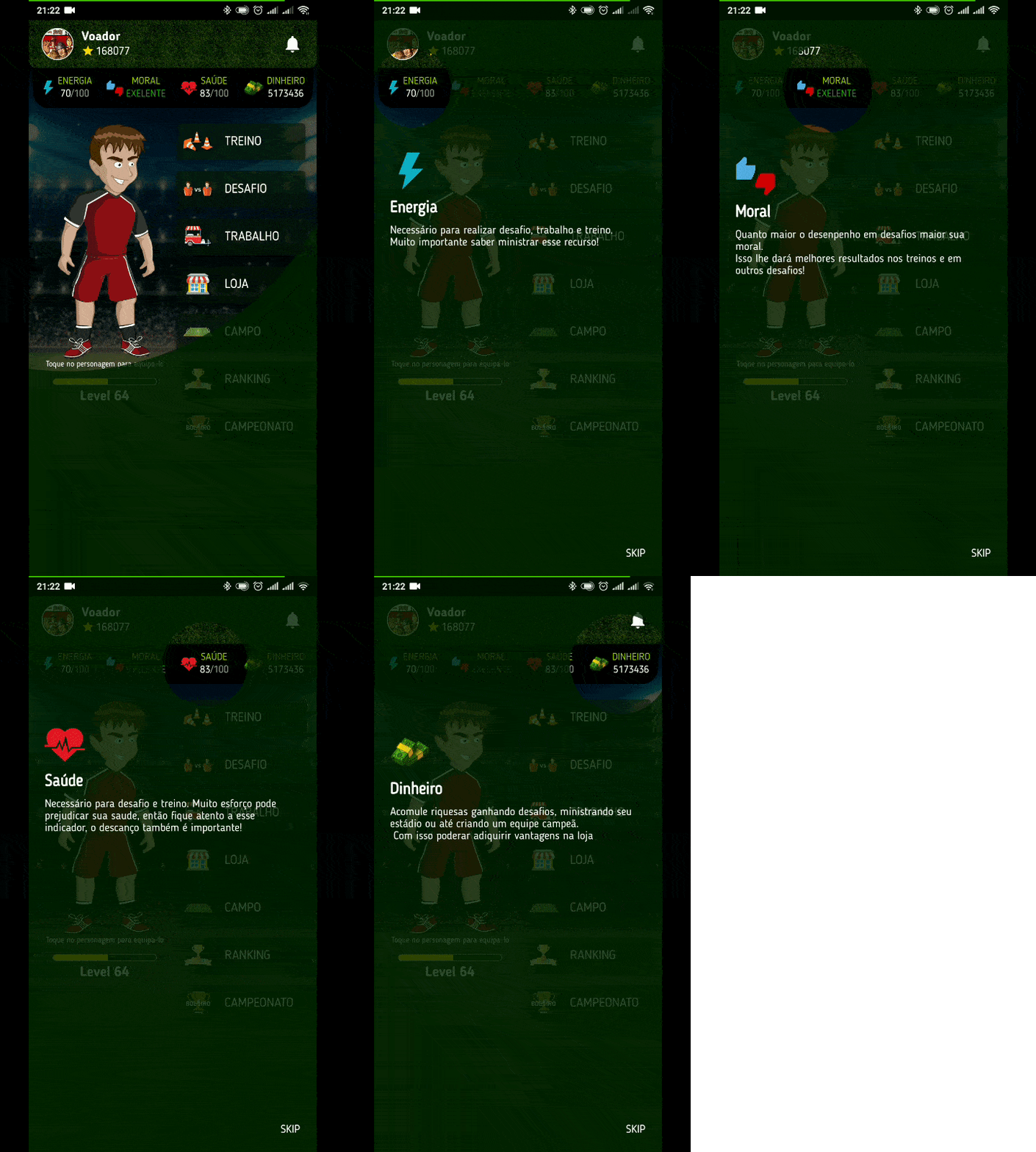
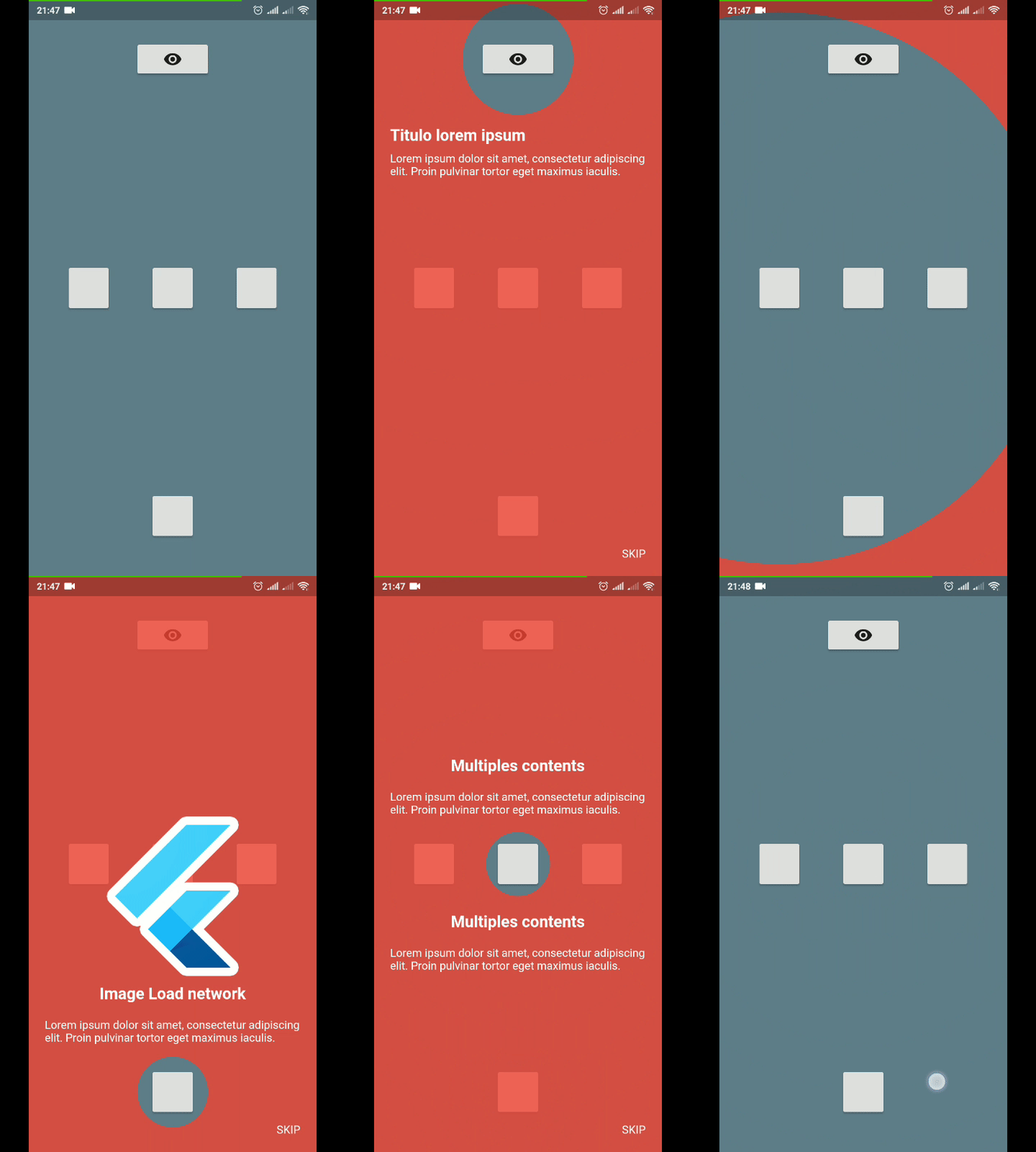
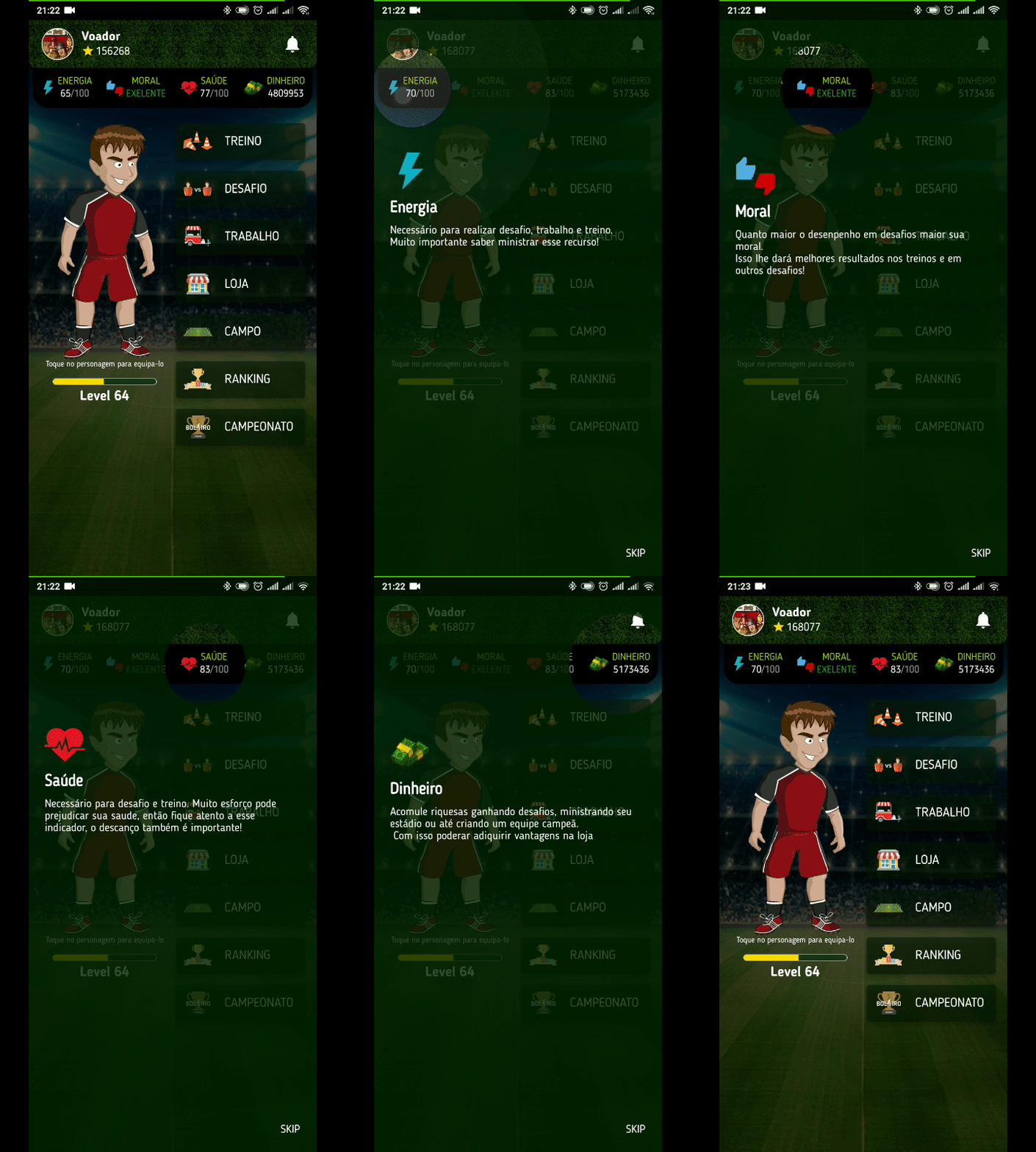
Create a beautiful and easy tutorial for your application.
Usage
To use this plugin, add tutorial_coach_mark as a dependency in your pubspec.yaml file.
Example
import 'package:flutter/material.dart';
import 'package:tutorial_coach_mark/tutorial_coach_mark.dart';
void showTutorial() {
TutorialCoachMark tutorial = TutorialCoachMark(
targets: targets,
colorShadow: Colors.red,
onFinish: (){
print("finish");
},
onClickTargetWithTapPosition: (target, tapDetails) {
print("target: $target");
print("clicked at position local: ${tapDetails.localPosition} - global: ${tapDetails.globalPosition}");
},
onClickTarget: (target){
print(target);
},
onSkip: (){
print("skip");
return true;
}
)..show(context:context);
}
Creating targets (TargetFocus)
TargetFocus is the class that represents the widget that will be focused and configure what will be displayed after you focus it.
Attributes:
| Attribute |
Type |
Description |
identify |
dynamic |
free for identification use |
keyTarget |
GlobalKey |
GlobalKey widget that wants to be focused |
targetPosition |
TargetPosition |
If you do not want to use GlobalKey, you can create a TargetPosition to determine where to focus |
contents |
ContentTarget[] |
Content list you want to display after focusing widget |
shape |
ShapeLightFocus |
ShapeLightFocus.Circle or ShapeLightFocus.RRect |
radius |
double |
Use when shape = ShapeLightFocus.RRect |
borderSide |
BorderSide |
|
color |
Color |
Custom color to target |
enableOverlayTab |
bool |
enable click in all screen to call next step |
enableTargetTab |
bool |
enable click in target to call next step |
alignSkip |
Alignment |
use to align the skip in the target |
paddingFocus |
Alignment |
settings padding of the focus in target |
focusAnimationDuration |
Duration |
override the widget's global focus animation duration |
unFocusAnimationDuration |
Duration |
override the widget's global unfocus animation duration |
pulseVariation |
Tween |
override interval pulse animation |
Creating contents (ContentTarget)
ContentTarget is the class responsible for determining what should be displayed and how it will appear after focusing on the widget.
Attributes:
| Attribute |
Type |
Description |
align |
AlignContent |
With this attribute you determine in which region to display the content in relation to the focused widget (top,bottom,left,right) |
padding |
EdgeInsets |
Padding of the content |
child |
Widget |
Content you want to be displayed |
builder |
Widget |
Content you want to be displayed |
customPosition |
CustomTargetContentPosition |
Add custom position when align is AlignContent.custom |
Example Complete
import 'package:flutter/material.dart';
import 'package:tutorial_coach_mark/tutorial_coach_mark.dart';
List<TargetFocus> targets = List();
@override
void initState() {
targets.add(
TargetFocus(
identify: "Target 1",
keyTarget: keyButton,
contents: [
TargetContent(
align: ContentAlign.bottom,
child: Container(
child:Column(
mainAxisSize: MainAxisSize.min,
crossAxisAlignment: CrossAxisAlignment.start,
children: <Widget>[
Text(
"Titulo lorem ipsum",
style: TextStyle(
fontWeight: FontWeight.bold,
color: Colors.white,
fontSize: 20.0
),
),
Padding(
padding: const EdgeInsets.only(top: 10.0),
child: Text("Lorem ipsum dolor sit amet, consectetur adipiscing elit. Proin pulvinar tortor eget maximus iaculis.",
style: TextStyle(
color: Colors.white
),),
)
],
),
)
)
]
)
);
targets.add(
TargetFocus(
identify: "Target 2",
keyTarget: keyButton4,
contents: [
TargetContent(
align: ContentAlign.left,
child: Container(
child: Column(
mainAxisSize: MainAxisSize.min,
crossAxisAlignment: CrossAxisAlignment.start,
children: <Widget>[
Text(
"Multiples content",
style: TextStyle(
fontWeight: FontWeight.bold,
color: Colors.white,
fontSize: 20.0
),
),
Padding(
padding: const EdgeInsets.only(top: 10.0),
child: Text("Lorem ipsum dolor sit amet, consectetur adipiscing elit. Proin pulvinar tortor eget maximus iaculis.",
style: TextStyle(
color: Colors.white
),),
)
],
),
)
),
TargetContent(
align: ContentAlign.top,
child: Container(
child: Column(
mainAxisSize: MainAxisSize.min,
crossAxisAlignment: CrossAxisAlignment.start,
children: <Widget>[
Text(
"Multiples content",
style: TextStyle(
fontWeight: FontWeight.bold,
color: Colors.white,
fontSize: 20.0
),
),
Padding(
padding: const EdgeInsets.only(top: 10.0),
child: Text("Lorem ipsum dolor sit amet, consectetur adipiscing elit. Proin pulvinar tortor eget maximus iaculis.",
style: TextStyle(
color: Colors.white
),),
)
],
),
)
)
]
)
);
targets.add(
TargetFocus(
identify: "Target 3",
keyTarget: keyButton5,
contents: [
TargetContent(
align: ContentAlign.right,
child: Container(
child: Column(
mainAxisSize: MainAxisSize.min,
crossAxisAlignment: CrossAxisAlignment.start,
children: <Widget>[
Text(
"Title lorem ipsum",
style: TextStyle(
fontWeight: FontWeight.bold,
color: Colors.white,
fontSize: 20.0
),
),
Padding(
padding: const EdgeInsets.only(top: 10.0),
child: Text("Lorem ipsum dolor sit amet, consectetur adipiscing elit. Proin pulvinar tortor eget maximus iaculis.",
style: TextStyle(
color: Colors.white
),),
)
],
),
)
)
]
)
);
}
void showTutorial() {
TutorialCoachMark(
targets: targets,
colorShadow: Colors.red,
onClickTarget: (target){
print(target);
},
onClickTargetWithTapPosition: (target, tapDetails) {
print("target: $target");
print("clicked at position local: ${tapDetails.localPosition} - global: ${tapDetails.globalPosition}");
},
onClickOverlay: (target){
print(target);
},
onSkip: (){
print("skip");
return true;
},
onFinish: (){
print("finish");
},
)..show(context:context);
}
Contribution
If you find any errors or want to add improvements, you can open a issue or develop the fix and open a pull request. Thank you for your cooperation!