搜索插件、代码仓与 APP 分类

插件详情v1.1.0

zoom_tap_animation

缩放点击动画可让您实现类似今日标签页中 App Store 项目的效果,当您长按某个项目时,它会开始放大,然后缩小。

AndroidiOSWebmacOSWindowsLinux
近 30 天下载
5450
喜欢数
139
Pub 分数
140

安装插件

flutter pub add zoom_tap_animation

插件介绍

基于插件公开信息、社区数据与项目使用情况整理的选型参考。

Zoom Tap Animation 是一个 Flutter 包,当用户长按项目时,会创建动态的缩放效果,模拟 App Store 的 Today 标签页中的交互行为。它通过在触摸交互期间提供视觉反馈来增强用户参与度。该动画流畅且可自定义,适用于按钮、卡片或任何交互式 UI 元素。该包注重性能和跨平台兼容性,可在 Android、iOS、Web、macOS、Windows 和 Linux 上无缝运行。

适合场景

  • 交互式应用图标
  • 动画卡片点击
  • 增强的按钮反馈
  • 今日标签式界面
  • 用户参与元素
  • 触摸交互高亮

主要特点

  • 长按触发缩放
  • 平滑缩放放大和缩小
  • 跨平台支持
  • 可自定义的动画持续时间
  • 与现有控件的轻松集成
  • 轻量且高效

适合对象

  • 寻求引人入胜的触控效果的开发者
  • UI 设计师提升交互性
  • 基于手势的导航应用
  • 需要类似 App Store 动画的项目
  • Flutter 应用针对多个平台

使用建议

  • 可能需要调整以获得最佳时间
  • 不适合静态或非交互式内容
  • 最好与清晰的视觉目标一起使用
  • 如果未妥善管理,可能与其他手势冲突
  • 限制为轻触/长按触发

原始 README

以下为关联源码仓库的 README 原文快照,最新内容请访问源码仓库。

pub package

Zoom Tap Animation

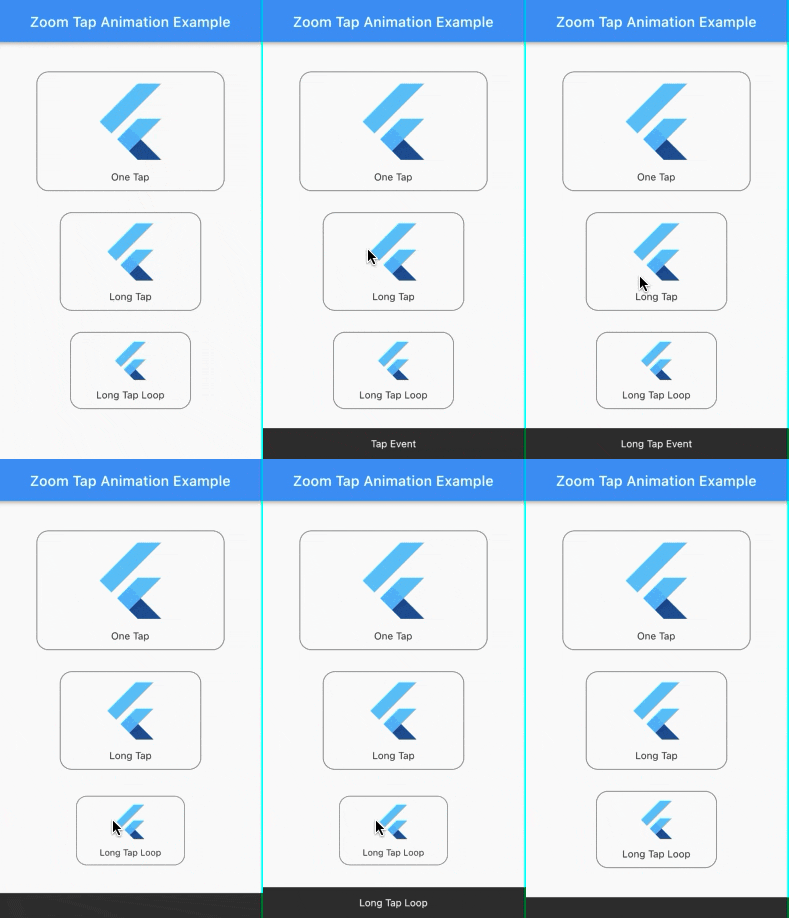
Zoom Tap Animation is is a package that allows you to make an zoom animation effect similar to App Store's (ios app) items in Today tab, when you long tap on some item, it start to zoom in then it zoom out when you release it.

Screenshots:

Source of idea

The idea is inspired from App Store app in Today tab where you can long tap on some item and it start to zoom in then zoom out as shown in the screenshot below.

Example:

Check out the example project in the example folder.

Installation:

add the package to your dependencies
dependencies:
  zoom_tap_animation: ^1.1.0
import 'package:zoom_tap_animation/zoom_tap_animation.dart';

Usage:

default use of ZoomTapAnimation widget
ZoomTapAnimation(
      onTap: (){},
      child: YOUR_WIDGET
);
and you can also define custom parameters
ZoomTapAnimation(
      child: YOUR_WIDGET,
      onTap: (){},
      onLongTap: (){},
      enableLongTapRepeatEvent: false,
      longTapRepeatDuration: const Duration(milliseconds: 100),
      begin: 1.0,
      end: 0.93,
      beginDuration: const Duration(milliseconds: 20),
      endDuration: const Duration(milliseconds: 120),
      beginCurve: Curves.decelerate,
      endCurve: Curves.fastOutSlowIn
);
also you can use ZoomTapAnimation with your custom gestures
ZoomTapAnimation(
      child: GestureDetector(
      onTap: () {},
      onLongPress: (){},
      onDoubleTap: (){},
      // you can add more gestures...
      child: Container(color: Colors.yellow, width: 100.0, height: 100.0),
      ),
);
parameters
parameter description default
child your child widget that you want to put the zoom effect on.
onTap what should happen when you tap on the widget. null
onLongTap what should happen when you long tap on the widget. null
enableLongTapRepeatEvent option to enable long tap loop which repeat every onTap event (in case onLongTap is specified, it repeats the onLongTap event). false
longTapRepeatDuration the duration between every onTap/onLongTap loop event. const Duration(milliseconds: 100)
begin the size of widget you want to begin with. 1.0
end the size of widget you want to begin with. 0.93
beginDuration the duration of the begin zoom in animation. const Duration(milliseconds: 20)
endDuration the duration of the end zoom in animation. const Duration(milliseconds: 120)
beginCurve the curve animation type of the begin zoom in animation. Curves.decelerate
endCurve the curve animation type of the end zoom in animation. Curves.fastOutSlowIn

所属分类

源码仓库

使用此插件的项目