搜索插件、代码仓与 APP 分类

animated_size_and_fade 封面
插件详情v5.1.3

animated_size_and_fade

在不同高度的 widget 之间执行淡入淡出和大小过渡。也用于显示/隐藏 widget。

AndroidiOSWebmacOSWindowsLinux
近 30 天下载
1.7万
喜欢数
245
Pub 分数
160

安装插件

flutter pub add animated_size_and_fade

插件介绍

基于插件公开信息、社区数据与项目使用情况整理的选型参考。

一个 Flutter 包,通过同时使用淡入淡出和尺寸变化,流畅地实现不同高度的 widget 之间的过渡动画。它非常适合动态显示或隐藏内容,例如展开/折叠部分或显示/隐藏 UI 元素。该动画通过插值透明度和尺寸来确保视觉连续性。它支持所有主要平台,包括移动、网页和桌面。该包轻量且易于集成到现有的 Flutter 应用中。

适合场景

  • 显示/隐藏可折叠内容
  • 动态列表项的动画效果
  • 创建流畅的用户界面过渡
  • 揭示隐藏面板
  • 处理可变高度的部件交换
  • 改进响应式布局中的用户体验

主要特点

  • 平滑淡入淡出和大小过渡
  • 支持可变高度的 widget
  • 用于显示/隐藏逻辑的简单 API
  • 跨平台兼容性
  • 轻量且高效
  • 内置动画控制

适合对象

  • 需要流畅用户界面过渡的开发者
  • 具有动态内容可见性的应用
  • 交互式表单或折叠面板
  • 需要动画的响应式设计
  • 注重代码清晰性和可维护性的团队

使用建议

  • 可能不适合非常复杂的动画
  • 性能取决于 widget 的复杂度
  • 不适合高频更新
  • 需要仔细处理布局约束
  • 基本淡入/大小之外的自定义功能有限
  • 最好与可预测的高度变化一起使用

原始 README

以下为关联源码仓库的 README 原文快照,最新内容请访问源码仓库。

Pub popularity Pub Version GitHub stars Code Climate issues GitHub closed issues GitHub repo size GitHub forks PRs Welcome Developed by Marcelo Glasberg Glasberg.dev on pub.dev Platforms

Sponsor

animated_size_and_fade

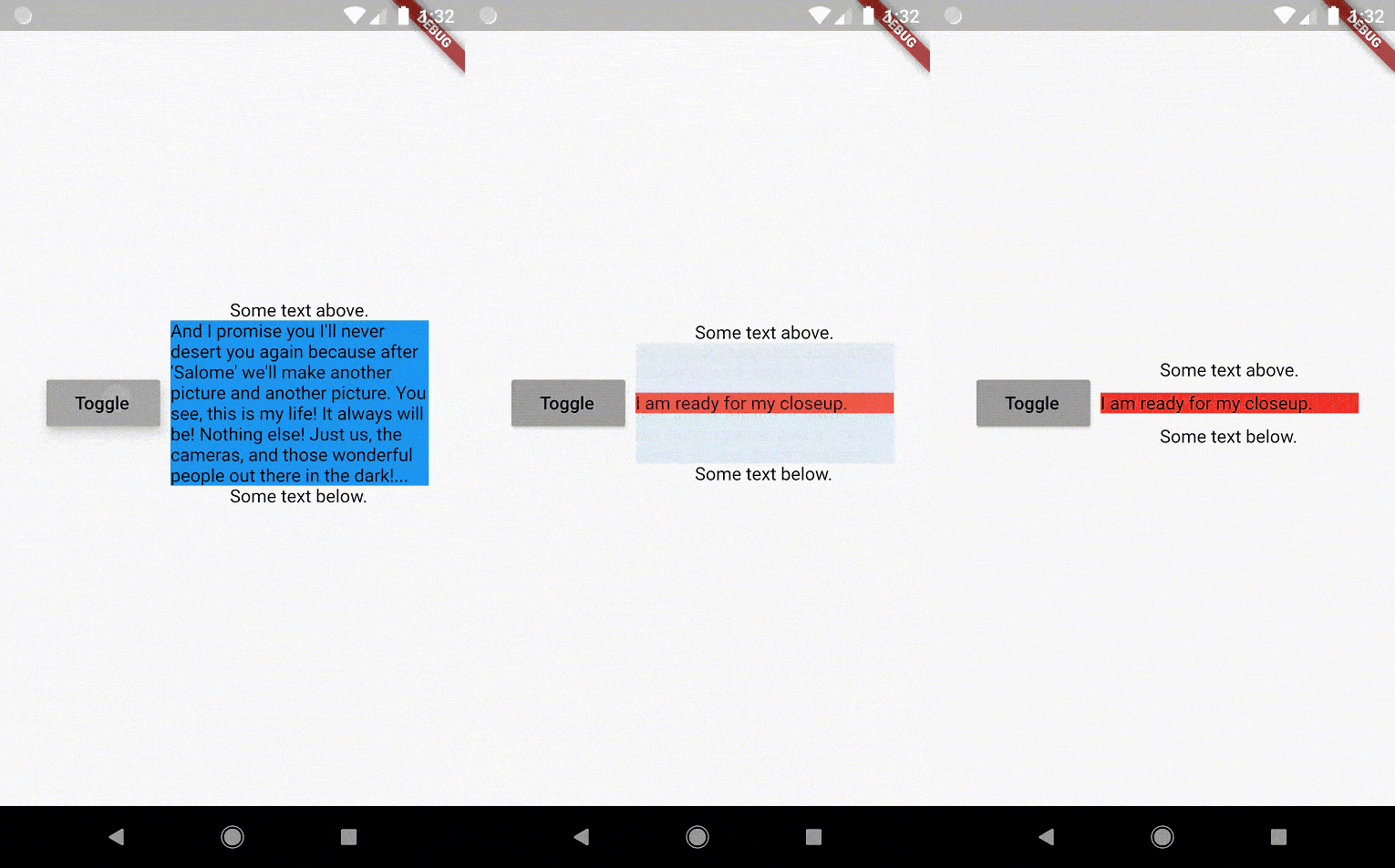
The AnimatedSizeAndFade widget allows you to:

  1. Do a fade and size transition between two widgets.
  2. Show and hide a widget, by resizing it vertically while fading.
Size and Fade

To do a fade and size transition when you change the child widget, the "old" and the "new" child must have the same width, but can have different heights, and you don't need to know their sizes in advance.

You can also define a duration and curve for both the fade and the size, separately.

Important: If the "new" child is the same widget type as the "old" child, but with different parameters, then AnimatedSizeAndFade will NOT do a transition between them, since as far as the framework is concerned, they are the same widget, and the existing widget can be updated with the new parameters. To force the transition to occur, set a Key (typically a ValueKey taking any widget data that would change the visual appearance of the widget) on each child widget that you wish to be considered unique.

Example:

bool toggle=true;
Widget widget1 = ...;
Widget widget2 = ...;

AnimatedSizeAndFade(
   child: toggle ? widget1 : widget2
);
Show and Hide

The AnimatedSizeAndFade.showHide constructor may be used to show/hide a widget, by resizing it vertically while fading.

Example:

bool toggle=true;
Widget widget = ...;    

AnimatedSizeAndFade.showHide(
   show: toggle,
   child: widget,
);

How does it compare to other similar widgets?

  • With AnimatedCrossFade you must provide both the firstChild and secondChild at the same time, but with AnimatedSizeAndFade you may simply change its child.

  • With AnimatedSwitcher you may simply change its child, but then it only animates the fade, not the size.

  • AnimatedContainer only works if you know the size of the children in advance.


Note: See the StackOverflow question that prompted this widget development.


By Marcelo Glasberg

glasberg.dev
github.com/marcglasberg
linkedin.com/in/marcglasberg/
twitter.com/glasbergmarcelo
stackoverflow.com/users/3411681/marcg
medium.com/@marcglasberg

My article in the official Flutter documentation:

The Flutter packages I've authored:

My Medium Articles:

所属分类

源码仓库

使用此插件的项目