AnyLinkPreview
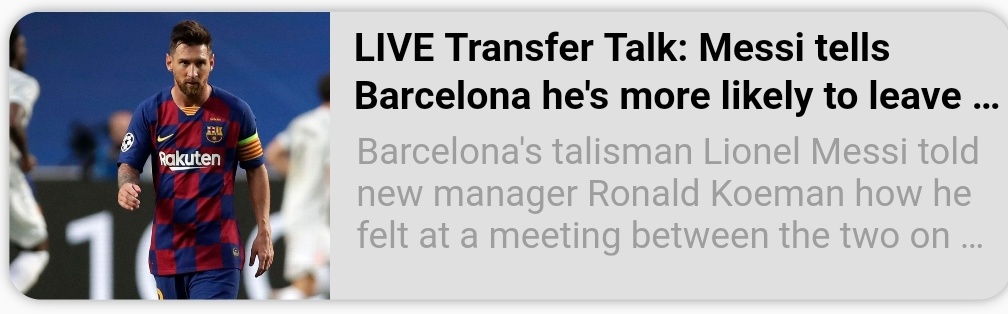


A Flutter package for beautifully displaying web URL previews with full customization options, perfect for enhancing chat applications. 🤓🤓
Features 💚
- Utilizes four distinct parsers (HTML, JSON LD, Open Graph, and Twitter Cards) to fetch metadata, with more enhancements planned.
- Offers extensive customization to seamlessly integrate with your app's design.
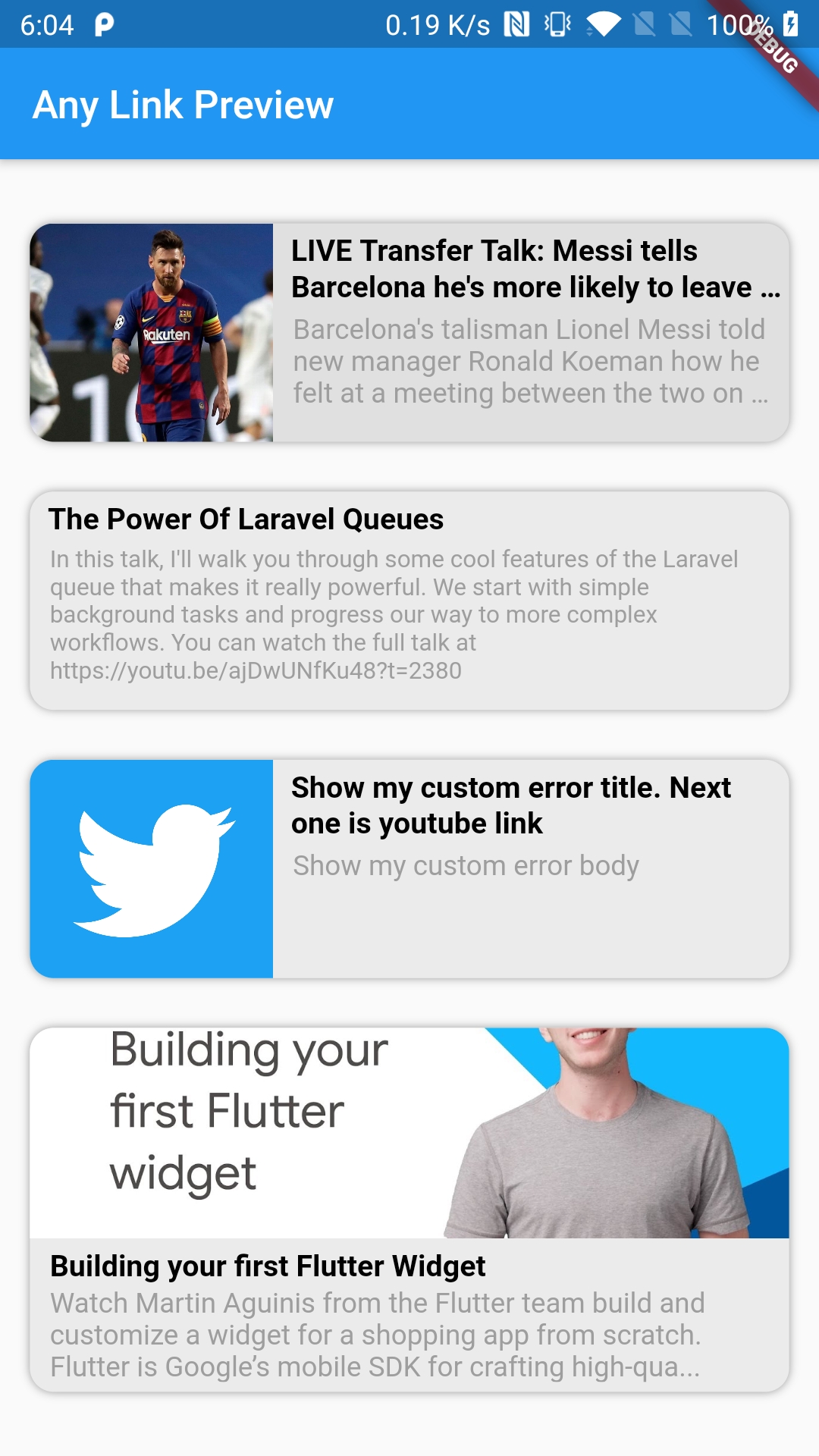
- Includes a placeholder widget for loading states and an error widget for handling errors, both fully customizable.
- Supports opting in or out of displaying media (images, icons, etc.) in the preview.
- Supports multiple display orientations (Horizontal and Vertical).
- Caches URL metadata for faster subsequent loads.
- Includes an example app to demonstrate usage.
Note: If results are not accurate then make sure to change userAgent value and give a try. In most of the cases it's either userAgent issue or proxyURL issue if it's web.
Getting Started ⚡️
Demo
Notes
- Open for suggestions and collaborations. Contact me here.
- If you find this package useful and it saves you development time, consider buying me a coffee.
- Contributions are welcome!
- Can be utilized both as a Widget and as a Method (function).
- Use
AnyLinkPreview.isValidLink() to validate URLs before usage.
⭐ Don't forget to star the repo
How to Contribute?
- Fork the repository.
- Create your feature or fix branch (
git checkout -b my-new-feature).
- Commit your changes (
git commit -am 'Add some feature').
- Push to the branch (
git push origin my-new-feature).
- Submit a Pull Request.
Properties 🔖
final UIDirection displayDirection;
final LaunchMode urlLaunchMode;
final String link;
final Color? backgroundColor;
final Widget? placeholderWidget;
final Widget? errorWidget;
final String? errorTitle;
final String? errorBody;
final String? errorImage;
final TextOverflow bodyTextOverflow;
final int bodyMaxLines;
final Duration cache;
final TextStyle? titleStyle;
final TextStyle? bodyStyle;
final bool showMultimedia;
final double? borderRadius;
final bool removeElevation;
final List<BoxShadow>? boxShadow;
final String? proxyUrl;
final Map<String, String>? headers;
final VoidCallback? onTap;
final double? previewHeight;
final Widget Function(BuildContext, Metadata, ImageProvider?, SvgPicture?)?
itemBuilder;
final String? userAgent;
Example of AnyLinkPreview widget:
AnyLinkPreview(
link: "https://vardaan.app/",
displayDirection: UIDirection.uiDirectionHorizontal,
showMultimedia: false,
bodyMaxLines: 5,
bodyTextOverflow: TextOverflow.ellipsis,
titleStyle: TextStyle(
color: Colors.black,
fontWeight: FontWeight.bold,
fontSize: 15,
),
bodyStyle: TextStyle(color: Colors.grey, fontSize: 12),
errorBody: 'Show my custom error body',
errorTitle: 'Show my custom error title',
errorWidget: Container(
color: Colors.grey[300],
child: Text('Oops!'),
),
errorImage: "https://google.com/",
cache: Duration(days: 7),
backgroundColor: Colors.grey[300],
borderRadius: 12,
removeElevation: false,
userAgent: 'WhatsApp/2.21.12.21 A',
boxShadow: [BoxShadow(blurRadius: 3, color: Colors.grey)],
onTap: () {},
)
Example of using AnyLinkPreview as a method/function:
Metadata? _metadata = await AnyLinkPreview.getMetadata(
link: "https://google.com/",
cache: const Duration(days: 7),
proxyUrl: "https://corsproxy.org/",
userAgent: 'WhatsApp/2.21.12.21 A',
);
print(_metadata?.title);
Example of using AnyLinkPreview's validation method/function:
final bool _isUrlValid = AnyLinkPreview.isValidLink(
"https://google.com/",
protocols: ['http', 'https'],
hostWhitelist: ['https://youtube.com/'],
hostBlacklist: ['https://facebook.com/'],
);
print('_isUrlValid => $_isUrlValid');
Display Direction can be among these 2 types:
enum UIDirection { uiDirectionVertical, uiDirectionHorizontal }
Special Thanks ✨
Thanks to all the contributors

License
Copyright (c) 2020-2025 Konakanchi Venkata Suresh Babu

Permission is hereby granted, free of charge, to any person obtaining a copy
of this software and associated documentation files (the "Software"), to deal
in the Software without restriction, including without limitation the rights
to use, copy, modify, merge, publish, distribute, sublicense, and/or sell
copies of the Software, and to permit persons to whom the Software is
furnished to do so, subject to the following conditions:

The above copyright notice and this permission notice shall be included in all
copies or substantial portions of the Software.

THE SOFTWARE IS PROVIDED "AS IS", WITHOUT WARRANTY OF ANY KIND, EXPRESS OR
IMPLIED, INCLUDING BUT NOT LIMITED TO THE WARRANTIES OF MERCHANTABILITY,
FITNESS FOR A PARTICULAR PURPOSE AND NONINFRINGEMENT. IN NO EVENT SHALL THE
AUTHORS OR COPYRIGHT HOLDERS BE LIABLE FOR ANY CLAIM, DAMAGES OR OTHER
LIABILITY, WHETHER IN AN ACTION OF CONTRACT, TORT OR OTHERWISE, ARISING FROM,
OUT OF OR IN CONNECTION WITH THE SOFTWARE OR THE USE OR OTHER DEALINGS IN THE
SOFTWARE.

