搜索插件、代码仓与 APP 分类

country_state_city_pro 封面
插件详情v0.0.6

country_state_city_pro

一个全新的 Flutter 包,用于获取全球所有国家、州和城市。

AndroidiOSWebmacOSWindowsLinux
近 30 天下载
529
喜欢数
65
Pub 分数
130

安装插件

flutter pub add country_state_city_pro

插件介绍

基于插件公开信息、社区数据与项目使用情况整理的选型参考。

一个 Flutter 包,提供全球各国、各州和城市的全面数据。它使开发者能够轻松地在应用中集成国家、州和城市选择功能,设置简单。该包包含全球区域的预加载数据集,并支持 Android、iOS、Web、macOS、Windows 和 Linux 等多个平台。非常适合需要基于位置输入的表单,如用户资料、配送地址或区域设置。该包由维护且开源,结构清晰,便于自定义。

适合场景

  • 用户注册并选择位置
  • 发货地址表单
  • 区域语言或货币设置
  • 旅行或物流应用本地化
  • 多区域内容过滤

主要特点

  • 预加载的全局国家、州和城市数据
  • 支持所有主要平台
  • 通过 pub add 轻松集成
  • 开源且持续维护
  • 轻量且快速的数据检索

适合对象

  • 开发国际应用的开发者
  • 需要位置字段的表单密集型应用程序
  • 面向多样化地理受众的应用程序
  • 需要离线位置数据的项目

使用建议

  • 由于包含数据集,初始下载体积较大
  • 需要手动处理数据更新
  • 仅限静态数据(无实时更改)
  • 不适合需要动态或基于API的位置服务的应用程序

原始 README

以下为关联源码仓库的 README 原文快照,最新内容请访问源码仓库。

country_state_city_pro

A new Flutter package to get world's all of Country, State, and City. And items are also searchable. In addition if city can't be found then user manually write city on dialog window.

Getting Started

Platforms:

This widget has been successfully tested on iOS, Android and Chrome.

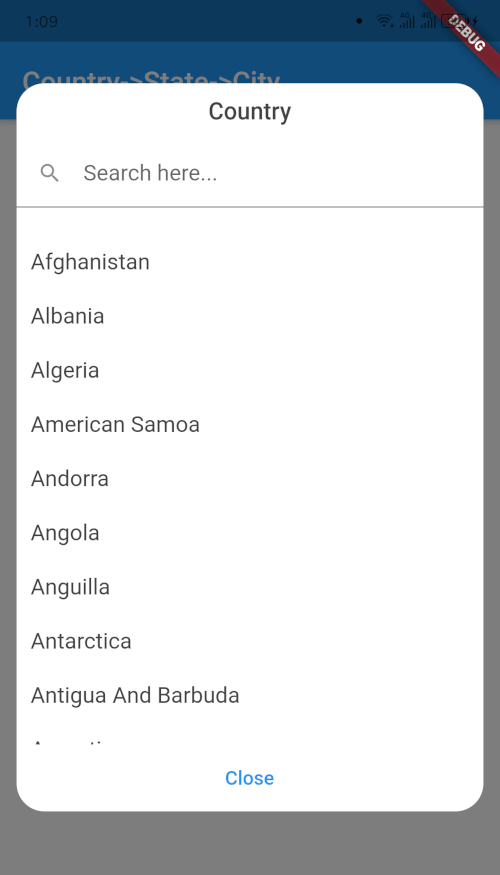
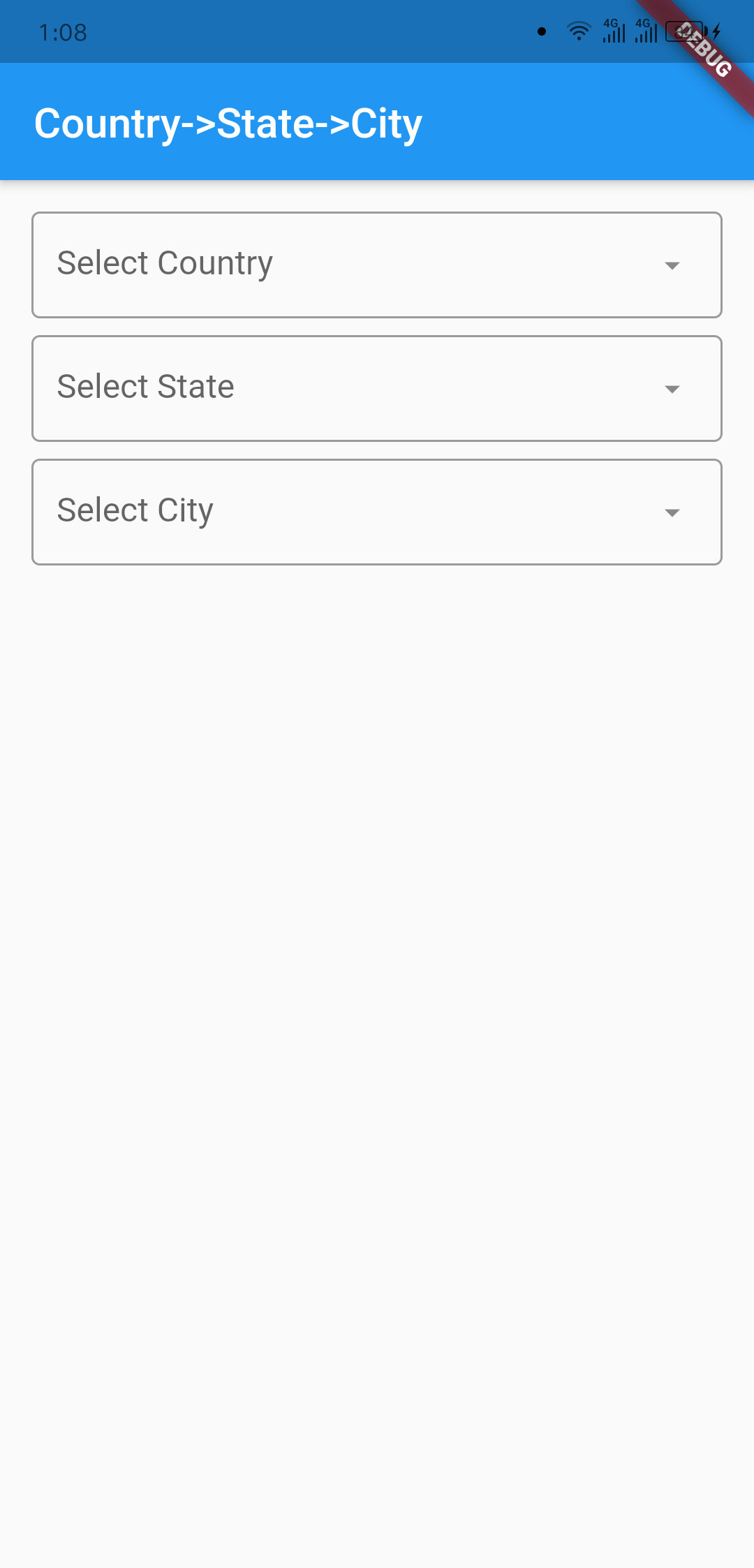
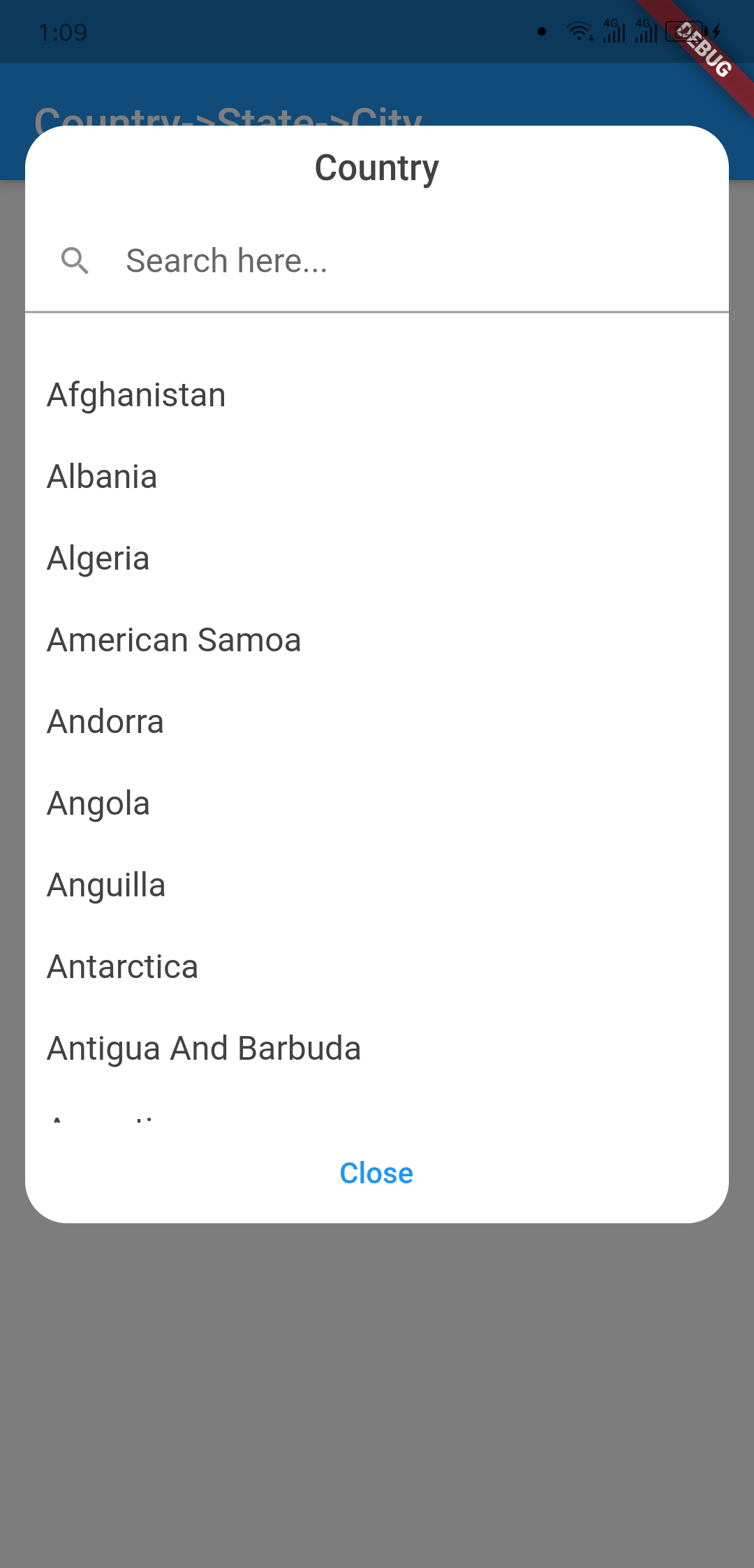
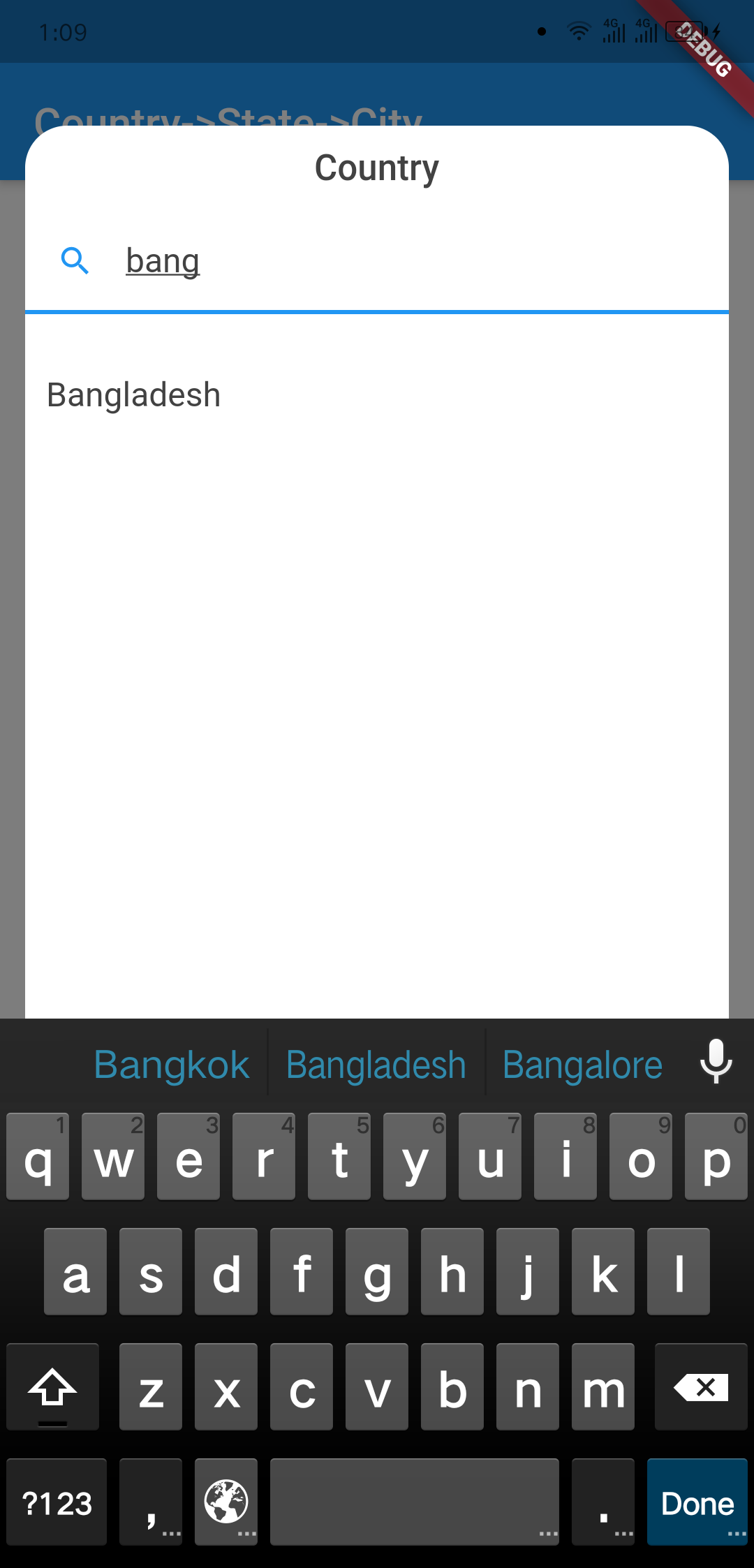
Screenshots

Outlook Country Dialog
image info image info
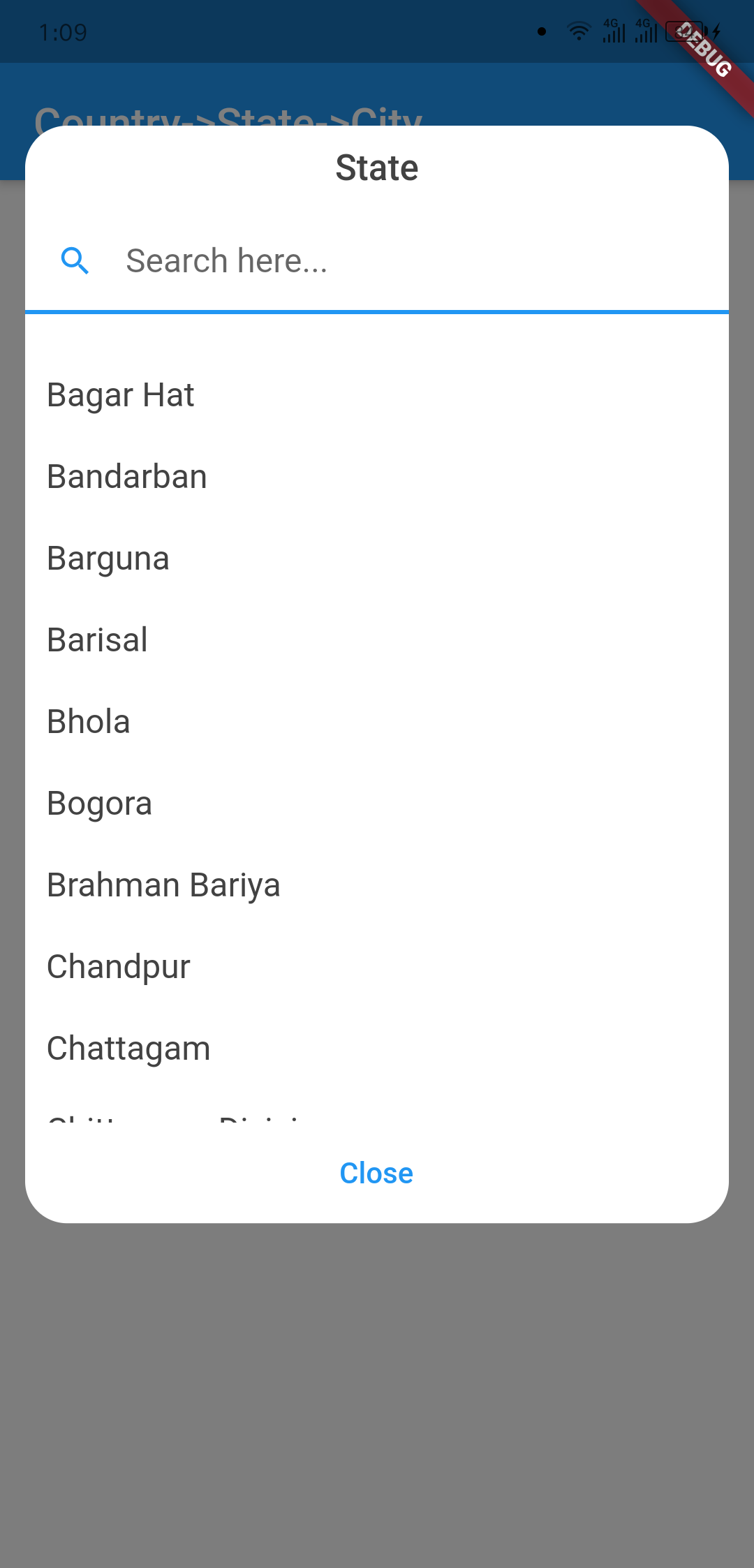
Country Searching State Dialog
image info image info
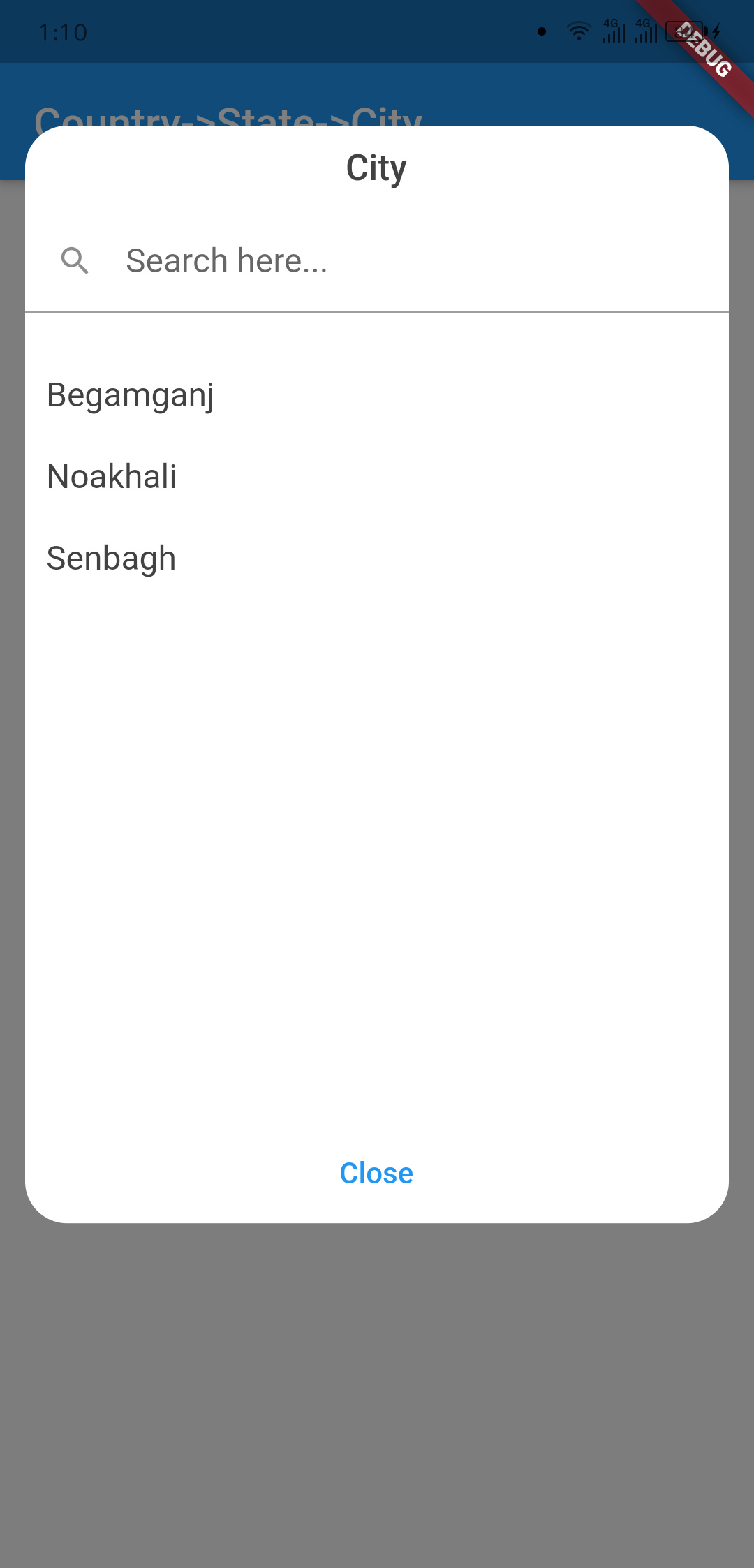
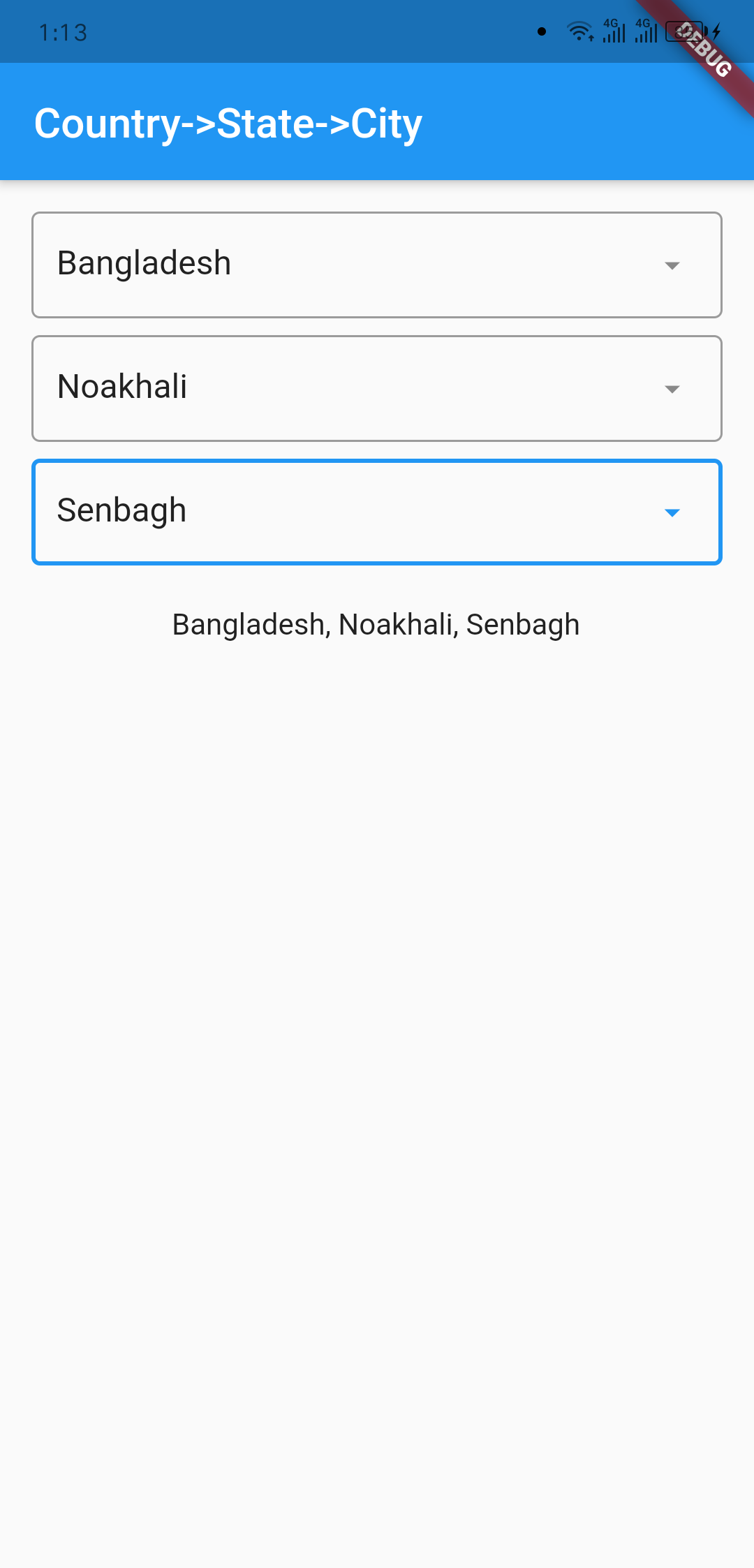
City Dialog Final Data
image info image info

Usage

import 'package:country_state_city/country_state_city_picker.dart';

///Define Controller
TextEditingController country=TextEditingController();
TextEditingController state=TextEditingController();
TextEditingController city=TextEditingController();

///Widget initialize
CountryStateCityPicker(
                country: country,
                state: state,
                city: city,
                dialogColor: Colors.grey.shade200,
                textFieldDecoration: InputDecoration(
                  fillColor: Colors.blueGrey.shade100,
                  filled: true,
                  suffixIcon: const Icon(Icons.arrow_downward_rounded),
                  border: const OutlineInputBorder(borderSide: BorderSide.none))
            ),

Example Code

import 'package:flutter/material.dart';
import 'package:country_state_city/country_state_city_picker.dart';

void main() {
  runApp(MyApp());
}
class MyApp extends StatelessWidget {
  @override
  Widget build(BuildContext context) {
    return MaterialApp(
      title: 'Country->State->City',
      theme: ThemeData(
        primarySwatch: Colors.blue,
      ),
      home: HomePage(),
    );
  }
}

class HomePage extends StatefulWidget {
  @override
  _HomePageState createState() => _HomePageState();
}
class _HomePageState extends State<HomePage> {
  TextEditingController country=TextEditingController();
  TextEditingController state=TextEditingController();
  TextEditingController city=TextEditingController();
  @override
  Widget build(BuildContext context) {
    return Scaffold(
      appBar: AppBar(
        title: Text('Country->State->City'),
      ),
      body: Padding(
          padding: EdgeInsets.all(15.0),
          child: Column(
            children: [
              CountryStateCityPicker(
                country: country,
                state: state,
                city: city,
                dialogColor: Colors.grey.shade200,
                textFieldDecoration: InputDecoration(
                   fillColor: Colors.blueGrey.shade100,
                   filled: true,
                   suffixIcon: const Icon(Icons.arrow_downward_rounded), 
                   border: const OutlineInputBorder(borderSide: BorderSide.none))
              ),
              SizedBox(height: 20),

              Text("${country.text}, ${state.text}, ${city.text}")
            ],
          )
      ),
    );
  }
}

Connect with

sujitsarkar.cse@gmail.com
Find more project on github

所属分类

源码仓库

使用此插件的项目

暂无相关数据。