搜索插件、代码仓与 APP 分类

插件详情v1.3.3+5

fast_cached_network_image

一个用于轻松缓存网络图片的 Flutter 包。您可以添加漂亮的加载器、百分比指示器和错误构建器。

AndroidiOSWebmacOSWindowsLinux
近 30 天下载
447
喜欢数
228
Pub 分数
140

安装插件

flutter pub add fast_cached_network_image

插件介绍

基于插件公开信息、社区数据与项目使用情况整理的选型参考。

FastCachedNetworkImage 是一个专为高效缓存网络图片而设计的 Flutter 包,设置简单。它提供内置的可自定义加载指示器、进度百分比显示以及通过专用构建器实现的错误处理。非常适合需要快速渲染图像并减少重复网络请求以提升性能的应用程序。该包支持所有主要平台,包括 Android、iOS、Web、macOS、Windows 和 Linux,使其在跨平台开发中具有高度灵活性。

适合场景

  • 在列表中显示来自URL的图像
  • 通过图像缓存提升应用性能
  • 在图像获取过程中显示加载状态
  • 为大图像添加进度指示器
  • 优雅地处理图像加载失败

主要特点

  • 轻松集成,代码量最少
  • 对自定义加载器和错误构建器的支持
  • 实时下载进度跟踪
  • 跨平台兼容性
  • 自动图像缓存
  • 可配置的缓存大小和持续时间

适合对象

  • 包含大量图像内容的应用程序
  • 带有远程图像的列表或网格视图
  • 注重性能的开发者
  • 项目在图像加载期间需要流畅的用户体验
  • 构建跨平台应用的团队

使用建议

  • 缓存管理需要手动配置以进行高级使用
  • 大型缓存可能会影响设备存储
  • 缓存淘汰策略的自定义功能有限
  • 未针对极高频率的图像更新进行优化
  • 可能需要额外的内存来缓存资源

原始 README

以下为关联源码仓库的 README 原文快照,最新内容请访问源码仓库。

Fast Cached Network Image

A flutter package to cache network image easily, with loader, error builder, and smooth fade transitions. You can also add beautiful loaders and percentage indicators with the total and download size of the image.

Use fast_cached_network_image: 1.2.9 (without "^") for projects with Flutter SDK version < 3.27.1.

MIT License pub dart

Screenshots

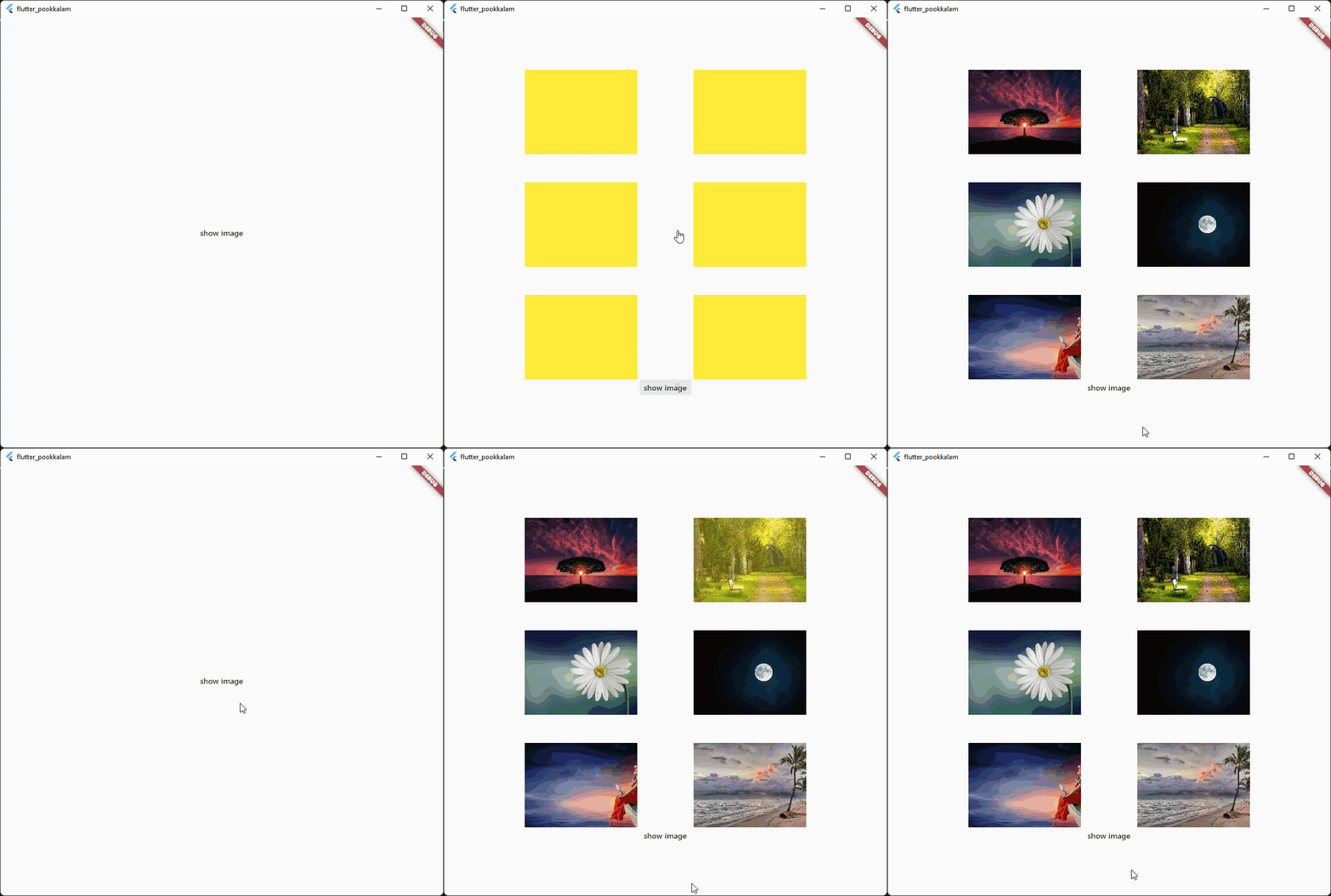
App caching

Caching with fade in animation

Caching with progress indicator and image  size

The below gif displays a 30 MB image from cache Use shimmer package to create a beautiful loading widget.

Usage

Import it

import 'package:fast_cached_network_image/fast_cached_network_image.dart';

This package uses Hive as cache container, which uses getApplicationDocumentsDirectory() to get the default path in case subDir is not specified

Initialize the cache configuration in the main function.

await FastCachedImageConfig.init();

The init function takes 2 arguments which are subDir, and clearCacheAfter. Both are optional.

To set a custom directory for your storage box, you can use path_provider

String storageLocation = (await getApplicationDocumentsDirectory()).path;

and then pass the storageLocation to the subDir parameter.

The clearCacheAfter property is used to set the Duration after with the cached image will be cleared. By default its set to 7 days, which means an image cached today will be deleted when you open the app after 7 days.

Use it as a Widget

child: FastCachedImage(url: url)

Properties

errorBuilder: (context, exception, stacktrace) {
  return Text(stacktrace.toString());
},

errorBuilder property needs to return a widget. This widget will be displayed if there is any error while loading the provided image.


loadingBuilder: (context, progress) {
  return Container(
    color: Colors.yellow,
    child: Stack(
      alignment: Alignment.center,
      children: [
        if (progress.isDownloading && progress.totalBytes != null)
          Text('${progress.downloadedBytes ~/ 1024} / ${progress.totalBytes! ~/ 1024} kb',
              style: const TextStyle(color: Colors.red)),
        SizedBox(
            width: 120,
            height: 120,
            child:
            CircularProgressIndicator(color: Colors.red, value: progress.progressPercentage.value)),
      ],
    ),
  );
},

loadingBuilder property can be used to display a loading widget such as a shimmer. This widget will be displayed while the image is being downloaded and processed. loadingBuilder provides a progress property which can be used to display the image download progress with the size(in bytes) of the image.

fadeInDuration: const Duration(seconds: 1);

fadeInDuration property can be use to set the fadeInDuration between the loadingBuilder and the image. Default duration is 500 milliseconds

FastCachedImageConfig.isCached(imageUrl: url));

You can pass in a url to this method and check whether the image in the url is already cached.

FastCachedImageConfig.deleteCachedImage(imageUrl: url);

This method deletes the image with given url from cache.

FastCachedImageConfig.clearAllCachedImages();

This method removes all the cached images. This method can be used in situations such as user logout, where you need to clear all the images corresponding to the particular user.

If an image had some errors while displaying, the image will be automatically re - downloaded when the image is requested again.

FastCachedImage have all other default properties such as height, width etc. provided by flutter.

If you want to use an image from cache as image provider, use

FastCachedImageProvider(url);

Example

import 'package:fast_cached_network_image/fast_cached_network_image.dart';
import 'package:flutter/material.dart';

void main() async {
  WidgetsFlutterBinding.ensureInitialized();

  await FastCachedImageConfig.init(clearCacheAfter: const Duration(days: 15));

  runApp(const MyApp());
}

class MyApp extends StatefulWidget {
  const MyApp({super.key});

  @override
  State<MyApp> createState() => _MyAppState();
}

class _MyAppState extends State<MyApp> {
  String url1 = 'https://www.sefram.com/images/products/photos/hi_res/7202.jpg';

  bool isImageCached = false;
  String? log;

  @override
  Widget build(BuildContext context) {
    return MaterialApp(
        home: Scaffold(
            body: Center(
              child: Column(
                mainAxisAlignment: MainAxisAlignment.center,
                children: [
                  SizedBox(
                    height: 150,
                    width: 150,
                    child: FastCachedImage(
                      url: url1,
                      fit: BoxFit.cover,
                      fadeInDuration: const Duration(seconds: 1),
                      errorBuilder: (context, exception, stacktrace) {
                        return Text(stacktrace.toString());
                      },
                      loadingBuilder: (context, progress) {
                        return Container(
                          color: Colors.yellow,
                          child: Stack(
                            alignment: Alignment.center,
                            children: [
                              if (progress.isDownloading && progress.totalBytes != null)
                                Text('${progress.downloadedBytes ~/ 1024} / ${progress.totalBytes! ~/ 1024} kb',
                                    style: const TextStyle(color: Colors.red)),
                              
                              SizedBox(
                                  width: 120,
                                  height: 120,
                                  child:
                                  CircularProgressIndicator(color: Colors.red, value: progress.progressPercentage.value)),
                            ],
                          ),
                        );
                      },
                    ),
                  ),

                  const SizedBox(height: 12),
                  
                  Text('Is image cached? = $isImageCached', style: const TextStyle(color: Colors.red)),
                 
                  const SizedBox(height: 12),
                  
                  Text(log ?? ''),

                  const SizedBox(height: 120),

                  MaterialButton(
                    onPressed: () async {
                      setState(() => isImageCached = FastCachedImageConfig.isCached(imageUrl: url1));
                    },
                    child: const Text('check image is cached or not'),
                  ),

                  const SizedBox(height: 12),

                  MaterialButton(
                    onPressed: () async {
                      await FastCachedImageConfig.deleteCachedImage(imageUrl: url1);
                      setState(() => log = 'deleted image $url1');
                      await Future.delayed(const Duration(seconds: 2), () => setState(() => log = null));
                    },
                    child: const Text('delete cached image'),
                  ),

                  const SizedBox(height: 12),

                  MaterialButton(
                    onPressed: () async {
                      await FastCachedImageConfig.clearAllCachedImages();
                      setState(() => log = 'All cached images deleted');
                      await Future.delayed(const Duration(seconds: 2), () => setState(() => log = null));
                    },
                    child: const Text('delete all cached images'),
                  ),
                ],
              ),
            )));
  }
}


Feel free to contribute and support.

Contributors 🤝

Big thanks go to these wonderful people:


Author: Christo Pananjickal

Contributor: Wouter van Wijk

Contributor: Merdan Atamyradow

Contributor: Steve

Contributor: Suyog Patil

Package on pub.dev

fast_cached_network_image

所属分类

依赖

依赖清单 3 项

源码仓库

使用此插件的项目