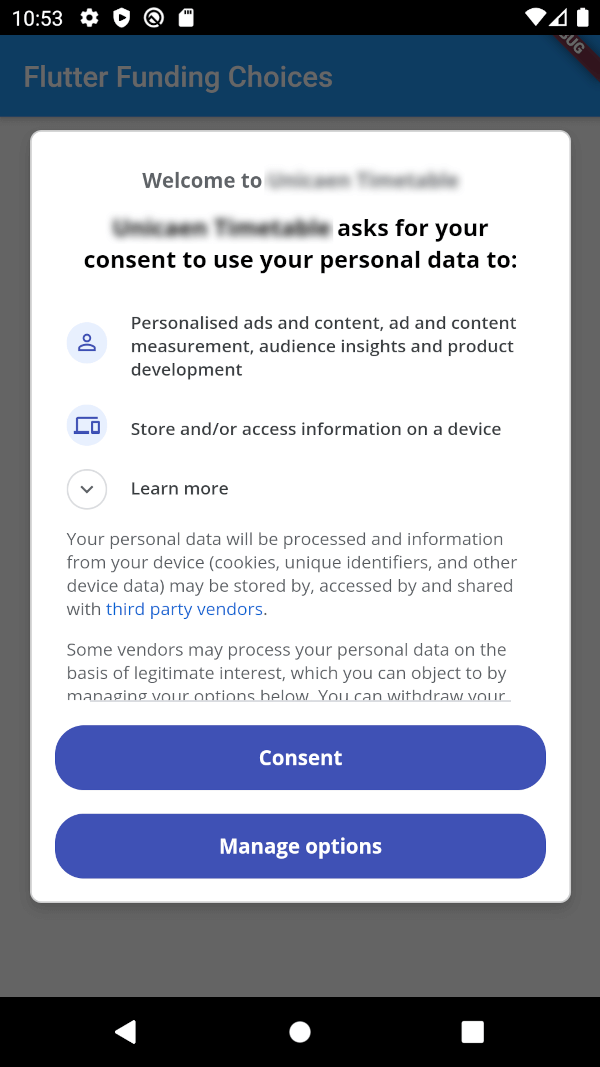
Flutter Funding Choices is an unofficial Flutter implementation of Funding Choices,
a Google service that allows to request user consent for personalized ads in AdMob.
Prerequisites
You must have linked your FundingChoices account to your Admob account.
See this documentation on Google Support.
Installation
Android
Your app must use Android Embedding V2.
Also, you need to add an app id in your AndroidManifest.xml (in the application tag) :
You can obtain your app ID by following these instructions.
You may also need to handle Apple's App Tracking Transparency message by putting this in your Info.plist :
<key>NSUserTrackingUsageDescription</key><string>This identifier will be used to deliver personalized ads to you.</string>
Feel free to configure the message as you want.
How to use
There are three methods :
FlutterFundingChoices.requestConsentInformation() : Allows to get current user consent information (whether you need to show the consent form, whether the user wants personalized ads, ...).
FlutterFundingChoices.showConsentForm() : Loads and shows the consent form. You must check first that there is a consent form (with isConsentFormAvailable on the returned object of the previous method).
FlutterFundingChoices.reset() : Resets the consent information.
You typically want to use it like this on Android :
@overridevoidinitState() {
super.initState();
WidgetsBinding.instance.addPostFrameCallback((_) async {
ConsentInformation consentInfo = awaitFlutterFundingChoices.requestConsentInformation();
if (consentInfo.isConsentFormAvailable && consentInfo.consentStatus == ConsentStatus.required) {
awaitFlutterFundingChoices.showConsentForm();
// You can check the result by calling `FlutterFundingChoices.requestConsentInformation()` again !
}
});
}
Contributions
You have a lot of options to contribute to this project ! You can :