搜索插件、代码仓与 APP 分类

image_picker_widget 封面
插件详情v3.0.1

image_picker_widget

一个 Flutter 包,用于将 image_picker 与简单的 Flutter 小部件集成,让您在不干扰设计代码开发的情况下轻松编辑图像。

AndroidiOS
近 30 天下载
143
喜欢数
24
Pub 分数
140

安装插件

flutter pub add image_picker_widget

插件介绍

基于插件公开信息、社区数据与项目使用情况整理的选型参考。

一个 Flutter 包,通过专用小部件简化在 Flutter 应用中集成 image_picker 功能。它简化了图像选择和编辑流程,降低了设计和开发的复杂性。该包具有平台无关性,支持 Android 和 iOS,并提供干净、可复用的 UI 组件来处理图像输入。非常适合需要直观图像上传且代码量最少的应用。

适合场景

  • 表单中的简单图像选择
  • 使用最少设置集成图像上传
  • 构建用户头像上传界面
  • 向现有控件添加图像编辑功能
  • 创建丰富的媒体移动应用功能

主要特点

  • 预构建的图像选择器 Widget
  • 与 image_picker 的无缝集成
  • 最小化设计代码要求
  • 支持 Android 和 iOS
  • 干净、可重用的 UI 组件

适合对象

  • 寻求快速图像输入解决方案的开发者
  • 需要轻量级图像上传功能的应用
  • 专注于前端的团队,最大限度地减少UI复杂性
  • 原型化基于图像的工作流程
  • 开发周期紧张的项目

使用建议

  • 需要将 image_picker 作为依赖项
  • 超出基础样式的有限自定义
  • 没有内置的图像处理工具
  • 依赖于底层 image_picker 的行为
  • 可能需要针对文件类型进行额外验证

原始 README

以下为关联源码仓库的 README 原文快照,最新内容请访问源码仓库。

image_picker_widget

pub package

A new Flutter package to integrate image_picker with a simple Flutter widget, allowing you to edit an image without any problems with design code development

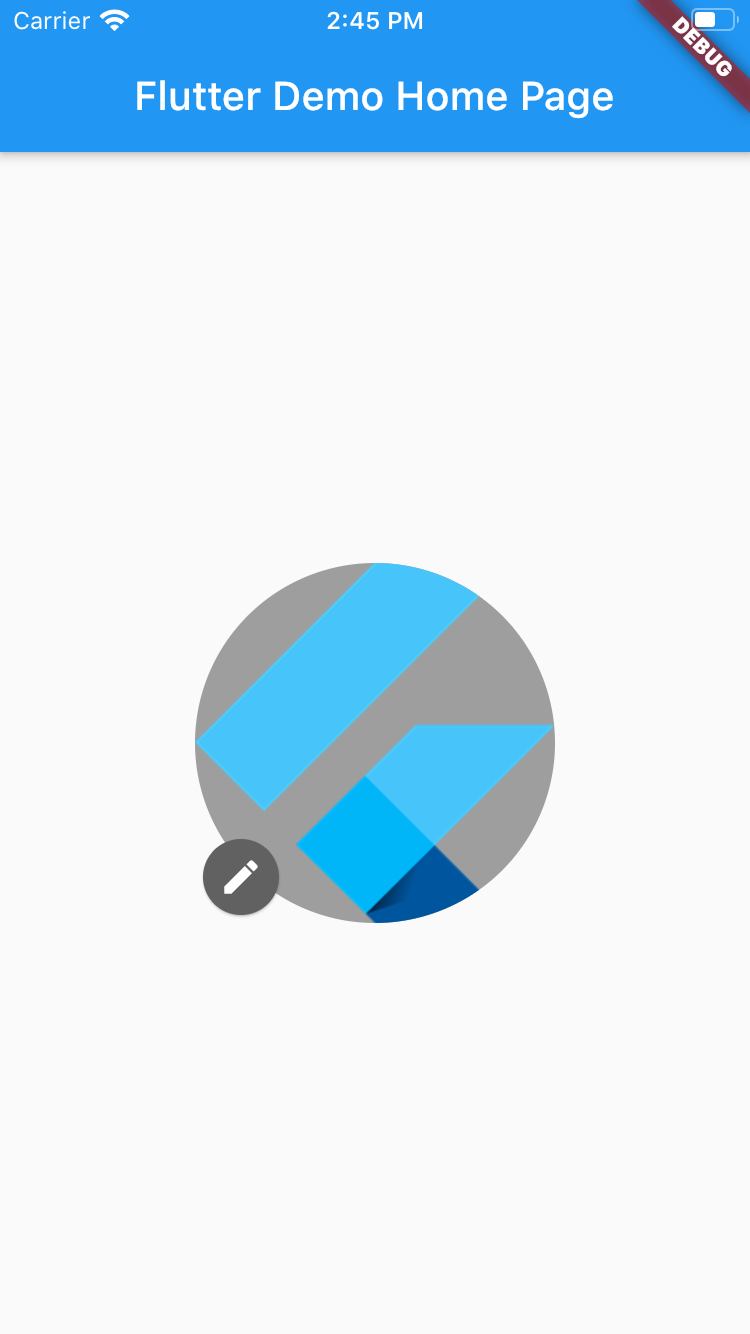
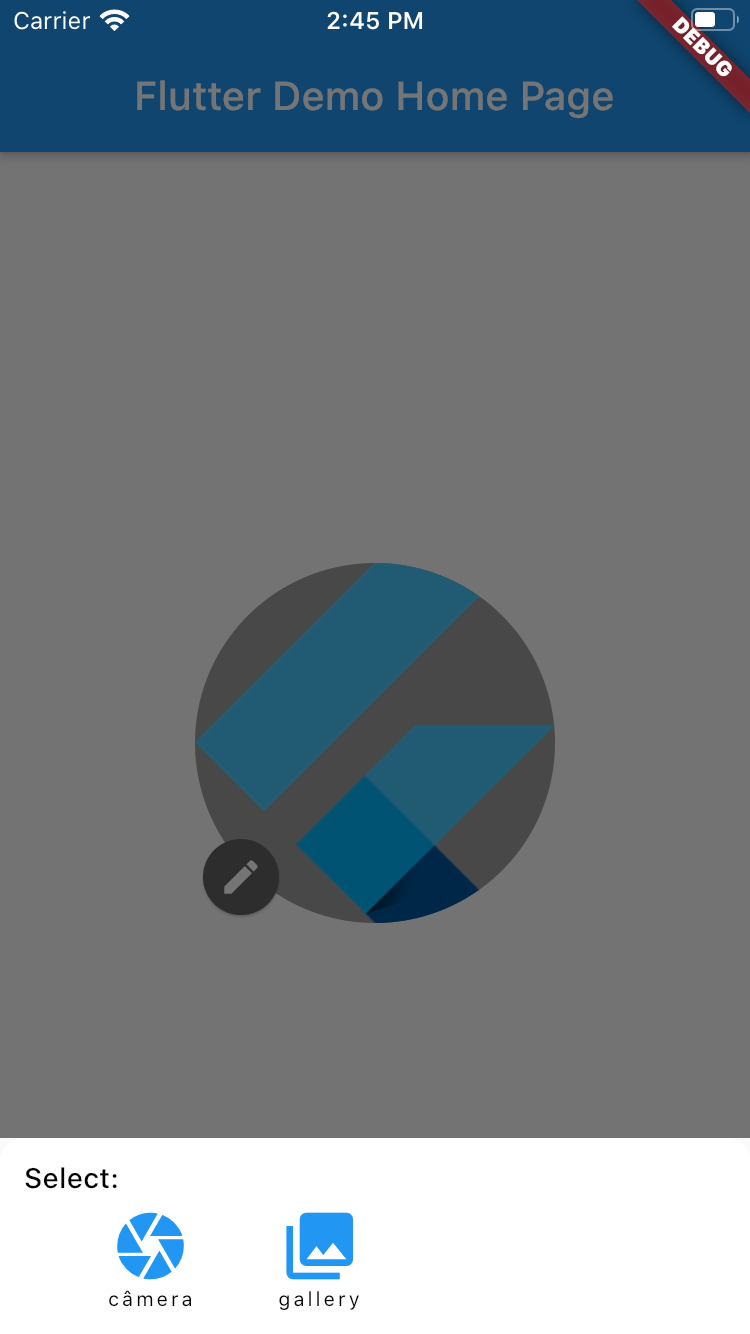
Preview Modal image type picker
First view Modal image type picker

Getting Started

Add the dependency in pubspec.yaml:

dependencies:
  ...
  # Design
  image_picker_widget: '>=2.0.0 <3.0.0 
  # For pre null-safety, use version 1.0.3'

A Flutter plugin for iOS and Android for picking images from the image library, and taking new pictures with the camera.

Installation

Since this package requires image_picker, and image_cropper you need to add this requirements bellow.

iOS

Add the following keys to your Info.plist file, located in <project root>/ios/Runner/Info.plist:

  • NSPhotoLibraryUsageDescription - describe why your app needs permission for the photo library. This is called Privacy - Photo Library Usage Description in the visual editor.
  • NSCameraUsageDescription - describe why your app needs access to the camera. This is called Privacy - Camera Usage Description in the visual editor.
  • NSMicrophoneUsageDescription - describe why your app needs access to the microphone, if you intend to record videos. This is called Privacy - Microphone Usage Description in the visual editor.
Android
Image Picker config:

No configuration required - the plugin should work out of the box.

It is no longer required to add android:requestLegacyExternalStorage="true" as an attribute to the tag in AndroidManifest.xml, as image_picker has been updated to make use of scoped storage.

Image Cropper config:
  • Add UCropActivity into your AndroidManifest.xml
<activity
    android:name="com.yalantis.ucrop.UCropActivity"
    android:screenOrientation="portrait"
    android:theme="@style/Theme.AppCompat.Light.NoActionBar"/>
Note:

From v1.2.0, you need to migrate your android project to v2 embedding (detail)


Parameter (Required)

Property Description Type
diameter The diameter of the container in which the image is contained. double

Parameter (Optional)

Property Description Type
initialImage The initial image to be displaied, can be an ImageProvider, File or a external url (String) dynamic
isEditable Checks whether the image can be changed bool
shouldCrop defines if the image can be edited and/or croped with the defined values bellow default to false. bool
onChange Case the image can be changed, this function will be called after the change. void Function(File)
fit How the image should be inscribed into the box. BoxFit

Customization (Optional)

Image Picker Widget
Property Description Type
shape The shape of the widget [square or circle] ImagePickerWidgetShape
backgroundColor The background of the widget [default to Colors.grey[500]] Color
backgroundColor The radius of the square image [default to Radius.all(8)] Radius
editIcon The widget that references the possibility of editing Widget
iconAlignment Alignment option for editIcon AlignmentGeometry
Modal image type picker
Property Description Type
modalOptions.title The title of the widget [default to Text > "Select:"] Widget
modalOptions.cameraIcon The camera icon that selects the camera [default to Icons.camera] IconData
IconData
modalOptions.cameraText The camera label that indicates to select the camera [defaults to Text > "camera"] Widget
modalOptions.cameraSize The camera icon size that indicates to select the camera [defaults to 40] double
modalOptions.cameraColor The camera icon color that indicates to select the camera [defaults to primaryColor] Color
modalOptions.galleryIcon The gallery icon that select the gallery [default to Icons.collections] IconData
IconData
modalOptions.galleryText The gallery label that indicates to select the gallery [defaults to Text > "gallery"] Widget
modalOptions.gallerySize The gallery icon size that indicates to select the gallery [defaults to 40] Widget
modalOptions.galleryColor The gallery icon color that indicates to select the gallery [defaults to primaryColor] Widget

Or, in case you want to add your own modal, you can make'it using imagePickerModal like as follow:

imagePickerModal: (context, selectCamera, selectGallery) => BottomSheet(
    onClosing: () => print('Nothing'),
    backgroundColor: Colors.red,
    builder: (context) => Padding(
    padding: const EdgeInsets.all(16),
    child: Row(
        mainAxisAlignment: MainAxisAlignment.spaceEvenly,
        children: [
        ElevatedButton(onPressed: () => selectCamera(context), child: Text("Camera")),
        SizedBox(height: 20),
        ElevatedButton(onPressed: () => selectGallery(context), child: Text("Galeria")),
        ],
    ),
    ),
),
Image Picker Options
Property Description Type
maxWidth If specified, the image will be at most maxWidth wide and maxHeight tall. Otherwise the image will be returned at it's original width and height. int
maxHeight If specified, the image will be at most maxWidth wide and maxHeight tall. Otherwise the image will be returned at it's original width and height. int
imageQuality The imageQuality argument modifies the quality of the image, ranging from 0-100 where 100 is the original/max quality. If imageQuality is null, the image with the original quality will be returned. Compression is only supported for certain image types such as JPEG and on Android PNG and WebP, too. If compression is not supported for the image that is picked, a warning message will be logged. int
preferredCameraDevice Use preferredCameraDevice to specify the camera to use when the source is [ImageSource.camera]. The preferredCameraDevice is ignored when source is [ImageSource.gallery]. It is also ignored if the chosen camera is not supported on the device. Defaults to [CameraDevice.rear]. Note that Android has no documented parameter for an intent to specify if the front or rear camera should be opened, this function is not guaranteed to work on an Android device. CameraDevice
Image Cropping Options
Property Description Type
maxWidth maximum cropped image width. int
maxHeight maximum cropped image height. int
aspectRatio controls the aspect ratio of crop bounds. If this values is set, the cropper is locked and user can't change the aspect ratio of crop bounds. CropAspectRatio
aspectRatioPresets controls the list of aspect ratios in the crop menu view. In Android, you can set the initialized aspect ratio when starting the cropper by setting the value of AndroidUiSettings.initAspectRatio. List
cropStyle controls the style of crop bounds, it can be rectangle or circle style (default is CropStyle.rectangle). CropStyle
compressFormat the format of result image, png or jpg (default is ImageCompressFormat.jpg). ImageCompressFormat
compressQuality the value [0 - 100] to control the quality of image compression. int
androidUiSettings controls UI customization on Android. See Android customization. AndroidUiSettings
iosUiSettings controls UI customization on iOS. See iOS customization. IOSUiSettings

Basic Usage

Adding the widget

..child: ImagePickerWidget(
    diameter: 180,
    // initialImage: "https://strattonapps.com/wp-content/uploads/2020/02/flutter-logo-5086DD11C5-seeklogo.com_.png",
    shape: ImagePickerWidgetShape.circle, // ImagePickerWidgetShape.square
    isEditable: true,
    onChange: (File file) {
        print("I changed the file to: ${file.path}");
    },
)

Issues

Please if you see any issues, bugs, or feature requests, send to me in: GitHub issue.

所属分类

依赖

依赖清单 2 项

源码仓库

使用此插件的项目

暂无相关数据。