measure_size
A Flutter package for efficiently measuring widget sizes and building size-aware, adaptive layouts with minimal overhead.
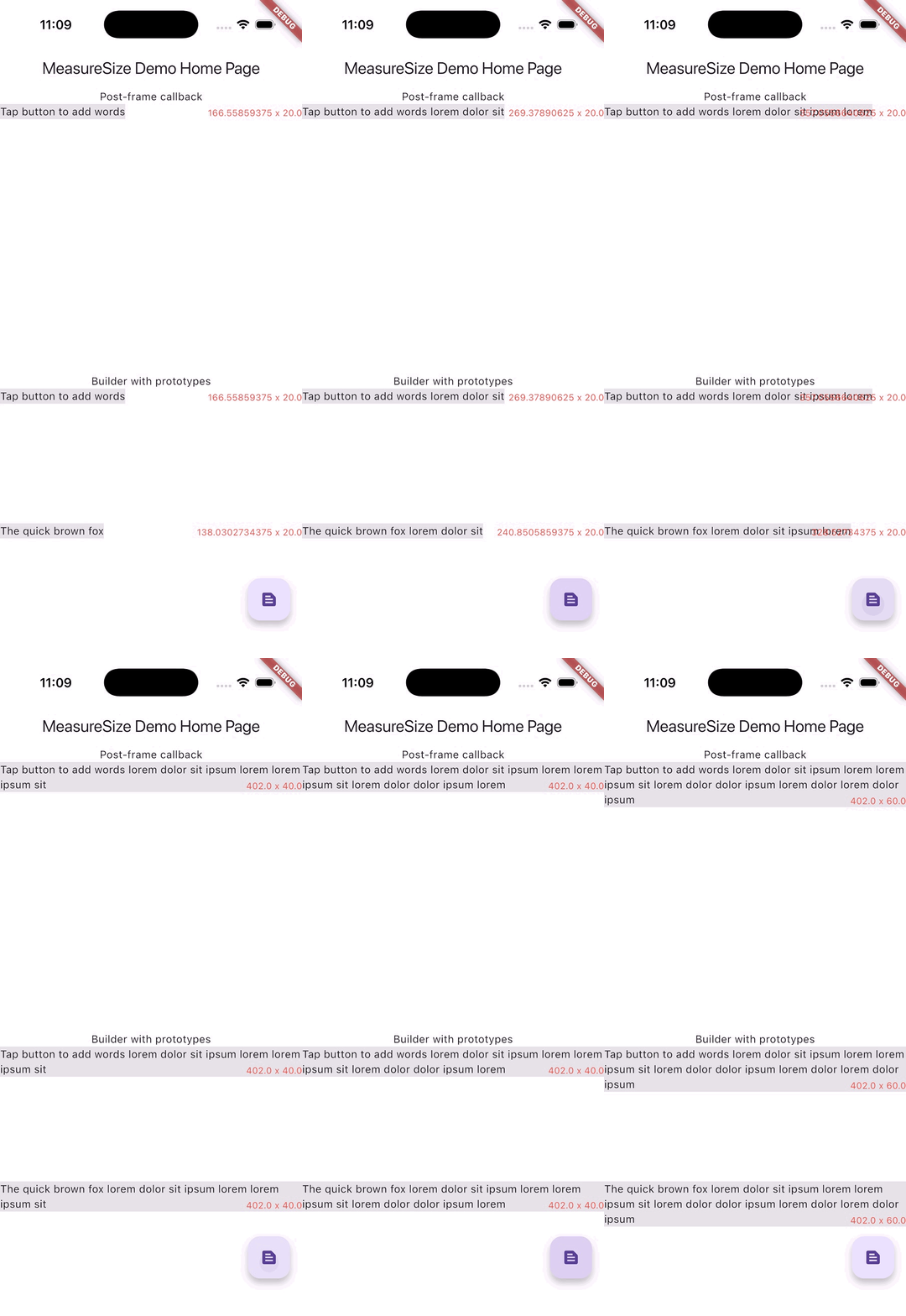
Measuring text and drawing an overlay with matching size
|
MeasureSize |
MeasureSizeBuilder |
| Purpose |
Monitor size changes |
Prototype-driven layout |
| Callback timing |
Post-frame |
During layout (invokeLayoutCallback) |
| Measurements |
Single widget |
Multiple prototypes |
| Use case |
Reactive to size changes |
Proactive layout decisions |
| Complexity |
Simple |
Advanced |
| Performance |
Good |
Excellent (single pass) |
| PreferredSizeWidget limitation |
Does not work |
First frame problematic |
import 'package:measure_size/measure_size.dart';
Widget child = Text('Lorem ipsum dolor sit amet');
MeasureSize(
onChange: (Size newSize) {
},
child: child,
);
MeasureSizeBuilder<String>(
prototypeConstraints: (constraints) => BoxConstraints(
minWidth: 0,
maxWidth: constraints.maxWidth,
minHeight: 0,
maxHeight: double.infinity,
),
prototypes: [
PrototypeId(
id: 'lorem',
child: child,
),
],
builder: (context, sizes) {
return child;
}
);
MeasureSize
Required
Widget child - This widget will be displayed and and measured.
Optional
void onChange(Size newSize) - A callback that is fired exactly once after the first frame of the child widget is rendered.
MeasureSizeBuilder<T>
Required
List<PrototypeId<T>> prototypes - Wrap widgets you'd like to measure with PrototypeId and provide a unique identifier for each widget.PrototypeWidgetBuilder<T> builder - A builder function that contains the sizes of all prototypes.PrototypeConstraintCalculator prototypeConstraints - Constraints to be assigned to each prototype widget.
Example
A demonstration can be found in the example directory. To run the example:
flutter run example/main.dart
Credits

