搜索插件、代码仓与 APP 分类

particular 封面
插件详情v0.3.4

particular

Particular 是一个高性能的粒子效果 Flutter 小部件。

AndroidiOSWebmacOSWindowsLinux
近 30 天下载
61
喜欢数
50
Pub 分数
160

安装插件

flutter pub add particular

插件介绍

基于插件公开信息、社区数据与项目使用情况整理的选型参考。

Particular 是一个高性能的 Flutter 小部件,专为创建流畅且可自定义的粒子效果而设计。它利用先进的渲染技术,在移动、Web 和桌面等多个平台上实现流畅的动画效果。非常适合用于增强应用背景中的动态视觉元素,支持渐变、着色器和实时交互。该包经过性能优化,即使在复杂场景下也能保持高帧率。通过简单的 API 和丰富的配置选项,开发者可以轻松地将惊艳的粒子系统集成到自己的应用程序中。

适合场景

  • 创建动画应用背景
  • 通过动态视觉效果增强用户界面
  • 添加交互式粒子动画
  • 改进应用入门体验
  • 设计沉浸式登录页面
  • 实现环境背景效果

主要特点

  • 高性能渲染
  • 跨平台支持(Android、iOS、Web、macOS、Windows、Linux)
  • 对渐变和着色器的支持
  • 实时粒子交互
  • 可自定义的粒子行为
  • 轻量且高效

适合对象

  • 寻求视觉魅力的UI设计师
  • 开发人员构建引人入胜的引导屏幕
  • 需要环境背景动画的应用程序
  • 交互式数字体验
  • 注重性能的项目
  • 创意应用界面

使用建议

  • 可能需要针对低端设备进行优化
  • 复杂的配置可能会增加构建时间
  • 除了基本示例外,文档有限
  • 不适合静态或简单的背景
  • 需要理解粒子系统概念
  • 大量粒子数量可能导致的内存使用

原始 README

以下为关联源码仓库的 README 原文快照,最新内容请访问源码仓库。

Particular Logo

Enhance your app or game visuals with this high-performance Flutter Particles System widget. Utilize JSON or programmatic configuration, seamlessly integrating with popular particles editors for effortless customization.

  • Customizable (live) Particle Effects.
  • Ready Presets (JSON Configs).
  • Seamless Integration with Editors.
  • Optimized Performance with 1~10k particle at frame

    Whether you're a designer or developer, Particular empowers you to bring your creative visions with ease.


    - Some Presets:

    Meteor Galaxy Snow Meteor


    - Installation

    Add particular to your pubspec.yaml file:
    For detailed installation instructions, refer to the installation guide on pub.dev.


    - Configurate your particles

    You have two options for configuring your particles:

    1. Using Editors:

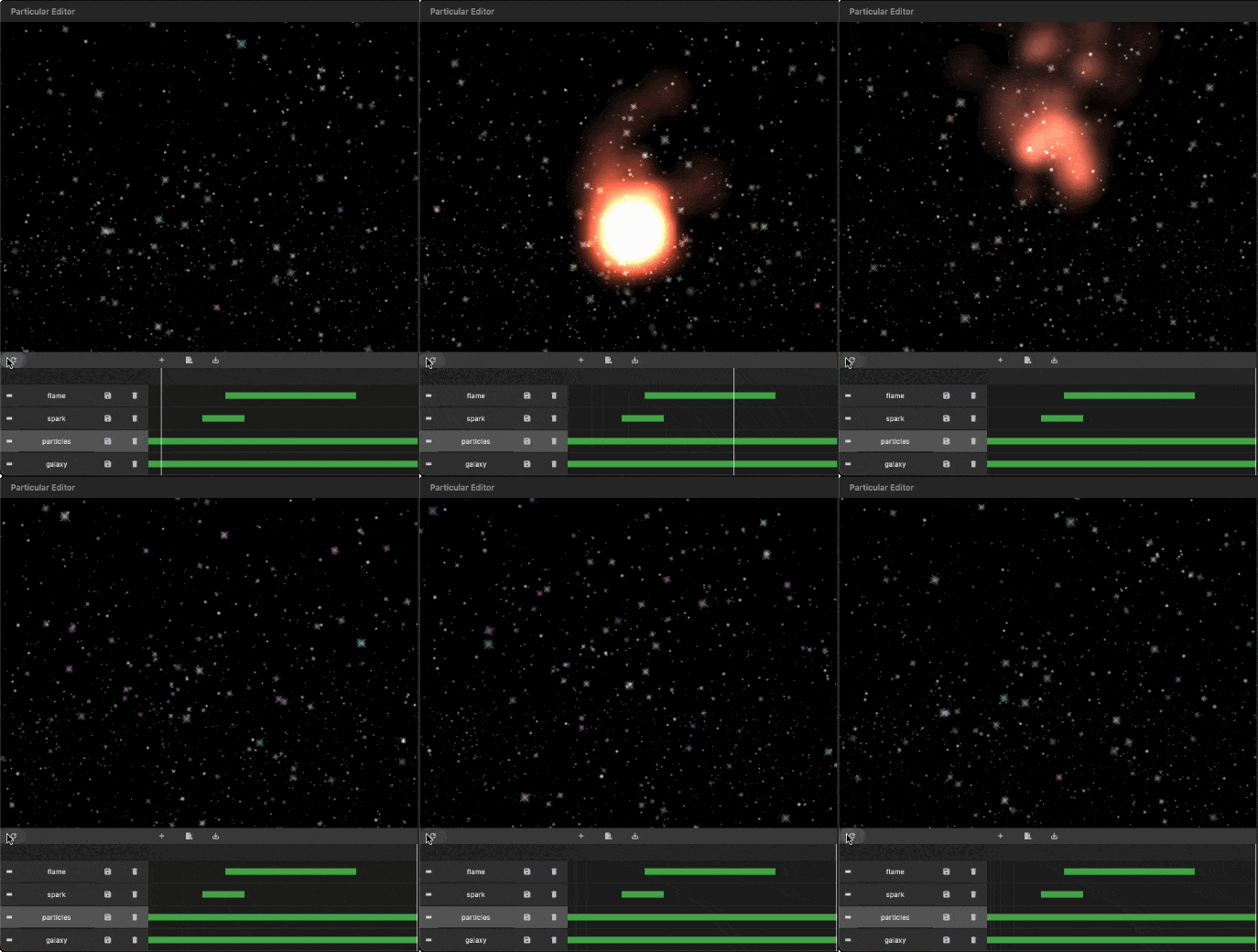
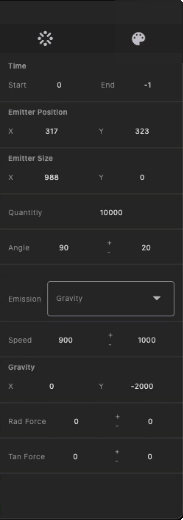
    Generate your particles system configurations by Particular Editor.


    1. Programmatic Configuration:
      Manually configure your particle controller in code. Refer to the following steps for more details.

    - Getting Started with Coding

    Follow these steps to integrate the particles system into your Flutter app:

    I. Insert Particle Files into Your Project:
    The Particular Editor exports one or multiple particle layers. For each particle layer, it generates a configuration file (configs.json) and a related image file (texture.png). In the configuration file, there is a node named textureFileName, which refers to the image file. Place the image and configs.json file in your project's assets folder, and add the necessary assets entry in your pubspec.yaml file.

    assets:
      - assets/configs.json
      - assets/texture.png
    

    https://docs.flutter.dev/ui/assets/assets-and-images


    II. Initialize the Particles Controller in `initState`:

    To use this library, import package:particular/particular.dart.

    final _particleController = ParticularController();
    ...
    @override
    void initState() {
      _loadParticleAssets();
      super.initState();
    }
    
    // Load configs and texture of particle
    Future<void> _loadParticleAssets() async {
    
      // Load particle configs file
      String json = await rootBundle.loadString("assets/configs.json");
      final configsData = jsonDecode(json);
    
      // Load particle texture file
      ByteData  bytes = await rootBundle.load("assets/${configsData["textureFileName"]}");
      ui.Image texture = await loadUIImage(bytes.buffer.asUint8List());
    
      // Add particles layer
      _particleController.addLayer(
        texture: frameInfo.image, // Remove in default-texture case
        configsData: configsData, // Remove in programmatic configuration case
      );
    }
    

    III. Add the Particular widget in your widget three:

    @override
    Widget build(BuildContext context) {
      return MaterialApp(
        home: Scaffold(
          backgroundColor: Colors.black,
          body: Particular(
            controller: _particleController,
          ),
        ),
      );
    }
    

    IIII. Live Update Particle Layer:

    _particleController.layers.first.update(
        maxParticles: 100,
        lifespan:1.2,
        speed:100,
        angle:30,
    );
    

    You can also use different image types supported by Flutter, with varying names and locations, following the guidelines below:

    {
      "textureFileName": "images/particle_snow.webp"
    }
    
    assets:
      - assets/data/particle_snow.json
      - assets/images/particle_snow.webp
    
    ...
    
    // Load particle configs file
    String json = await rootBundle.loadString("assets/data/particle_snow.json");
    
    ...
    

    This revised README provides clear installation instructions, options for configuring particles, and steps for integrating and customizing the particle system in your Flutter app. If you have any questions or need further assistance, don't hesitate to ask!

  • 所属分类

    依赖

    依赖清单 1 项

    源码仓库

    使用此插件的项目

    暂无相关数据。