搜索插件、代码仓与 APP 分类

reorderable_staggered_scroll_view 封面
插件详情v0.0.2

reorderable_staggered_scroll_view

一个用于创建可重新排序的交错网格视图的 Flutter 包。

AndroidiOSWebmacOSWindowsLinux
近 30 天下载
94
喜欢数
37
Pub 分数
160

安装插件

flutter pub add reorderable_staggered_scroll_view

插件介绍

基于插件公开信息、社区数据与项目使用情况整理的选型参考。

一个 Flutter 包,使用户能够创建具有平滑拖放交互的可重新排序的交错网格布局。它通过允许在交错网格中动态重新排列项目,扩展了标准滚动视图的功能,非常适合自定义内容显示,如照片画廊或任务列表。该包支持所有主要平台,并可无缝集成到现有的 Flutter 项目中。

适合场景

  • 可自定义的相册
  • 任务管理界面
  • 动态内容排序
  • 用户驱动的布局排列
  • 交互式仪表板小部件

主要特点

  • 拖拽重排
  • 交错网格布局支持
  • 跨平台兼容性
  • 重新排序时的平滑动画
  • 轻松集成到现有的 Flutter 应用中

适合对象

  • 开发交互式 UI 的开发者
  • 需要动态项目排列的应用程序
  • 包含视觉内容组织的项目
  • 寻求直观拖拽手势的用户
  • 面向多个平台的 Flutter 开发者

使用建议

  • 需要仔细处理项目键的唯一性
  • 在大数据集上可能影响性能
  • 需要适当的状态管理来实现重新排序逻辑
  • 除了基本的交错行为外,自定义选项有限
  • 最适合中等大小的集合

原始 README

以下为关联源码仓库的 README 原文快照,最新内容请访问源码仓库。

reorderable_staggered_scroll_view

pub package GitHub license GitHub issues

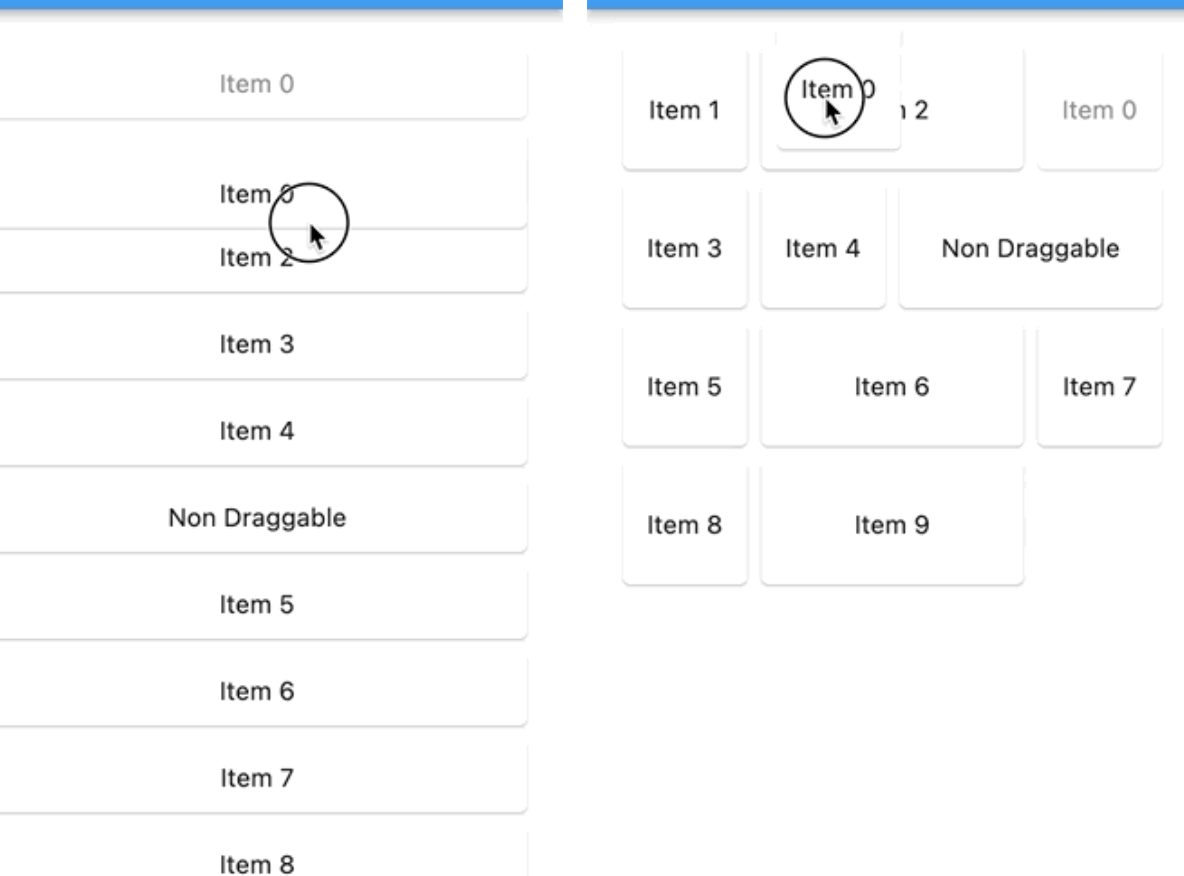
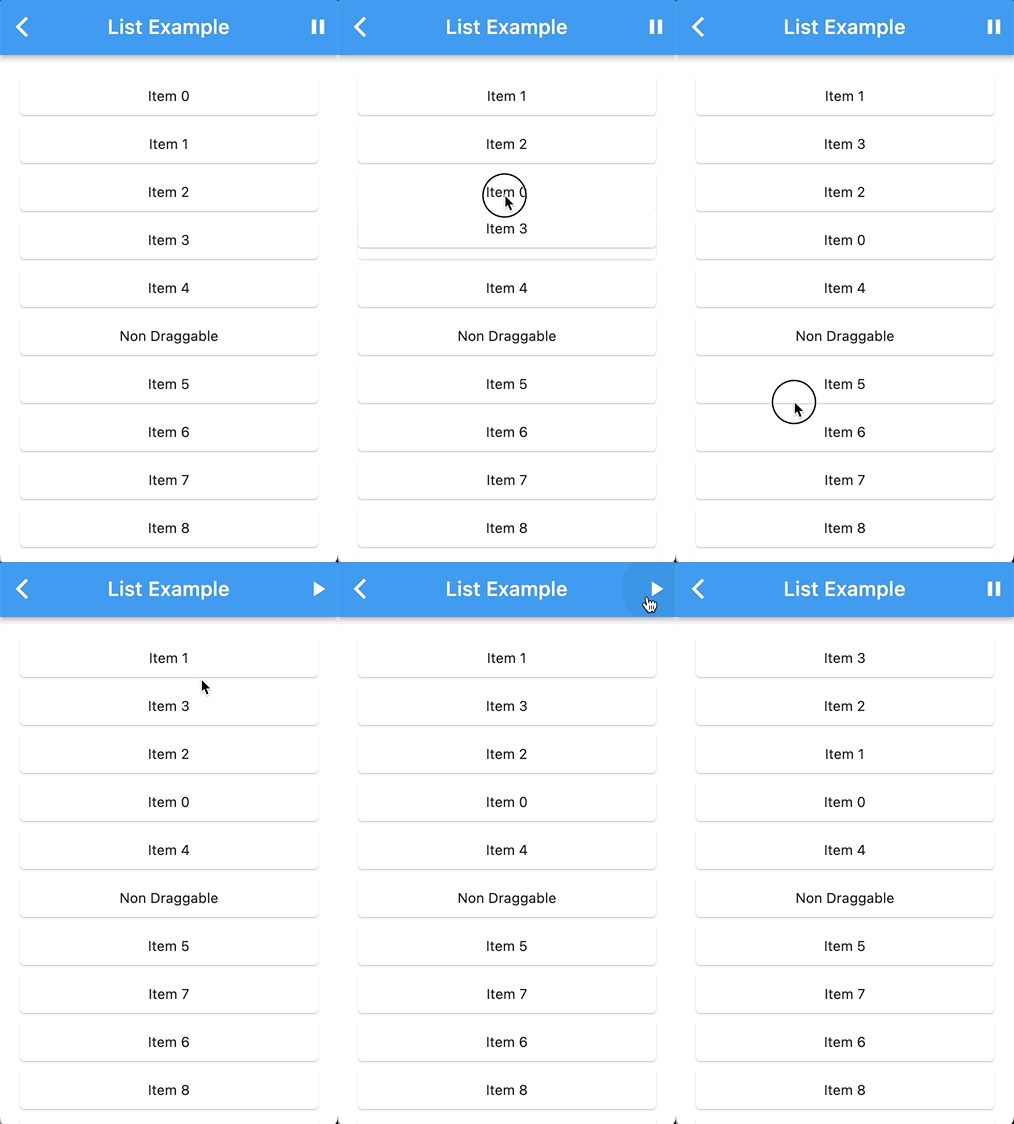
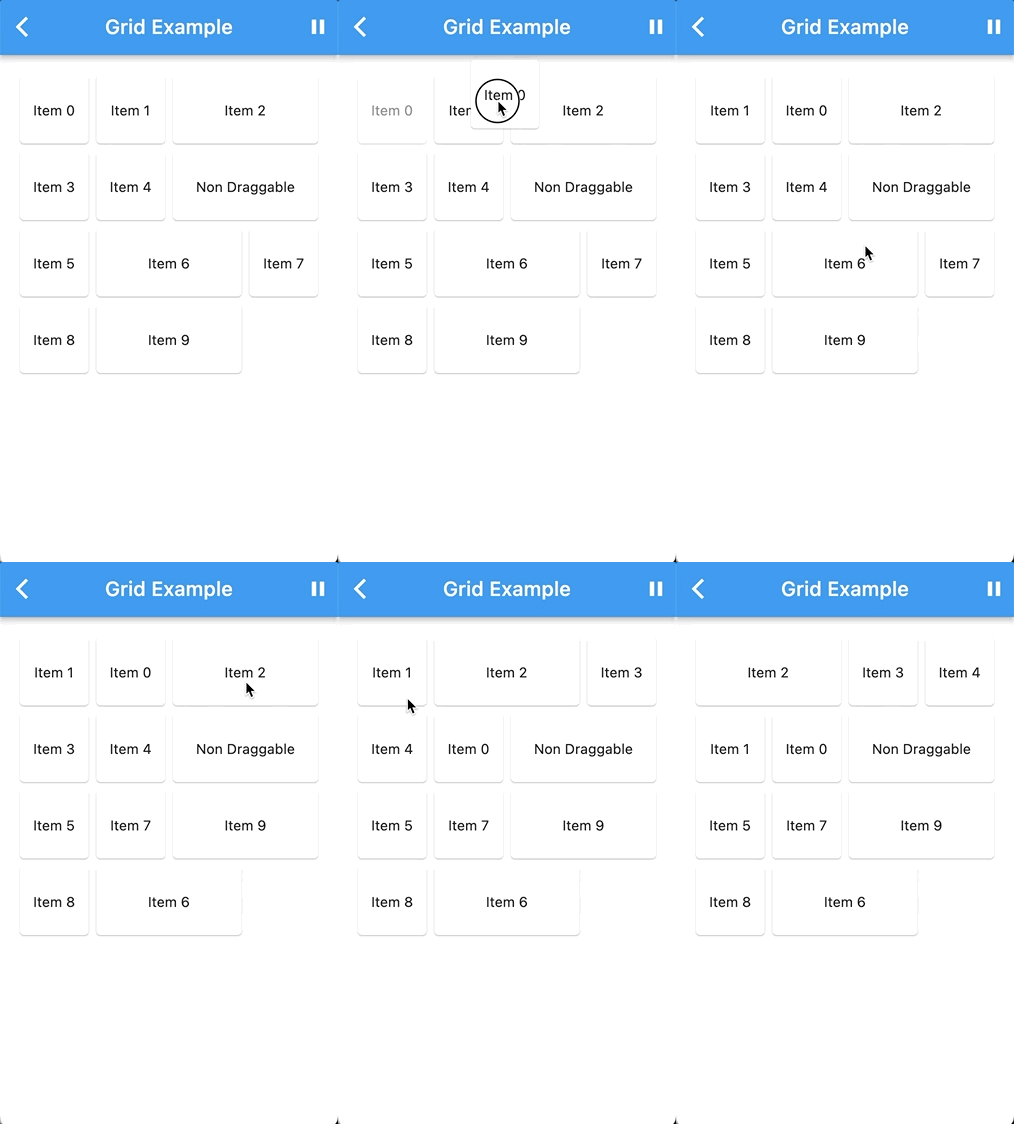
A Flutter package for creating reorderable and draggable staggered grid and list views. This package provides a smooth and intuitive way to reorder items in both grid and list layouts, making it perfect for creating interactive and user-friendly applications.

List Demo Grid Demo
List Grid

Features

  • Reorder items with ease using drag and drop gestures.
  • Supports both staggered grid and list layouts.
  • Configurable drag-and-drop behavior.
  • Designed for a seamless user experience.

Getting Started

To use this package, add it to your pubspec.yaml file:

dependencies:
  reorderable_staggered_scroll_view: ^latest_version

Replace ^latest_version with the actual version you want to use.

Import the package in your Dart code:

import 'package:reorderable_staggered_scroll_view/reorderable_staggered_scroll_view.dart';

Usage

Grid
ReorderableStaggeredScrollView.grid(
  enable: _dragEnabled,
  padding: const EdgeInsets.all(16),
  scrollDirection: Axis.vertical,
  physics: const BouncingScrollPhysics(),
  crossAxisCount: 4,
  isLongPressDraggable: false,
  onDragEnd: (details, item) {
    print('onDragEnd: $details ${item.key}');
  },
  children: List.generate(
    10,
    (index) => ReorderableStaggeredScrollViewGridItem(
      key: ValueKey(index.toString()),
      mainAxisCellCount: 1,
      crossAxisCellCount: Random().nextInt(2) + 1,
      widget: Card(
        child: Center(child: Text('Item $index')),
      ),
    ),
  ),
);
List

For a list view of items use list constructor:

ReorderableStaggeredScrollView.list(
  ...
)
Custom

You can integrate the ReorderableStaggeredScrollView package with your custom list or grid widget by wrapping your custom list or grid widget with the necessary components.

DragNotification(
  child: ListView(
    scrollDirection: Axis.vertical,
    children: [
      DragContainer(
        scrollDirection: Axis.vertical,
        isLongPressDraggable: true,
        buildItems: (List<Widget> children) {
          return YourCustomListViewWidget(
            // Your custom list or grid widget configuration
            children: children,
          );
        },
        dataList: yourList, // Your List of ReorderableStaggeredScrollViewListItem or ReorderableStaggeredScrollViewGridItem
        items: (ReorderableStaggeredScrollViewListItem element, DraggableWidget draggableWidget) {
          // Map each item in your dataList into a draggable widget
          return Container(
            key: ValueKey(element.key.toString()),
            child: draggableWidget(element.widget),
          );
        }
      ),
    ],
  ),
);

Replace the comments with your actual widget configuration and data. This setup will allow you to use the ReorderableStaggeredScrollView package with your custom widget.

For more detailed usage instructions and configuration options, refer to the example directory in this repository.

Contributing

We welcome contributions! If you have ideas for improvements or encounter issues, please open an issue or submit a pull request.

Author

itisnajim, itisnajim@gmail.com

License

This package is licensed under the MIT License. See the LICENSE file for more details.

所属分类

依赖

依赖清单 1 项

源码仓库

使用此插件的项目

暂无相关数据。