An image picker (also with videos and audios)
for Flutter projects based on the WeChat's UI.
Current WeChat version that UI based on: 8.0.51
UI designs will be updated following the WeChat update in anytime.
To take a photo or a video for assets,
please check the detailed usage in the example,
and head over to wechat_camera_picker.
The package is a standalone extension that can to be used with combination.
See the Migration Guide to learn how to migrate between breaking changes.
Versions compatibility
The package only guarantees to be working on the stable version of Flutter.
We won't update it in real-time to align with other channels of Flutter.
3.10
3.13
3.16
3.22
3.27
10.0.0+
❌
❌
❌
❌
✅
9.5.0+
❌
❌
❌
✅
✅
8.9.0+
❌
❌
✅
❌
❌
8.7.0+
❌
✅
❌
❌
❌
8.5.0+
✅
❌
❌
❌
❌
If you got a resolve conflict error when running flutter pub get,
please use dependency_overrides to fix it.
Package credits
The package is built from these wonderful packages.
Their implementation should be relatively stable in the package.
If you've found any issues related to them when using the picker,
submit issues to our issue tracker first.
HEIF (HEIC) images are support to obtain and conversion,
but the display with them are based on Flutter's image decoder.
See flutter/flutter#20522.
Use entity.file or AssetEntityImage for them when displays.
Due to limitations on iOS and macOS, audio can only be fetched within the sandbox.
Projects using this plugin 🖼️
name
pub
github
insta_assets_picker
Screenshots 📸
READ THIS FIRST ‼️
Be aware of below notices before you started anything:
Due to understanding differences and the limitation of a single document,
documents will not cover all the contents.
If you find nothing related to your expected features and cannot understand about concepts,
run the example project and check every options first.
It has covered 90% of regular requests with the package.
The package deeply integrates with the photo_manager plugin,
make sure you understand these two concepts as much as possible:
When using the package, please upgrade
targetSdkVersion and compileSdkVersion to 33.
Otherwise, no assets can be fetched on Android 13.
Permissions
Name
Required
Declared
Max API Level
Others
READ_EXTERNAL_STORAGE
YES
YES
32
WRITE_EXTERNAL_STORAGE
NO
NO
29
ACCESS_MEDIA_LOCATION
YES*
NO
N/A
Required when reading EXIF
READ_MEDIA_IMAGES
YES*
YES
N/A
Required when reading images
READ_MEDIA_VIDEO
YES*
YES
N/A
Required when reading videos
READ_MEDIA_AUDIO
YES*
YES
N/A
Required when reading audios
READ_MEDIA_VISUAL_USER_SELECTED
YES*
YES
34
Required when reading user selected
If you're targeting Android SDK 33+,
and you don't need to load photos, videos or audios,
consider declare only relevant permission in your apps, more specifically:
<manifestxmlns:android="http://schemas.android.com/apk/res/android"xmlns:tools="http://schemas.android.com/tools"package="com.your.app"><!--Requesting access to images and videos.--><uses-permissionandroid:name="android.permission.READ_MEDIA_IMAGES" /><uses-permissionandroid:name="android.permission.READ_MEDIA_VIDEO" /><!--Requesting access to limited images by user selection when prompting permission.--><uses-permissionandroid:name="android.permission.READ_MEDIA_VISUAL_USER_SELECTED" /><!--When your app has no need to access audio, remove it or comment it out.--><!--<uses-permission android:name="android.permission.READ_MEDIA_AUDIO" />--></manifest>
iOS
Platform version has to be at least 11.0.
Modify ios/Podfile and update accordingly.
platform :ios, '11.0'
Remove the # heading if the line starts with it.
Add the following content to Info.plist.
<key>NSPhotoLibraryUsageDescription</key>
<string>Replacewith your permission description.</string>
macOS
Platform version has to be at least 10.15.
Modify macos/Podfile and update accordingly.
platform :osx, '10.15'
Remove the # heading if the line starts with it.
Set the minimum deployment target of the macOS to 10.15.
Use XCode to open macos/Runner.xcworkspace .
Follow the iOS instructions and modify Info.plist accordingly.
Usage 📖
Localizations
When you're picking assets, the package will obtain the Locale?
from your BuildContext, and return the corresponding text delegate
of the current language.
Make sure you have a valid Locale in your widget tree that can be accessed
from the BuildContext. Otherwise, the default Chinese delegate will be used.
Embedded text delegates languages are:
简体中文 (default)
English
העברית
Deutsche
Локализация
日本語
مة العربية
Délégué
Tiếng Việt
Türkçe Yerelleştirme
If you want to use a custom/fixed text delegate, pass it through the
AssetPickerConfig.textDelegate.
Simple usage
finalList<AssetEntity>? result = awaitAssetPicker.pickAssets(context);
Use AssetPickerConfig for more picking behaviors.
finalList<AssetEntity>? result = awaitAssetPicker.pickAssets(
context,
pickerConfig: constAssetPickerConfig(),
);
Fields in AssetPickerConfig:
Name
Type
Description
Default
selectedAssets
List<AssetEntity>?
Selected assets. Prevent duplicate selection.
null
maxAssets
int
Maximum asset that the picker can pick.
9
pageSize
int?
Number of assets per page. Must be a multiple of gridCount.
80
gridThumbnailSize
ThumbnailSize
Thumbnail size for the grid's item.
ThumbnailSize.square(200)
pathThumbnailSize
ThumbnailSize
Thumbnail size for the path selector.
ThumbnailSize.square(80)
previewThumbnailSize
ThumbnailSize?
Preview thumbnail size in the viewer.
null
requestType
RequestType
Request type for picker.
RequestType.common
specialPickerType
SpecialPickerType?
Provides the option to integrate a custom picker type.
null
keepScrollOffset
bool
Whether the picker should save the scroll offset between pushes and pops.
null
sortPathDelegate
SortPathDelegate<AssetPathEntity>?
Path entities sort delegate for the picker, sort paths as you want.
CommonSortPathDelegate
sortPathsByModifiedDate
bool
Whether to allow sort delegates to sort paths with FilterOptionGroup.containsPathModified.
false
filterOptions
PMFilter?
Allow users to customize assets filter options.
null
gridCount
int
Grid count in picker.
4
themeColor
Color?
Main theme color for the picker.
Color(0xff00bc56)
pickerTheme
ThemeData?
Theme data provider for the picker and the viewer.
null
textDelegate
AssetPickerTextDelegate?
Text delegate for the picker, for customize the texts.
AssetPickerTextDelegate()
specialItems
List<SpecialItem>
List of special items.
const <SpecialItem>[]
loadingIndicatorBuilder
IndicatorBuilder?
Indicates the loading status for the builder.
null
selectPredicate
AssetSelectPredicate
Predicate whether an asset can be selected or unselected.
null
shouldRevertGrid
bool?
Whether the assets grid should revert.
null
limitedPermissionOverlayPredicate
LimitedPermissionOverlayPredicate?
Predicate whether the limited permission overlay should be displayed.
null
pathNameBuilder
PathNameBuilder<AssetPathEntity>?
Build customized path (album) name with the given path entity.
null
assetsChangeCallback
AssetsChangeCallback<AssetPathEntity>?
The callback that will be called when the system notifies assets changes.
null
assetsChangeRefreshPredicate
AssetsChangeRefreshPredicate<AssetPathEntity>?
Whether assets changing should call refresh with the given call and the current selected path.
null
shouldAutoPlayPreview
bool
Whether the preview should auto play.
false
dragToSelect
bool
Whether assets selection can be done with drag gestures.
true
enableLivePhoto
bool
Whether to enable Live-Photo functionality in the picker.
true
When maxAssets equals to 1 (a.k.a. single picking mode),
use SpecialPickerType.noPreview will immediately select asset
clicked (pressed) by the user and popped.
limitedPermissionOverlayPredicate lives without persistence,
if you want to ignore the limited preview after restart,
you'll need to integrate with your own saving methods.
Detailed usage
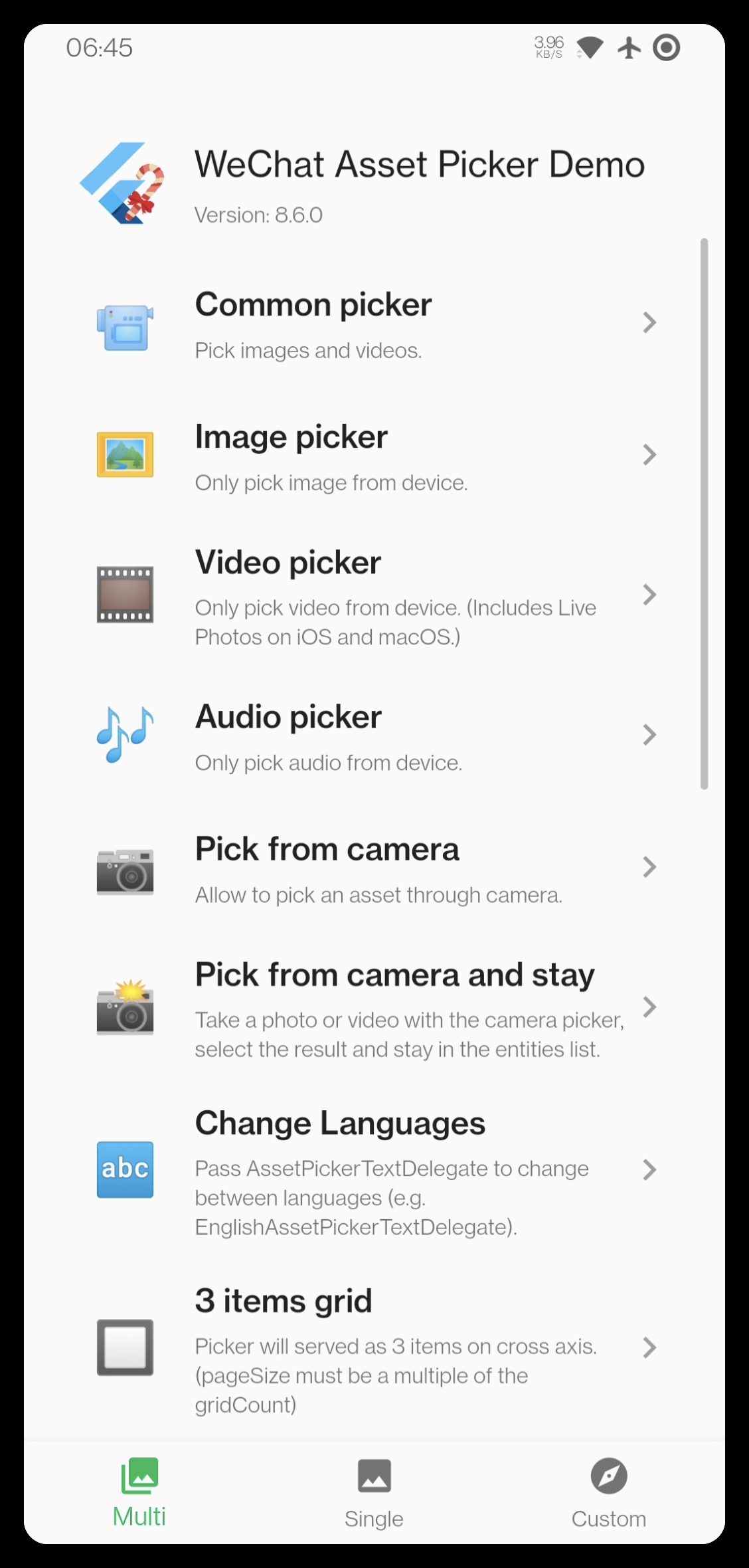
We've put multiple common usage
with the packages in the example.
You can both found List<PickMethod> pickMethods in
here
and here,
which provide methods in multiple picking and single picking mode.
Assets will be stored temporary and displayed at the below of the page.
Display selected assets
The AssetEntityImage and AssetEntityImageProvider
can display the thumb image of images & videos,
and the original data of image.
Use it like a common Image and ImageProvider.
There are multiple ways to upload an AssetEntity with I/O related methods.
Be aware, I/O related methods will consume performance
(typically time and memory), they should not be called frequently.
With http
http package: https://pub.dev/packages/http
The http package uses
MultipartFile
to handle files in requests.
Pseudo code:
import'package:http/http.dart'as http;
Future<void> upload() async {
final entity = awaitobtainYourEntity();
final uri = Uri.https('example.com', 'create');
final request = http.MultipartRequest('POST', uri)
..fields['test_field'] = 'test_value'
..files.add(awaitmultipartFileFromAssetEntity(entity));
final response = await request.send();
if (response.statusCode == 200) {
print('Uploaded!');
}
}
Future<http.MultipartFile> multipartFileFromAssetEntity(AssetEntity entity) async {
http.MultipartFile mf;
// Using the file path.final file = await entity.file;
if (file == null) {
throwStateError('Unable to obtain file of the entity ${entity.id}.');
}
mf = await http.MultipartFile.fromPath('test_file', file.path);
// Using the bytes.final bytes = await entity.originBytes;
if (bytes == null) {
throwStateError('Unable to obtain bytes of the entity ${entity.id}.');
}
mf = http.MultipartFile.fromBytes('test_file', bytes);
return mf;
}
With dio
dio package: https://pub.dev/packages/dio
The dio package also uses
MultipartFile
to handle files in requests.
Pseudo code:
import'package:dio/dio.dart'as dio;
Future<void> upload() async {
final entity = awaitobtainYourEntity();
final uri = Uri.https('example.com', 'create');
final response = dio.Dio().requestUri(
uri,
data: dio.FormData.fromMap({
'test_field': 'test_value',
'test_file': awaitmultipartFileFromAssetEntity(entity),
}),
);
print('Uploaded!');
}
Future<dio.MultipartFile> multipartFileFromAssetEntity(AssetEntity entity) async {
dio.MultipartFile mf;
// Using the file path.final file = await entity.file;
if (file == null) {
throwStateError('Unable to obtain file of the entity ${entity.id}.');
}
mf = await dio.MultipartFile.fromFile(file.path);
// Using the bytes.final bytes = await entity.originBytes;
if (bytes == null) {
throwStateError('Unable to obtain bytes of the entity ${entity.id}.');
}
mf = dio.MultipartFile.fromBytes(bytes);
return mf;
}
Custom pickers
AssetPickerBuilderDelegate, AssetPickerViewerBuilderDelegate,
AssetPickerProvider and AssetPickerViewerProvider
are all exposed and overridable.
You can extend them and use your own
type with generic type <A: Asset, P: Path>,
then implement abstract methods.
To know about how to fully customize themes, widgets or layouts.
See how to customize delegates in the custom pickers page in the
example.
You can submit PRs to create your own implementation
if you found your implementation might be useful for others.
See Contribute custom implementations for more details.
Frequently asked question ❔
Changing the default album name (Recent to others)
Recent is the fix album name for the ALL assets on Android
since the all assets' album is not an actual album, it only represents all media data records.
To solve that on Android, use pathNameBuilder, for example:
AssetPickerConfig(
  pathNameBuilder: (AssetPathEntity path) => switch (path) {
    final p when p.isAll => '最近',
    // You can apply similar conditions to other common paths.
    _ => path.name,
  },
)
Other albums or albums on other platforms (iOS/macOS) will follow
the configured system localization and supported localizations.
pathNameBuilder is available for all albums.
Execution failed for task ':photo_manager:compileDebugKotlin'
Create AssetEntity from File or Uint8List (rawData)
In order to combine this package with camera shooting or something related,
there's a solution about how to create an AssetEntity
with File or Uint8List object.
finalFile file = your_file; // Your `File` objectfinalString path = file.path;
finalAssetEntity fileEntity = awaitPhotoManager.editor.saveImageWithPath(
path,
title: basename(path),
); // Saved in the device then create an AssetEntityfinalUint8List data = your_data; // Your `Uint8List` objectfinalAssetEntity imageEntity = awaitPhotoManager.editor.saveImage(
file.path,
title: 'title_with_extension.jpg',
); // Saved in the device then create an AssetEntity
Notice: If you don't want to keep the file in your device,
use File for operations as much as possible.
Deleting an AssetEntity might cause system popups show:
finalList<String> result = awaitPhotoManager.editor.deleteWithIds(
<String>[entity.id],
);
Glide warning 'Failed to find GeneratedAppGlideModule'
W/Glide   (21133): Failed to find GeneratedAppGlideModule.
                   You should include an annotationProcessor compile dependency on com.github.bumptech.glide:compiler
                   in you application ana a @GlideModule annotated AppGlideModule implementation
                   or LibraryGlideModules will be silently ignored.
Glide needs annotation to keep singleton,
prevent conflict between instances and versions,
so while the photo manager uses Glide to implement image features,
the project which import this should define its own AppGlideModule.
See Glide Generated API docs for implementation.
Contributors ✨
Many thanks to these wonderful people (emoji key):
This project follows the
all-contributors specification.
Contributions of any kind welcomed!!
Credits
Every aspect of IntelliJ IDEA has been designed to maximize developer productivity.
Together, intelligent coding assistance and ergonomic design make development not only productive but also enjoyable.
Thanks to JetBrains
for allocating free open-source licenses for IDEs
such as IntelliJ IDEA.