搜索插件、代码仓与 APP 分类

widget_with_codeview 封面
插件详情v3.2.0

widget_with_codeview

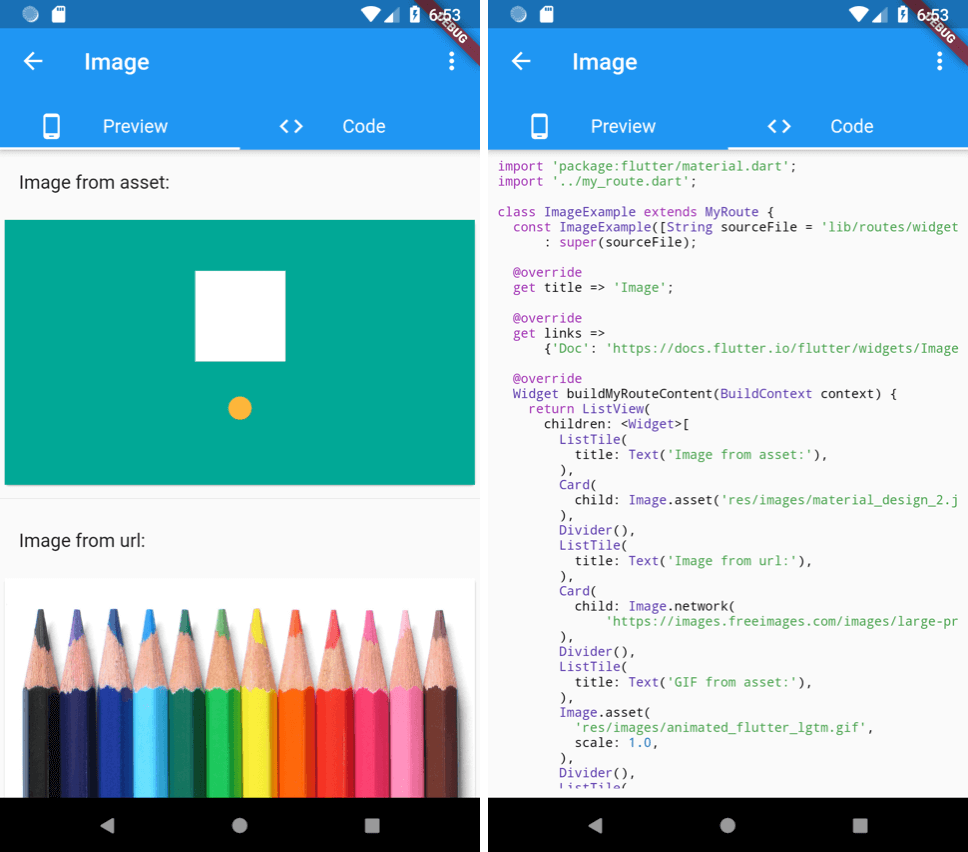
一个并排显示源代码的控件。

AndroidiOSWebmacOSWindowsLinux
近 30 天下载
1060
喜欢数
67
Pub 分数
120

安装插件

flutter pub add widget_with_codeview

插件介绍

基于插件公开信息、社区数据与项目使用情况整理的选型参考。

一个 Flutter 小部件,以并排布局显示源代码及其渲染输出。非常适合用于文档、教程或教育类应用,让用户能够同时查看代码及其视觉结果。该小部件支持语法高亮,并可在所有主要平台(包括 Android、iOS、Web、macOS、Windows 和 Linux)上兼容使用。

适合场景

  • 互动编码教程
  • 带有实时示例的文档
  • 学习Flutter的教育类应用程序
  • 应用程序中的代码演示
  • 实时代码预览集成

主要特点

  • 并排显示代码和预览
  • 语法高亮
  • 跨平台兼容性
  • 与 Flutter 项目的轻松集成
  • 支持多种编程语言

适合对象

  • 开发人员创建学习资料
  • Flutter 教育者
  • 技术内容创作者
  • 应用开发者展示代码示例
  • 构建交互式文档的团队

使用建议

  • 需要正确设置语法高亮
  • 可能会影响大型代码块的性能
  • 布局的自定义选项有限
  • 依赖外部语法解析库
  • 最适合静态或半动态代码片段

原始 README

以下为关联源码仓库的 README 原文快照,最新内容请访问源码仓库。

widget_with_codeview

pub package GitHub

A widget with side-by-side source code view. Extracted from the flutter-catalog open-source app.

Usage

First make sure to add the source file to the app's assets by editing pubspec.yaml:

dependencies:
  flutter:
    sdk: flutter
  widget_with_codeview:
flutter:
  assets:
    # Include a single source code file:
    - lib/my_awesome_source_code.dart
    # Include all files under a subfoler by adding trailing "/":
    - lib/my_awesome_source_code_subdir/
    - ...

Then wrap the widget from that source file by a WidgetWithCodeView:

WidgetWithCodeView(
  child: MyAwesomeWidget(), // ⚡️ If null, will only show the source code view.
  filePath: 'lib/my_awesome_source_code.dart',
  /// [codeLinkPrefix] is optional. When it's specified, two more buttons
  /// (open-code-in-browser, copy-code-link) will be added in the code view.
  codeLinkPrefix: 'https://github.com/<my_username>/<my_project>/blob/master/',
),

You can also choose to only show the code by not setting the child argument.

See example/lib/main.dart for a concrete example.

所属分类

依赖

源码仓库

使用此插件的项目