搜索插件、代码仓与 APP 分类

animated_text_kit 封面
插件详情v4.3.0

animated_text_kit

一个包含一系列酷炫且美观的文字动画的 Flutter 包项目。

AndroidiOSWebmacOSWindowsLinux
近 30 天下载
15.1万
喜欢数
5690
Pub 分数
160

安装插件

flutter pub add animated_text_kit

插件介绍

基于插件公开信息、社区数据与项目使用情况整理的选型参考。

Animated Text Kit 是一个 Flutter 包,提供了一系列视觉上吸引人且可自定义的文本动画。它使开发者能够轻松地为其应用添加动态文本效果,例如打字、淡入淡出和滚动。适用于启动屏幕、欢迎消息或引人注目的用户界面元素,支持 Android、iOS、Web、macOS、Windows 和 Linux 多个平台。该包轻量级,与 Flutter 的 widget 系统无缝集成,只需最少的设置即可实现流畅的动画。

适合场景

  • 启动画面
  • 欢迎消息
  • 交互式 UI 元素
  • 加载指示器
  • 动态标题
  • 引导流程

主要特点

  • 预构建的文本动画
  • 可自定义的速度和延迟
  • 对多平台的支持
  • 与 Flutter 的轻松集成
  • 平滑过渡
  • 文本样式选项

适合对象

  • 应用引导流程
  • 吸引用户的界面
  • 应用中的简单动画
  • 教育类或演示类应用
  • 创意数字展示
  • 轻量级动画需求

使用建议

  • 仅限文本动画
  • 多个实例可能影响性能
  • 不适合复杂的动画
  • 需要仔细调整以获得最佳用户体验
  • 适用于持续时间较短的特效
  • 依赖于 Flutter 的渲染性能

原始 README

以下为关联源码仓库的 README 原文快照,最新内容请访问源码仓库。

Animated Text Kit

A flutter package which contains a collection of some cool and awesome text animations. Recommended package for text animations in Codemagic's Ebook, "Flutter libraries we love". Try out our live example app.


Platform Pub Package License: MIT Awesome Flutter


Table of contents

Flutter Package of the Week

Flutter Package of the Week

Installing

1. Depend on it

Add this to your package's pubspec.yaml file:

dependencies:
  animated_text_kit: ^4.2.2
2. Install it

You can install packages from the command line:

with pub:

$ pub get

with Flutter:

$ flutter pub get
3. Import it

Now in your Dart code, you can use:

import 'package:animated_text_kit/animated_text_kit.dart';

Usage

AnimatedTextKit is a Stateful Widget that produces text animations. Include it in your build method like:

AnimatedTextKit(
  animatedTexts: [
    TypewriterAnimatedText(
      'Hello world!',
      textStyle: const TextStyle(
        fontSize: 32.0,
        fontWeight: FontWeight.bold,
      ),
      speed: const Duration(milliseconds: 2000),
    ),
  ],

  totalRepeatCount: 4,
  pause: const Duration(milliseconds: 1000),
  displayFullTextOnTap: true,
  stopPauseOnTap: true,
  controller: myAnimatedTextController
)

It has many configurable properties, including:

  • pause – the time of the pause between animation texts
  • displayFullTextOnTap – tapping the animation will rush it to completion
  • isRepeatingAnimation – controls whether the animation repeats
  • repeatForever – controls whether the animation repeats forever
  • totalRepeatCount – number of times the animation should repeat (when repeatForever is false)
  • controller - It allows for control over the animation by providing methods to play, pause and reset the text animations programmatically

There are also custom callbacks:

  • onTap – This is called when a user taps the animated text
  • onNext(int index, bool isLast) – This is called before the next text animation, after the previous one's pause
  • onNextBeforePause(int index, bool isLast) – This is called before the next text animation, before the previous one's pause
  • onFinished - This is called at the end, when the parameter isRepeatingAnimation is set to false

Note: You might come up with an issue that the text does not get updated with setState as shown here. The solution to this, is a key that changes based on the text. For reference, watch this video.

New with Version 3

Version 3 refactored the code so that common animation controls were moved to AnimatedTextKit and all animations, except for TextLiquidFill, extend from AnimatedText. This saved hundreds of lines of duplicate code, increased consistency across animations, and makes it easier to create new animations.

It also makes the animations more flexible because multiple animations may now be easily combined. For example:

AnimatedTextKit(
  animatedTexts: [
    FadeAnimatedText(
      'Fade First',
      textStyle: TextStyle(fontSize: 32.0, fontWeight: FontWeight.bold),
    ),
    ScaleAnimatedText(
      'Then Scale',
      textStyle: TextStyle(fontSize: 70.0, fontFamily: 'Canterbury'),
    ),
  ],
),

Using the legacy FadeAnimatedTextKit is equivalent to using AnimatedTextKit with FadeAnimatedText. An advantage of AnimatedTextKit is that the animatedTexts may be any subclass of AnimatedText, while using FadeAnimatedTextKit essentially restricts you to using just FadeAnimatedText.

Legacy AnimatedTextKit classes

Have you noticed that animation classes come in pairs? For example, there is FadeAnimatedText and FadeAnimatedTextKit. The significant refactoring with Version 3 split the original FadeAnimatedTextKit into FadeAnimatedText and a re-usable AnimatedTextKit, then FadeAnimatedTextKit was adjusted for backwards compatibility.

When introducing a new AnimationText subclass, you may wonder if you also need to also introduce an additional Kit class. The answer is NO. :tada:

Going forward, we are championing the adoption of the Version 3 approach, and have deprecated the legacy Kit classes. This will make creating new animations easier. We know it makes some legacy code more verbose, but the flexibility and simplicity is a conscious trade-off.

Animations

Many animations are provided, but you can also create your own animations.

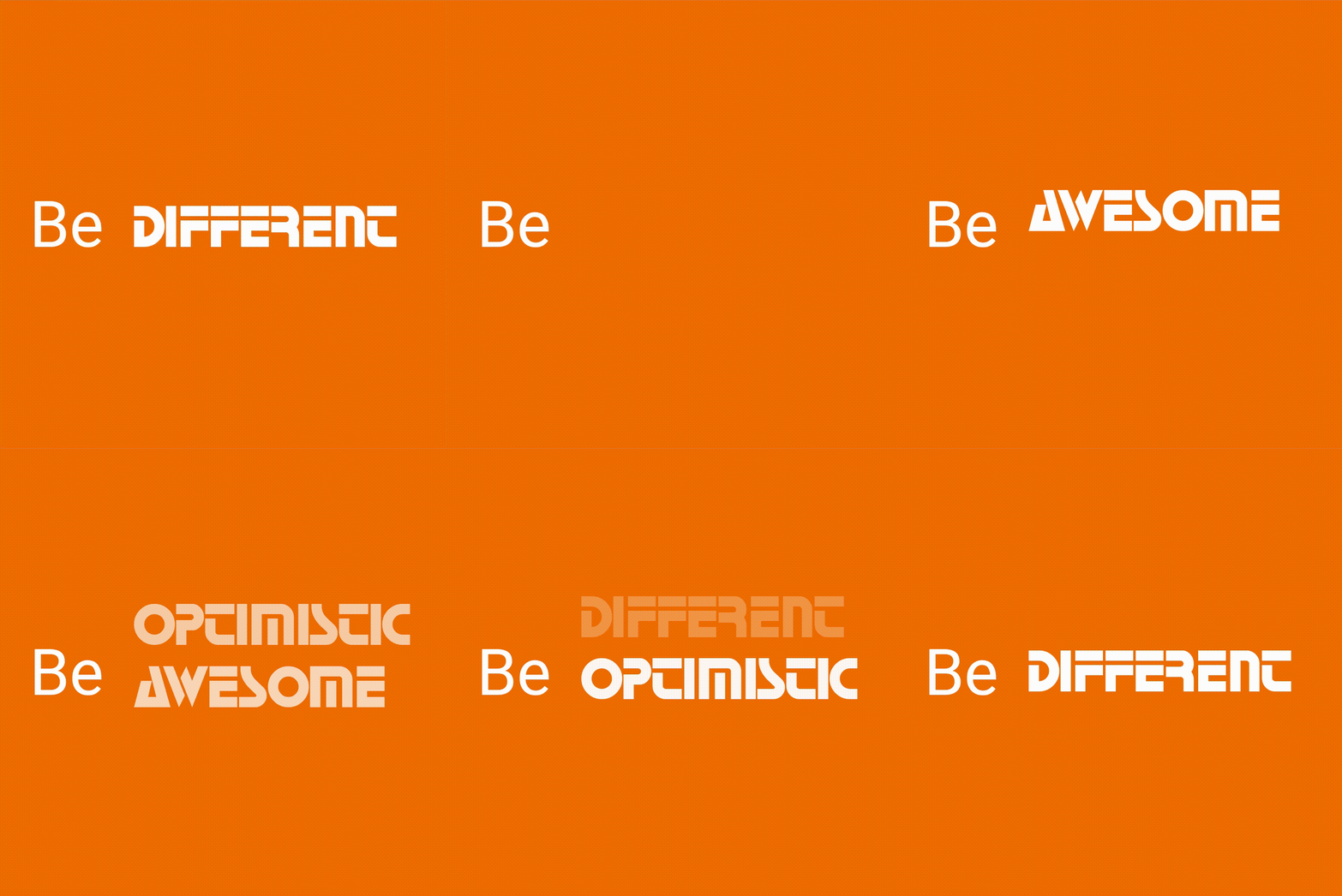
Rotate

Row(
  mainAxisSize: MainAxisSize.min,
  children: <Widget>[
    const SizedBox(width: 20.0, height: 100.0),
    const Text(
      'Be',
      style: TextStyle(fontSize: 43.0),
    ),
    const SizedBox(width: 20.0, height: 100.0),
    DefaultTextStyle(
      style: const TextStyle(
        fontSize: 40.0,
        fontFamily: 'Horizon',
      ),
      child: AnimatedTextKit(
        animatedTexts: [
          RotateAnimatedText('AWESOME'),
          RotateAnimatedText('OPTIMISTIC'),
          RotateAnimatedText('DIFFERENT'),
        ],
        onTap: () {
          print("Tap Event");
        },
      ),
    ),
  ],
);

Note: You can override transition height by setting the value of parameter transitionHeight for RotateAnimatedTextKit class.

Fade

return SizedBox(
  width: 250.0,
  child: DefaultTextStyle(
    style: const TextStyle(
      fontSize: 32.0,
      fontWeight: FontWeight.bold,
    ),
    child: AnimatedTextKit(
      animatedTexts: [
        FadeAnimatedText('do IT!'),
        FadeAnimatedText('do it RIGHT!!'),
        FadeAnimatedText('do it RIGHT NOW!!!'),
      ],
      onTap: () {
        print("Tap Event");
      },
    ),
  ),
);

Typer

return SizedBox(
  width: 250.0,
  child: DefaultTextStyle(
    style: const TextStyle(
      fontSize: 30.0,
      fontFamily: 'Bobbers',
    ),
    child: AnimatedTextKit(
      animatedTexts: [
        TyperAnimatedText('It is not enough to do your best,'),
        TyperAnimatedText('you must know what to do,'),
        TyperAnimatedText('and then do your best'),
        TyperAnimatedText('- W.Edwards Deming'),
      ],
      onTap: () {
        print("Tap Event");
      },
    ),
  ),
);

Typewriter

return SizedBox(
  width: 250.0,
  child: DefaultTextStyle(
    style: const TextStyle(
      fontSize: 30.0,
      fontFamily: 'Agne',
    ),
    child: AnimatedTextKit(
      animatedTexts: [
        TypewriterAnimatedText('Discipline is the best tool'),
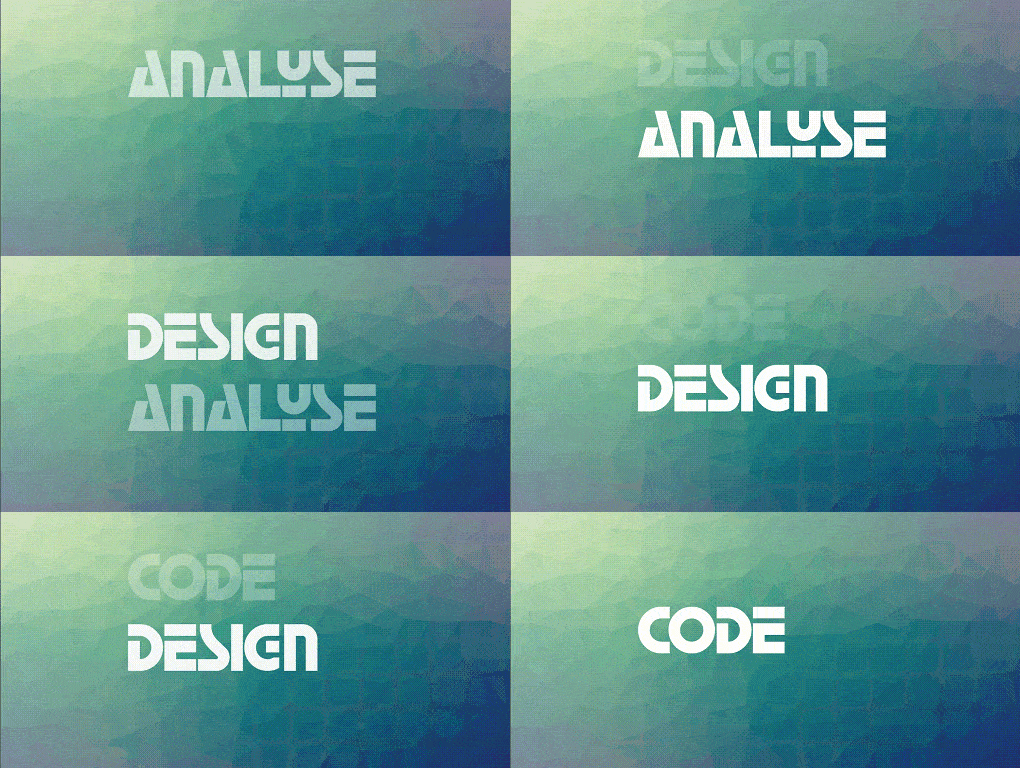
        TypewriterAnimatedText('Design first, then code'),
        TypewriterAnimatedText('Do not patch bugs out, rewrite them'),
        TypewriterAnimatedText('Do not test bugs out, design them out'),
      ],
      onTap: () {
        print("Tap Event");
      },
    ),
  ),
);

Scale

return SizedBox(
  width: 250.0,
  child: DefaultTextStyle(
    style: const TextStyle(
      fontSize: 70.0,
      fontFamily: 'Canterbury',
    ),
    child: AnimatedTextKit(
      animatedTexts: [
        ScaleAnimatedText('Think'),
        ScaleAnimatedText('Build'),
        ScaleAnimatedText('Ship'),
      ],
      onTap: () {
        print("Tap Event");
      },
    ),
  ),
);

Colorize

const colorizeColors = [
  Colors.purple,
  Colors.blue,
  Colors.yellow,
  Colors.red,
];

const colorizeTextStyle = TextStyle(
  fontSize: 50.0,
  fontFamily: 'Horizon',
);

return SizedBox(
  width: 250.0,
  child: AnimatedTextKit(
    animatedTexts: [
      ColorizeAnimatedText(
        'Larry Page',
        textStyle: colorizeTextStyle,
        colors: colorizeColors,
      ),
      ColorizeAnimatedText(
        'Bill Gates',
        textStyle: colorizeTextStyle,
        colors: colorizeColors,
      ),
      ColorizeAnimatedText(
        'Steve Jobs',
        textStyle: colorizeTextStyle,
        colors: colorizeColors,
      ),
    ],
    isRepeatingAnimation: true,
    onTap: () {
      print("Tap Event");
    },
  ),
);

Note: colors list should contains at least two values.

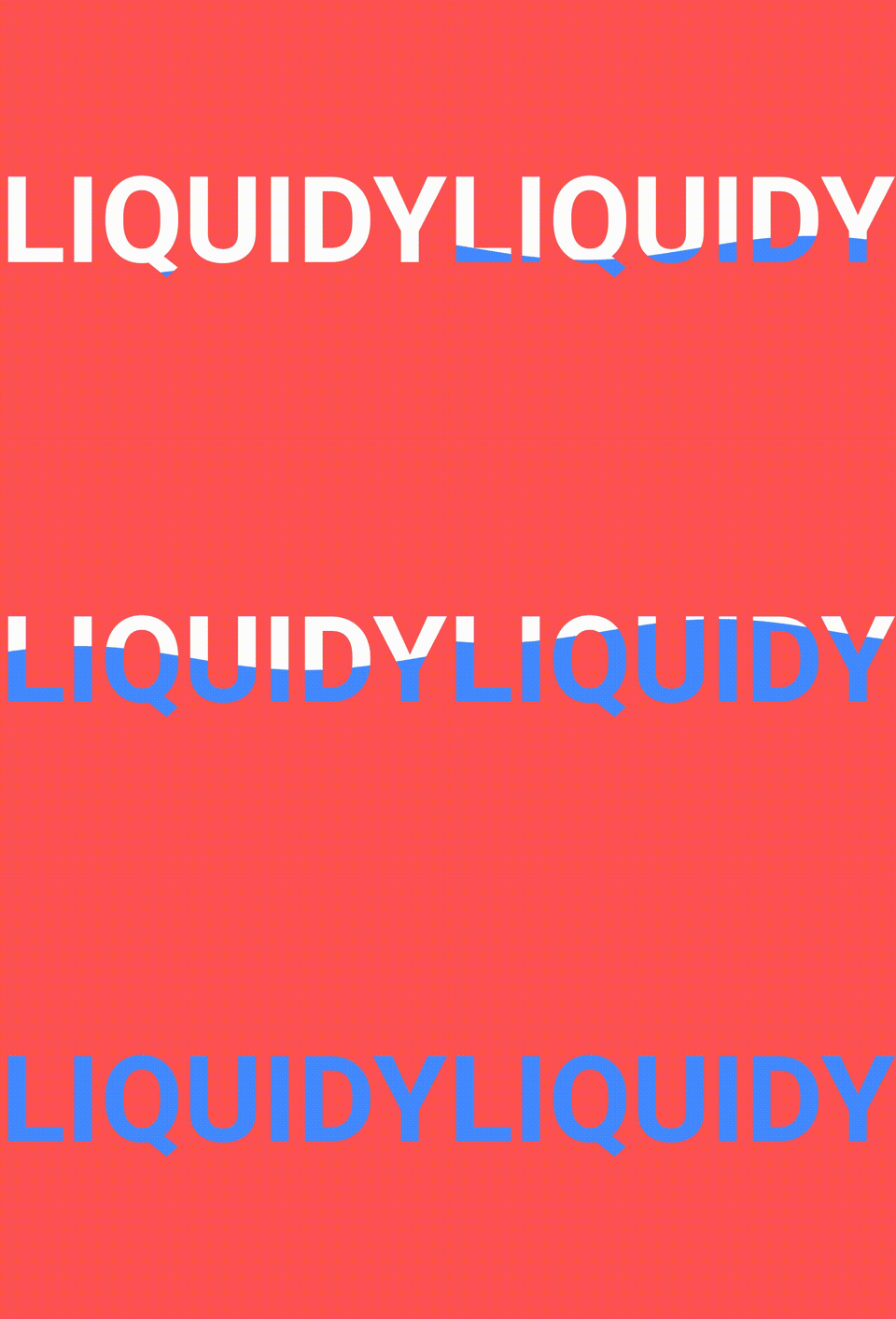
TextLiquidFill

return SizedBox(
  width: 250.0,
  child: TextLiquidFill(
    text: 'LIQUIDY',
    waveColor: Colors.blueAccent,
    boxBackgroundColor: Colors.redAccent,
    textStyle: TextStyle(
      fontSize: 80.0,
      fontWeight: FontWeight.bold,
    ),
    boxHeight: 300.0,
  ),
);

To get more information about how the animated text made from scratch by @HemilPanchiwala, visit the Medium blog.

Wavy

return DefaultTextStyle(
  style: const TextStyle(
    fontSize: 20.0,
  ),
  child: AnimatedTextKit(
    animatedTexts: [
      WavyAnimatedText('Hello World'),
      WavyAnimatedText('Look at the waves'),
    ],
    isRepeatingAnimation: true,
    onTap: () {
      print("Tap Event");
    },
  ),
);

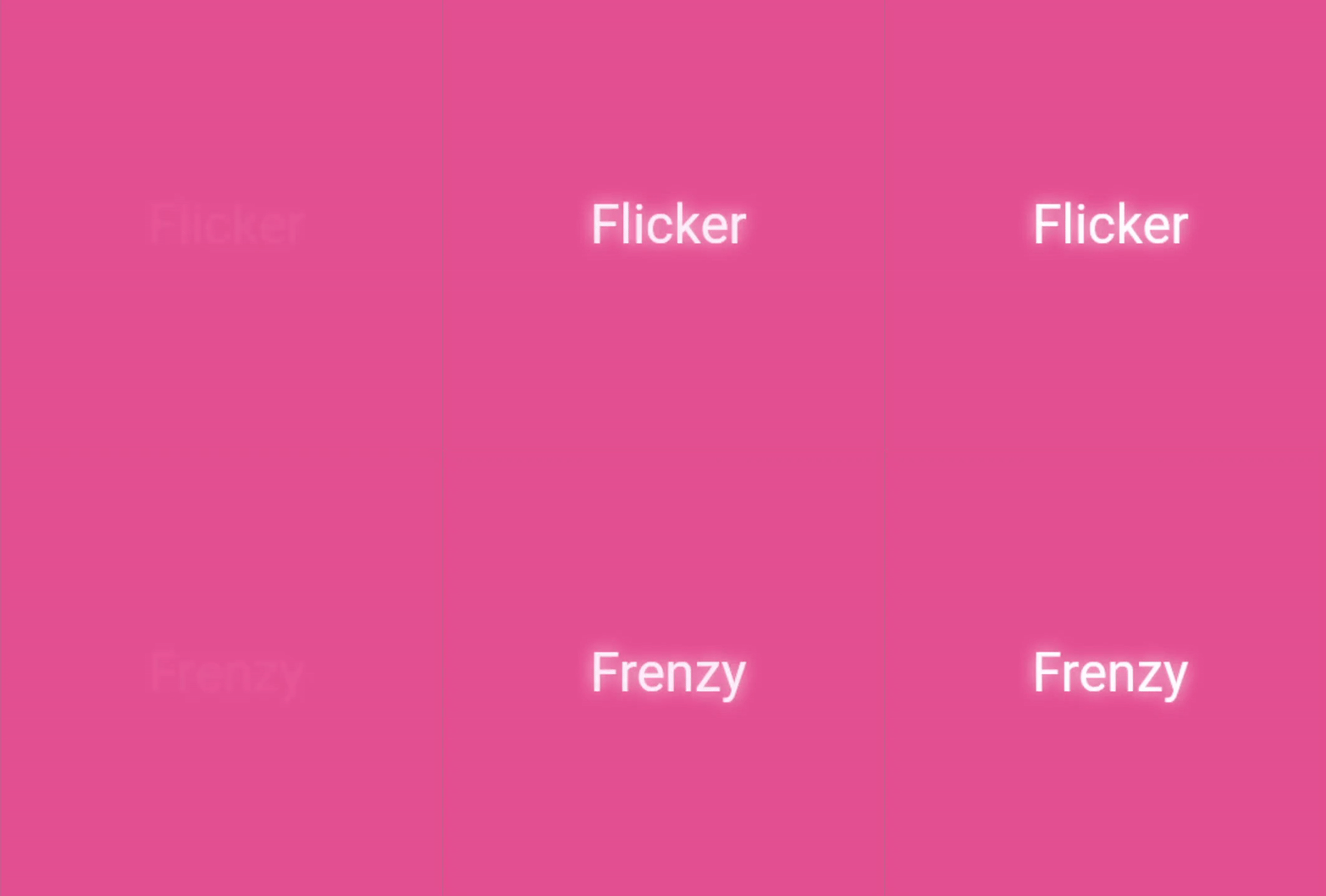
Flicker

return SizedBox(
  width: 250.0,
  child: DefaultTextStyle(
    style: const TextStyle(
      fontSize: 35,
      color: Colors.white,
      shadows: [
        Shadow(
          blurRadius: 7.0,
          color: Colors.white,
          offset: Offset(0, 0),
        ),
      ],
    ),
    child: AnimatedTextKit(
      repeatForever: true,
      animatedTexts: [
        FlickerAnimatedText('Flicker Frenzy'),
        FlickerAnimatedText('Night Vibes On'),
        FlickerAnimatedText("C'est La Vie !"),
      ],
      onTap: () {
        print("Tap Event");
      },
    ),
  ),
);

Scramble

return SizedBox(
  width: 250.0,
  child: DefaultTextStyle(
    style: const TextStyle(
      fontSize: 40.0,
      fontWeight: FontWeight.bold,
    ),
    child: AnimatedTextKit(
      animatedTexts: [
        ScrambleAnimatedText(
          'Mobile Dev.',
          speed: const Duration(milliseconds: 200),
        ),
        ScrambleAnimatedText('Explorer'),
      ],
      onTap: () {
        print("Tap Event");
      },
    ),
  ),
);

Bounce

return SizedBox(
  width: 250.0,
  child: DefaultTextStyle(
    style: const TextStyle(
      fontSize: 60.0,
      fontWeight: FontWeight.bold,
    ),
    child: AnimatedTextKit(
      animatedTexts: [
        BounceAnimatedText('Bounce!'),
        BounceAnimatedText('Spring!'),
        BounceAnimatedText('Jump!'),
      ],
      onTap: () {
        print("Tap Event");
      },
    ),
  ),
);

Create your own Animations

You can easily create your own animations by creating new classes that extend AnimatedText, just like most animations in this package. You will need to implement:

  • Class constructor – Initializes animation parameters.
  • initAnimation – Initializes Animation instances and binds them to the given AnimationController.
  • animatedBuilder – Builder method to return a Widget based on Animation values.
  • completeText – Returns the Widget to display once the animation is complete. (The default implementation returns a styled Text widget.)

Then use AnimatedTextKit to display the custom animated text class like:

AnimatedTextKit(
  animatedTexts: [
    CustomAnimatedText(
      'Insert Text Here',
      textStyle: const TextStyle(
        fontSize: 32.0,
        fontWeight: FontWeight.bold,
      ),
    ),
  ],
),

Bugs or Requests

If you encounter any problems feel free to open an issue. If you feel the library is missing a feature, please raise a ticket on GitHub and I'll look into it. Pull request are also welcome.

See Contributing.md.

Contributors

Thanks to all our amazing contributors for their support and code!

Star History

Star History Chart

所属分类

依赖

依赖清单 1 项

源码仓库

使用此插件的项目

所在榜单