Search packages, repositories and app categories

alert_banner cover
Package detailsv1.0.1

alert_banner

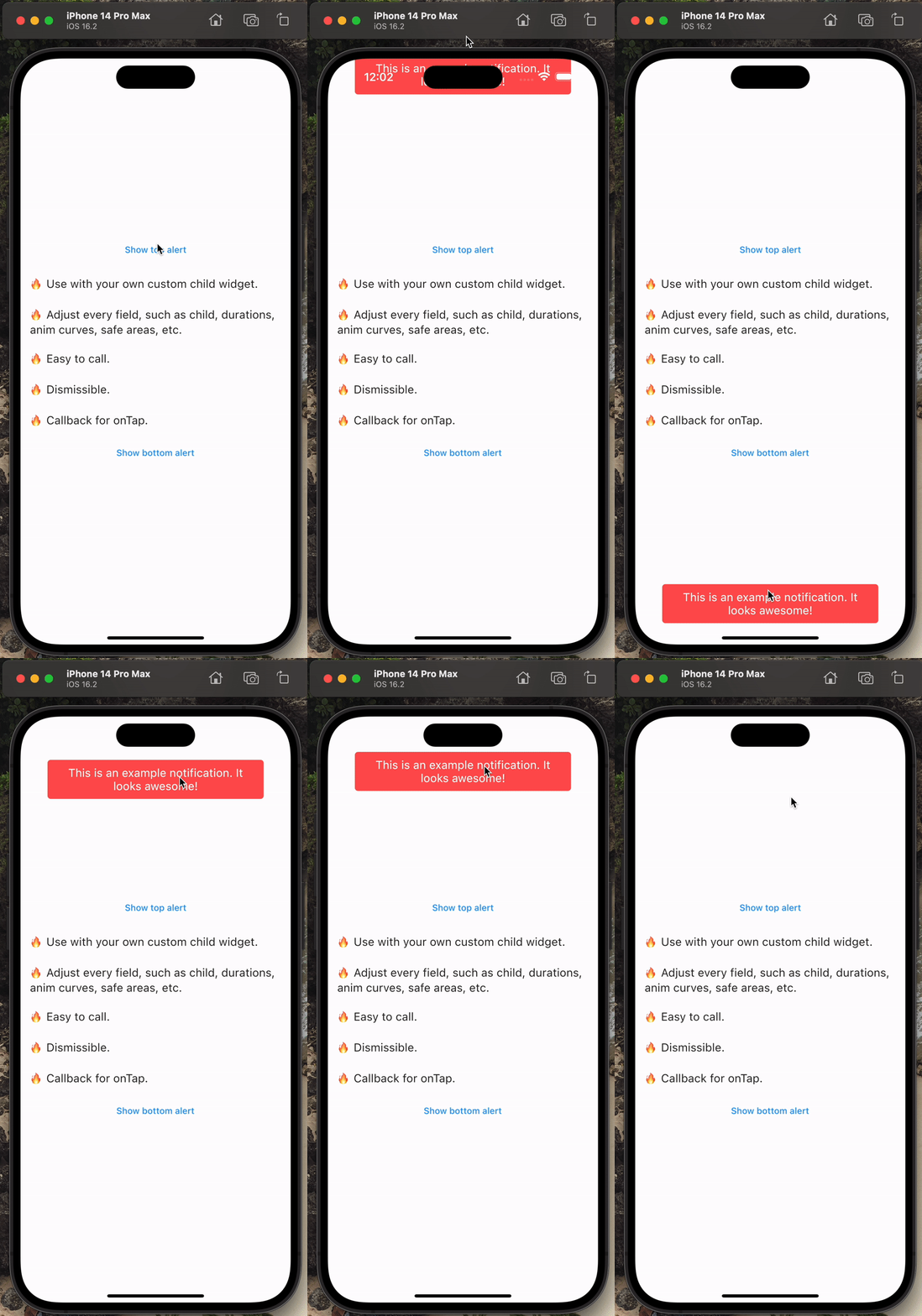
A powerful & beautiful alert banner that animates a message to the user.

AndroidiOSWebmacOSWindowsLinux
30-day downloads
464
Likes
24
Pub points
140

Install package

flutter pub add alert_banner

Package Overview

Package selection guidance compiled from public package information, community data, and project usage.

A visually appealing and animated alert banner for Flutter apps that effectively communicates messages to users. It supports smooth entrance and exit animations, making it ideal for conveying important notifications without disrupting the user experience. The banner is customizable and works across all major platforms including Android, iOS, Web, macOS, Windows, and Linux. Designed with simplicity in mind, it integrates seamlessly into existing UIs and can be triggered programmatically. Its lightweight nature ensures fast performance and minimal overhead.

Use cases

  • Displaying temporary success messages
  • Showing error alerts after form submission
  • Notifying users of app state changes
  • Providing feedback during user interactions
  • Highlighting important updates or warnings

Key features

  • Smooth animation effects
  • Cross-platform compatibility
  • Customizable appearance
  • Easy integration with existing code
  • Programmatic control over display timing
  • Supports multiple message types (info, warning, error)

Suitable for

  • Simple notification systems
  • User feedback in forms
  • App status updates
  • Lightweight alert solutions
  • Developers seeking minimal setup

Considerations

  • Limited to one banner at a time
  • No built-in persistence or history
  • Requires manual dismissal in some cases
  • May not suit complex notification workflows
  • Best for short-lived messages only

Original README

Original README snapshot from the linked source repository. Visit the repository for the latest content.

🔥 A powerful & beautiful alert banner that animates a message to the user 🔥

  • Submit an issue here.

  • Create a pull request here.

  • Contact me via email [here](mailto:me@matthewtrent.me).

One simple way to use 📚

Here is a quick example. Simply call showAlertBanner(...).

TextButton(
    onPressed: () =>  showAlertBanner( // <-- The function!
    context,
    () =>  print("TAPPED"),
    const  ExampleAlertBannerChild(), // <-- Put any widget here you want!
    alertBannerLocation:  AlertBannerLocation.bottom,
    ),
    child:  const  Text("Show alert"),
    // .. EDIT MORE FIELDS HERE ...
),

Installing 🧑‍🏫

  • Install the package from the pub.

  • flutter pub add alert_banner

  • Import the package.

  • import 'package:alert_banner/exports.dart';

Example Gif 📸

Additional Info 📣

analytics

Categories

Source repository

Projects using this package

No data available yet.