Search categories, packages and repositories

analog_clock cover
Package detailsv0.1.1

analog_clock

Flutter Analog Clock plugin.

AndroidiOSWebmacOSWindowsLinux
30-day downloads
5.4K
Likes
89
Pub points
130

Install package

flutter pub add analog_clock

Package Overview

Package selection guidance compiled from public package information, community data, and project usage.

The analog_clock package is a Flutter plugin that provides a customizable analog clock widget for use in Flutter applications. It supports multiple platforms including Android, iOS, Web, macOS, Windows, and Linux. The clock displays time with smooth second-hand movement and can be styled with custom colors, sizes, and design elements. It's ideal for apps requiring a traditional clock interface, such as clocks, timers, or dashboard widgets. The package is lightweight and easy to integrate using a simple command-line installation.

Use cases

  • Displaying real-time clock in apps
  • Creating dashboard widgets
  • Building timer or alarm interfaces
  • Designing minimalist home screens
  • Adding clock features to productivity apps

Key features

  • Smooth second-hand animation
  • Customizable clock face and hands
  • Cross-platform compatibility
  • Easy integration via pub.dev
  • Supports dark/light mode themes
  • Configurable size and color schemes

Suitable for

  • Developers building clock or timer apps
  • UI designers needing elegant time displays
  • Apps targeting multiple platforms
  • Projects requiring minimalistic UI components
  • Educational apps teaching time concepts

Considerations

  • May require additional styling for complex designs
  • Performance impact on low-end devices with high refresh rates
  • Limited built-in functionality beyond time display
  • Not suitable for digital time-only requirements
  • No built-in alarm or notification system

Original README

Original README snapshot from the linked source repository. Visit the repository for the latest content.

Flutter Analog Clock Widget

pub package

Clean and fully customizable analog clock widget.

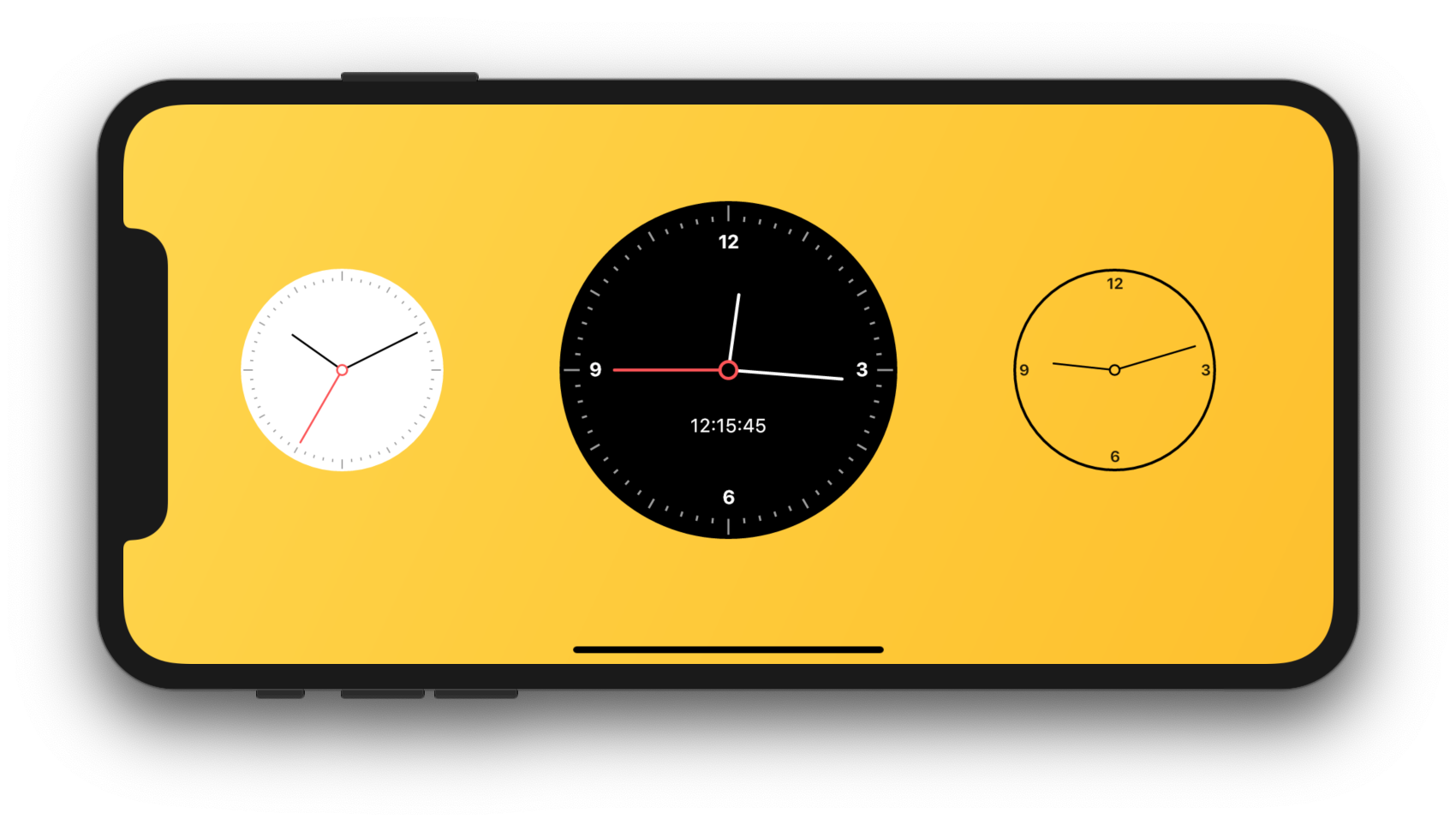
Flutter Analog Clock Screenshot

Installation

In your pubspec.yaml file within your Flutter Project:

dependencies:
  analog_clock: ^0.1.0

Features

  • Modern and clean analog clock interface.
  • Fully customizable.
  • Live clock.
  • Custom datetime.

Usage

import 'package:analog_clock/analog_clock.dart';


AnalogClock(
	decoration: BoxDecoration(
	    border: Border.all(width: 2.0, color: Colors.black),
	    color: Colors.transparent,
	    shape: BoxShape.circle),
	width: 150.0,
	isLive: true,
	hourHandColor: Colors.black,
	minuteHandColor: Colors.black,
	showSecondHand: false,
	numberColor: Colors.black87,
	showNumbers: true,
	showAllNumbers: false,
	textScaleFactor: 1.4,
	showTicks: false,
	showDigitalClock: false,
	dateTime: DateTime(2019, 1, 1, 9, 12, 15),
	);

Parameters

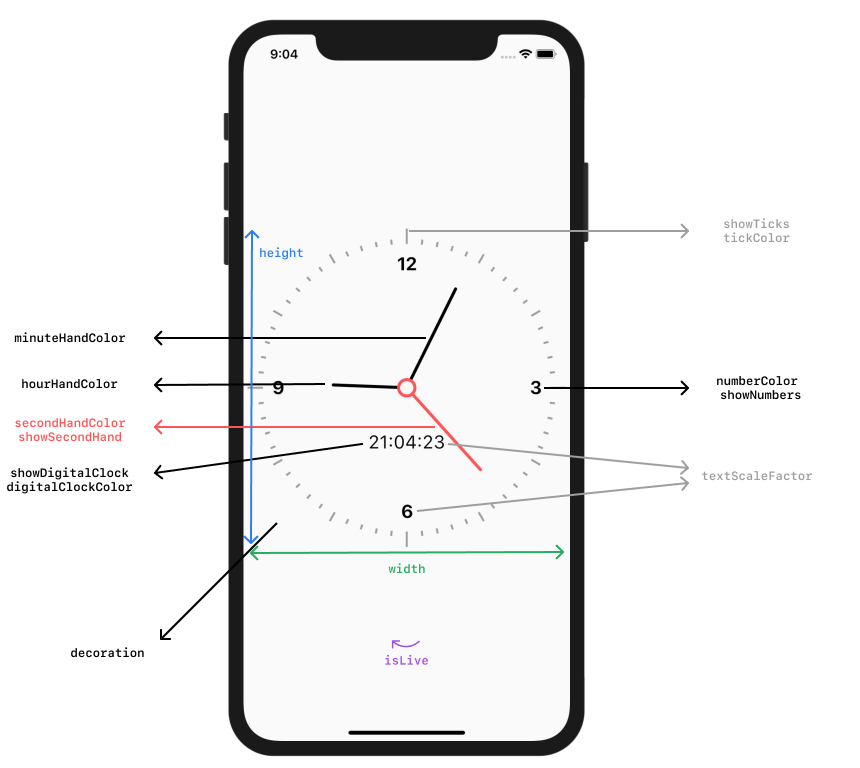
Flutter Analog Clock Parameters

Example

Demo app can be found in the example/ folder.

Categories

Source repository

Projects using this package