Search packages, repositories and app categories

animated_appbar cover
Package detailsv2.1.5

animated_appbar

AppBar which can dynamically change height with page navigation.

AndroidiOSWebmacOSWindowsLinux
30-day downloads
146
Likes
29
Pub points
160

Install package

flutter pub add animated_appbar

Package Overview

Package selection guidance compiled from public package information, community data, and project usage.

A Flutter package that enables an AppBar to dynamically adjust its height during page navigation, providing a smooth and visually engaging user experience. It automatically animates the app bar's size based on scroll or route transitions, making it ideal for apps with complex navigation flows. The package is lightweight and integrates seamlessly with existing Flutter projects. It supports all major platforms including Android, iOS, Web, macOS, Windows, and Linux.

Use cases

  • Dynamic header resizing in scrollable pages
  • Smooth transitions between screens with changing app bar heights
  • Creating immersive UIs with parallax effects
  • Enhancing navigation experiences in complex app structures
  • Implementing responsive app bars in multi-page applications

Key features

  • Auto-adjusts app bar height during navigation
  • Smooth animations for height transitions
  • Cross-platform compatibility
  • Easy integration with MaterialApp and Navigator
  • Supports custom height curves and easing

Suitable for

  • Developers building interactive and animated UIs
  • Apps requiring dynamic headers
  • Designers focused on fluid navigation experiences
  • Projects targeting multiple platforms
  • Flutter beginners learning about stateful animations

Considerations

  • May require careful handling of nested navigators
  • Performance impact with heavy animations on older devices
  • Limited customization beyond height changes
  • Not suitable for static app bar designs
  • Requires understanding of ScrollController and PageView interactions

Original README

Original README snapshot from the linked source repository. Visit the repository for the latest content.

animated_appbar

pub package License: MIT

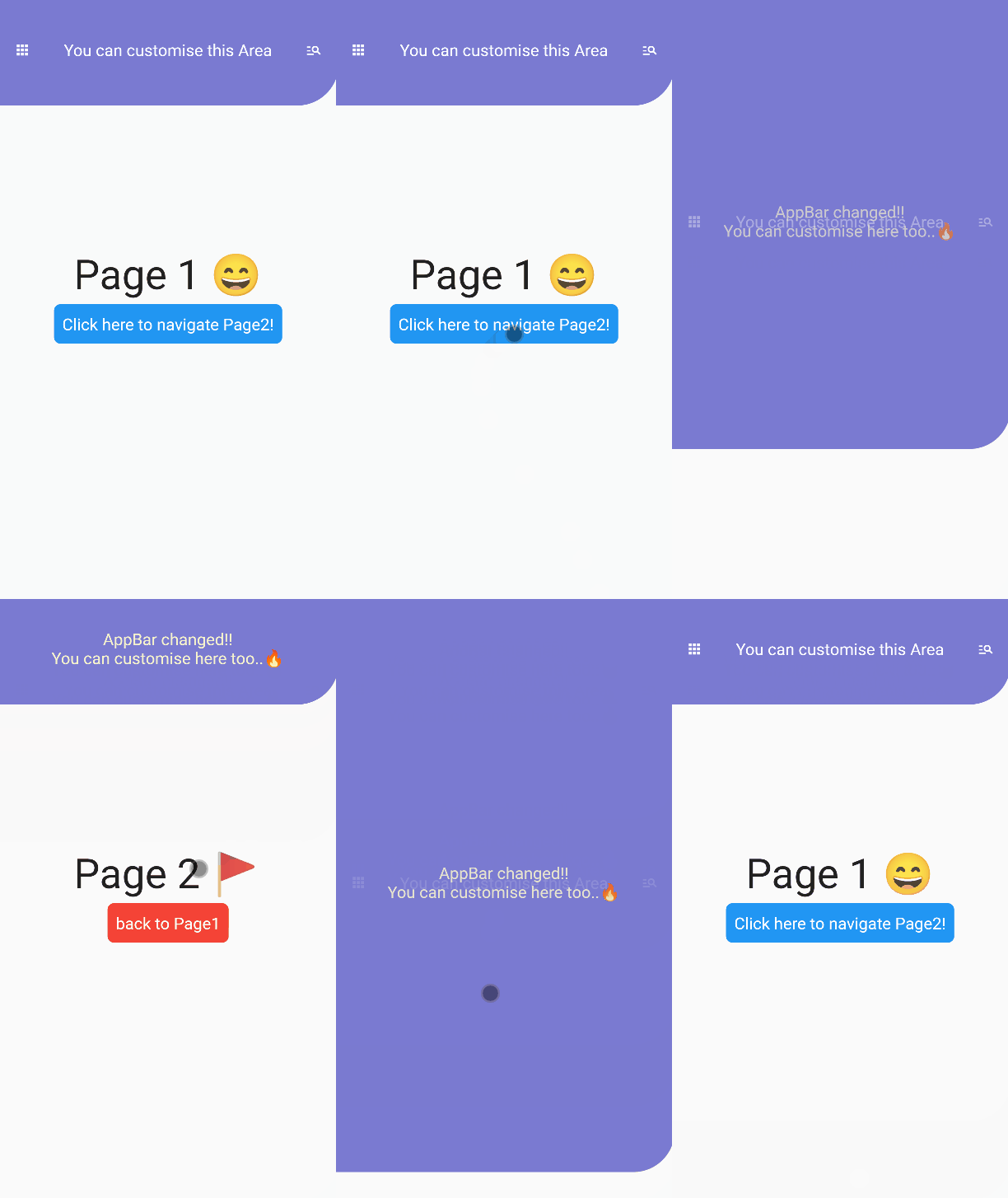
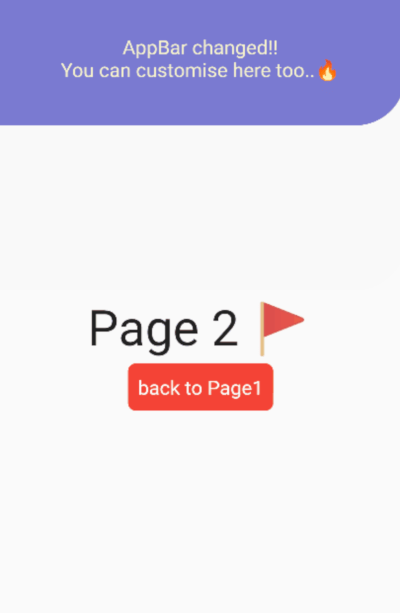
AppBar which can dynamically change height with page navigation. preview

Usage

This package is expected to be used with BaseLayout and AnimatedAppBar

// In this scenario
// we have to pages.
// In Page1, We will navigate to Page2 with dynamic animations.
// In Page2, We will back to Page1 with dynamic animations.
import 'package:flutter/material.dart';
import 'package:animated_appbar/animated_appbar.dart';

void main() {
  runApp(MyApp());
}

class MyApp extends StatefulWidget {
  @override
  _MyAppState createState() => _MyAppState();
}

class _MyAppState extends State<MyApp> with TickerProviderStateMixin{
  
  @override
  Widget build(BuildContext context) {
    
    return MaterialApp(
      debugShowCheckedModeBanner: false,
      // BaseLayout is declared in this package
      // If you wanna using AnimatedAppBar, You must use [BaseLayout]
      home: BaseLayout(
        // AnimatedAppBar is declared in this package
        appBar: AnimatedAppBar(
          initHeight: 135.0,
          backgroundColor: Color(0xff7a7ad1),
          child: Container(
            // If you want to change your appbar,
            // You must set key like this.
            // If you don't set this properties,
            // You couldn't see beautiful animation.
            key: UniqueKey(),
            child:Center(
              child: Row(
                mainAxisAlignment: MainAxisAlignment.spaceAround,
                crossAxisAlignment: CrossAxisAlignment.center,
                children: [
                  Icon(
                    Icons.apps,
                    color: Colors.white,
                    size: 20.0,
                  ),
                  Text(
                    "You can customise this Area",
                    style: TextStyle(
                      color: Colors.white,
                      fontSize: 20.0,
                    ),  
                  ),
                  Icon(
                    Icons.manage_search,
                    color: Colors.white,
                    size: 20.0,
                  ),
                ],
              ),
            ),
          ),
        ),
        // Setting initial Page in here!!!!!
        scaffold: Page1(),
      ),
    );
  }
}

// When routing page with this package,
// You must write [with RoutePage] like below.
// In this class, routing methods are defined.
class Page1 extends StatelessWidget with RoutePage{
  // This variable is Page2's new AppBar widget.
  // You have not using AnimatedAppBar
  // Just use any other Widget without AnimatedAppBar
  Widget newAppBar = Container(
    // You must set key like this.
    // If you don't set this properties,
    // You couldn't see beautiful animation.
    key:UniqueKey(),
    child:Column(
      mainAxisAlignment: MainAxisAlignment.center,
      children: [
        Text(
          "AppBar changed!!",
          style: TextStyle(
            color: Color(0xfff7f4cc),
            fontSize: 20,
          ),
        ),
        Text(
          "You can customise here too..🔥",
          style: TextStyle(
            color: Color(0xfff7f4cc),
            fontSize: 20,
          ),
        ),
      ],
    ),
  );
  @override
  Widget build(BuildContext context) {
    return Scaffold(
      body:  Center(
        child:Column(
          mainAxisAlignment:MainAxisAlignment.center,
          children: [
            Text(
              "Page 1 😄",
              style:TextStyle(
                fontSize: 50,
              ),
            ),
            SizedBox(height: 5),
            Container(
              decoration:BoxDecoration(
                color: Colors.blue,
                borderRadius: BorderRadius.all(
                  Radius.circular(8)
                ),
              ),
              padding: EdgeInsets.all(10.0),
              child: TextButton(
                  // If you wanna route page, Using routePage(Widget page)!
                  // Ig you wannt route page with new appbar, Using routePageWithNewAppBar(widget page, widget appBar)
                  onPressed: ()=> routePageWithNewAppBar(Page2(),newAppBar),
                  child: Text(
                    "Click here to navigate Page2!",
                    style: TextStyle(
                      fontSize: 20,
                      color: Colors.white
                    ),
                  ),
                ),
            ),
          ],
        ),
      ),
    );
  }
}

class Page2 extends StatelessWidget with RoutePage{
  
  @override
  Widget build(BuildContext context) {
    return Scaffold(
      body:  Center(
        child:Column(
          mainAxisAlignment:MainAxisAlignment.center,
          children: [
            Text(
              "Page 2 🚩",
              style:TextStyle(
                fontSize: 50,
              ),
            ),
            SizedBox(height: 5),
            Container(
              decoration:BoxDecoration(
                color: Colors.red,
                borderRadius: BorderRadius.all(
                  Radius.circular(8)
                ),
              ),
              padding: EdgeInsets.all(10.0),
              child: TextButton(
                // If you wanna back to previous page, Just using [previousPage()] method.  
                onPressed: () => previousPage(),
                child: Text(
                  "back to Page1",
                  style: TextStyle(
                    fontSize: 20,
                    color: Colors.white
                  ),
                ),
              ),
            ),
          ],
        ),
      ),
    );
  }
}

If you have any requests / contributes or questions, please feel free to visit github.

Categories

Dependencies

Dependency list 2 items

Source repository

Projects using this package

No data available yet.