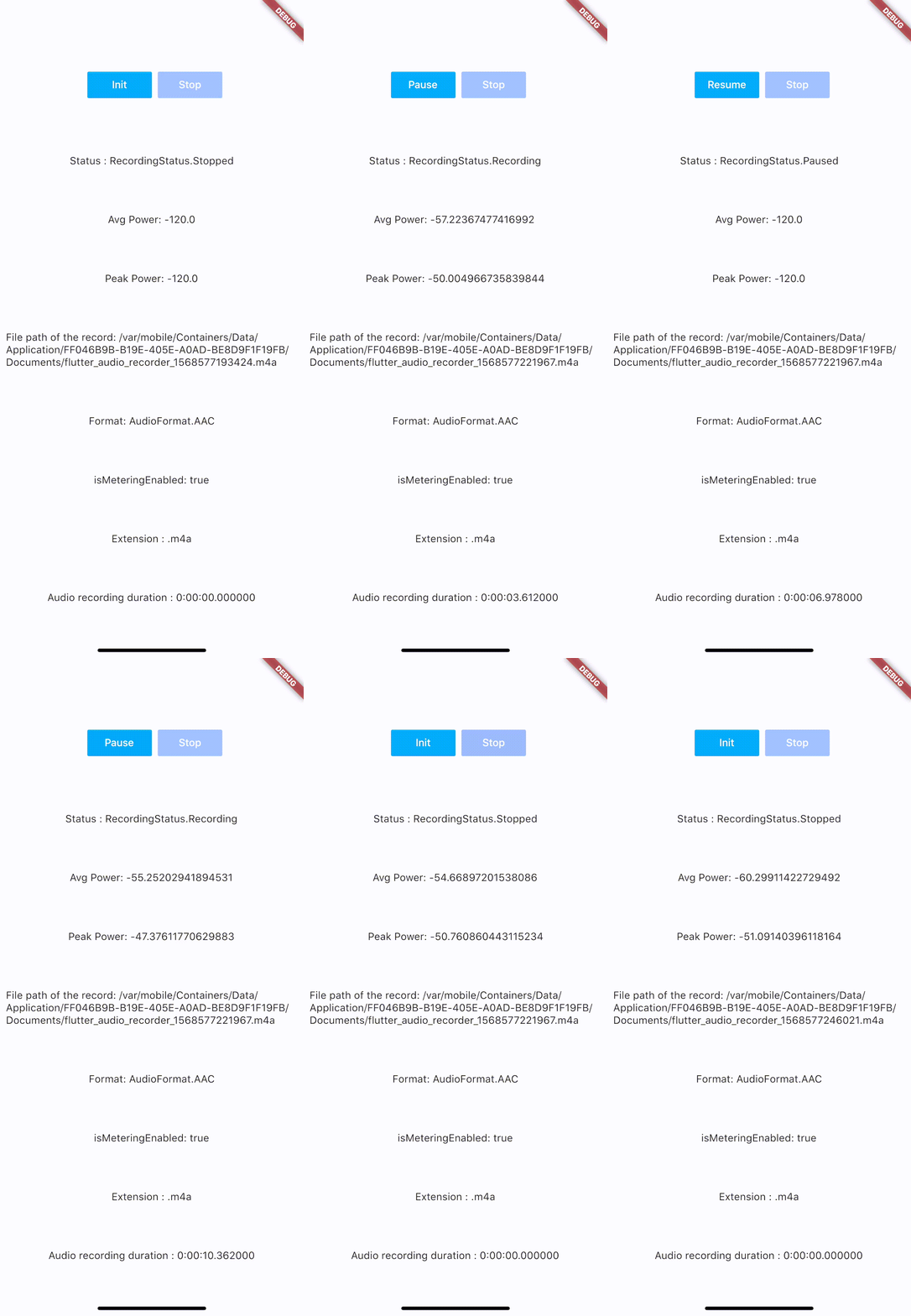
(Null-Safe + V2) Audio Record Plugin that supports record, pause, resume, stop, and provide access to audio level metering properties average power peak power.
Package selection guidance compiled from public package information, community data, and project usage.
Another Audio Recorder is a null-safe, version 2 Flutter plugin for Android and iOS that enables audio recording with full control over recording lifecycle—record, pause, resume, and stop. It provides real-time access to audio level metering, including average and peak power, making it ideal for applications requiring audio visualization or quality monitoring. The plugin is lightweight, well-documented, and designed for seamless integration into music, voice note, or podcast apps.
Use cases
Voice memo applications
Audio visualization tools
Podcast recording features
Real-time audio level monitoring
Speech-to-text preprocessing
Key features
Supports record/pause/resume/stop
Real-time average and peak power metering
Null-safe and compatible with Dart 3
Cross-platform (Android & iOS)
Simple API with callback events
Suitable for
Developers building audio recording apps
Apps needing audio level feedback
Projects requiring precise audio control
Flutter apps targeting mobile platforms
Considerations
Requires runtime permissions on Android and iOS
Limited to audio recording—no playback support
May require additional handling for background recording
Depends on platform-specific native code
Original README
Original README snapshot from the linked source repository. Visit the repository for the latest content.
Then use hasPermission api to ask user for permission when needed
Configuration
iOS Deployment Target is 8.0 above
Android
AndroidX: use latest version (0.5.x)
Legacy Android: use old version (0.4.9)
Usage
Recommended API Usage: hasPermission => init > start -> (pause <-> resume) * n -> stop, call init again before start another recording
Always check permission first(it will request permission if permission has not been set to true/false yet, otherwise it will return the result of recording permission)
Initialize (run this before start, so we could check if file with given name already exists)
var recorder = AnotherAudioRecorder("file_path.mp4"); // .wav .aac .m4aawait recorder.initialized;
or
var recorder = AnotherAudioRecorder("file_path", audioFormat: AudioFormat.AAC); // or AudioFormat.WAVawait recorder.initialized;
Sample Rate
var recorder = AnotherAudioRecorder("file_path", audioFormat: AudioFormat.AAC, sampleRate: 22000); // sampleRate is 16000 by defaultawait recorder.initialized;
Audio Extension and Format Mapping
Audio Format
Audio Extension List
AAC
.m4a .aac .mp4
WAV
.wav
Start recording
await recorder.start();
var recording = await recorder.current(channel: 0);
Get recording details
var current = await recording.current(channel: 0);
// print(current.status);
You could use a timer to access details every 50ms(simply cancel the timer when recording is done)
newTimer.periodic(tick, (Timer t) async {
var current = await recording.current(channel: 0);
// print(current.status);setState(() {
});
});
Recording
Name
Description
path
String
extension
String
duration
Duration
audioFormat
AudioFormat
metering
AudioMetering
status
RecordingStatus
Recording.metering
Name
Description
peakPower
double
averagePower
double
isMeteringEnabled
bool
Recording.status
Unset,Initialized,Recording,Paused,Stopped
Pause
await recorder.pause();
Resume
await recorder.resume();
Stop (after stop, run init again to create another recording)
var result = await recorder.stop();
File file = widget.localFileSystem.file(result.path);
Example
Please check example app using Xcode.
Getting Started
This project is a starting point for a Flutter
plug-in package,
a specialized package that includes platform-specific implementation code for
Android and/or iOS.
For help getting started with Flutter, view our
online documentation, which offers tutorials,
samples, guidance on mobile development, and a full API reference.
Credits
This plugin is based on the flutter_audio_recorder, because they stopped updating their plugin and answering/accepting PR's (https://github.com/rmbrone/flutter_audio_recorder)
@hnvn - Migrate to Android embedding v2 + Support AAC codec (https://github.com/rmbrone/flutter_audio_recorder/pull/52)
@PerrchicK - error handling instead of app crash (https://github.com/rmbrone/flutter_audio_recorder/pull/45/files)