
Search packages, repositories and app categories

another_transformer_page_view cover
Package detailsv2.0.1

another_transformer_page_view

Yet another pageTransformer for flutter with null-safety support

AndroidiOSWebmacOSWindowsLinux
30-day downloads
11.7K
Likes
98
Pub points
150

Install package

flutter pub add another_transformer_page_view

Package Overview

Package selection guidance compiled from public package information, community data, and project usage.

Another Transformer Page View is a Flutter package that provides enhanced page transformation capabilities for PageView widgets, supporting null safety. It enables smooth and customizable animations between pages, ideal for creating engaging user interfaces with dynamic transitions. Built with performance and ease of use in mind, it integrates seamlessly into existing Flutter projects across multiple platforms. The package is maintained by juliansteenbakker and is suitable for developers seeking advanced visual effects without complex implementation. Its lightweight design ensures minimal overhead while delivering rich interactive experiences.

Use cases

  • Creating animated onboarding screens
  • Building interactive sliders with visual depth
  • Enhancing navigation with dynamic page transitions
  • Designing immersive product showcases
  • Implementing custom scroll effects

Key features

  • Null-safety support
  • Customizable page transformations
  • Smooth animation performance
  • Cross-platform compatibility
  • Simple integration with PageView
  • Extensible transformation logic

Suitable for

  • Flutter developers building interactive UIs
  • Designers wanting advanced transition effects
  • Apps requiring visually rich scrolling experiences
  • Projects targeting multiple platforms
  • Teams prioritizing clean, maintainable code

Considerations

  • Requires understanding of PageView and animation concepts
  • May impact performance with heavy transformations
  • Limited documentation beyond basic examples
  • Best suited for moderate complexity animations
  • Not intended for simple linear scrolling
Original README

Original README snapshot from the linked source repository. Visit the repository for the latest content.

another_transformer_page_view

PageTransformer for flutter. Fork from transformer_page_view

Very simple to use

import 'package:another_transformer_page_view/another_transformer_page_view.dart';

...

new TransformerPageView(
loop: true,
transformer: new AccordionTransformer(),
itemBuilder: (BuildContext context, int index) {
  return new Container(
    color: list[index%list.length],
    child: new Center(
      child: new Text("$index",style: new TextStyle(fontSize: 80.0,color: Colors.white),),
    ),
  );
},
itemCount: 3)

Almost the same as PageView.builder, simplely specify a transformer to TransformerPageView, which is a sub class of PageTransformer

Show cases

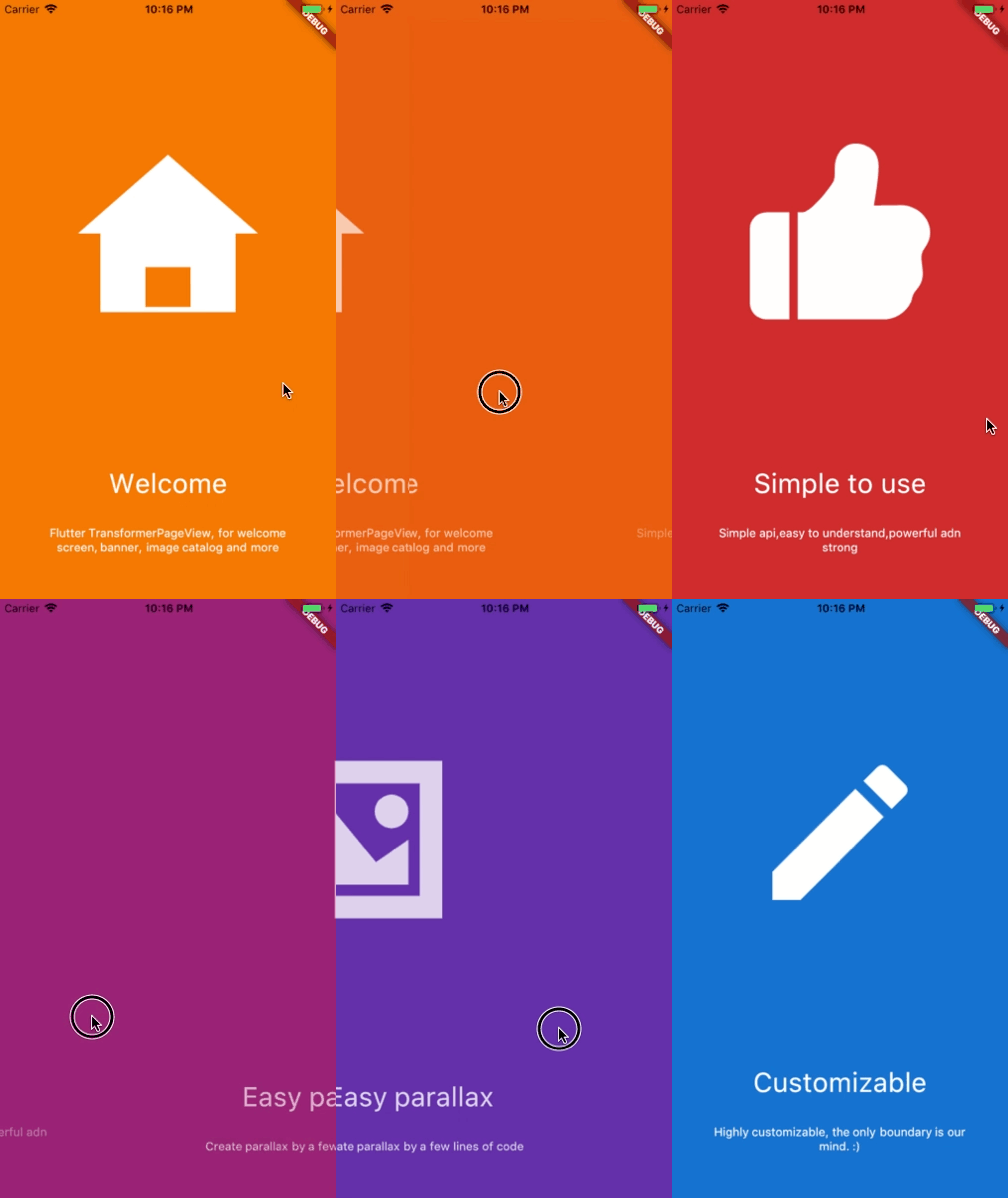
Parallax

Welcome view

Basic

AccordionTransformer

See code here

ThreeDTransformer

See code here

ScaleAndFadeTransformer

See code here

ZoomInPageTransformer

See code here

ZoomOutPageTransformer

See code here

DepthPageTransformer

See code here

Getting Started

Installation

Add


another_transformer_page_view:

to your pubspec.yaml ,and run

flutter packages get 

in your project's root directory.

Basic Usage
Parameter Default Description
scrollDirection Axis.horizontal If Axis.horizontal, the scroll view's children are arranged horizontally in a row instead of vertically in a column.
loop false Set to true to enable continuous loop mode.
index none Index number of initial slide. if not set , it is controlled by the widget itself,otherwise, it is controlled by another widget, which is returned by itemBuilder
onPageChanged void onPageChanged(int index) Called with the new index when the user swiped
duration new Duration(milliseconds:300) The milliseconds of every transaction animation costs
transformer none The most important property of this widget, it returns a transformed widget that based on the widget parameter. If the value is null, a itemBuilder must be specified
itemCount none Number of the total items
itemBuilder none A function that returns a widget based on index,if it's null,a transformer must be specified
Build-in Parallax

We provide 3 build-in parallaxes, which handle color、image and container

ParallaxColor

ParallaxColor handles the color transform, which controls the color transform from one to another.

ParallaxImage

ParallaxImage handles the image, which speed is slower than the PageView

ParallaxContainer

ParallaxContainer handles the text or other staff, which speed is faster than the PageView

3 build-in parallaxes are all used in subclass of PageTransform,group these parallaxes together, we can create very cool things.

Inspired by page-transformer, and we have an easier way to create this.

See code here

Custom animation

Categories

Source repository

Projects using this package