Package selection guidance compiled from public package information, community data, and project usage.
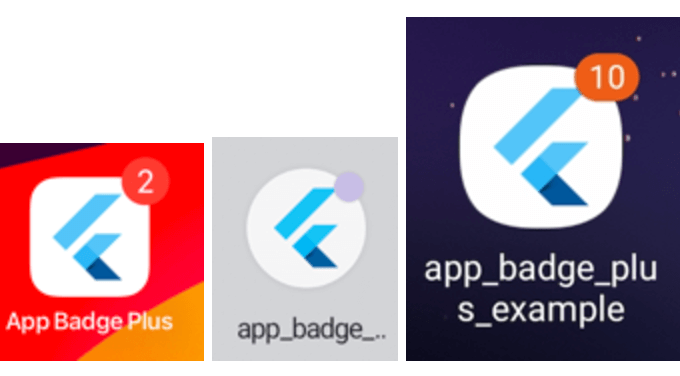
AppBadgePlus is a Flutter plugin that enables developers to display badges on their app's icon across Android, iOS, and macOS platforms. It provides a simple API to update badge counts dynamically, useful for notifications, messages, or task indicators. The plugin integrates seamlessly with existing Flutter apps and supports both integer and custom badge labels. Designed for cross-platform consistency, it ensures badge visibility where supported by each operating system. Ideal for apps requiring real-time status updates directly on the home screen icon.
Use cases
Displaying unread message counts
Showing pending task notifications
Indicating new content availability
Updating app icon badges in real time
Enhancing user engagement through visual cues
Key features
Cross-platform support (Android, iOS, macOS)
Simple API for badge updates
Support for integer and custom badge labels
Real-time badge rendering
Minimal setup and integration
Suitable for
Messaging and chat applications
Task and productivity apps
Notification-heavy apps
Apps with dynamic content updates
Developers targeting multiple platforms
Considerations
Badge support varies by platform and OS version
Some platforms may limit badge count size
Not all devices support custom badge text
Requires platform-specific permissions on some systems
Limited visual customization options
Original README
Original README snapshot from the linked source repository. Visit the repository for the latest content.
app_badge_plus
A Flutter plugin for adding badges to your app icon. Supports iOS, Android, and macOS.
Supported Platforms
iOS
Android
Samsung (pass)
Oppo (pass)
Vivo (pass)
Huawei (pass)
Xiaomi / POCO (HyperOS)
LG
Sony
HTC
ZTX
macOS
Mark
Android
Starting with Android 8.0 (API level 26), notification badges—also known as notification
dots—appear on a launcher icon when the associated app has an active notification. Users can
touch & hold the app icon to reveal the notifications, along with any app shortcuts.
Starting With Android13 (API level 33), notification runtime permission should be requested before setting the app badge.
On POCO / Xiaomi HyperOS, numeric badges are driven by active notifications (the old
extraNotification API is unavailable). Grant notification permission and enable the numeric
badge style in system settings.
Add the following permissions to AndroidManifest.xml according to the system you need to support:
import'package:app_badge_plus/app_badge_plus.dart';
// Set badgeAppBadgePlus.updateBadge(5);
// Remove badgeAppBadgePlus.updateBadge(0);
// Whether the launcher supports badges. It always returns true on iOS and it will return false on Android if the launcher doesn't support badges.AppBadgePlus.isSupported();