Package selection guidance compiled from public package information, community data, and project usage.
AppFlowyBoard is a Flutter widget designed for creating board-style interfaces with multiple groups, enabling intuitive drag-and-drop interactions between groups. It's ideal for organizing tasks, projects, or content in a visual, flexible layout. Built for cross-platform use, it supports Android, iOS, macOS, Windows, and Linux. The widget is part of the AppFlowy ecosystem, emphasizing productivity and user-friendly data management. Its modular design allows developers to customize group behavior and item interactions seamlessly.
Use cases
Task management
Project planning
Content organization
Visual workflow design
Collaborative editing
Key features
Multi-group board layout
Drag-and-drop between groups
Cross-platform support
Customizable group items
Extensible UI components
Suitable for
Productivity apps
Kanban-style tools
Dashboard builders
Developer tools
Interactive data displays
Considerations
Requires understanding of Flutter gestures
May need additional state management
Limited documentation beyond GitHub
Best suited for medium to large boards
Depends on AppFlowy ecosystem for full functionality
Original README
Original README snapshot from the linked source repository. Visit the repository for the latest content.
appflowy_board
AppFlowy Board
A customizable and draggable Kanban Board widget for Flutter
This will add a line like this to your package's pubspec.yaml:
dependencies:
  appflowy_board: ^0.1.0
Create your first board
Initialize an AppFlowyBoardController for the board. It contains the data used by the board. You can
register callbacks to receive the changes of the board.
finalAppFlowyBoardController controller = AppFlowyBoardController(
onMoveGroup: (fromGroupId, fromIndex, toGroupId, toIndex) {
debugPrint('Move item from $fromIndex to $toIndex');
},
onMoveGroupItem: (groupId, fromIndex, toIndex) {
debugPrint('Move $groupId:$fromIndex to $groupId:$toIndex');
},
onMoveGroupItemToGroup: (fromGroupId, fromIndex, toGroupId, toIndex) {
debugPrint('Move $fromGroupId:$fromIndex to $toGroupId:$toIndex');
},
);
Provide an initial value of the board by initializing the AppFlowyGroupData. It represents a group data and contains list of items. Each item displayed in the group requires to implement the AppFlowyGroupItem class.
voidinitState() {
final group1 = AppFlowyGroupData(id: "To Do", items: [
TextItem("Card 1"),
TextItem("Card 2"),
]);
final group2 = AppFlowyGroupData(id: "In Progress", items: [
TextItem("Card 3"),
TextItem("Card 4"),
]);
final group3 = AppFlowyGroupData(id: "Done", items: []);
controller.addGroup(group1);
controller.addGroup(group2);
controller.addGroup(group3);
super.initState();
}
classTextItemextendsAppFlowyGroupItem{
finalString s;
TextItem(this.s);
@overrideStringget id => s;
}
Finally, return a AppFlowyBoard widget in the build method.
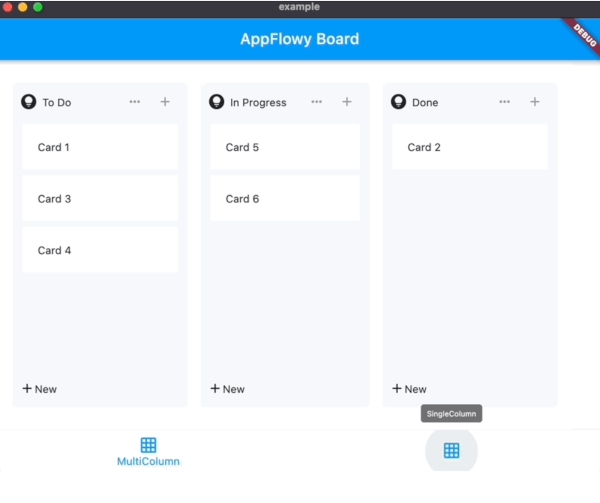
To quickly grasp how it can be used, look at the /example/lib folder.
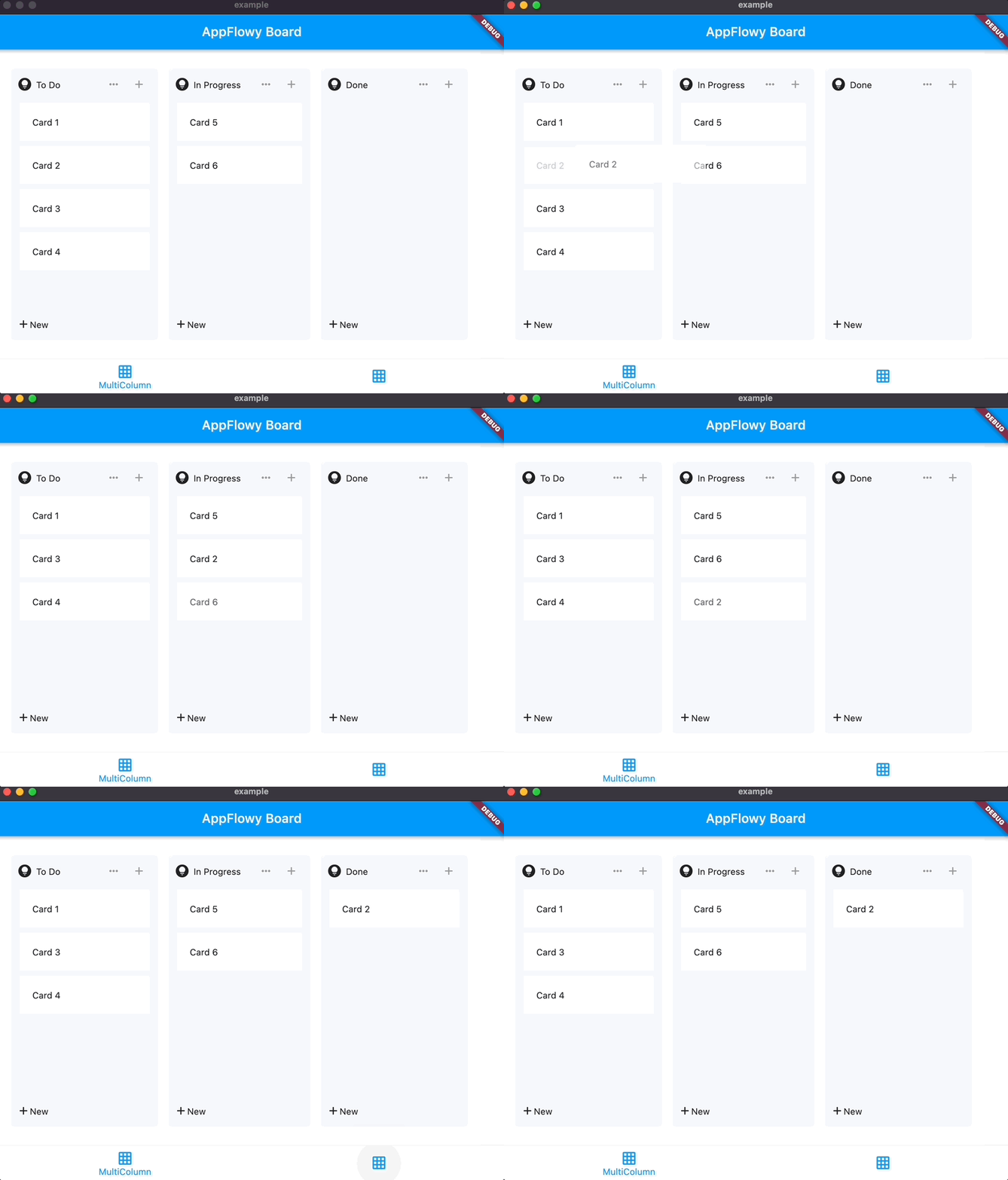
First, run main.dart to play with the demo.
Second, let's delve into multi_board_list_example.dart to understand a few key components:
A Board widget is created via instantiating an AppFlowyBoard object.
In the AppFlowyBoard object, you can find the AppFlowyBoardController, which is defined in board_data.dart, is fed with pre-populated mock data. It also contains callback functions to materialize future user data.
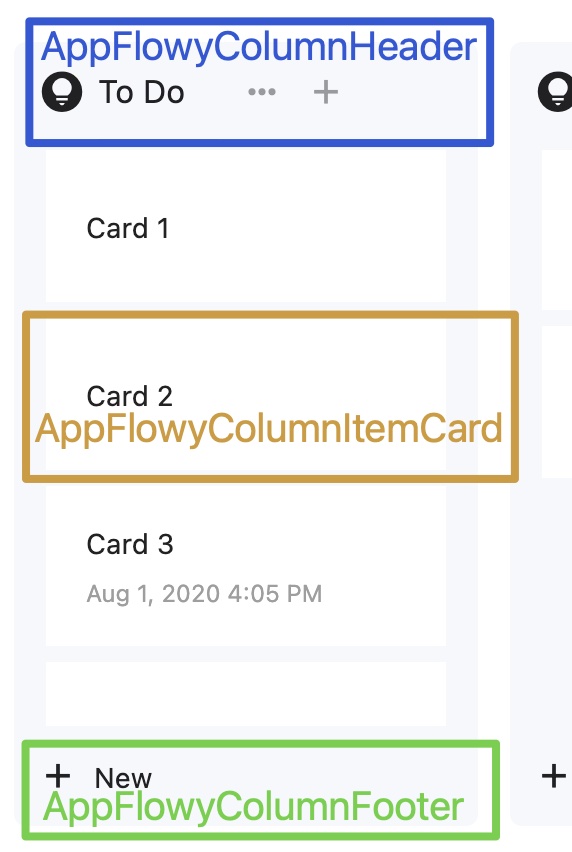
Three builders: AppFlowyBoardHeaderBuilder, AppFlowyBoardFooterBuilder, AppFlowyBoardCardBuilder. See below image for what they are used for.
Glossary
Please refer to the API documentation.
Contributing
Contributions are what make the open source community such an amazing place to learn, inspire, and create. Any contributions you make are greatly appreciated.