Search packages, repositories and app categories

barras cover
Package detailsv0.2.1

barras

A simple and customizable barcode scanning package for Android and iOS. It uses AVCaptureSession in iOS and ZXing in Android.

AndroidiOS
30-day downloads
77
Likes
32
Pub points
150

Install package

flutter pub add barras

Package Overview

Package selection guidance compiled from public package information, community data, and project usage.

Barras is a lightweight, customizable barcode scanning package for Android and iOS, designed for seamless integration into Flutter applications. It leverages AVCaptureSession on iOS and ZXing on Android to deliver reliable scanning performance. The package supports various barcode formats and offers straightforward setup with minimal configuration. Ideal for apps requiring quick and accurate barcode or QR code reading, it provides a native-like experience across platforms.

Use cases

  • Mobile inventory management
  • Retail product scanning
  • Event ticket validation
  • Asset tracking
  • User authentication via QR codes

Key features

  • Cross-platform support (Android & iOS)
  • Uses native scanning engines (AVCaptureSession, ZXing)
  • Highly customizable UI
  • Supports multiple barcode formats
  • Simple integration with Flutter

Suitable for

  • Developers building retail or logistics apps
  • Apps needing fast barcode scanning
  • Projects requiring native performance
  • Startups seeking lightweight solutions
  • Flutter developers targeting both mobile platforms

Considerations

  • Requires camera permissions on both platforms
  • Limited to barcode/QR code scanning only
  • No built-in image processing features
  • May require additional styling for custom UI
  • Depends on external native libraries for core functionality
Original README

Original README snapshot from the linked source repository. Visit the repository for the latest content.

Barras

This document is also available in: English | Português


Barras is a simple and customizable barcode scanning Flutter package for Android and iOS. It uses AVCaptureSession in iOS and ZXing in Android.

Please bear in mind that Barras is experimental, in early development stage.

Getting Started

Requirements

Barras requires camera usage permission, on both iOS and Android. This must be implemented by you, considering any alternatives that you may be already using for user permission requests.

If you are not handling permissions yet, there are good plugins to do it, like permission_handler.

Besides that, Barras depends on the following:

  • Flutter 2.10.5 or higher
  • Android API 26 (Marshmallow) or newer
  • iOS 9.0 or newer
Import and use in your code

Add Barras dependency to the pubspec.yaml file:

dependencies:
  barras: ^0.2.1

Import it in your code:

import 'package:barras/barras.dart';

Simply call the scan method, and we are good to go:

// Open the barcode reading page. Returned data will be null if
// Cancel button is pressed, or if user navigates back
final data = await Barras.scan(context);

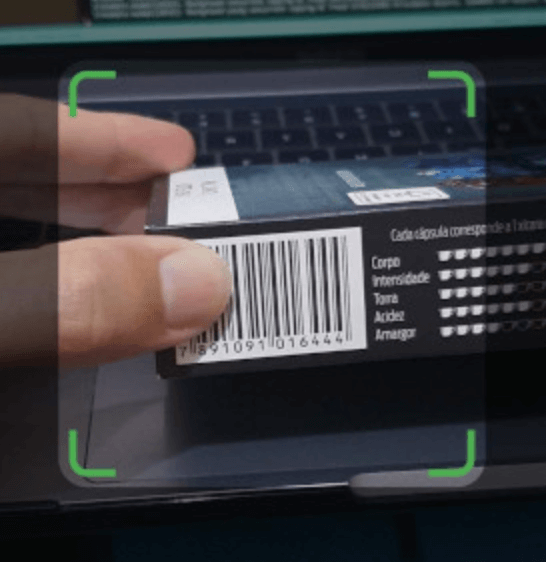
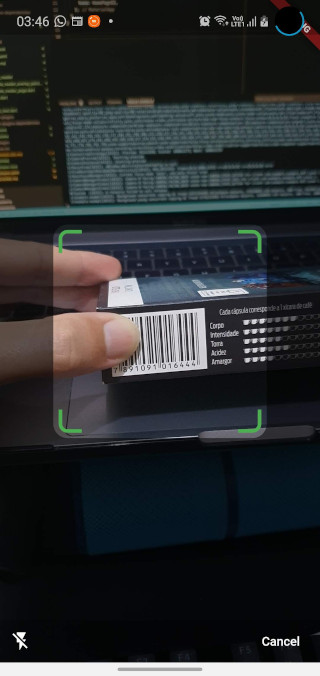
Default barcode capture page

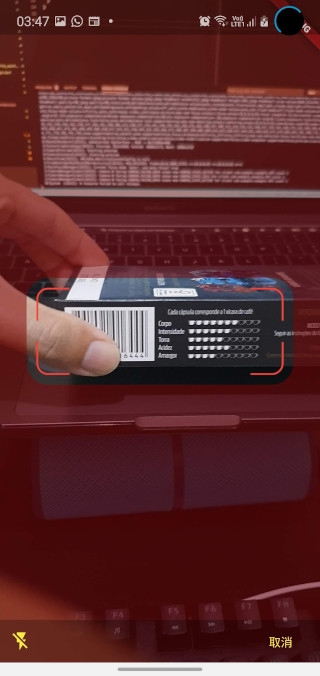
You can also customize the appearance of the barcode capture page:

// Open the barcode reading page. Customize the appearance, changing the
// viewfinder color, size and blinking speed. Returned data will be null
// if Cancel button is pressed, or if user navigates back
final data = await Barras.scan(
  context,
  viewfinderHeight: 120,
  viewfinderWidth: 300,
  scrimColor: Color.fromRGBO(128, 0, 0, 0.5),
  borderColor: Colors.red,
  borderRadius: 24,
  borderStrokeWidth: 2,
  buttonColor: Colors.yellow,
  borderFlashDuration: 250,
  cancelButtonText: "取消",
  successBeep: false,
);

Customized barcode capture page

You can check a working example app in the example folder.

Categories

Dependencies

Dependency list 3 items

Source repository

Projects using this package

No data available yet.