Package selection guidance compiled from public package information, community data, and project usage.
BART is a Flutter package that provides a bottom navigation bar powered by Navigator 2.0, enabling seamless tab switching with modern routing capabilities. It simplifies navigation between tabs using declarative route management, ensuring smooth transitions and state preservation. Designed for clean, scalable app architecture, BART integrates well with Flutter's navigation system and supports multiple platforms including Android, iOS, macOS, Windows, and Linux. The package is ideal for apps requiring intuitive tab-based navigation with robust routing logic.
Use cases
Tab-based mobile applications
Multi-screen dashboards
Navigation with persistent states
Apps using Navigator 2.0
Cross-platform bottom navigation
Key features
Navigator 2.0 integration
Declarative tab routing
State preservation across tabs
Platform-agnostic design
Easy integration with existing routes
Suitable for
Developers using Navigator 2.0
Apps with multiple tabs
Cross-platform Flutter projects
Clean navigation architecture
Modern Flutter app development
Considerations
Requires familiarity with Navigator 2.0
May need additional route configuration
Best suited for apps with structured navigation
Not recommended for simple single-screen apps
Limited customization compared to raw BottomNavigationBar
Original README
Original README snapshot from the linked source repository. Visit the repository for the latest content.
Bart is very simple solution to implement tabulation system layout with Navigator into your application.
📱 Material & Cupertino themes available.
🤝 Automatic theme switching between material & cupertino.
🛣 Inner routing inside tab.
🥷 Parent routing (over tabbar content).
😌 Very easy to implement.
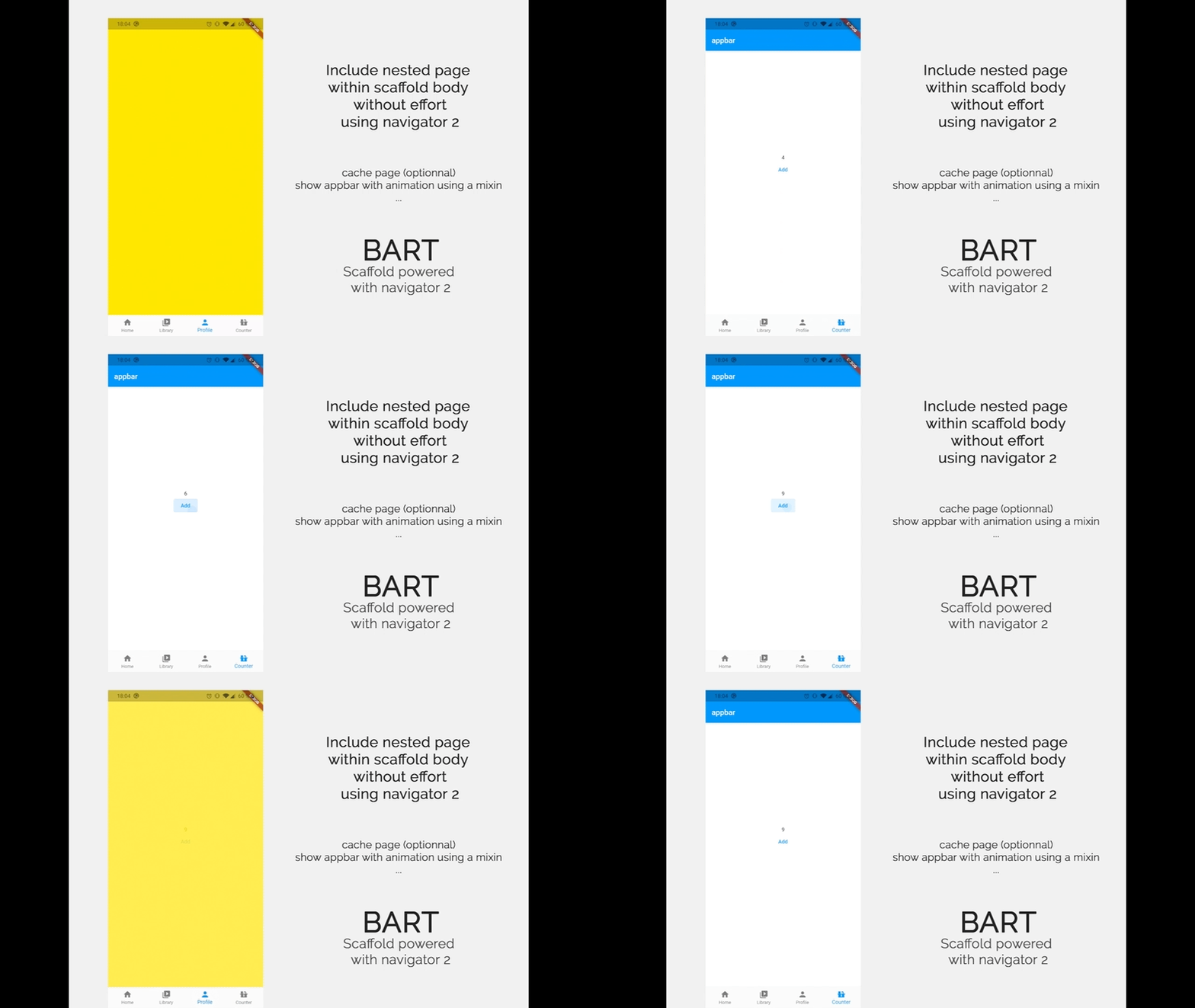
🪄 Show AppBar on demand (automatically animated).
🚀 Create your own bottom bar design if you need it.
👻 Hide/Show bottom bar when you need
🗃 Cache route page if you need to restore state.
🧐 Live example
📖 Installation
Install the package
flutter pub add bart material_ui
Since 2.0.0, bart builds on the material_ui
and cupertino_ui packages rather than
package:flutter/material.dart, following the Flutter 3.44+ split of Material out
of the framework. Requires Dart 3.12 / Flutter 3.44 or newer.
Upgrading from 1.x? Your app must import package:material_ui/material_ui.dart
instead of package:flutter/material.dart. The SDK still ships its own Material
library, and the two Material types are not interchangeable — mixing them
yields a confusing No Material widget found. on widgets that plainly sit under a
Scaffold. See the CHANGELOG for the full rationale.
enum Theme is also renamed to enum BartBottomBarStyle.
List<BartMenuRoute> subRoutes() {
return [
BartMenuRoute.bottomBar(
label: "Home",
icon: Icons.home,
path: '/home',
pageBuilder: (context) => PageFake(
key: PageStorageKey<String>("home"), // this is required to enable state cachingColors.red,
),
),
BartMenuRoute.bottomBar(
label: "Library",
icon: Icons.video_library_rounded,
path: '/library',
pageBuilder: (context) => PageFake(Colors.blueGrey),
),
BartMenuRoute.bottomBar(
label: "Profile",
icon: Icons.person,
path: '/profile',
pageBuilder: (context) => PageFake(Colors.yellow),
),
BartMenuRoute.innerRoute( // add an inner route, no item will be added in bottom bar
path: '/subpage',
pageBuilder: (context) =>
PageFake(Colors.greenAccent, child: Text("Sub Route page")),
),
];
}
What are the differences between innerRoute & bottomBar ?
This creates a route with a bottom menu item:
BartMenuRoute.bottomBar(...)
This creates a route that you can push within your scaffold body (no extra item will be added in bottom bar)
BartMenuRoute.innerRoute(...)
Create your main page which include the Bart tabbar Scaffold
classMainPageMenuextendsStatelessWidget{
constMainPageMenu({Key? key}) : super(key: key);
@overrideWidgetbuild(BuildContext context) {
returnBartScaffold(
routesBuilder: subRoutes, // add a reference to the subRoutes list you created before
bottomBar: BartBottomBar.adaptive(), // add the bottom bar (see below for other options)
);
}
}
🏞 Bottom bar themes
Bart include 4 ways to display a bottom bar:
BartBottomBar.cupertino() // iOS look.BartBottomBar.material3() // Android look.BartBottomBar.adaptive() // automatically select between cupertino & material depending on the device.BartBottomBar.custom() // your own design
To custom the bottom bar, simply extends BartBottomBarCustom and create your own bottom bar like SimpleBottomBar(in example project).
🤖 Material 3 bottom bar
If you want to custom your material 3 bottom bar, you can use the BottomNavigationBarThemeData class in your theme.
You can show an animated AppBar or hide it whenever you want inside all your Bart sub pages.
AppBar will automatically shows or hide with a smooth animation
Simply add the AppBarNotifier mixin like this:
classMyPageextendsStatelessWidgetwithAppBarNotifier{
constMyPage({ Key? key }) : super(key: key);
@overrideWidgetbuild(BuildContext context) {
// use the update app bar method to dynamically change app barupdateAppBar(context, AppBar(title: Text("test")));
// now call you can call show method that will start animationshowAppBar(context);
returnContainer();
}
}
To hide app bar, just execute this code inside your widget with AppBarNotifier
hideAppBar(context);
You can also use Actions to performs AppBar related actions
Sometimes you wants to hide the bottom menu bar.
As this is possible for the appbar you can use a mixin for that.
It just require to be called from a sub context of the BartScaffold.