Search packages, repositories and app categories

bottom_bar_page_transition cover
Package detailsv3.0.0

bottom_bar_page_transition

To display animation between pages while using bottom bar navigation.

AndroidiOSWebmacOSWindowsLinux
30-day downloads
122
Likes
75
Pub points
150

Install package

flutter pub add bottom_bar_page_transition

Package Overview

Package selection guidance compiled from public package information, community data, and project usage.

The bottom_bar_page_transition package enables smooth, animated transitions between pages in Flutter applications that use a bottom navigation bar. It enhances user experience by providing visual continuity when navigating between tabs, ensuring each page change feels fluid and intentional. Designed specifically for bottom navigation patterns, it integrates seamlessly with standard BottomNavigationBar widgets. The package supports multiple platforms including Android, iOS, Web, macOS, Windows, and Linux, making it versatile for cross-platform apps. It simplifies the implementation of custom animations without requiring complex manual state management.

Use cases

  • Animated tab switching in mobile apps
  • Enhancing UX in bottom-nav-based interfaces
  • Cross-platform navigation with transitions
  • Creating polished app onboarding flows
  • Adding visual feedback during navigation
  • Supporting dynamic content changes

Key features

  • Smooth page transition animations
  • Built-in support for BottomNavigationBar
  • Cross-platform compatibility
  • Minimal setup required
  • Customizable animation types
  • Works with standard navigation patterns

Suitable for

  • Mobile app developers using bottom nav
  • Design-focused UI implementations
  • Apps needing intuitive navigation
  • Developers seeking quick animation integration
  • Cross-platform Flutter projects
  • Teams prioritizing user experience

Considerations

  • May require additional styling for complex layouts
  • Limited to bottom navigation context
  • Animation performance depends on device
  • Not suitable for non-bottom-nav navigation
  • Requires careful handling of state persistence
  • Best used with consistent page structure
Original README

Original README snapshot from the linked source repository. Visit the repository for the latest content.

bottom_bar_page_transition

Flutter package to display transition for switching pages beween bottom bar page navigation.

Previews

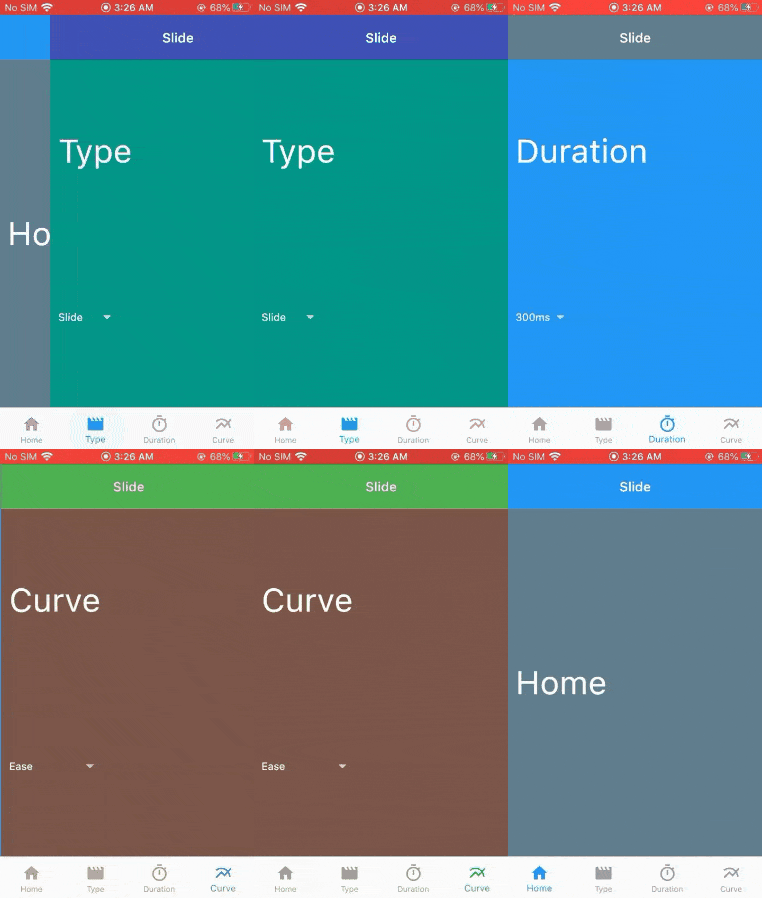
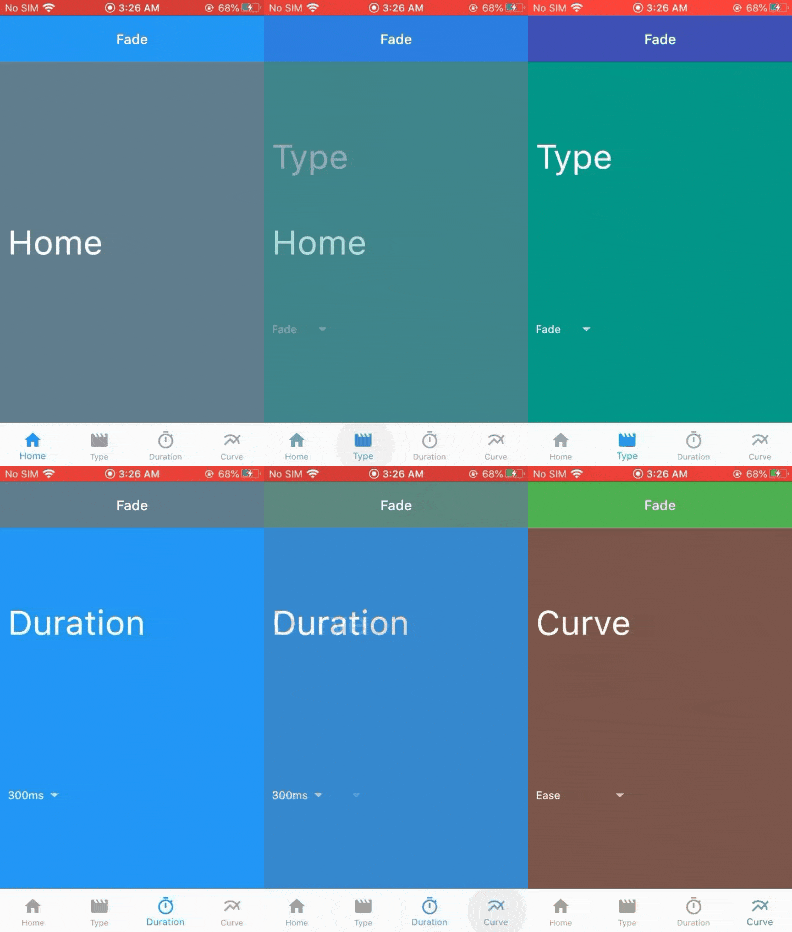
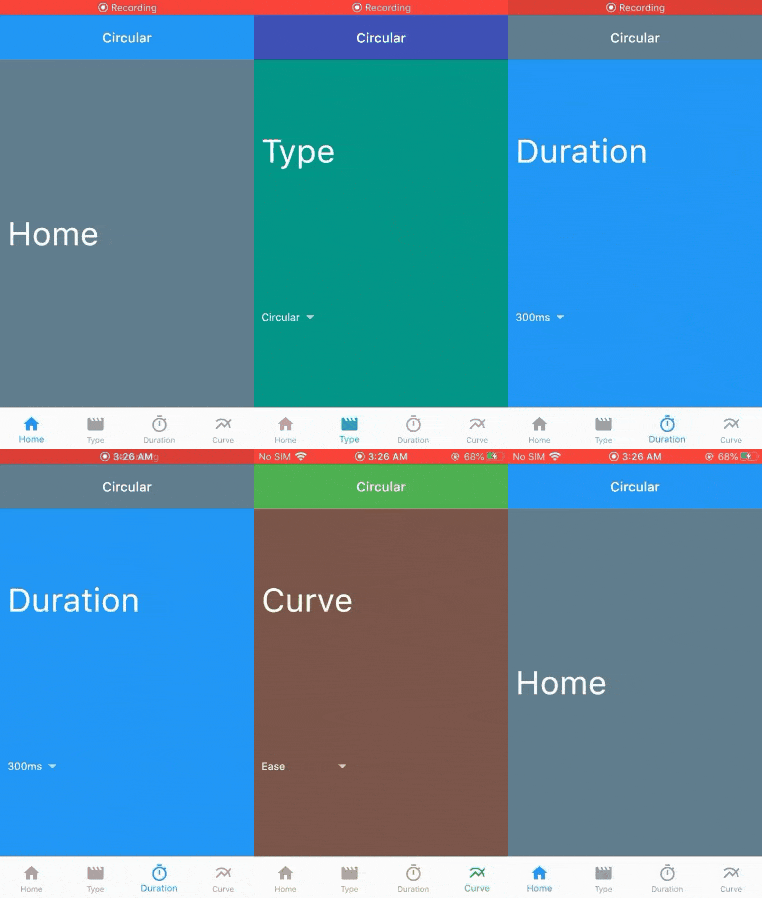
Circular Slide Fade

Features

  • Can be used to show animation while swiching pages in bottom navigation bar
  • Add global key to widget to avoid reinitate widget

Getting Started

Installing

To use this package, add bottom_bar_page_transition as a dependency in your pubspec.yaml file.

In your dart file import the library by

import 'package:bottom_bar_page_transition/bottom_bar_page_transition.dart';

In build method

return Scaffold(
      body: BottomBarPageTransition(
        builder: (_, index) => _getBody(index),
        currentIndex: _currentPage,
        totalLength: totalPage,
        transitionType: transitionType,
        transitionDuration: duration,
        transitionCurve: curve,
      ),
      bottomNavigationBar: _getBottomBar(),
    );

create `_getBody(int index) method to return body of the widget

Widget _getBody(int index) {
    return CustomScrollView(
      //key:_keys[index] //add keys to avoid initiate child widget after animation ends
      slivers: <Widget>[
        SliverAppBar(
          title: Text('Page $index'),
        ),
        SliverFillRemaining(
          child: Center(child: Text('Page $index')),
        )
      ],
    );
  }

create _getBottomBar() to create bottom bar

Widget _getBottomBar() {
    return BottomNavigationBar(
        currentIndex: _currentPage, 
        onTap: (index) {
          _currentPage = index;
          setState(() {});
        },
        selectedItemColor: Colors.blue,
        unselectedItemColor: Colors.grey,
        type: BottomNavigationBarType.fixed,
        items: List.generate(
            totalPage,
            (index) => BottomNavigationBarItem(
                  icon: Icon(icons[index]),
                  title: Text(names[index]),
                )));
  }

Parameter Description

builder - function to return content of widget
currentIndex - current displaying page
totalLength - total number of pages
transitionType - tractionType can be circle/slide/fade
transitionDuration - Duration of animation
transitionCurve - Curve is animation curve and they are used to adjust the rate of change of an animation over time

Categories

Source repository

Projects using this package

No data available yet.