Search packages, repositories and app categories

bound_location_picker cover
Package detailsv0.0.1

bound_location_picker

A Flutter package created by the official google_maps_flutter plugin, which can help you to picked locations within a boundary.

AndroidiOSWeb
30-day downloads
47
Likes
3
Pub points
140

Install package

flutter pub add bound_location_picker

Package Overview

Package selection guidance compiled from public package information, community data, and project usage.

A Flutter package that enables users to pick locations within a defined boundary using Google Maps integration. Built as an extension of the official google_maps_flutter plugin, it provides enhanced control over location selection by restricting picks to specific geographic areas. Ideal for applications requiring precise location input within predefined zones, such as delivery services or event check-ins. The package supports Android, iOS, and Web platforms, ensuring cross-platform consistency.

Use cases

  • Delivery zone selection
  • Event location registration
  • Geofenced area navigation
  • Map-based form inputs
  • Location validation within boundaries

Key features

  • Boundary-restricted location picking
  • Integration with google_maps_flutter
  • Cross-platform support (Android, iOS, Web)
  • Customizable map boundaries
  • Real-time location feedback

Suitable for

  • Apps needing geofencing
  • Location-aware forms
  • Delivery and logistics apps
  • Event management tools
  • Map-centric user interfaces

Considerations

  • Requires Google Maps API key
  • Limited to bounded area selection
  • Dependent on google_maps_flutter
  • Web support may have rendering differences
  • User must enable location permissions

Original README

Original README snapshot from the linked source repository. Visit the repository for the latest content.

Bound Location Picker for Flutter

Pub Version

A Flutter package created by the official google_maps_flutter plugin, which can help you to picked locations within a boundary.

Highlighted feature
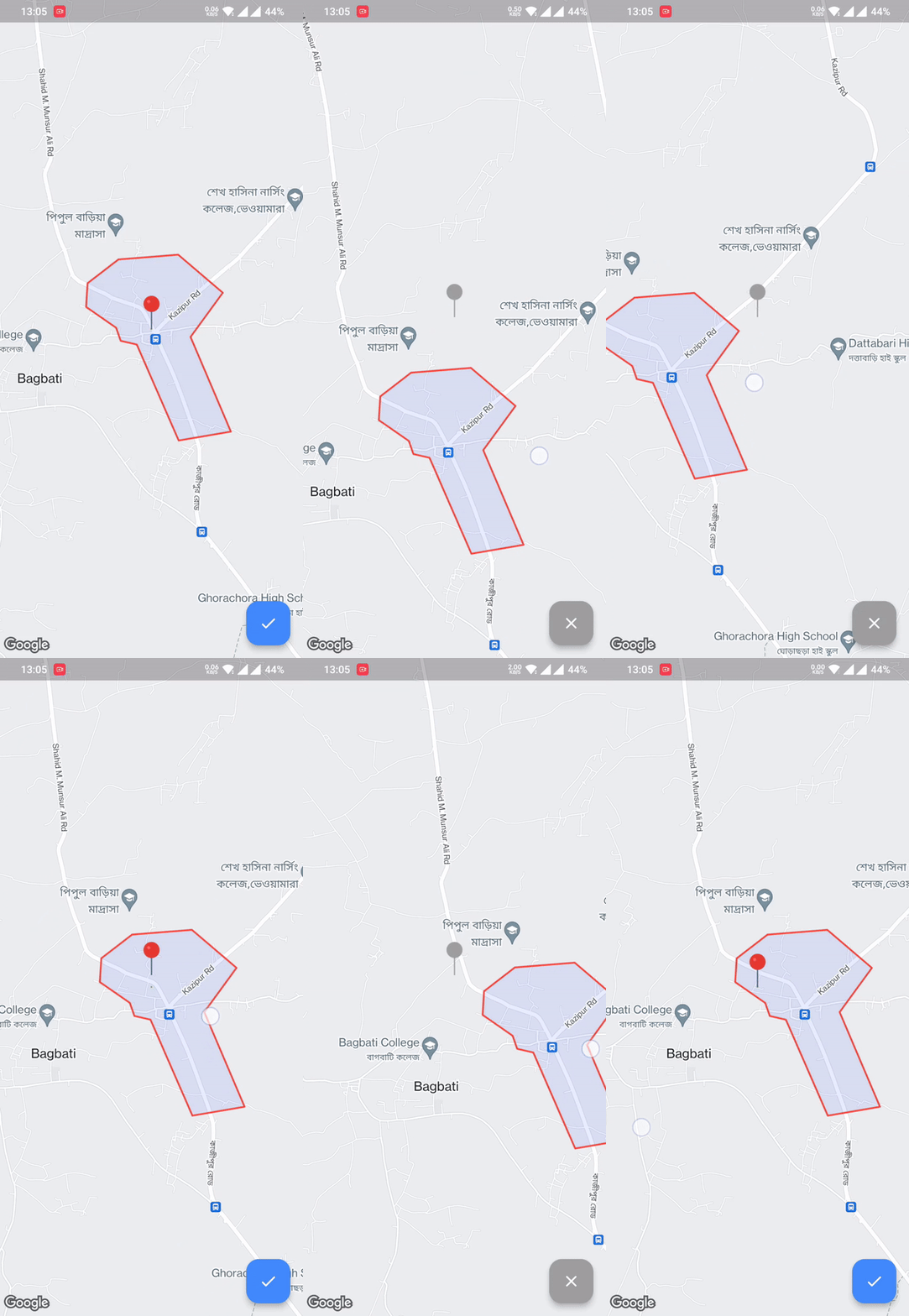
  • Pick location within the Polygon boundary
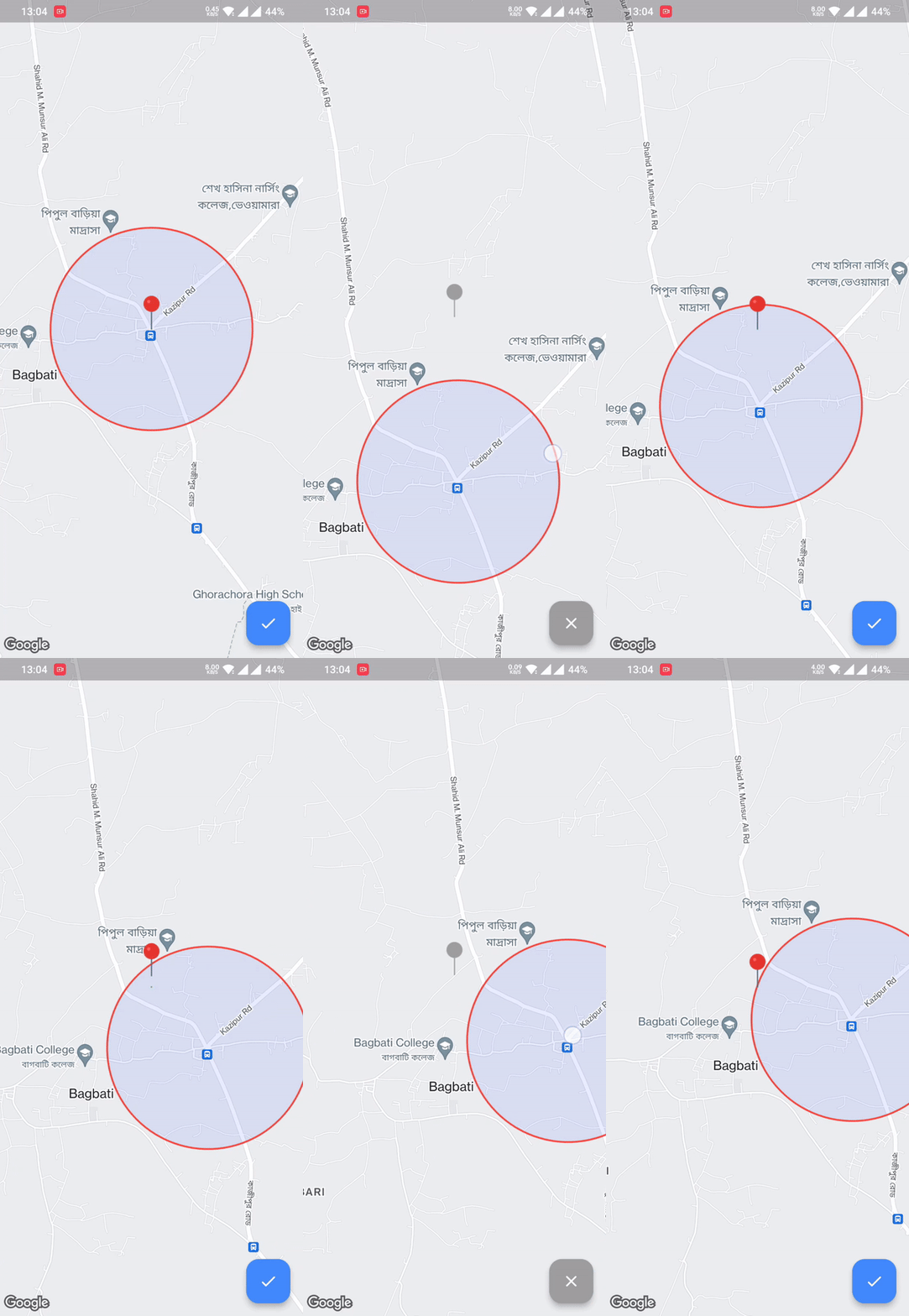
  • Pick location within the Circular Radius boundary

Made by @Hasan

Android iOS Web
Support SDK 20+ iOS 11+ Same as Flutter's
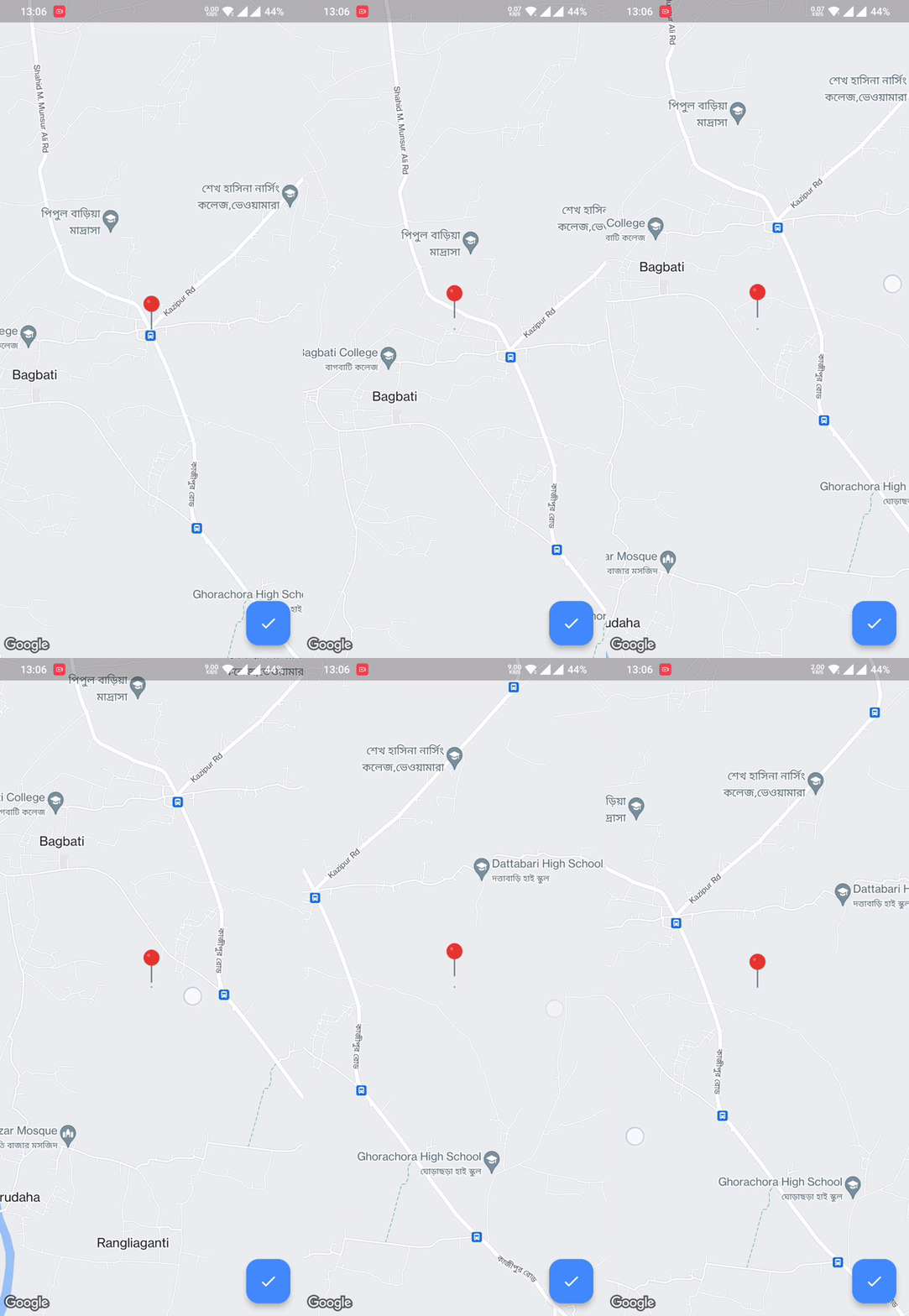
Regular Picker Circle Boundary Polygon Boundary

💻 Usage

First, add bound_location_picker as a dependency in your pubspec.yaml file.

dependencies:
  flutter:
    sdk: flutter

  bound_location_picker: ^update_version

Don't forget to flutter pub get.

Android
  1. Set the minSdkVersion in android/app/build.gradle:
android {
    defaultConfig {
        minSdkVersion 20
    }
}

This means that app will only be available for users that run Android SDK 20 or higher.

  1. Specify your API key in the application manifest android/app/src/main/AndroidManifest.xml:
<manifest ...
  <application ...
    <meta-data android:name="com.google.android.geo.API_KEY"
               android:value="YOUR KEY HERE"/>
iOS

To set up, specify your API key in the application delegate ios/Runner/AppDelegate.m:

#include "AppDelegate.h"
#include "GeneratedPluginRegistrant.h"
#import "GoogleMaps/GoogleMaps.h"

@implementation AppDelegate

- (BOOL)application:(UIApplication *)application
    didFinishLaunchingWithOptions:(NSDictionary *)launchOptions {
  [GMSServices provideAPIKey:@"YOUR KEY HERE"];
  [GeneratedPluginRegistrant registerWithRegistry:self];
  return [super application:application didFinishLaunchingWithOptions:launchOptions];
}
@end

Or in your swift code, specify your API key in the application delegate ios/Runner/AppDelegate.swift:

import UIKit
import Flutter
import GoogleMaps

@UIApplicationMain
@objc class AppDelegate: FlutterAppDelegate {
  override func application(
    _ application: UIApplication,
    didFinishLaunchingWithOptions launchOptions: [UIApplication.LaunchOptionsKey: Any]?
  ) -> Bool {
    GMSServices.provideAPIKey("YOUR KEY HERE")
    GeneratedPluginRegistrant.register(with: self)
    return super.application(application, didFinishLaunchingWithOptions: launchOptions)
  }
}
Web

You'll need to modify the web/index.html file of your Flutter Web application to include the Google Maps JS SDK.

Check the google_maps_flutter_web README for the latest information on how to prepare your App to use Google Maps on the web.

Sample Usage
class MyApp extends StatefulWidget {
  const MyApp({super.key});

  @override
  State<MyApp> createState() => _MyAppState();
}

class _MyAppState extends State<MyApp> {
  @override
  Widget build(BuildContext context) {
    return MaterialApp(
      debugShowCheckedModeBanner: false,
      home: Scaffold(
        body: BoundLocationPicker(
          initialCameraPosition: const LatLng(24.540725, 89.631088),
          onPickedLocation: (LatLng? location) {
            ///TODO do something using location 
          },
          onLocationUpdateListener: (LatLng? location) {
            ///TODO do something with current location
          },
          locationPickerImage: const AssetImage("assets/pin_point.png"),
          circleBoundary: CircleBoundary(radius: 800),
          enablePickedButton: true,
        ),
      ),
    );
  }
}
👨🏻‍💻Contribute to the project

All contributions are welcome.

GitHub

Categories

Dependencies

Dependency list 4 items

Source repository

Projects using this package

No data available yet.