Package selection guidance compiled from public package information, community data, and project usage.
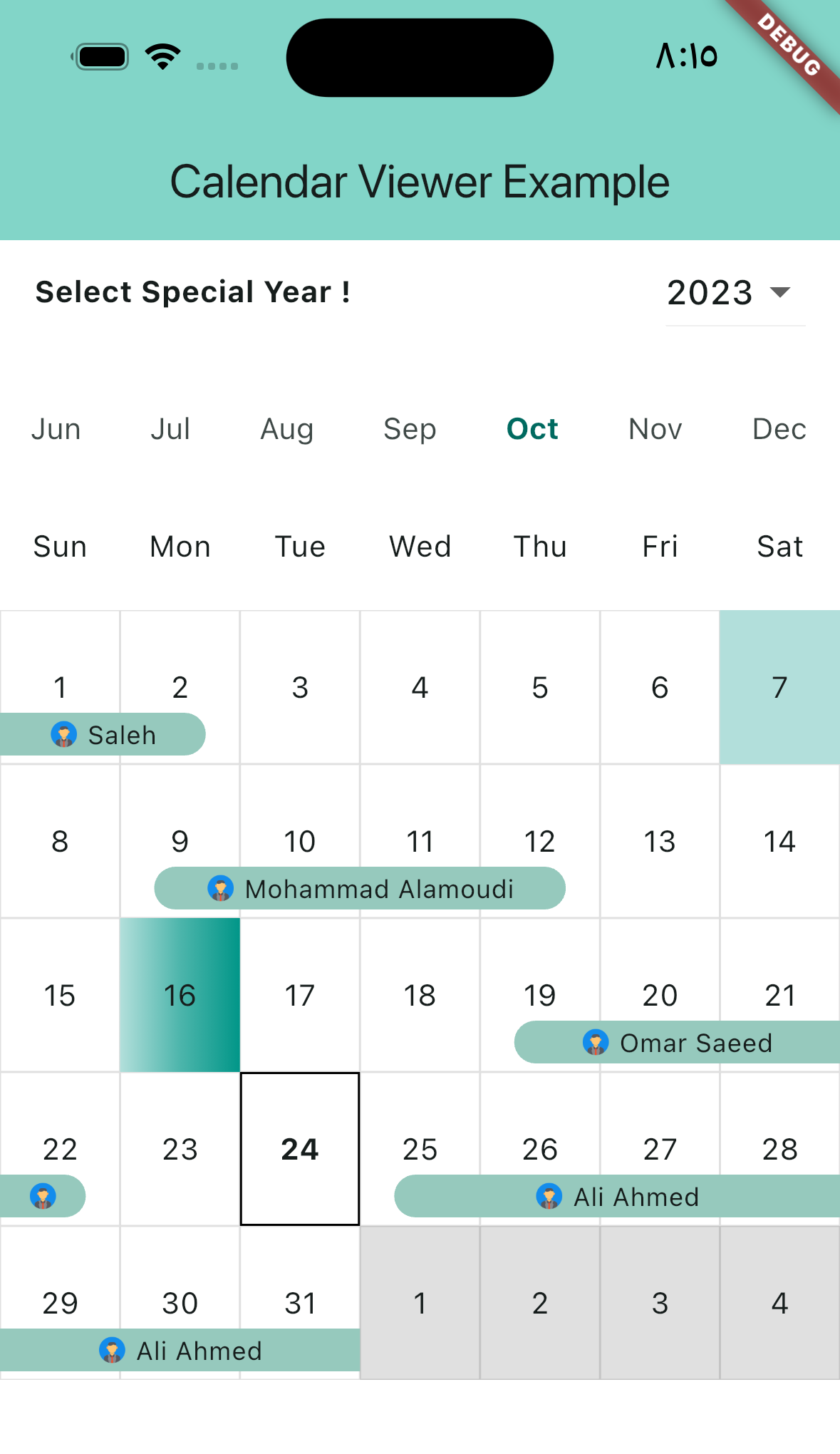
A highly customizable calendar widget for Flutter that supports reservations, events, and multi-language display. It offers flexible styling, event integration, and seamless cross-platform compatibility across Android, iOS, Web, macOS, Windows, and Linux. Designed with developers in mind, it enables easy customization of dates, headers, and UI components while maintaining performance and responsiveness. Ideal for apps requiring dynamic date selection and internationalization.
Use cases
Event scheduling
Reservation systems
Multi-language calendars
Date picker integrations
Time management apps
Travel booking interfaces
Key features
Customizable UI themes
Multi-language support
Event highlighting
Cross-platform compatibility
Responsive design
Configurable date ranges
Suitable for
Developers building appointment apps
Teams needing internationalized calendars
Apps with complex date interactions
UI-focused calendar implementations
Projects requiring lightweight calendar widgets
Considerations
Requires manual event data handling
Limited built-in time zone support
No native recurring event logic
Styling may require deep customization
Depends on external localization packages for full i18n
Original README
Original README snapshot from the linked source repository. Visit the repository for the latest content.
Calendar Viewer
A highly customizable calendar widget designed for reservations, events, and multi-language support.
Multi-language support for month and weekday names.
Add reservations spanning multiple dates.
Customizable styles for dates, weekdays, and reservations.
Support for event handling like taps and long presses on dates.
📖 Usage
Basic Example:
/// Use [CalendarPageViewer] if you want to show only one month at a time./// with no tab bar.////// Use [CalendarListViewer] if you want to show all months at a time./// with a scrollable list.CalendarTabBarViewer(
initialDate: DateTime.now(),
months: ['Jan', 'Feb', ...], // List of 12 months
weekdays: ['Mon', 'Tue', ...], // List of 7 weekdays
outsideDateConfig: CalendarDateConfig(
decoration: BoxDecoration(
color: Colors.black12,
border: Border.all(color: Colors.black12, width: 0.5),
),
),
);
Advanced Configuration:
/// Use [CalendarPageViewer] if you want to show only one month at a time./// with no tab bar.////// Use [CalendarListViewer] if you want to show all months at a time./// with a scrollable list.CalendarTabBarViewer(
key: Key(_selectedDate.toString()),
initialDate: _selectedDate,
months: ['January', 'February', ...],
weekdays: ['Monday', 'Tuesday', ...],
dateConfigBuilder: (date) {
if (date.isAtSameMomentAs(DateTime(_now.year, _now.month, _now.day))) {
returnCalendarDateConfig(
decoration: BoxDecoration(
color: Colors.teal.withValues(alpha: .6),
borderRadius: BorderRadius.circular(5),
),
);
} elseif(date.isAtSameMomentAs(_selectedDate)) {
returnCalendarDateConfig(
decoration: BoxDecoration(
color: Colors.blue.withValues(alpha: .6),
borderRadius: BorderRadius.circular(5),
),
);
}
returnnull;
},
reservations: [
CalendarViewerReservation(
from: DateTime(2023, 10, 9),
to: DateTime(2023, 10, 13),
user: constCalendarReservationUser(
name: 'Mohammad Alamoudi',
netImage:
'https://cdn-icons-png.flaticon.com/512/9203/9203764.png',
),
),
],
reservation: CalenderReservationConfig(
style: CalendarReservationStyle(
color: Colors.teal.withValues(alpha: .6),
),
),
outsideDateConfig: CalendarDateConfig(
decoration: BoxDecoration(
color: Colors.black12,
border: Border.all(color: Colors.black12, width: 0.5),
),
),
);