Package selection guidance compiled from public package information, community data, and project usage.
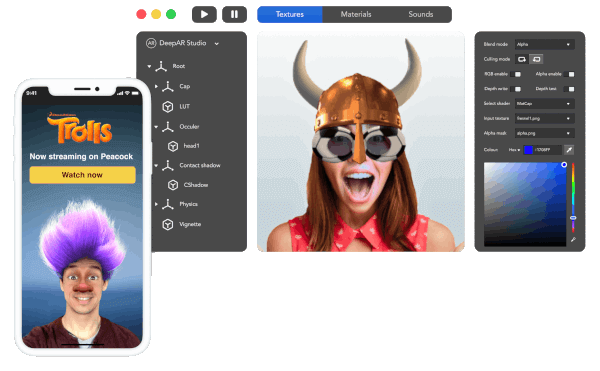
camera_deep_ar is a Flutter plugin enabling augmented reality (AR) video and photo recording using the DeepAR SDK. It integrates seamlessly with Android and iOS platforms, allowing developers to add real-time AR effects such as face filters, animations, and virtual objects to camera streams. The plugin simplifies AR implementation by providing a straightforward API for capturing and processing media with AR overlays. Ideal for social apps, gaming, and interactive experiences, it supports high-quality output and smooth performance. Built on top of the DeepAR engine, it ensures reliable facial tracking and effect rendering across devices.
Use cases
Social media filters
Interactive gaming
Virtual try-ons
Live AR streaming
Photo editing apps
Key features
Real-time AR effects
Face and object tracking
High-quality video recording
Cross-platform support (Android & iOS)
Easy integration with Flutter
Suitable for
Developers building AR-enabled apps
Social media platforms
E-commerce with virtual try-ons
Gamification features
Considerations
Requires DeepAR SDK licensing
May have higher device resource usage
Limited customization without DeepAR expertise
Dependent on external SDK updates
Original README
Original README snapshot from the linked source repository. Visit the repository for the latest content.
camera_deep_ar
A new Flutter plugin for Camera video and Photo Augmented reality recording. This plug-in requires Android SDK 19+ and iOS 10+
Getting Started
Please follow the example on the dev channel https://github.com/mtellect/CameraDeepAR/tree/dev as the dev channel has the recent code updates
You can use Permission_handler, a permissions plugin for Flutter.
Require and add the following permissions in your manifest:
Add this to the proguard-rules.pro
-keepclassmembers classai.deepar.ar.DeepAR{ *; }
for release mode modify and add to your BuildType in your build.gradle
buildTypes {
release {
// TODO: Add your own signing config for the release build.// Signing with the debug keys for now, so `flutter run --release` works.
signingConfig signingConfigs.debug
proguardFiles getDefaultProguardFile('proguard-android.txt'), 'proguard-rules.pro'
}
}
You only need add the permission message on the Info.plist
    <key>NSCameraUsageDescription</key>
    <string>Allows you to capture your best moment</string>
	<key>io.flutter.embedded_views_preview</key>
	<true/>
    <key>NSPhotoLibraryAddUsageDescription</key>
    <string>Allows you to capture your best moment</string>
    <key>NSMicrophoneUsageDescription</key>
    <string>Needs access to your mic to help your record voice notes on chat/message conversations</string>