Search packages, repositories and app categories

card_scanner cover
Package detailsv1.0.4

card_scanner

Fast, Accurate and Secure Credit & Debit card scanning library for flutter.

AndroidiOS
30-day downloads
975
Likes
124
Pub points
130

Install package

flutter pub add card_scanner

Package Overview

Package selection guidance compiled from public package information, community data, and project usage.

Card Scanner is a fast, accurate, and secure Flutter library designed for scanning credit and debit cards. It leverages device camera capabilities to detect card boundaries, extract card numbers, expiration dates, and CVV with high precision. Built with privacy in mind, it processes data locally without sending sensitive information to external servers. Ideal for payment forms, checkout flows, and financial applications requiring seamless card input. The package supports both Android and iOS platforms and integrates easily via a simple pub add command.

Use cases

  • Payment form automation
  • Checkout flow enhancement
  • Financial app integration
  • Card data extraction
  • User onboarding with card input

Key features

  • Real-time card detection
  • Local data processing
  • High accuracy scanning
  • Secure handling of card details
  • Cross-platform support (Android & iOS)

Suitable for

  • E-commerce apps
  • Banking and finance apps
  • Mobile payment solutions
  • Apps needing quick card entry
  • Developers prioritizing security and speed

Considerations

  • Requires camera permissions
  • May need calibration for optimal performance
  • Limited to credit/debit card formats
  • Depends on device camera quality
  • No support for non-standard card shapes

Original README

Original README snapshot from the linked source repository. Visit the repository for the latest content.

Fast, Accurate and Secure Credit & Debit card scanner for Flutter

card_scanner is a flutter plugin for accurately and quickly scanning debit and credit cards.

Features

  • 🔒Fully OFFLINE scan makes it a completely secure scanner !
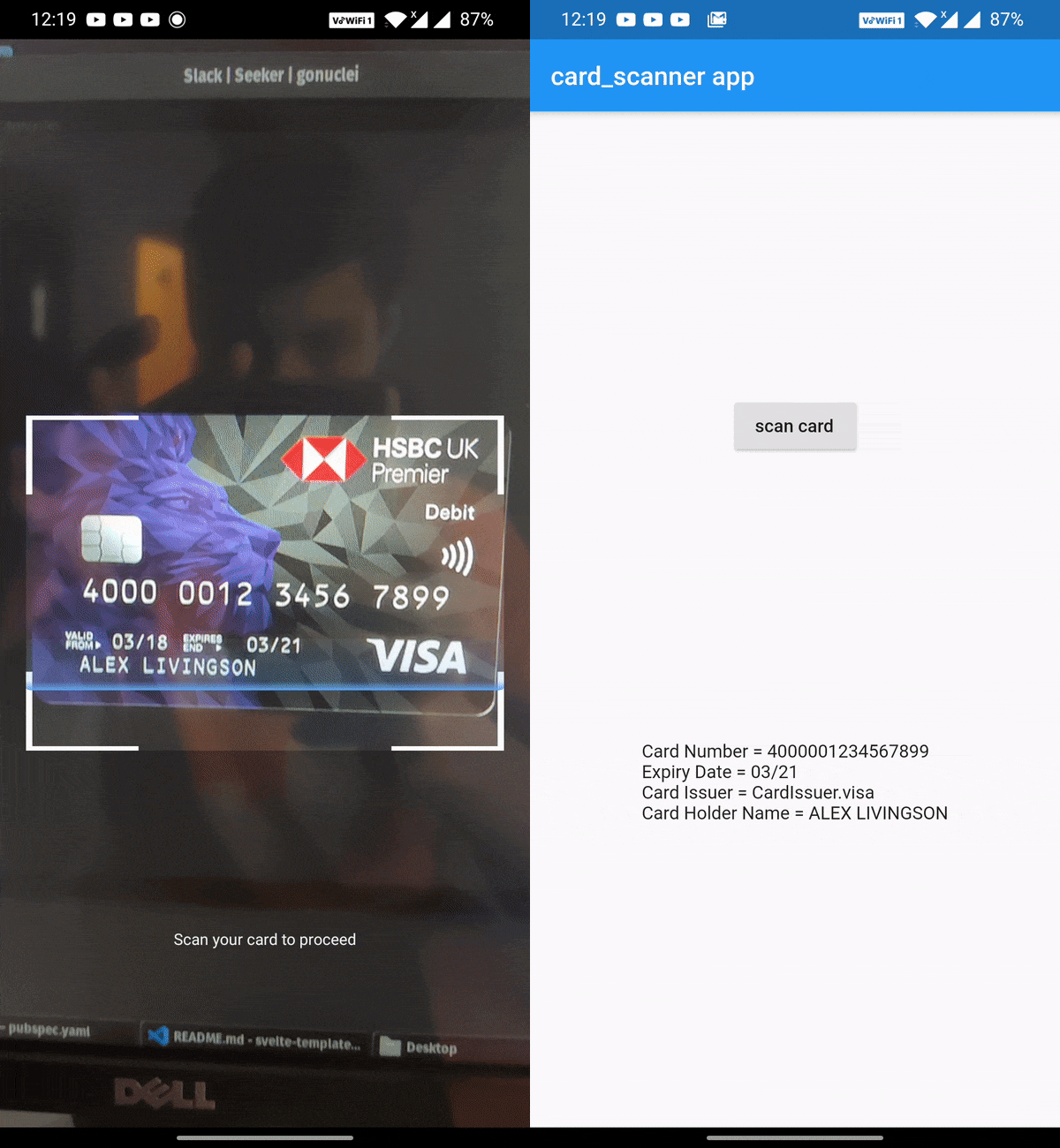
  • 🎈 Can scan Expiry date , Card Holder name and Card Issuer (lacked by other scanners) along with the Card number✨
  • 🔋Powered by Google's Machine Learning models
  • ⚡ Great performance and accuracy
  • 🧹Auto checks the card number for errors using card checksum algorithms
  • 🎚Supports controlling parameters that determine the balance between speed and accuracy
  • ❤️ Simple, powerful, & intuitive API
Get Demo App Here :

Vision App

Install

Add this to your package's pubspec.yaml file:

dependencies:
  card_scanner: <latest-version>

get the latest version number here

Usage

Just import the package and call scanCard:

import 'package:card_scanner/card_scanner.dart';
var cardDetails = await CardScanner.scanCard();

print(cardDetails);

Example Output:

Card Number = 5173949117389006
Expiry Date = 11/26

The above code opens the device camera, looks for a valid card and gets the required details and returns the CardDetails object.


Scan Options

If you wish to obtain the card holder name and card issuer, you can specify the options:

import 'package:card_scanner/card_scanner.dart';
var cardDetails = await CardScanner.scanCard(
    scanOptions: CardScanOptions(
        scanCardHolderName: true,
        scanCardIssuer: true,
    ),
);


print(cardDetails);

Example Output :

Card Number = 5173949117389006
Expiry Date = 11/26
Card Issuer = mastercard
Card Holder Name = PAUL SAMUELSON

iOS Requirements

  • The minimum target for iOS should be >= 12.0.0
  • Comment out the use_frameworks! line from under Podfile of your Flutter project. You can find this Podfile under your_flutter_project/ios/Podfile
Documentation & Samples 📖

Categories

Source repository

Projects using this package

No data available yet.