Package selection guidance compiled from public package information, community data, and project usage.
A lightweight Flutter package that provides a simple, customizable comment box for integrating user comments into posts and product pages. Designed for ease of use, it supports multiple platforms including Android, iOS, Web, macOS, Windows, and Linux. The package enables developers to quickly add commenting functionality without complex setup. It is ideal for social media apps, e-commerce platforms, or content-driven websites where user interaction is key.
Use cases
Adding comments to blog posts
Enabling user feedback on products
Integrating social interactions in apps
Supporting community discussions
Building interactive content feeds
Facilitating user engagement on web and mobile
Key features
Cross-platform compatibility
Simple integration with minimal setup
Customizable UI components
Supports text input and submission
Lightweight and fast performance
Responsive design for all devices
Suitable for
Developers building social features
E-commerce app creators
Content management system integrators
Mobile and web app teams
Startups needing quick comment functionality
Apps focused on user interaction
Considerations
Limited advanced features like replies or likes
No built-in authentication or backend
Requires custom backend for data persistence
Not suitable for large-scale comment systems
Basic styling options only
No real-time updates out of the box
Original README
Original README snapshot from the linked source repository. Visit the repository for the latest content.
comment_box
A simple Flutter comment box for posts and products.
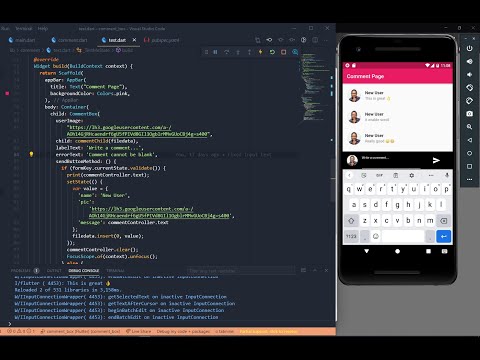
Youtube Preview
Features
Smooth Scrolling Supported.
User image Supported (Local and Url).
Text Wrapping Supported.
Many more . . .
Getting started
In the pubspec.yaml of your flutter project, add the following dependency:
dependencies:...comment_box:^0.0.18
In your library add the following import:
import'package:comment_box/comment/comment.dart';
For help getting started with Flutter, view the online documentation.