Package selection guidance compiled from public package information, community data, and project usage.
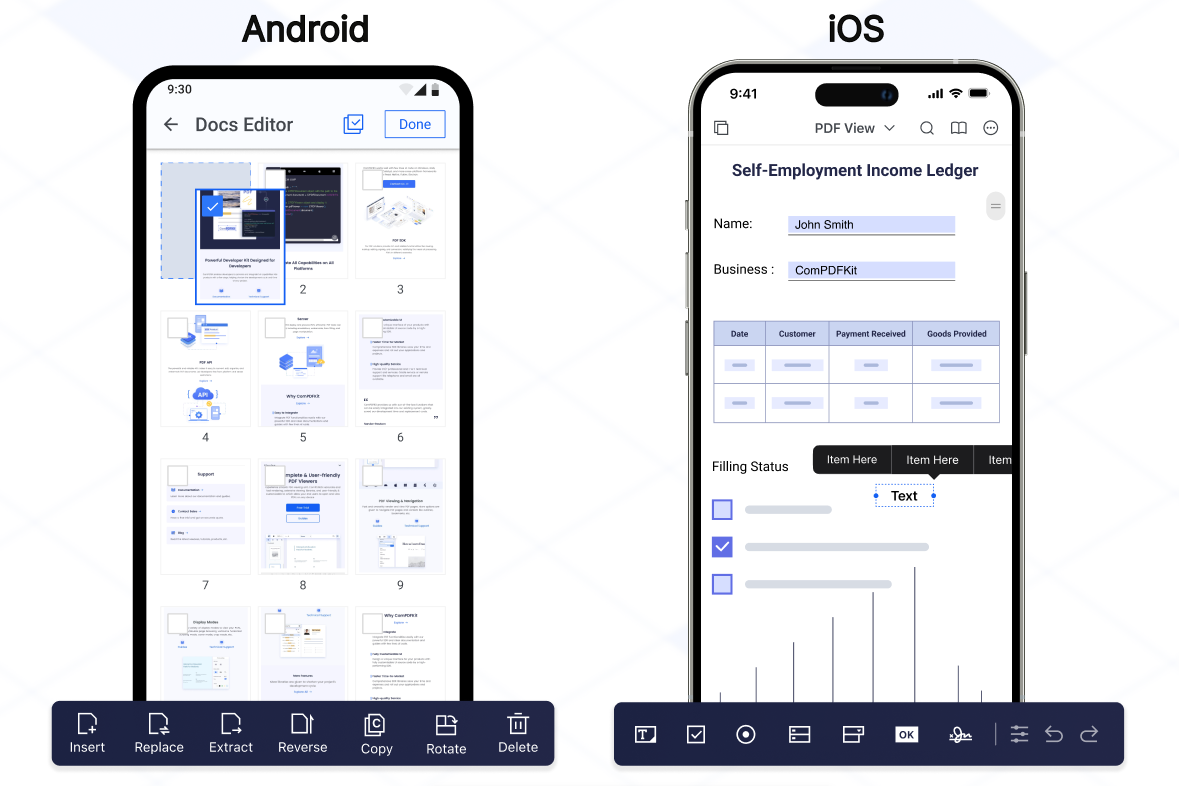
ComPDFKit for Flutter is a powerful SDK designed to seamlessly integrate advanced PDF capabilities into Flutter applications on Android and iOS. It enables developers to view, annotate, edit, and manage PDF documents directly within their apps. With a focus on performance and ease of use, the SDK provides a rich set of tools for handling PDFs without requiring external dependencies. The package supports common document operations such as rendering, text extraction, form filling, and digital signatures. Built with Flutter’s cross-platform strengths in mind, it ensures consistent behavior across platforms.
Use cases
Embedding PDF viewers in mobile apps
Enabling user annotations on PDFs
Creating document editing features
Integrating form filling workflows
Supporting digital signature functionality
Key features
Cross-platform PDF rendering
Interactive annotation tools
Text extraction and search
Form handling and filling
Secure document signing
Suitable for
Mobile app developers using Flutter
Applications requiring PDF manipulation
Enterprise document management systems
E-learning and e-signature platforms
Considerations
Requires native platform setup for full functionality
May increase app size due to embedded SDK
Limited to Android and iOS platforms
Depends on third-party licensing terms
Original README
Original README snapshot from the linked source repository. Visit the repository for the latest content.
ComPDF SDK for Flutter
As part of the KDAN ecosystem, ComPDF SDK for Flutter helps developers integrate PDF viewing, annotation, editing, form, and signing capabilities into cross-platform mobile apps.
It provides a production-ready Flutter wrapper around native ComPDF SDK capabilities for both Android and iOS projects.
If you find ComPDF SDK useful, please consider giving us a ⭐ Star on GitHub — it helps us grow and improve! Got questions or ideas? Join the conversation in our Discussions.
Why ComPDF SDK for Flutter?
Easy to Integrate: Integrate PDF functionalities easily with our powerful SDK and clear documentation and guides with few lines of code.
Fully Customizable UI: Design a unique interface for your products with fully customizable UI source code by a high-performing SDK.
Comprehensive PDF Features: Supports generation, viewing, annotation, page editing, content editing, conversion, OCR, redaction, signing, forms, parsing, measurement, compression, comparison, color separation, batch processing, and more.
Faster Time-to-Market: Comprehensive SDK libraries save your time and expenses and roll out your applications and projects.
High-quality Service: We provide 24/7 professional one-to-one technical support, including onsite service and remote assistance via phone and email.
Open the project’s main activity class, android/app/src/main/java/com/example/compdfkit/flutter/example/MainActivity.java, Change the base Activity to extend FlutterFragmentActivity:
- import io.flutter.embedding.android.FlutterActivity;+ import io.flutter.embedding.android.FlutterFragmentActivity;- public class MainActivity extends FlutterActivity {+ public class MainActivity extends FlutterFragmentActivity {
}
Alternatively you can update the AndroidManifest.xml file to use FlutterFragmentActivity as the launcher activity:
Note:FlutterFragmentActivity is not an official part of the Flutter SDK. If you need to use CPDFReaderWidget in ComPDF for Flutter, you need to use this part of the code. You can skip this step if you don't need to use.
Note: If SSL network requests fail to download the ComPDFKit library when you run pod install, you can see the processing method in Troubleshooting).
Update the platform to iOS 12 and add the ComPDF Podspec:
- platform :ios, '9.0'+ platform :ios, '12.0'
...
target 'Runner' do
use_frameworks!
use_modular_headers!`
flutter_install_all_ios_pods File.dirname(File.realpath(__FILE__))
+ pod 'ComPDFKit', :git => 'https://github.com/ComPDFKit/compdfkit-pdf-sdk-ios-swift.git', :tag => '3.0.0'+ pod 'ComPDFKit_Tools', :git => 'https://github.com/ComPDFKit/compdfkit-pdf-sdk-ios-swift.git', :tag => '3.0.0'
end
Go to the example/ios folder and run the pod install command:
pod install
Add the PDF documents you want to display in the project
create a pdf directory
mkdir pdfs
Copy your example document into the newly created pdfs directory and name it PDF_Document.pdf
Specify the assets directory in pubspec.yaml
flutter:
+ assets:+ - pdfs/
To protect user privacy, before accessing the sensitive privacy data, you need to find the "*Info*" configuration in your iOS 10.0 or higher iOS project and configure the relevant privacy terms as shown in the following picture.
<key>NSCameraUsageDescription</key>
<string>Your consent is required before you could access the function.</string>

<key>NSMicrophoneUsageDescription</key>
<string>Your consent is required before you could access the function.</string>

<key>NSPhotoLibraryAddUsageDescription</key>
<string>Your consent is required before you could access the function.</string>

<key>NSPhotoLibraryUsageDescription</key>
<string>Your consent is required before you could access the function.</string>

<key>NSAppTransportSecurity</key>
    <dict>
        <key>NSAllowsArbitraryLoads</key>
        <true/>
    </dict>
From the terminal app, run the following command to get all the packages:
flutter pub get
Apply the License Key
ComPDF SDK currently supports two authentication methods to verify license keys: online authentication and offline authentication.
Accurately obtaining the license key is crucial for the application of the license.
In the email you received, locate the XML file containing the license key.
Copy the License.xml file into the assets directory of your Flutter project.
Open the pubspec.yaml file of your project and configure the flutter: section to enable the assets directory.
Initialize the SDK:
// Include the license in Flutter assets and copy to device storage// Add `license_key_flutter.xml` to your Flutter project’s assets directory;File licenseFile = awaitCPDFFileUtil.extractAsset(context, 'assets/license_key_flutter.xml');
ComPDFKit.initWithPath(licenseFile.path);
Alternative methods (optional)
// Android// Copy the license_key_flutter.xml file into the `android/app/src/main/assets` directory of your Android project:ComPDFKit.initWithPath('assets://license_key_flutter.xml');
// iOS// Copy the license_key_flutter.xml file into your iOS project directory (or a readable location):ComPDFKit.initWithPath('license_key_flutter.xml');
Run Project
There are 2 different ways to use ComPDF Flutter API:
Present a document via a plugin.
Show a ComPDF document view via a Widget.
Usage Plugin
Open lib/main.dart,replace the entire file with the following:
Showing a PDF document inside your Flutter app is as simple as this:
/// First. Please replace it with your ComPDFKit license// Include the license in Flutter assets and copy to device storage// Add `license_key_flutter.xml` to your Flutter project’s assets directory;File licenseFile = awaitCPDFFileUtil.extractAsset('assets/license_key_flutter.xml');
ComPDFKit.initWithPath(licenseFile.path);
/// open pdf documentComPDFKit.openDocument(tempDocumentPath, password: '', configuration: CPDFConfiguration());
/// Here’s how you can open a PDF document using CPDFReaderWidget:Scaffold(
resizeToAvoidBottomInset: false,
appBar: AppBar(title: constText('CPDFReaderWidget Example'),),
body: CPDFReaderWidget(
document: widget.documentPath,
configuration: CPDFConfiguration()
));
Free Trial and License
ComPDF SDK for Flutter offers a 30-day free trial so you can evaluate core PDF capabilities in your own application.
Review supported trial features and licensing details
Follow the integration and license steps above to activate the SDK in your project
For custom deployments, advanced features, or volume licensing, please contact our sales team
Support
ComPDF has a professional R&D team that produces comprehensive technical documentation and guides to help developers. Also, you can get an immediate response when reporting your problems to our support team.
For detailed information, please visit our Guides page.
For technical assistance, please reach out to our Technical Support.
To get more details and an accurate quote, please contact our Sales Team or [send an email](mailto:support@compdf.com).
Changelog
Keep up with the latest updates, improvements, and bug fixes for ComPDF SDK for Flutter: View Flutter Changelog