Search packages, repositories and app categories

Package detailsv0.6.3

contacts_service

A Flutter plugin to retrieve and manage contacts on Android and iOS devices.

AndroidiOS
30-day downloads
2.9K
Likes
599
Pub points
140

Install package

flutter pub add contacts_service

Package Overview

Package selection guidance compiled from public package information, community data, and project usage.

The contacts_service package is a Flutter plugin that enables developers to access and manage device contacts on both Android and iOS platforms. It provides a consistent API to retrieve contact lists, read contact details such as names, phone numbers, and emails, and supports basic operations like filtering and searching. Designed for cross-platform compatibility, it simplifies integration with native contact systems without requiring platform-specific code. The package is ideal for apps needing contact lookup or import functionality.

Use cases

  • Contact list retrieval
  • Contact search and filtering
  • Importing contacts into apps
  • Syncing contacts with app data
  • Displaying contact details in UI

Key features

  • Cross-platform support (Android & iOS)
  • Simple API for contact access
  • Supports contact fields like name, phone, email
  • Search and filter capabilities
  • No native code required

Suitable for

  • Apps needing contact access
  • User profile import tools
  • Communication apps
  • CRM integrations
  • Contact picker widgets

Considerations

  • Requires runtime permissions on Android and iOS
  • Limited to basic contact operations
  • Privacy compliance needed
  • May require user consent for access
  • Performance depends on device contact database size

Original README

Original README snapshot from the linked source repository. Visit the repository for the latest content.

contacts_service

pub package Build Status Coverage Status

A Flutter plugin to access and manage the device's contacts.

Usage

To use this plugin, add contacts_service as a dependency in your pubspec.yaml file.
For example:

dependencies:  
    contacts_service: ^0.6.3

Permissions

Android

Add the following permissions to your AndroidManifest.xml:

<uses-permission android:name="android.permission.READ_CONTACTS" />  
<uses-permission android:name="android.permission.WRITE_CONTACTS" />  
iOS

Set the NSContactsUsageDescription in your Info.plist file

<key>NSContactsUsageDescription</key>  
<string>This app requires contacts access to function properly.</string>  

Note
contacts_service does not handle the process of asking and checking for permissions. To check and request user permission to access contacts, try using the following plugins: flutter_simple_permissions or permission_handler.

If you do not request user permission or have it granted, the application will fail. For testing purposes, you can manually set the permissions for your test app in Settings for your app on the device that you are using. For Android, go to "Settings" - "Apps" - select your test app - "Permissions" - then turn "on" the slider for contacts.

Example

// Import package  
import 'package:contacts_service/contacts_service.dart';  
  
// Get all contacts on device
List<Contact> contacts = await ContactsService.getContacts();  

// Get all contacts without thumbnail (faster)
List<Contact> contacts = await ContactsService.getContacts(withThumbnails: false);

// Android only: Get thumbnail for an avatar afterwards (only necessary if `withThumbnails: false` is used)
Uint8List avatar = await ContactsService.getAvatar(contact);
  
// Get contacts matching a string
List<Contact> johns = await ContactsService.getContacts(query : "john");

// Add a contact  
// The contact must have a firstName / lastName to be successfully added  
await ContactsService.addContact(newContact);  
  
// Delete a contact
// The contact must have a valid identifier
await ContactsService.deleteContact(contact);  

// Update a contact
// The contact must have a valid identifier
await ContactsService.updateContact(contact);

// Usage of the native device form for creating a Contact
// Throws a error if the Form could not be open or the Operation is canceled by the User
await ContactsService.openContactForm();

// Usage of the native device form for editing a Contact
// The contact must have a valid identifier
// Throws a error if the Form could not be open or the Operation is canceled by the User
await ContactsService.openExistingContact(contact);

Contact Model

// Name
String displayName, givenName, middleName, prefix, suffix, familyName;

// Company
String company, jobTitle;

// Email addresses
List<Item> emails = [];

// Phone numbers
List<Item> phones = [];

// Post addresses
List<PostalAddress> postalAddresses = [];

// Contact avatar/thumbnail
Uint8List avatar;

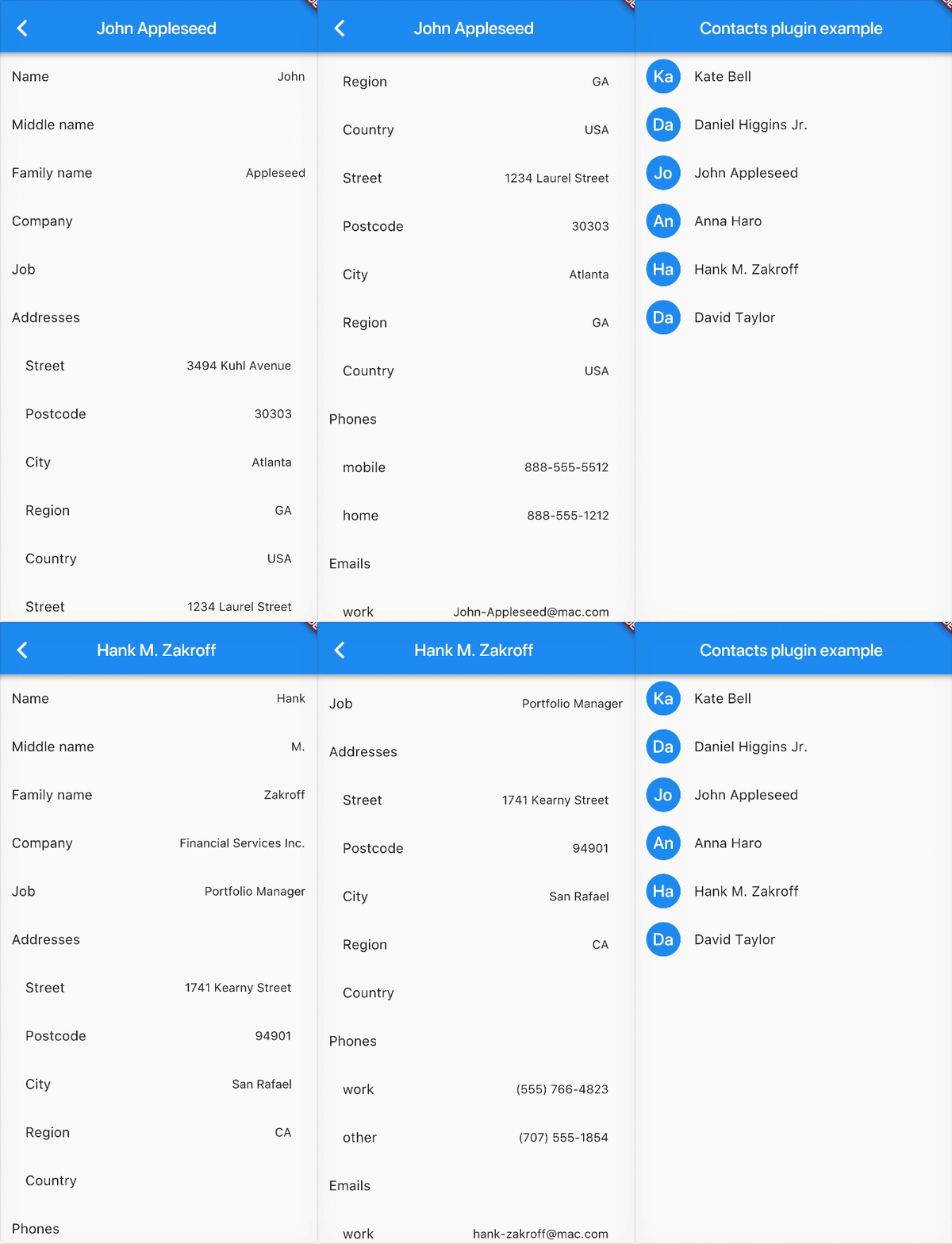
Example

Contributions

Contributions are welcome! If you find a bug or want a feature, please fill an issue.

If you want to contribute code please create a pull request under the staging branch.

Credits

Heavily inspired from rt2zz's react native plugin

Categories

Dependencies

Dependency list 2 items

Source repository

Projects using this package