Search packages, repositories and app categories

countdown_progress_indicator cover
Package detailsv0.1.3

countdown_progress_indicator

Customizable countdown timer for Flutter with pause/resume controls.

AndroidiOSWebmacOSWindowsLinux
30-day downloads
220
Likes
43
Pub points
160

Install package

flutter pub add countdown_progress_indicator

Package Overview

Package selection guidance compiled from public package information, community data, and project usage.

A customizable countdown timer widget for Flutter that supports pause and resume functionality. It provides a visually appealing progress indicator to display remaining time, making it ideal for timed tasks, quizzes, or focus sessions. The package is lightweight and integrates seamlessly into Flutter apps across multiple platforms. Developers can easily adjust colors, sizes, and animation styles to match their app's design. Built with simplicity and flexibility in mind, it enhances user experience during time-sensitive interactions.

Use cases

  • Timed quizzes
  • Focus timers
  • Task countdowns
  • Event countdowns
  • Interactive learning apps

Key features

  • Pause and resume controls
  • Customizable appearance
  • Cross-platform support
  • Smooth animations
  • Configurable duration
  • Real-time progress updates

Suitable for

  • Educational apps
  • Productivity tools
  • Gamified experiences
  • Time-limited challenges
  • UI-heavy applications

Considerations

  • Requires manual handling of timer state
  • Limited built-in notifications
  • No auto-reset feature
  • Best suited for simple countdown logic
  • May need additional state management for complex workflows
Original README

Original README snapshot from the linked source repository. Visit the repository for the latest content.

Countdown Progress Indicator

Customizable countdown timer for Flutter

Getting Started

To use this package, add countdown_progress_indicador as a dependency in your pubspec.yaml file.

dependencies:
	...
	countdown_progress_indicador: ^0.1.3

How to use

In your project add the following import:

import  'package:countdown_progress_indicator/countdown_progress_indicator.dart';

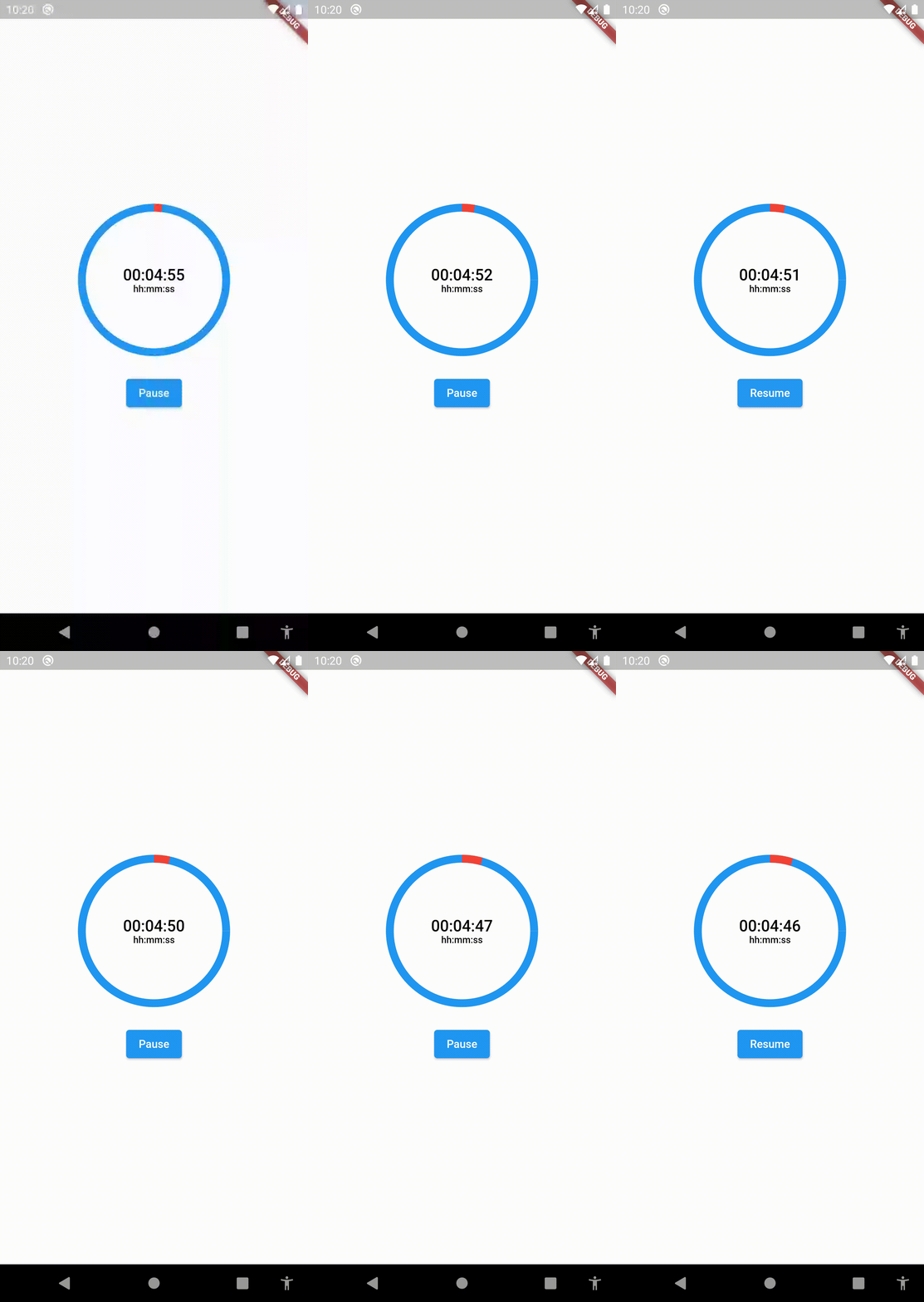
This widget starts the countdown automatically by default and supports pause and resume actions. If you want to support these actions, implement a CountdownController as the example above:

SizedBox(
	height:  200,
	width:  200,
	child:  CountDownProgressIndicator(
		controller: _controller,
		valueColor:  Colors.red,
		backgroundColor:  Colors.blue,
		initialPosition:  0,
		duration:  20,
		text:  'SEC',
		onComplete: () =>  null,
	),
),

Custom Formatter

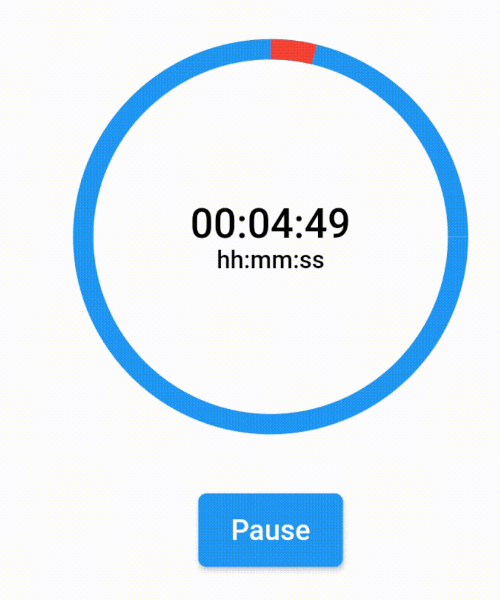
If you want to show a text different than the time in seconds, you can implement a custom time formatter.

CountDownProgressIndicator(
	controller: _controller,
	valueColor: Colors.red,
	backgroundColor: Colors.blue,
	initialPosition: 0,
	duration: 365,
	timeFormatter: (seconds) {
		return Duration(seconds: seconds)
			.toString()
			.split('.')[0]
			.padLeft(8, '0');
	},
	text: 'hh:mm:ss',
	onComplete: () => null,
),

Countdown

countdown

Categories

Source repository

Projects using this package

No data available yet.