Credential Manager plugin. Provides one-tap login functionality and stores credentials in the user's Google account on Android and in the Keychain on iOS.
Package selection guidance compiled from public package information, community data, and project usage.
The credential_manager package enables one-tap login by securely storing and retrieving user credentials through the device's native authentication systems—Google Account on Android and Keychain on iOS. It simplifies authentication flows by leveraging platform-specific secure storage, reducing friction during login. Developers can integrate seamless, secure sign-in experiences without managing credential storage manually. The plugin is designed for use in apps requiring fast, secure access with minimal user input.
Use cases
One-tap login implementation
Secure credential storage
Cross-platform authentication
Simplified user onboarding
Passwordless login workflows
Key features
Integrates with Google Account (Android)
Uses Keychain (iOS)
Secure credential management
One-tap login support
Platform-native security
Suitable for
Apps needing fast login
Developers prioritizing security
Cross-platform auth solutions
User-friendly onboarding
Authentication-focused apps
Considerations
Requires platform-specific setup
Limited to Android and iOS
Depends on user having Google Account (Android)
Not suitable for web or desktop
May require additional permissions
Original README
Original README snapshot from the linked source repository. Visit the repository for the latest content.
Credential Manager
Credential Manager is a Jetpack API that supports multiple sign-in methods, such as username and password, passkeys, and federated sign-in solutions (like Sign-in with Google) in a single API, simplifying integration for developers on Android. For iOS, it uses Keychain for storing credentials. On Web, it uses WebAuthn, the Credential Management API, and Google Identity Services (backed by FedCM).
For users, Credential Manager unifies the sign-in interface across authentication methods, making it clearer and easier to sign into apps, regardless of the chosen method.
For comprehensive guides and detailed documentation, please visit our Documentation Page. Here you will find everything you need to get started, including API references, usage examples, and best practices for integrating Credential Manager into your application.
Credential Flow Previews
Android Credential Manager
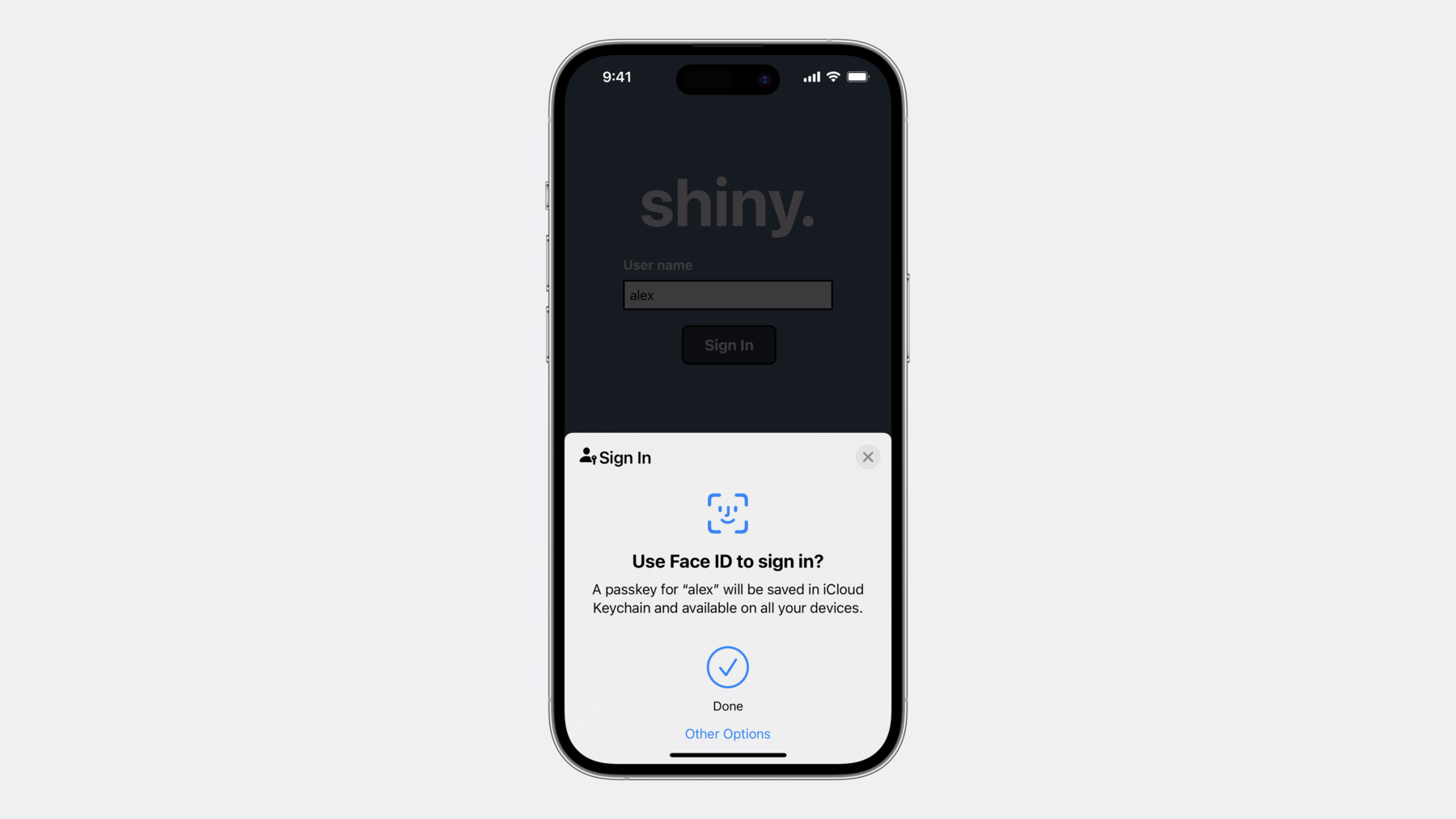
iOS Passkey Sheet
Heads-up: The screenshots above come directly from the official Android and Apple design resources. The bundled example application recreates similar flows but may look slightly different depending on your theme, device, or customizations.
Development Workflow
We rely on pre-commit to guarantee formatting and analyzer checks run before every commit.
pip3 install --user pre-commit # first time only
python3 -m pre_commit install # installs the git hook# (optional) run on the entire repo once
python3 -m pre_commit run --all-files
The configured hooks will:
Format every staged Dart file using dart format.
Format docSite sources with Prettier.
Run flutter analyze across all packages (including the example app); commits are blocked if any analyzer error occurs.
Support the Project
If you find this library useful and would like to support its development, consider buying me a coffee:
We are looking for maintainers to help us keep this library up-to-date and implement new features. If you are interested in contributing, please reach out via GitHub or open an issue. Your help would be greatly appreciated!
Contributors
Thanks to all the contributors who have helped make this library better!