Package selection guidance compiled from public package information, community data, and project usage.
Crimson is a high-performance JSON parser and serializer for Dart, designed for speed and simplicity. It enables efficient conversion between JSON data and Dart objects with minimal boilerplate. Built with performance in mind, it supports all major platforms including Android, iOS, Web, macOS, Windows, and Linux. Crimson offers a clean, intuitive API that makes working with JSON straightforward, ideal for applications requiring fast data handling. Its lightweight nature ensures low overhead, making it suitable for both small projects and large-scale apps.
Use cases
Parsing JSON responses from APIs
Serializing Dart objects to JSON
High-performance data processing
Cross-platform app development
Real-time data synchronization
Lightweight data storage
Key features
Ultra-fast parsing and serialization
Minimal boilerplate code
Supports all major platforms
Simple and intuitive API
Low memory footprint
Built-in type safety
Suitable for
Performance-critical applications
Mobile and web apps
API clients
Data-intensive services
Developers seeking fast JSON handling
Projects prioritizing efficiency
Considerations
Requires explicit model definitions
Limited built-in validation
Not suitable for complex nested structures without customization
May require additional setup for advanced use cases
Best suited for well-structured JSON data
Original README
Original README snapshot from the linked source repository. Visit the repository for the latest content.
Fast, efficient and easy-to-use JSON parser and serializer for Dart. Crimson does not verify your JSON!
Features
🏎️ Fast: Like really fast. Crimson parses JSON in a single pass.
🌻 Easy to use: Crimson is designed to be easy to learn and use.
💃 Flexible: Crimson can partially parse and serialize JSON.
Now you just need to run pub run build_runner build to generate the necessary code.
import'package:crimson/crimson.dart';
voidmain() {
final jsonBytes = downloadTweets();
final crimson = Crimson(jsonBytes);
final tweets = crimson.readTweetList();
final writer = CrimsonWriter();
writer.writeTweetList(tweets);
final bytes = writer.toBytes();
}
That's it! You can now parse and serialize JSON with ease.
Ignoring JSON fields
Annotate properties with @jsonIgnore to ignore them:
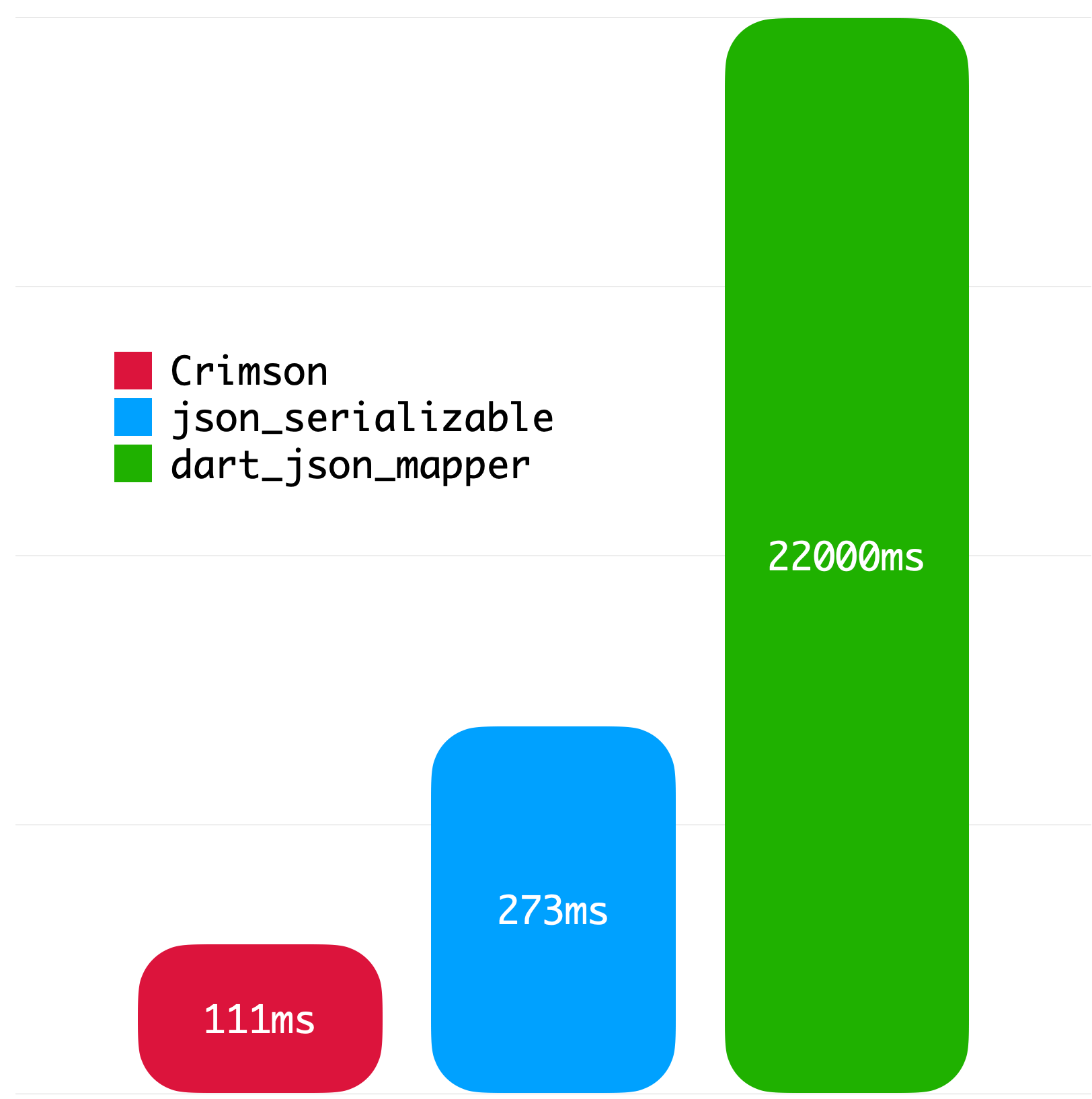
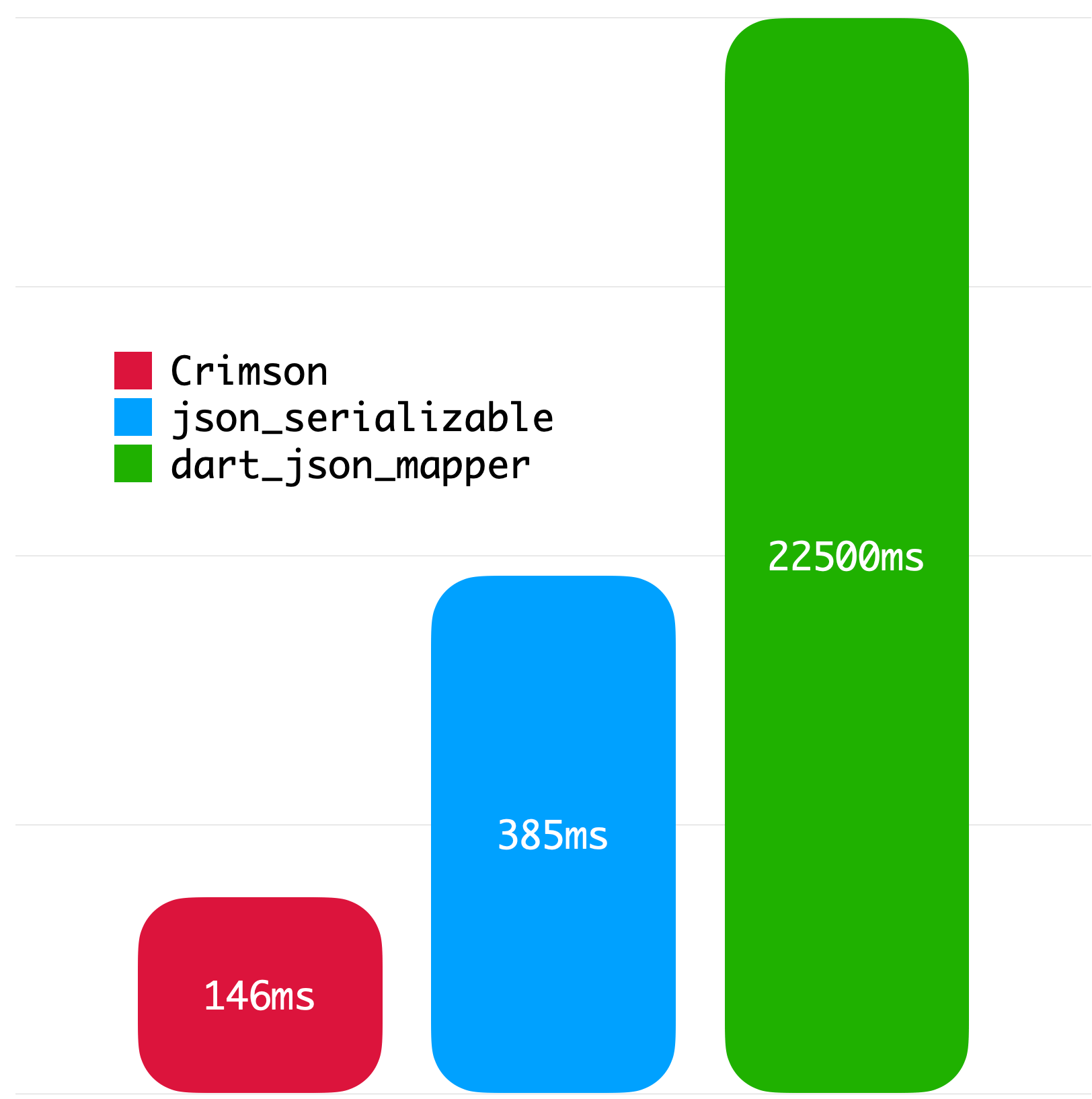
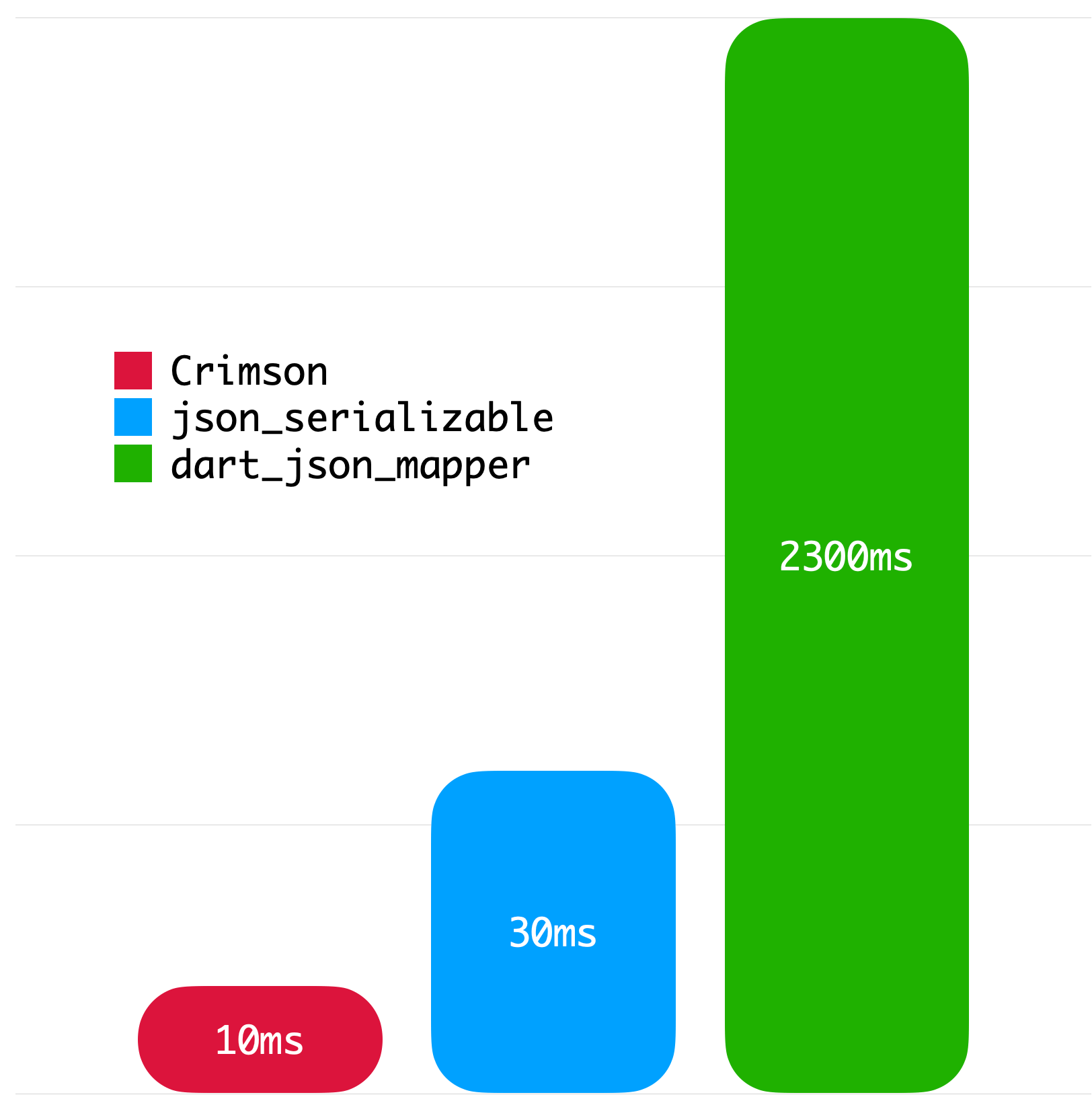
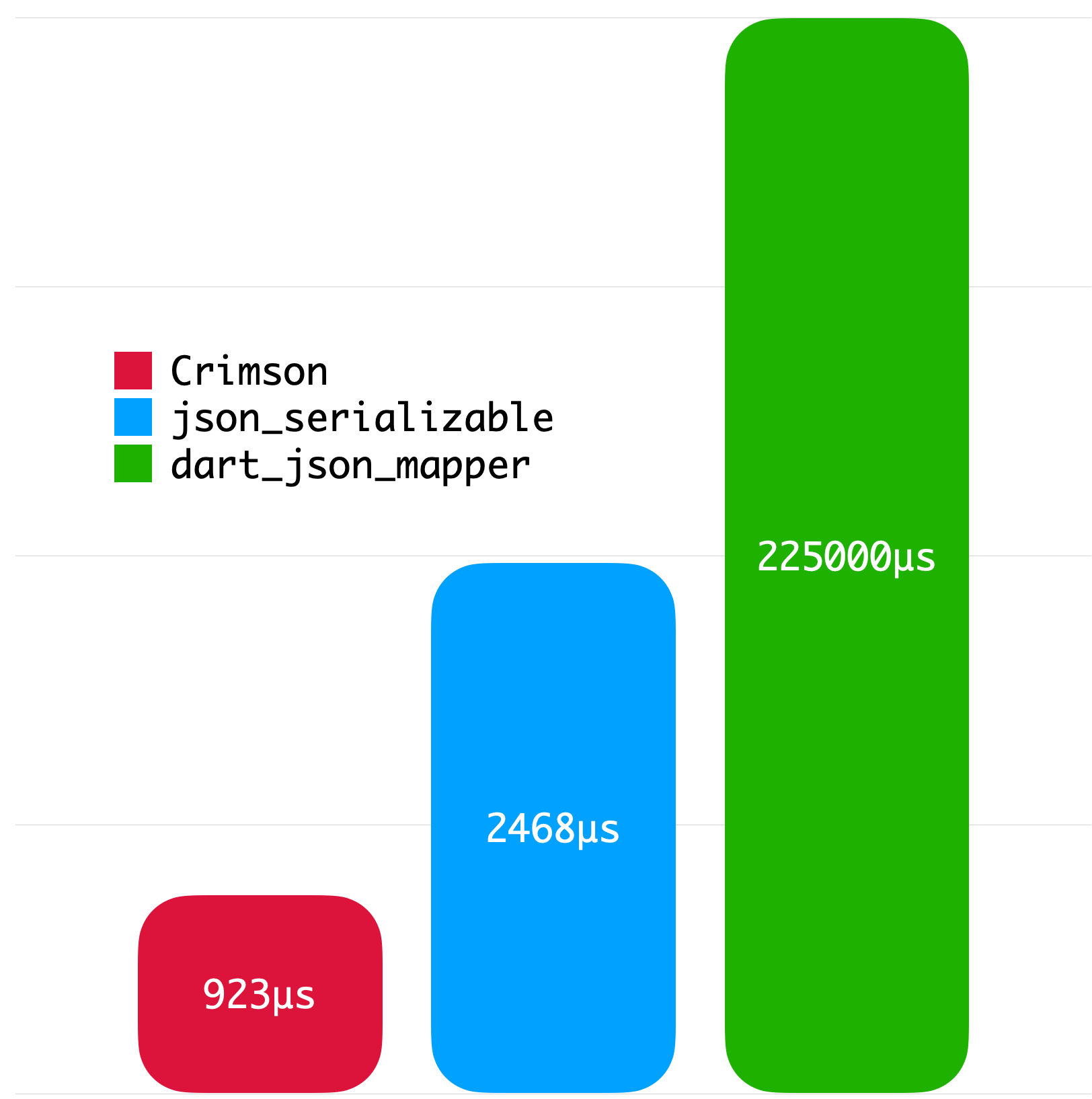
The following benchmarks give you an idea about the JSON parsing performance of Crimson. The benchmarks were run on a MacBook with M1 Pro and 32 GB of RAM using Twitter API data.
Big JSON without whitespace
Big JSON with whitespace
Medium JSON without whitespace
Small JSON without whitespace
License
Copyright2023SimonChoiLicensed under the ApacheLicense, Version2.0 (the "License");
you may not use this file except in compliance with the License.
You may obtain a copy of the License at
http://www.apache.org/licenses/LICENSE-2.0Unlessrequired by applicable law or agreed to in writing, software
distributed under the Licenseis distributed on an "AS IS" BASIS,
WITHOUT WARRANTIES OR CONDITIONS OF ANY KIND, either express or implied.
See the Licensefor the specific language governing permissions and
limitations under the License.