Package selection guidance compiled from public package information, community data, and project usage.
A Flutter package that enables developers to use runtime widgets as custom map marker icons or convert them into byte array images for use on maps. It simplifies the process of creating dynamic, interactive markers by allowing direct integration of Flutter widgets into map views across Android, iOS, and Web platforms. Ideal for applications requiring personalized or animated markers based on real-time data.
Use cases
Dynamic marker icons based on user data
Animated or stateful map pins
Custom UI elements on maps
Real-time location visualization
Interactive map overlays
Key features
Convert widgets to map markers
Support for byte array output
Cross-platform compatibility
Easy integration with map plugins
Runtime marker customization
Suitable for
Developers building interactive maps
Apps with real-time location tracking
UI-heavy geolocation features
Customizable map interfaces
Web and mobile map applications
Considerations
Performance impact with complex widgets
Requires compatible map plugin
Limited to supported platforms
Memory usage with frequent updates
Potential rendering inconsistencies on web
Original README
Original README snapshot from the linked source repository. Visit the repository for the latest content.
Custom Map Markers
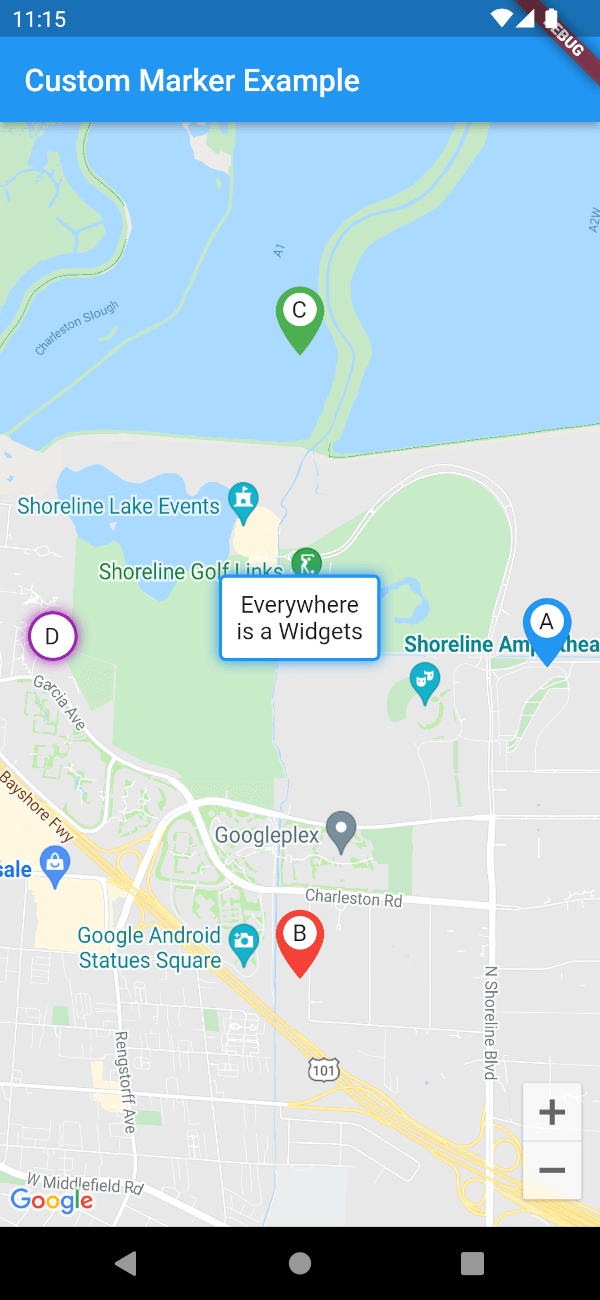
Not only "Everything is a widget" also "Everywhere is a widget". custom_map_marker is a package that turns runtime widgets into map marker icons.
Features
this package providers the following features:
Ability to create runtime map markers using flutter widgets.
Capture Images of any list of widgets.
Getting started
First, add custom_map_markers as a dependency in your pubspec.yaml file.
dependencies:custom_map_markers:^0.0.1
Usage
Wrap your GoogleMaps widget with CustomGoogleMapMarkerBuilder.
Define each marker and its custom widget in customMarkers
Once custom markers are ready they will be passed as Set<Marer> in builder function.
if you are not willing to use google maps you can use
CustomMapMarkerBuilder that takes List<widgets> instead of List<MarkerData> and returns List<Uint8List> instead of Set<Marker> so you are free to use captured png images as you need.
Notes:
Make sure your marker widget has boundaries.
This package capture a png image of widget markers once they render, if your widget would take more time to render like Image.network you can use screenshotDelay parameter to daley the capture process making sure that your widget is rendered properly before capturing it.
to run project example you have to add a valid google maps key to android/ios directories.