Search packages, repositories and app categories

dashed_line cover
Package detailsv0.1.0+3

dashed_line

Draw dashed lines with any shape and style you want. Just like that.

AndroidiOSWebmacOSWindowsLinux
30-day downloads
6
Likes
77
Pub points
160

Install package

flutter pub add dashed_line

Package Overview

Package selection guidance compiled from public package information, community data, and project usage.

A Flutter package for drawing customizable dashed lines with any shape or style. It allows developers to create visually appealing dashed paths easily, supporting various configurations such as dash length, gap size, and stroke width. Ideal for UI elements like dividers, borders, or decorative lines in apps across multiple platforms. The package is lightweight and integrates seamlessly into existing Flutter projects.

Use cases

  • Creating custom dividers in UI layouts
  • Designing decorative line patterns
  • Drawing dashed borders around widgets
  • Enhancing chart or graph visualizations
  • Building interactive drawing tools

Key features

  • Supports any path shape
  • Customizable dash and gap lengths
  • Adjustable stroke width
  • Cross-platform compatibility
  • Simple API integration

Suitable for

  • UI designers seeking visual variety
  • Developers building data visualization components
  • Apps requiring styled decorative elements
  • Cross-platform Flutter applications

Considerations

  • May require performance optimization for complex paths
  • Limited to 2D rendering within Flutter's canvas
  • Not suitable for animated dash effects without additional logic

Original README

Original README snapshot from the linked source repository. Visit the repository for the latest content.

dashed_line

pub.dev build status

Draw dashed lines with any shape and style you want. Just like that.

Usage

Add the dependency to your pubspec.yaml (you can see the newest version in the pub badge):

dependencies:
  dashed_line: ^0.1.0

Use the widget:

import 'package:dashed_line/dashed_line.dart';

// ...

DashedLine(
  path: Path()..cubicTo(-40, 53, 14, 86, 61, 102),
  color: Colors.red,
)

...you can also use the SVG path commands instead of a Path:

DashedLine.svgPath(
  'C -40 53 14 86 61 102',
  color: Colors.red,
)

Where to obtain path methods/commands?

There are many ways.

You can construct the path yourself using the Path methods like lineTo or cubicTo.

You can also use the path commands used in the d attribute of SVG files. You can do this manually or via export from one of the vector graphics software, like Inkscape or Figma. We found SvgPathEditor quite useful too.

Example: Exporting path commands from Figma
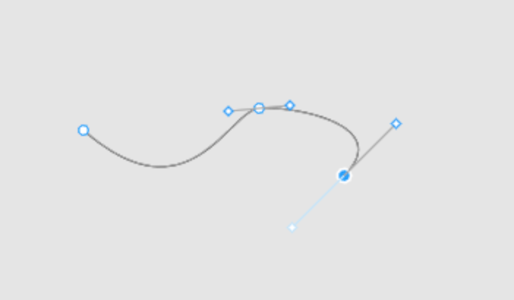
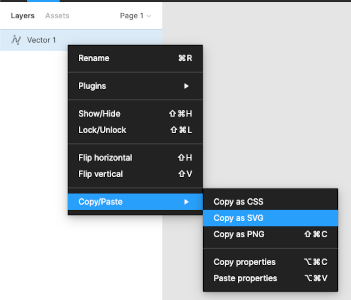
First step Second step
Create path using pen Export path as SVG

And now we have an SVG in the clipboard:

<svg width="190" height="48" viewBox="0 0 190 48" fill="none" xmlns="http://www.w3.org/2000/svg">
  <path d="M1 16C73 79 100 3 121 0.999997C142 -1 214.5 11.5 179 47" stroke="black"/>
</svg>

From here we can just copy the value of the path's d attribute and use for the DashedLine.svgPath constructor's first argument.

🚨 Note about paths

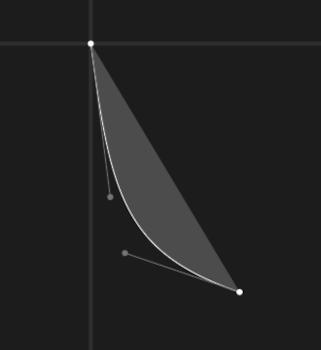
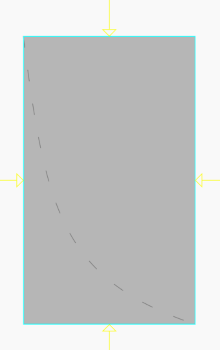
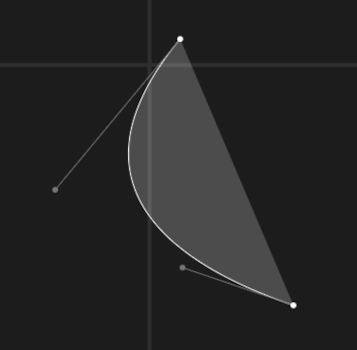
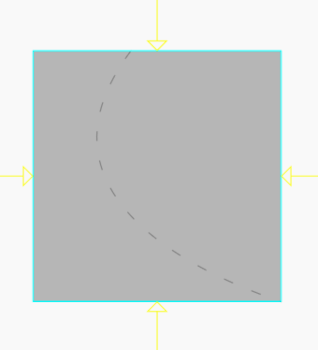
Due to how Paths work in Flutter and Skia, the DashedLine widget takes NOT as much space as the dashed line needs, but as much it needs to contain all the control points. Table below should help understand the problem.

Path commands Path Result line
C 8 63 14 86 61 102
C -40 53 14 86 61 102

License

See LICENSE.

Categories

Dependencies

Dependency list 1 items

Source repository

Projects using this package

No data available yet.