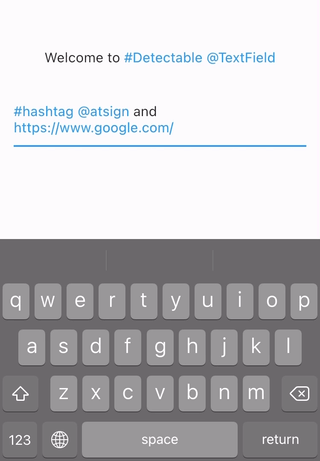
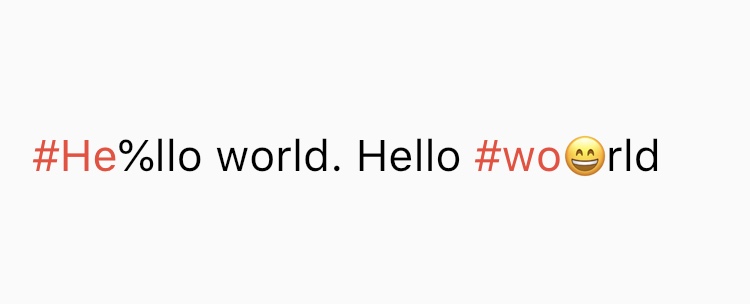
TextField with detection features. You can detect hashtags, at sign, url or anything you want. Helps you develop Twitter like app. Refinement of hashtagable
Package selection guidance compiled from public package information, community data, and project usage.
A Flutter text field that detects and highlights specific patterns like hashtags, @mentions, URLs, and custom regex patterns in real time. Designed for building social media apps similar to Twitter, it enhances user input with interactive text parsing. The package refines the functionality of its predecessor, hashtagable, by offering greater flexibility and customization. It supports multiple platforms including Android, iOS, Web, macOS, Windows, and Linux, making it ideal for cross-platform rich-text applications.
Use cases
Social media app development
Real-time text pattern detection
Twitter-like input fields
Custom text highlighting
Rich text editing in messaging apps
Interactive URL and tag recognition
Key features
Supports custom regex pattern detection
Real-time text parsing
Configurable highlight styles
Cross-platform compatibility
Easy integration with existing TextField
Extensible for additional pattern types
Suitable for
Developers building social networking apps
Apps requiring dynamic text formatting
Teams creating rich-text input components
Flutter developers targeting multiple platforms
Users wanting advanced text field behavior
Considerations
Requires careful regex configuration for custom patterns
May impact performance with complex patterns
Limited documentation beyond basic usage
Not optimized for extremely long text inputs
Depends on external GitHub repository for updates
Original README
Original README snapshot from the linked source repository. Visit the repository for the latest content.
detectable_text_field
Text widgets with detection features. You can detect hashtags, at sign, url, or anything you want.
Helps you develop Twitter like app.
DetectableTextEditingController extends TextEditingController, so you can use it
with TextField, TextFormField or any other widgets that accept TextEditingController.
If you use flutter_hooks, useDetectableTextEditingController is also available.
DetectableText
If you want to use detection feature in the text only to display, use DetectableText.