
Overview
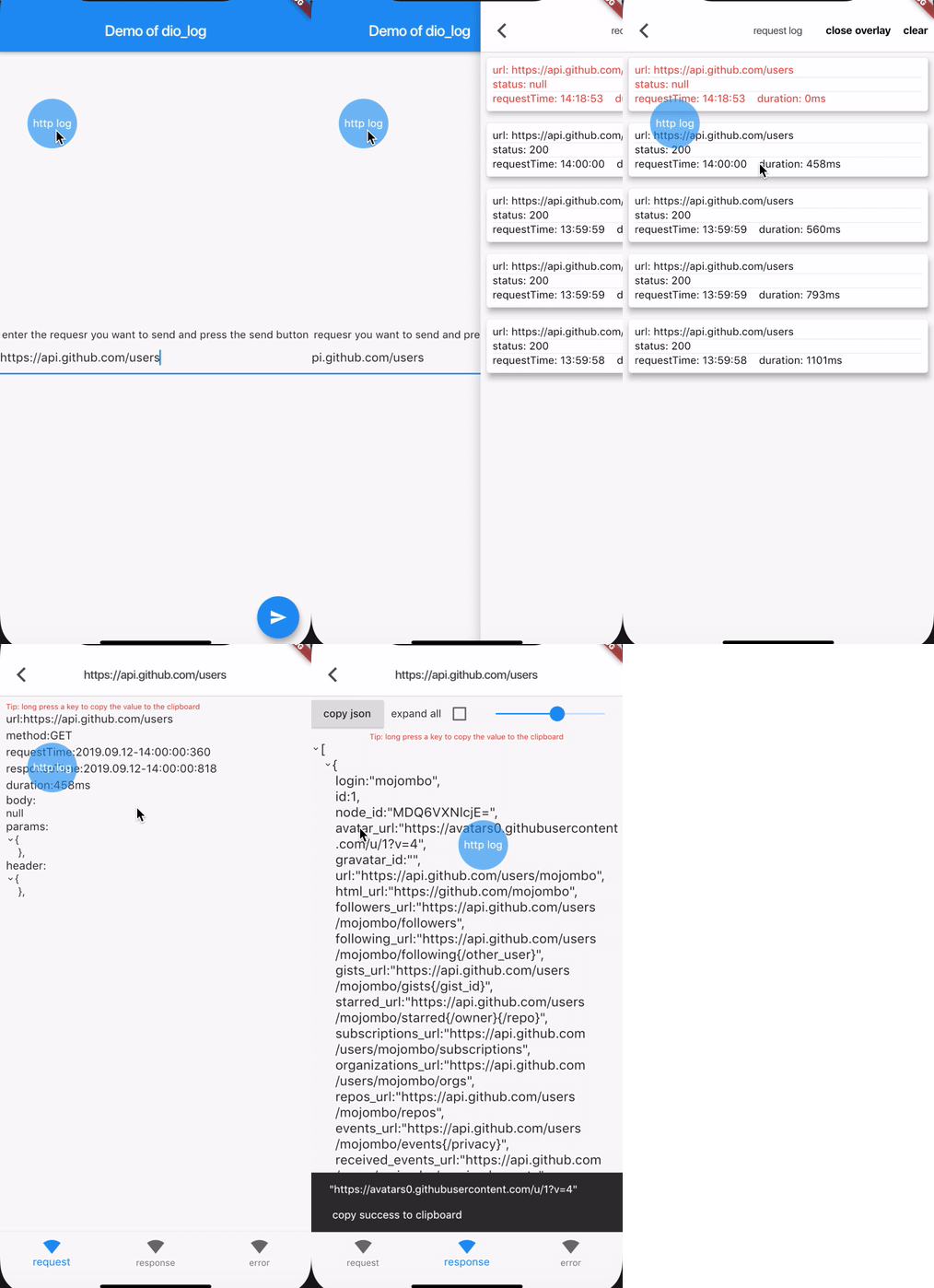
Dio Log is a debugging tool for Flutter applications that integrates with the Dio HTTP client to capture and display network requests in-app. It enables developers to view request details, including headers, bodies, and responses, with features like JSON expansion for better readability. The package supports request replication, allowing users to replay failed or important requests directly from the UI. Designed for development and testing, it enhances visibility into HTTP interactions across Android, iOS, Web, macOS, Windows, and Linux platforms.
Use cases
- Debugging API calls in real-time
- Replaying failed HTTP requests
- Inspecting complex JSON responses
- Testing network behavior during development
- Monitoring request/response cycles in apps
- Validating API integration workflows
Key features
- In-app request visualization
- JSON expansion for structured data
- Request replication functionality
- Cross-platform support
- Real-time logging with Dio
- Simple integration via pub add
Suitable for
- Flutter developers in debug mode
- Teams testing API integrations
- Apps requiring detailed network inspection
- Frontend engineers troubleshooting HTTP issues
- Developers using Dio for HTTP operations
- Projects with frequent API changes
Considerations
- Not intended for production use
- May impact performance in large-scale logging
- Requires manual enablement in code
- Limited to development environments
- No built-in export or persistence
- UI may not be optimized for all screen sizes