Search packages, repositories and app categories

direct_select cover
Package detailsv2.0.0

direct_select

This package allows you to scroll/select the value directly from the dropdown with less effort and time.

AndroidiOSWebmacOSWindowsLinux
30-day downloads
677
Likes
186
Pub points
140

Install package

flutter pub add direct_select

Package Overview

Package selection guidance compiled from public package information, community data, and project usage.

DirectSelect is a Flutter package that enables users to directly scroll and select values from a dropdown menu, reducing the effort and time required compared to traditional pickers. It provides an intuitive, gesture-based interface for selecting items, enhancing user experience in forms and data entry. The package supports multiple platforms including Android, iOS, Web, macOS, Windows, and Linux, making it versatile for cross-platform applications. It integrates seamlessly with existing Flutter projects and offers smooth animations and responsive interactions.

Use cases

  • Form inputs with long lists
  • Quick value selection in mobile apps
  • Enhanced user experience in data entry
  • Cross-platform picker implementation
  • Reducing tap count for selections

Key features

  • Direct scrolling to select values
  • Smooth animations and transitions
  • Cross-platform compatibility
  • Minimal setup with Flutter integration
  • Customizable appearance and behavior

Suitable for

  • Developers seeking efficient dropdowns
  • Apps requiring fast user input
  • UX-focused form design
  • Mobile-first applications
  • Multi-platform Flutter projects

Considerations

  • May require additional styling for custom themes
  • Performance with very large datasets
  • Limited built-in validation
  • Not ideal for complex nested selections
  • Requires careful handling of scroll physics

Original README

Original README snapshot from the linked source repository. Visit the repository for the latest content.

Direct Select

pub package

This package allows you to scroll/select the value directly from the dropdown with less effort and time.

Inspired by Virgil Pana shot

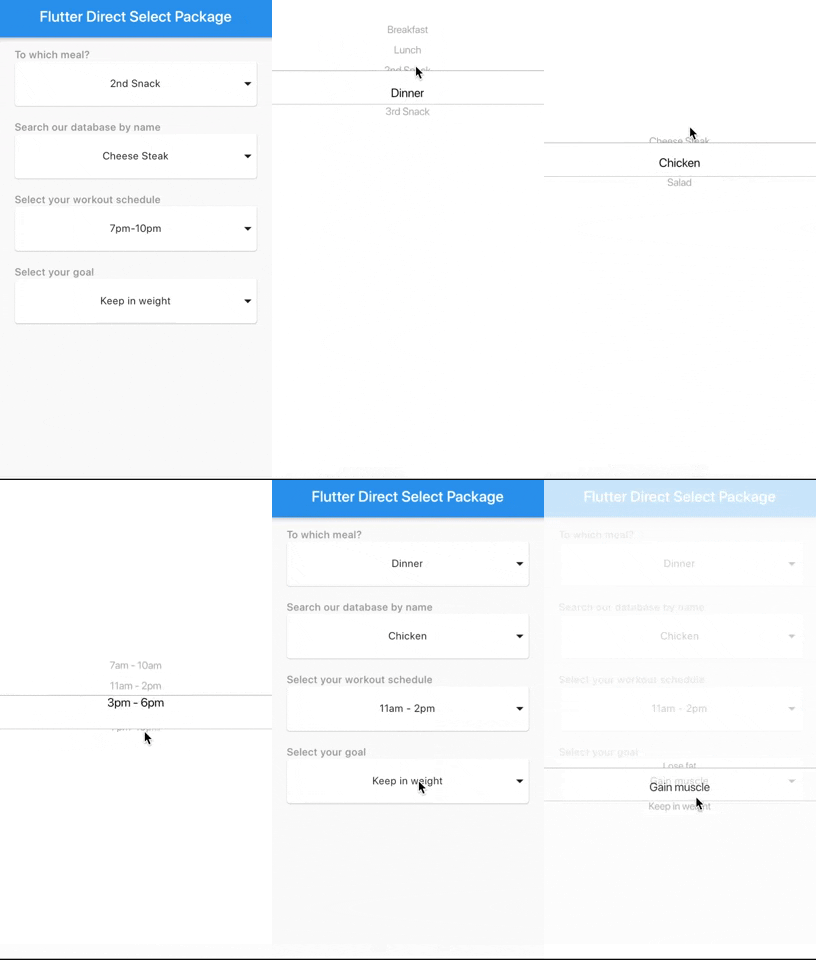
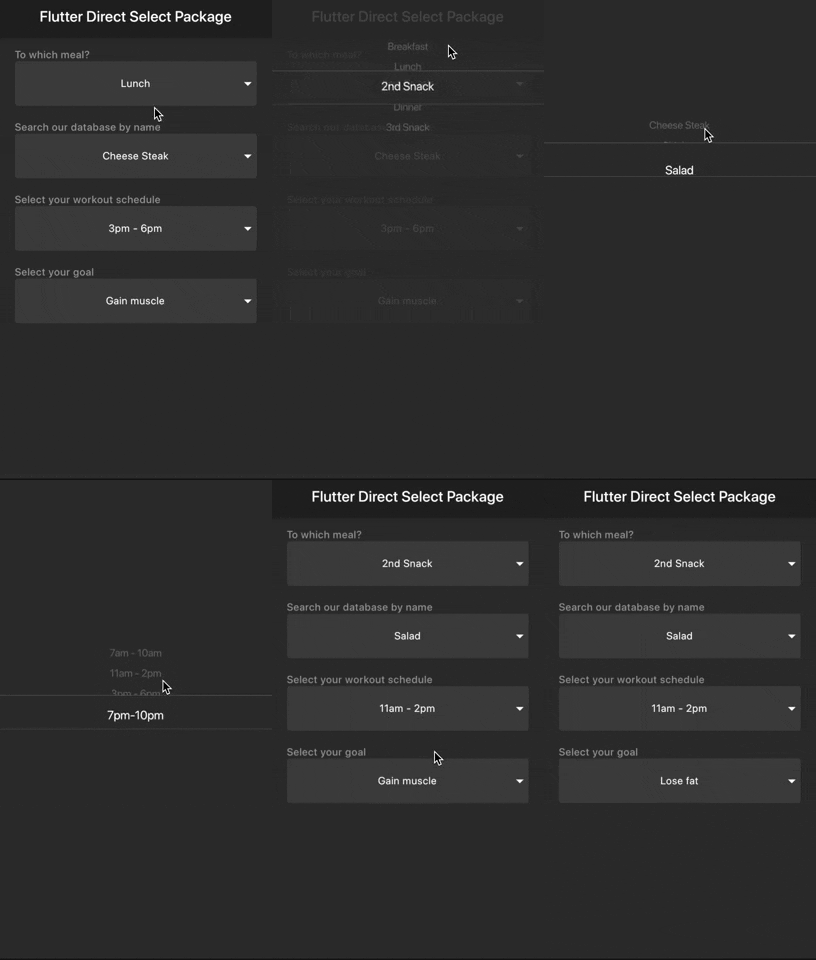
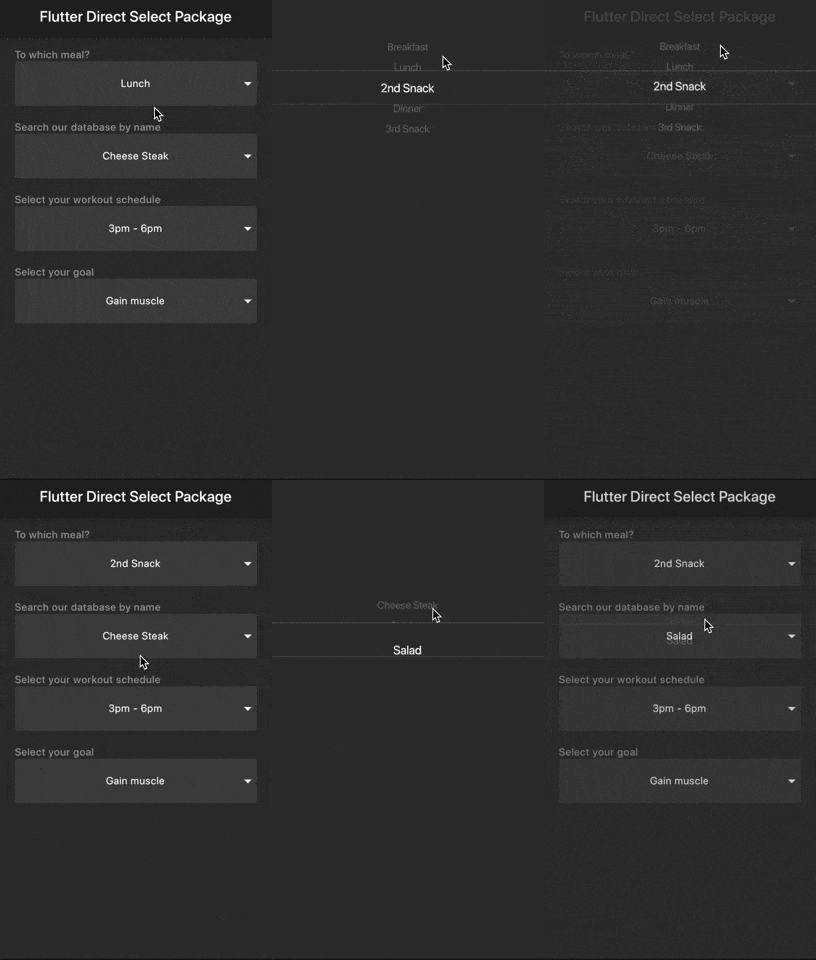
Samples

Light

Dark

Getting started

You should ensure that you add the router as a dependency in your flutter project.

dependencies:
  direct_select: "^1.0.3"

You should then run flutter packages upgrade or update your packages in IntelliJ.

Example Project

There is an example project in the example folder. Check it out. Otherwise, keep reading to get up and running.

Usage

Sample 1
import 'package:flutter/material.dart';
import 'package:direct_select/direct_select.dart';

class _MyHomePageState extends State<MyHomePage> {
  final elements1 = [
    "Breakfast",
    "Lunch",
    "2nd Snack",
    "Dinner",
    "3rd Snack",
  ];
  final elements2 = [
    "Cheese Steak",
    "Chicken",
    "Salad",
  ];

  final elements3 = [
    "7am - 10am",
    "11am - 2pm",
    "3pm - 6pm",
    "7pm-10pm",
  ];

  final elements4 = [
    "Lose fat",
    "Gain muscle",
    "Keep in weight",
  ];

  int selectedIndex1 = 0,
      selectedIndex2 = 0,
      selectedIndex3 = 0,
      selectedIndex4 = 0;

  List<Widget> _buildItems1() {
    return elements1
        .map((val) => MySelectionItem(
              title: val,
            ))
        .toList();
  }

  List<Widget> _buildItems2() {
    return elements2
        .map((val) => MySelectionItem(
              title: val,
            ))
        .toList();
  }

  List<Widget> _buildItems3() {
    return elements3
        .map((val) => MySelectionItem(
              title: val,
            ))
        .toList();
  }

  List<Widget> _buildItems4() {
    return elements4
        .map((val) => MySelectionItem(
              title: val,
            ))
        .toList();
  }

  @override
  Widget build(BuildContext context) {
    return Scaffold(
      appBar: AppBar(
        title: Text(widget.title),
      ),
      body: Padding(
        padding: const EdgeInsets.all(15.0),
        child: Center(
          child: Column(
              mainAxisAlignment: MainAxisAlignment.start,
              crossAxisAlignment: CrossAxisAlignment.stretch,
              children: <Widget>[
                Padding(
                  padding: const EdgeInsets.only(left: 10.0),
                  child: Text(
                    "To which meal?",
                    style: TextStyle(
                        color: Colors.grey, fontWeight: FontWeight.w500),
                  ),
                ),
                DirectSelect(
                    itemExtent: 35.0,
                    selectedIndex: selectedIndex1,
                    backgroundColor: Colors.red,
                    child: MySelectionItem(
                      isForList: false,
                      title: elements1[selectedIndex1],
                    ),
                    onSelectedItemChanged: (index) {
                      setState(() {
                        selectedIndex1 = index;
                      });
                    },
                    items: _buildItems1()),
                Padding(
                  padding: const EdgeInsets.only(left: 10.0, top: 20.0),
                  child: Text(
                    "Search our database by name",
                    style: TextStyle(
                        color: Colors.grey, fontWeight: FontWeight.w500),
                  ),
                ),
                DirectSelect(
                    itemExtent: 35.0,
                    selectedIndex: selectedIndex2,
                    child: MySelectionItem(
                      isForList: false,
                      title: elements2[selectedIndex2],
                    ),
                    onSelectedItemChanged: (index) {
                      setState(() {
                        selectedIndex2 = index;
                      });
                    },
                    items: _buildItems2()),
                Padding(
                  padding: const EdgeInsets.only(left: 10.0, top: 20.0),
                  child: Text(
                    "Select your workout schedule",
                    style: TextStyle(
                        color: Colors.grey, fontWeight: FontWeight.w500),
                  ),
                ),
                DirectSelect(
                    itemExtent: 35.0,
                    selectedIndex: selectedIndex3,
                    child: MySelectionItem(
                      isForList: false,
                      title: elements3[selectedIndex3],
                    ),
                    onSelectedItemChanged: (index) {
                      setState(() {
                        selectedIndex3 = index;
                      });
                    },
                    items: _buildItems3()),
                Padding(
                  padding: const EdgeInsets.only(left: 10.0, top: 20.0),
                  child: Text(
                    "Select your goal",
                    style: TextStyle(
                        color: Colors.grey, fontWeight: FontWeight.w500),
                  ),
                ),
                DirectSelect(
                    itemExtent: 35.0,
                    selectedIndex: selectedIndex4,
                    child: MySelectionItem(
                      isForList: false,
                      title: elements4[selectedIndex4],
                    ),
                    onSelectedItemChanged: (index) {
                      setState(() {
                        selectedIndex4 = index;
                      });
                    },
                    items: _buildItems4()),
              ]),
        ),
      ),
    );
  }
}

//You can use any Widget
class MySelectionItem extends StatelessWidget {
  final String title;
  final bool isForList;

  const MySelectionItem({Key key, this.title, this.isForList = true})
      : super(key: key);

  @override
  Widget build(BuildContext context) {
    return SizedBox(
      height: 60.0,
      child: isForList
          ? Padding(
              child: _buildItem(context),
              padding: EdgeInsets.all(10.0),
            )
          : Card(
              margin: EdgeInsets.symmetric(horizontal: 10.0),
              child: Stack(
                children: <Widget>[
                  _buildItem(context),
                  Align(
                    alignment: Alignment.centerRight,
                    child: Icon(Icons.arrow_drop_down),
                  )
                ],
              ),
            ),
    );
  }

  _buildItem(BuildContext context) {
    return Container(
      width: MediaQuery.of(context).size.width,
      alignment: Alignment.center,
      child: Text(title),
    );
  }
}

You can follow me on twitter @diegoveloper

Categories

Source repository

Projects using this package

No data available yet.