Search packages, repositories and app categories

draggable_float_widget cover
Package detailsv0.1.0

draggable_float_widget

This is a draggable and floating Flutter widget, which can control its visibility through the scrolling event of ScrollView.

AndroidiOSWebmacOSWindowsLinux
30-day downloads
177K
Likes
116
Pub points
150

Install package

flutter pub add draggable_float_widget

Package Overview

Package selection guidance compiled from public package information, community data, and project usage.

A Flutter package that provides a draggable, floating widget capable of responding to scroll events by showing or hiding automatically. Ideal for creating interactive UI elements like floating action buttons or custom overlays that follow user scrolling behavior. The widget can be freely moved on screen and adapts its visibility based on the scroll direction and position within a ScrollView. It supports all major platforms including Android, iOS, Web, macOS, Windows, and Linux.

Use cases

  • Floating action buttons in scrollable lists
  • Interactive overlays that respond to scrolling
  • Custom draggable UI components
  • Enhancing mobile app navigation
  • Dynamic UI elements in web applications

Key features

  • Draggable positioning
  • Scroll-triggered visibility control
  • Cross-platform compatibility
  • Smooth animation during drag
  • Configurable show/hide thresholds
  • Supports multiple platform targets

Suitable for

  • Developers building scroll-aware UIs
  • Mobile and web apps needing dynamic floating elements
  • Designers implementing gesture-based interactions
  • Apps with complex overlay requirements
  • Teams targeting multi-platform deployment

Considerations

  • May require performance tuning on large lists
  • Visibility logic might need customization for complex scroll behaviors
  • Limited built-in styling options
  • Not ideal for static floating elements
  • Requires careful handling in nested scroll views

Original README

Original README snapshot from the linked source repository. Visit the repository for the latest content.

draggable_float_widget

This is a draggable and floating Flutter widget, which can control its visibility through the scrolling event of ScrollView.

Usage

To use this plugin, add draggable_float_widget as a dependency in your pubspec.yaml file.

constructor
  • the constructor of component

    DraggableFloatWidget({
      Key? key,
      this.width = defaultWidgetWidth,
      this.height = defaultWidgetHeight,
      this.eventStreamController,
      this.config = const DraggableFloatWidgetBaseConfig(),
      required this.child,
      this.onTap,
    }) : super(key: key);
    
  • special field instructions

    property description default
    eventStreamController The [StreamController] of [OperateEvent] null
    config the base config of [DraggableFloatWidget] DraggableFloatWidgetBaseConfig()
  • the base config of component

    DraggableFloatWidgetBaseConfig({
      this.isFullScreen = true,
      this.appBarHeight = kToolbarHeight,
      this.initPositionXInLeft = true,
      this.initPositionYInTop = true,
      this.initPositionYMarginBorder = 0,
      this.borderLeft = defaultBorderWidth,
      this.borderRight = defaultBorderWidth,
      this.borderTop = defaultBorderWidth,
      this.borderTopContainTopBar = false,
      this.borderBottom = defaultBorderWidth,
      this.exposedPartWidthWhenHidden = defaultExposedPartWidthWhenHidden,
      this.animDuration = const Duration(milliseconds: 300),
      this.delayShowDuration = const Duration(milliseconds: 500),
      this.debug = false,
    });
    
example
  • the first, add scroll listener

    ⚠️Ignore this step if the component is not affected by ScrollView scrolling, and you don't need to pass an StreamController instance into the instance.

    NotificationListener(
      onNotification: (notification) {
        if (notification is ScrollStartNotification) {
          eventStreamController.add(OperateEvent.OPERATE_HIDE);
        } else if (notification is ScrollEndNotification) {
          eventStreamController.add(OperateEvent.OPERATE_SHOW);
        }
        return true;
      },
      child: ListView(...),
    )
    
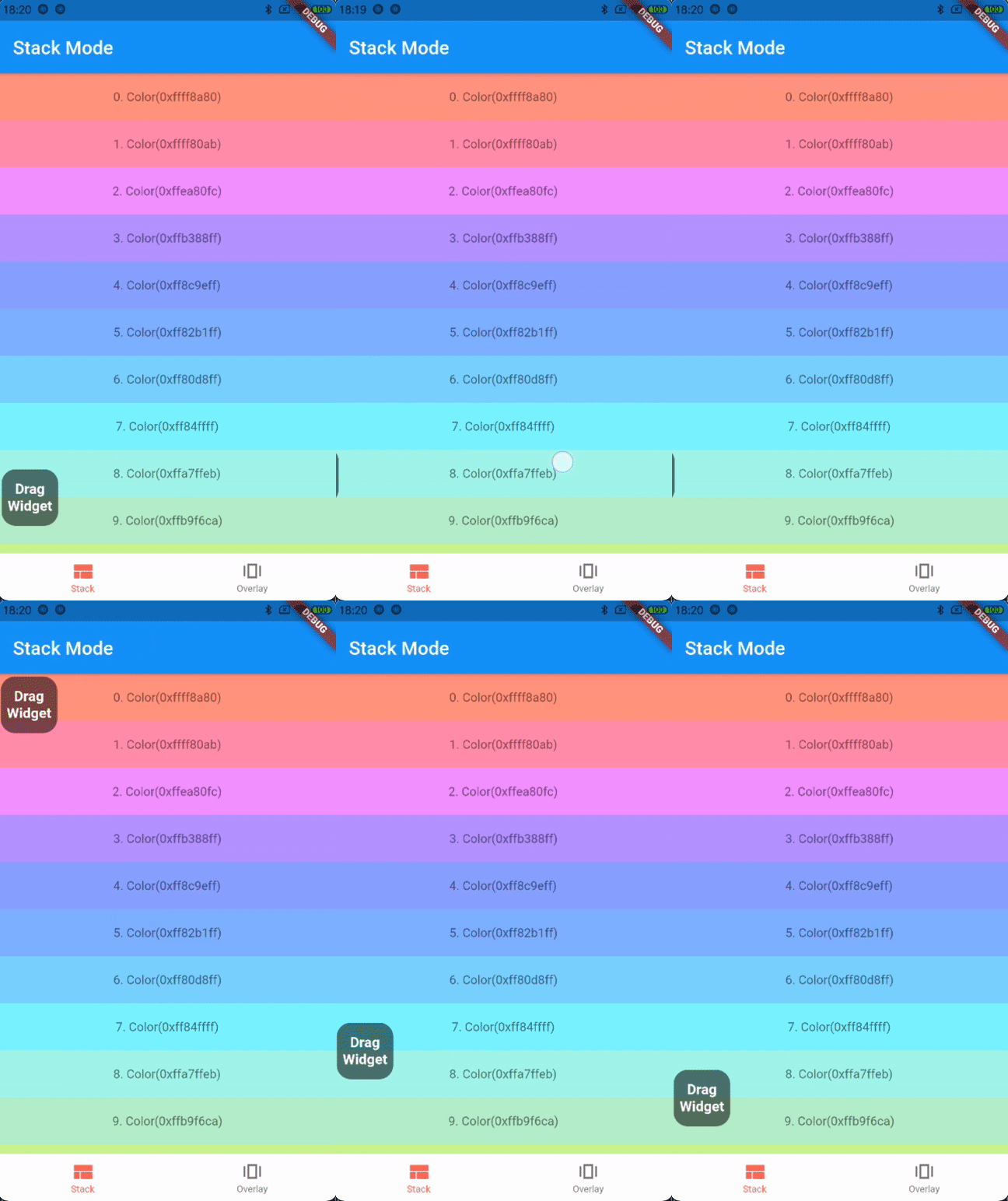
  • the first way: stack mode

    Stack(
      children: [
        listView,
        DraggableFloatWidget(
          child: child,
          eventStreamController: eventStreamController,
          config: DraggableFloatWidgetBaseConfig(
            isFullScreen: false,
            initPositionYInTop: false,
            initPositionYMarginBorder: 50,
            borderBottom: navigatorBarHeight + defaultBorderWidth,
          ),
          onTap: () => print("Drag onTap!"),
        )
      ],
    )
    

    stack mode

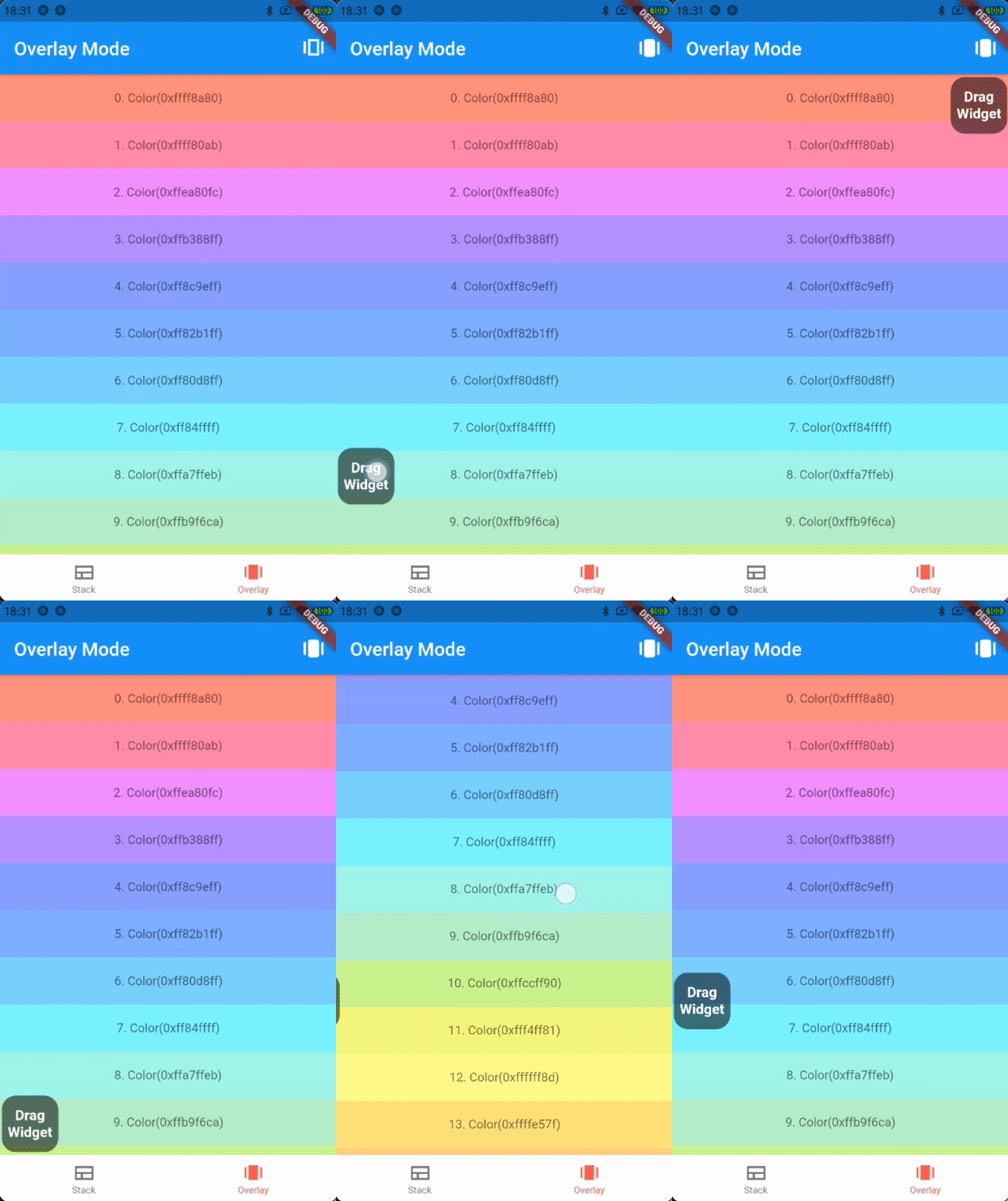
  • the second way: overlay mode

    _overlayEntry = OverlayEntry(builder: (context) {
      return DraggableFloatWidget(
        child: widget.child,
        eventStreamController: widget.eventStreamController,
        config: DraggableFloatWidgetBaseConfig(
          initPositionYInTop: false,
          initPositionYMarginBorder: 50,
          borderTopContainTopBar: true,
          borderBottom: widget.navigatorBarHeight + defaultBorderWidth,
        ),
        onTap: () => print("Drag onTap!"),
      );
    });
    
    /// Warning: context cannot be the context of MaterialApp
    Overlay.of(context)?.insert(_overlayEntry!);
    

    overlay mode

Contributions

If you encounter any problem or the library is missing a feature feel free to open an issue. Feel free to fork, improve the package and make pull request.

License

MIT

Categories

Source repository

Projects using this package