
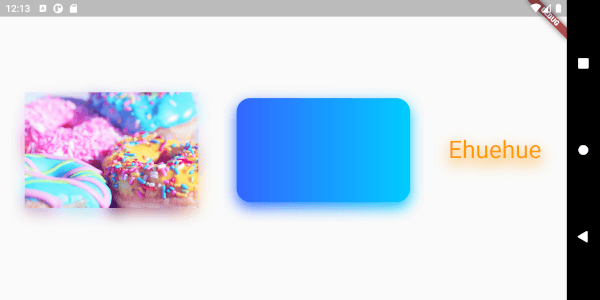
Overview
The drop_shadow package enhances Flutter applications by enabling easy addition of drop shadow effects to any widget. It provides a simple, customizable way to apply shadows with adjustable blur, offset, and color, improving visual depth and design appeal across platforms. Ideal for buttons, cards, and UI elements needing subtle or dramatic shadowing, it integrates seamlessly into existing widgets without complex setup. The package supports all major platforms including mobile, web, and desktop, ensuring consistent appearance. Its lightweight nature and intuitive API make it accessible for developers of all levels.
Use cases
- Adding shadows to buttons and cards
- Enhancing UI depth in mobile apps
- Creating visual hierarchy in dashboards
- Improving card elevation in web interfaces
- Designing layered UI components
- Animating shadow effects
Key features
- Simple shadow configuration
- Customizable blur and offset
- Support for multiple shadow layers
- Cross-platform compatibility
- Lightweight and performant
- Easy integration with existing widgets
Suitable for
- UI designers seeking visual depth
- Developers building modern app interfaces
- Projects requiring consistent shadow styling
- Apps targeting multiple platforms
- Teams prioritizing fast UI enhancements
Considerations
- May impact performance with excessive shadow layers
- Shadow appearance may vary slightly across platforms
- Requires careful tuning for optimal visual results
- Not suitable for highly dynamic or animated shadows
- Limited to static shadow effects without additional animation packages