Search packages, repositories and app categories

dropdown_plus cover
Package detailsv0.0.9

dropdown_plus

Simple and easy to use Dropdown in forms with search, keyboard navigation, offiline data source, remote data source and easy customization.

AndroidiOSWebmacOSWindowsLinux
30-day downloads
1.5K
Likes
138
Pub points
135

Install package

flutter pub add dropdown_plus

Package Overview

Package selection guidance compiled from public package information, community data, and project usage.

Dropdown Plus is a versatile Flutter package designed for creating form-friendly dropdowns with support for search, keyboard navigation, and both offline and remote data sources. It offers an intuitive interface with easy customization options, making it ideal for applications requiring dynamic and accessible selection components. The package is compatible across all major platforms, including mobile, web, and desktop, ensuring consistent behavior. Its lightweight design and developer-focused features streamline the implementation of complex dropdown interactions without sacrificing performance or usability.

Use cases

  • Form inputs with searchable options
  • Dynamic data loading from APIs
  • Keyboard-accessible dropdown menus
  • Offline data selection in forms
  • Customizable dropdown styling
  • Cross-platform form components

Key features

  • Searchable dropdown with real-time filtering
  • Support for remote and local data sources
  • Keyboard navigation (arrow keys, Enter)
  • Easy theme and style customization
  • Built-in loading and error states
  • Responsive design across platforms

Suitable for

  • Developers building form-heavy apps
  • Teams needing cross-platform consistency
  • Apps requiring dynamic data fetching
  • UI designers wanting flexible dropdowns
  • Projects with accessibility requirements
  • Rapid prototyping of interactive forms

Considerations

  • Requires careful handling of async data loading
  • May need additional validation logic in forms
  • Custom styling might require deep understanding of Flutter widgets
  • Performance impact with very large datasets
  • Limited built-in error handling beyond basic states
  • Depends on external dependencies for remote data parsing
Original README

Original README snapshot from the linked source repository. Visit the repository for the latest content.

dropdown_plus

Simple and easy to use Dropdown in forms with search, keyboard navigation, offiline data source, remote data source and easy customization.

Getting Started

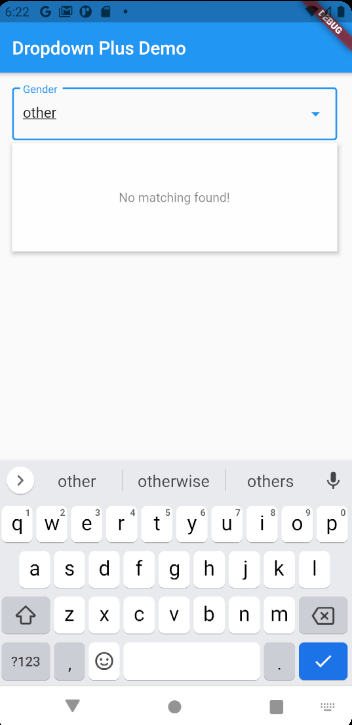
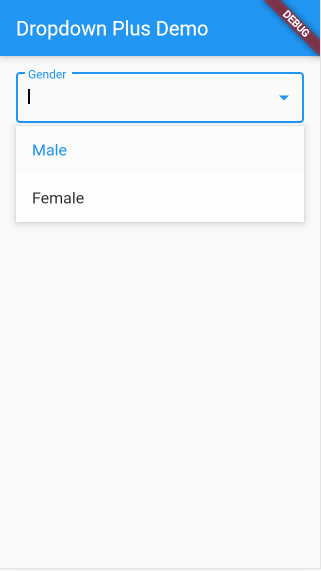
Simple Text Dropdown.

TextDropdownFormField(
    options: ["Male", "Female"],
    decoration: InputDecoration(
        border: OutlineInputBorder(),
        suffixIcon: Icon(Icons.arrow_drop_down),
        labelText: "Gender"),
    dropdownHeight: 120,
),

Install

packages.yaml
dropdown_plus: <lastest version>

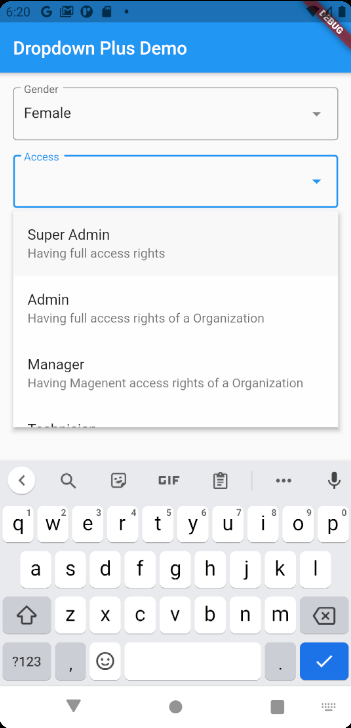
Customizable Example


 final List<Map<String, dynamic>> _roles = [
    {"name": "Super Admin", "desc": "Having full access rights", "role": 1},
    {
      "name": "Admin",
      "desc": "Having full access rights of a Organization",
      "role": 2
    },
    {
      "name": "Manager",
      "desc": "Having Magenent access rights of a Organization",
      "role": 3
    },
    {
      "name": "Technician",
      "desc": "Having Technician Support access rights",
      "role": 4
    },
    {
      "name": "Customer Support",
      "desc": "Having Customer Support access rights",
      "role": 5
    },
    {"name": "User", "desc": "Having End User access rights", "role": 6},
  ];


// ...
// ...

DropdownFormField<Map<String, dynamic>>(
    onEmptyActionPressed: () async {},
    decoration: InputDecoration(
        border: OutlineInputBorder(),
        suffixIcon: Icon(Icons.arrow_drop_down),
        labelText: "Access"),
    onSaved: (dynamic str) {},
    onChanged: (dynamic str) {},
    validator: (dynamic str) {},
    displayItemFn: (dynamic item) => Text(
    item['name'] ?? '',
    style: TextStyle(fontSize: 16),
    ),
    findFn: (dynamic str) async => _roles,
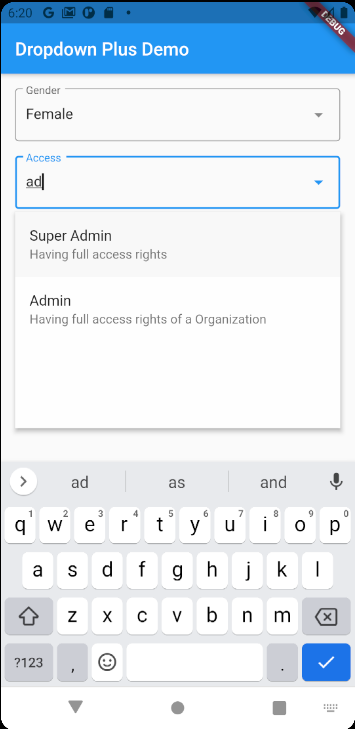
    filterFn: (dynamic item, str) =>
        item['name'].toLowerCase().indexOf(str.toLowerCase()) >= 0,
    dropdownItemFn: (dynamic item, position, focused,
            dynamic lastSelectedItem, onTap) =>
        ListTile(
    title: Text(item['name']),
    subtitle: Text(
        item['desc'] ?? '',
    ),
    tileColor:
        focused ? Color.fromARGB(20, 0, 0, 0) : Colors.transparent,
    onTap: onTap,
    ),
),

Options

final bool autoFocus;
final bool Function(dynamic item, String str)? filterFn;
final bool Function(dynamic item1, dynamic item2)? selectedFn;
final Future<List<dynamic>> Function(String str) findFn;

final ListTile Function(
  dynamic item,
  int position,
  bool focused,
  bool selected,
  Function() onTap,
) dropdownItemFn;

final Widget Function(dynamic item) displayItemFn;
final InputDecoration? decoration;
final Color? dropdownColor;
final DropdownEditingController<T>? controller;
final void Function(dynamic item)? onChanged;
final void Function(dynamic)? onSaved;
final String? Function(T?)? validator;
final double? dropdownHeight;
final TextStyle? searchTextStyle;
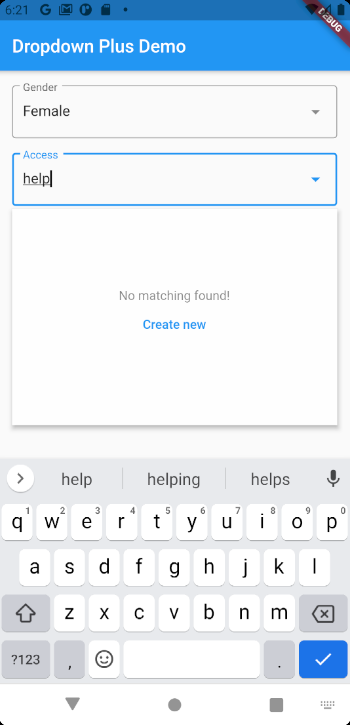
final String emptyText;
final String emptyActionText;
final Future<void> Function()? onEmptyActionPressed;

Categories

Source repository

Projects using this package

No data available yet.