Package selection guidance compiled from public package information, community data, and project usage.
The dual_screen package provides Flutter support for foldable and dual-screen devices, enabling developers to build adaptive user interfaces. It includes the TwoPane widget for managing layout across two screens and offers access to hinge angle sensor data, allowing apps to respond dynamically to device folding states. Designed specifically for Android, it helps create seamless experiences on devices like Microsoft's Surface Duo. The package integrates with Flutter’s rendering pipeline to ensure smooth transitions and responsive layouts based on physical device changes.
Use cases
Building adaptive UIs for foldable devices
Creating split-screen layouts with TwoPane
Responding to hinge angle changes
Optimizing app layout for dual displays
Developing multi-pane navigation patterns
Key features
TwoPane widget for dual-screen layouts
Hinge angle sensor data integration
Android-specific foldable device support
Dynamic layout adaptation
Flutter-native performance
Suitable for
Developers targeting foldable Android devices
Apps requiring split-screen or multi-pane UIs
Teams building for Microsoft Surface Duo
UI designers focused on adaptive layouts
Cross-platform apps needing dual-screen logic
Considerations
Limited to Android platform
Requires compatible hardware for testing
May need additional layout logic for edge cases
Depends on device manufacturer implementation of hinge sensors
Not applicable for non-foldable devices
Original README
Original README snapshot from the linked source repository. Visit the repository for the latest content.
Flutter Dual Screen
This contains Microsoft's offerings to streamline foldable and dual-screen development using Flutter. This plugin will work on any platform, but only Android actually has foldable and dual screen devices.
Flutter already has support for foldable and dual-screen devices in the form of MediaQuery Display Features. In addition to that, this plugin offers:
The TwoPane widget, which relies on display features coming from MediaQuery.
Access to the hinge angle sensor data, which for performance concerns, was not included in MediaQuery.
TwoPane Widget
This layout has two child panes, which can be shown side-by-side, above-and-below, or a single pane can be prioritized. The relative size of the two pane widgets can be adjusted proportionally; and on dual-screen devices the boundary snaps to the hinge area.
startPane - Start pane, which can sit on the left for left-to-right layouts, or at the top for top-to-bottom layouts. If panePriority is start and there is no hinge, this is the only visible pane.
endPane - End pane, which can sit on the right for left-to-right layouts, or at the bottom for top-to-bottom layouts. If panePriority is end, and there is no hinge, this is the only visible pane.
paneProportion - Proportion of the screen occupied by the start pane. The end pane takes over the rest of the space. A value of 0.5 will make the two panes equal. This property is ignored for displays with a hinge, in which case each pane takes over one screen.
panePriority - Whether to show only one the start pane, end pane, or both. This property is ignored for displays with a hinge, in which case both panes are visible.
direction - Whether to stack the two panes verticaly or horizontaly, similar to Flex direction. This property is ignored for displays with a hinge, in which case the direction is horizontal for vertical hinges and vertical for horizontal hinges.
textDirection - When panes are laid out horizontally, this determines which one goes on the left. Behaves the same as Flex textDirection
verticalDirection - When panes are laid out vertically, this determines which one goes at the top. Behaves the same as Flex verticalDirection
padding - The padding between TwoPane and the edges of the screen. If there is spacing between TwoPane and the root MediaQuery, padding is used to correctly align the two panes to the hinge.
allowedOverrides - The parameters that TwoPane is allowed to override when a separating display feature is found. By default, it contains paneProportion, direction and panePriority, allowing all possible overrides.
Most of the parameters provided to TwoPane are ignored when the device has a hinge. This means that you can focus on how the layout works on large screens like tablets and desktops, while also having it adapt well to the dual-screen form factor by default.
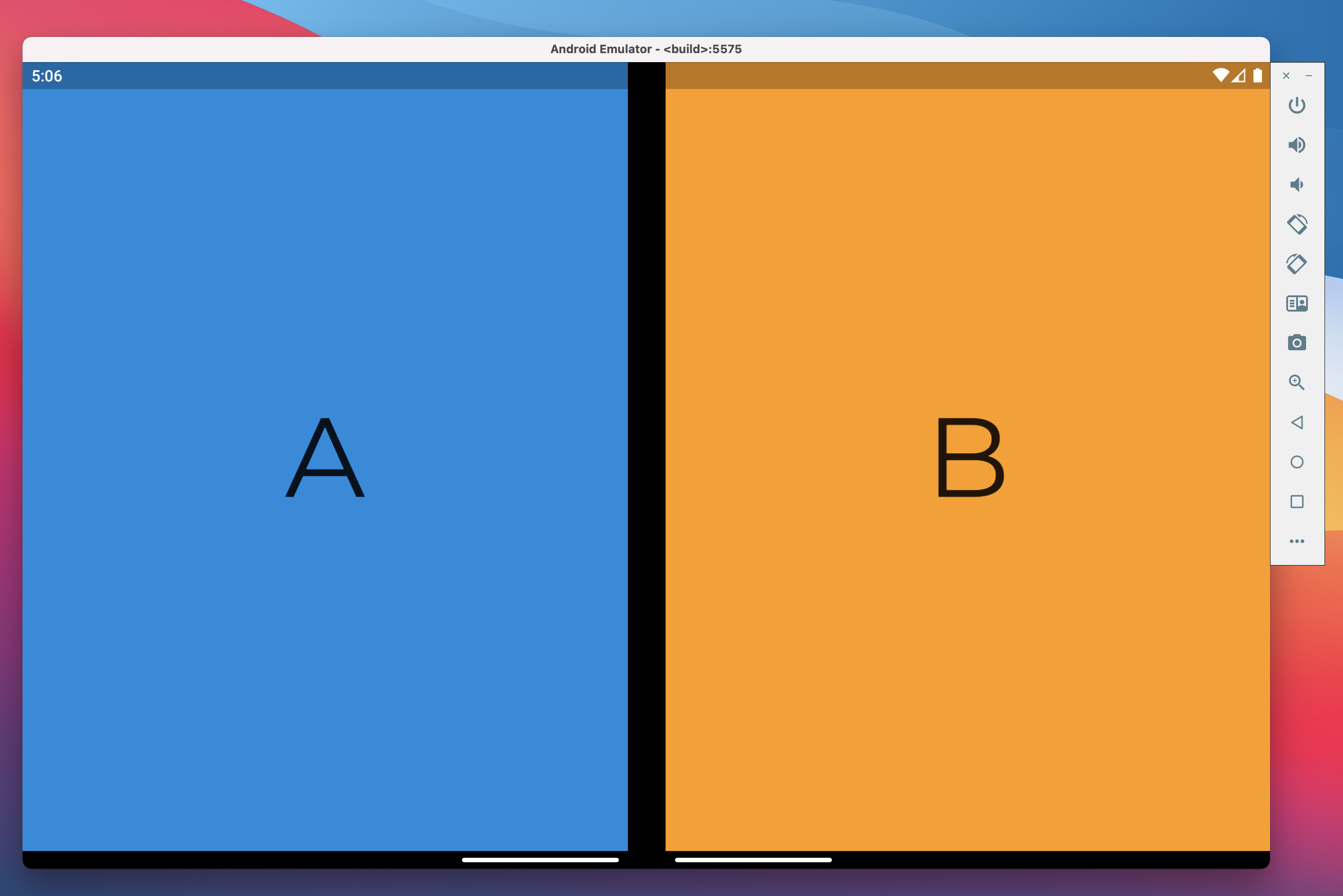
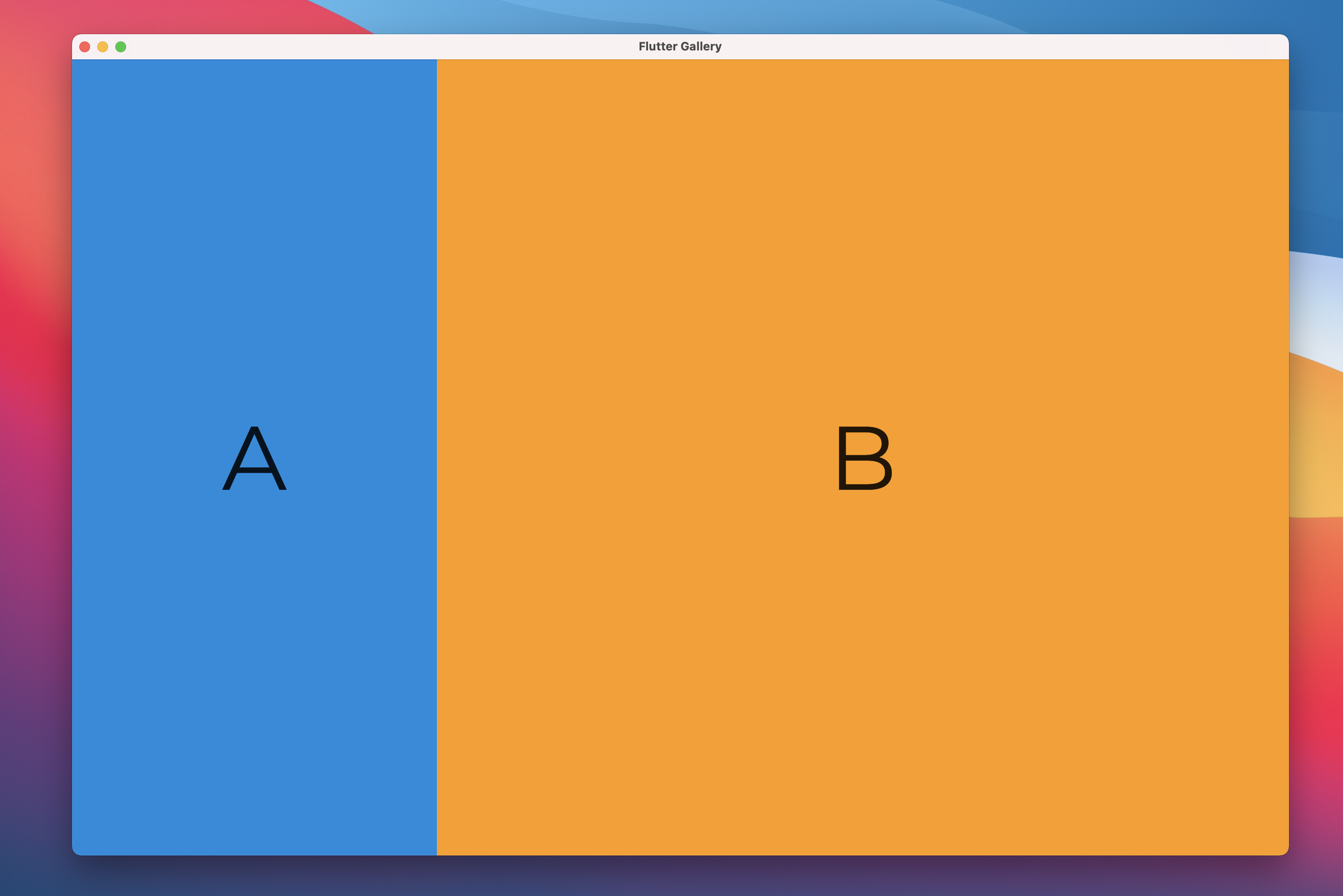
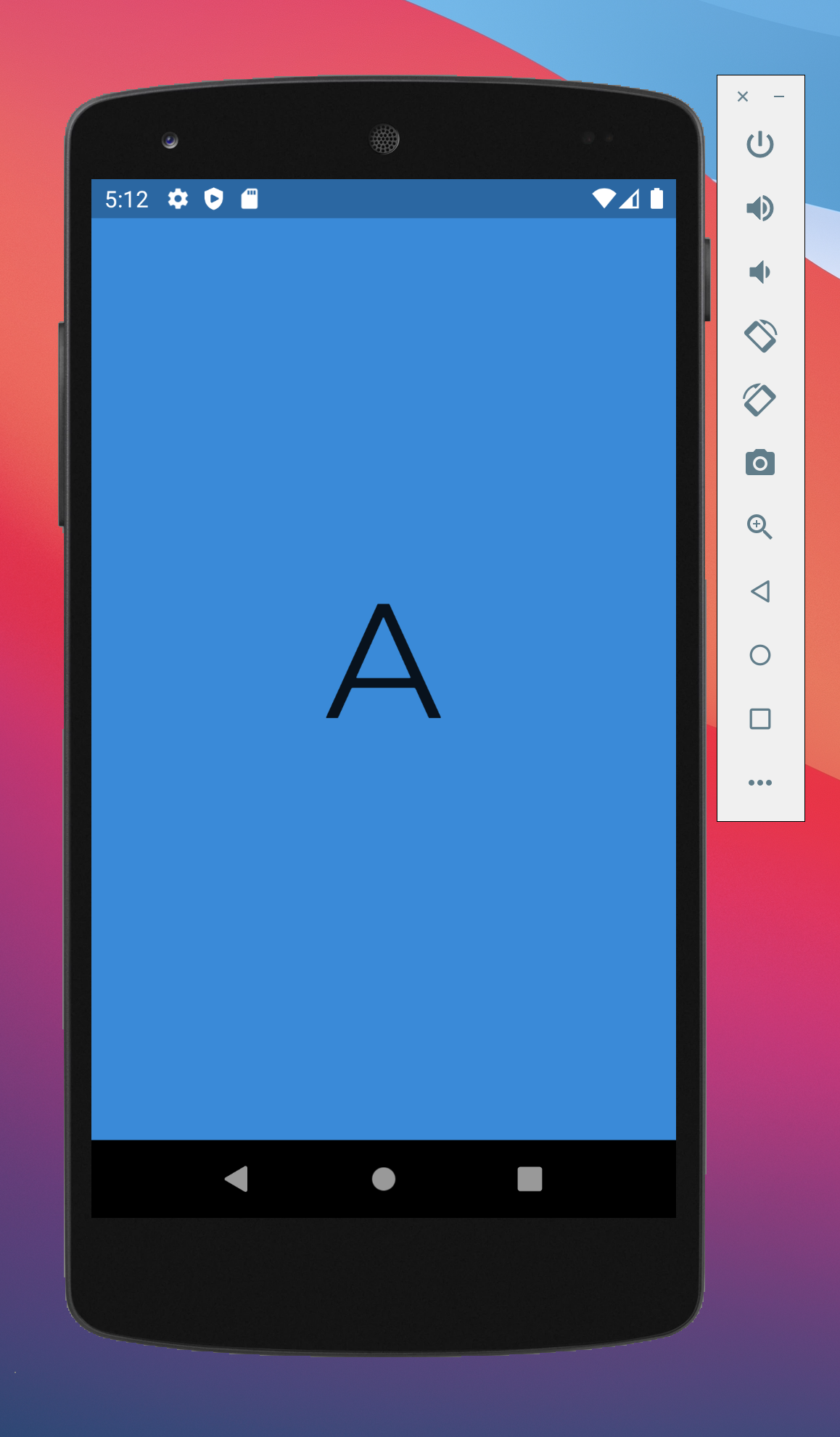
This sample code produces the results at the beginning of this article:
On Surface Duo, widget A and widget B both take one screen.
On a tablet or desktop, widget A takes 30% of the screen while widget B takes the remaining 70%.
On a small phone which is less than 500 logical pixels wide, only widget A is visible.
Hinge angle sensor
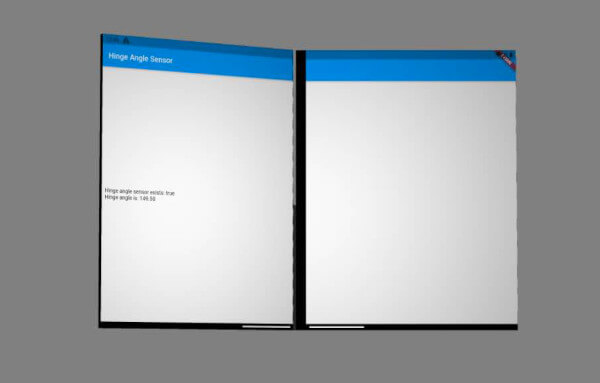
Foldable and dual-screen devices have a hinge between the two moving parts of the screen. This hinge has a sensor, reporting the angle between the parts of the screen. For example, when these parts lay flat to form a continuous surface, the hinge angle reports a 180 deg angle.
The hinge angle is used to determine the device posture. If you're looking to write code that depends on the device posture, we recommend using the functionality provided by MediaQuery Display Features instead.
Hinge angle API
To use this plugin, add dual_screen as a dependency in your pubspec.yaml file.
This will allow you to import DualScreenInfo import 'package:dual_screen/dual_screen.dart';
DualScreenInfo exposes 2 static properties:
hingeAngleEvents: Broadcast stream of events from the device hinge angle sensor. If the device is not equipped with a hinge angle sensor, the stream produces no events.
hasHingeAngleSensor: Future returning true if the device has a hinge angle sensor. Alternatively, if your app already uses MediaQuery.displayFeatures or MediaQuery.hinge to adapt to foldable or dual-screen form factors, you can safely assume the hinge angle sensor exists and that hingeAngleEvents produces usable values.
Examples on how to mock the hinge angle or display features can be found in the test folder.
Testing the hinge angle sensor functionality can be done using the Surface Duo emulator or one of the foldable emulators available in Android Studio. Both emulators provide a hinge angle virtual sensor. The Surface Duo emulator is the only one with two separate screens.
Contributing
This project welcomes contributions and suggestions. Most contributions require you to agree to a
Contributor License Agreement (CLA) declaring that you have the right to, and actually do, grant us
the rights to use your contribution. For details, visit https://cla.opensource.microsoft.com.
When you submit a pull request, a CLA bot will automatically determine whether you need to provide
a CLA and decorate the PR appropriately (e.g., status check, comment). Simply follow the instructions
provided by the bot. You will only need to do this once across all repos using our CLA.
This project has adopted the Microsoft Open Source Code of Conduct.
For more information see the Code of Conduct FAQ or
contact [opencode@microsoft.com](mailto:opencode@microsoft.com) with any additional questions or comments.
Trademarks
This project may contain trademarks or logos for projects, products, or services. Authorized use of Microsoft
trademarks or logos is subject to and must follow
Microsoft's Trademark & Brand Guidelines.
Use of Microsoft trademarks or logos in modified versions of this project must not cause confusion or imply Microsoft sponsorship.
Any use of third-party trademarks or logos are subject to those third-party's policies.