Package selection guidance compiled from public package information, community data, and project usage.
Dynamic Widget is a backend-driven UI toolkit that enables developers to build dynamic user interfaces using JSON. The JSON structure closely mirrors Flutter widget code, making it intuitive for Flutter developers to design and render UIs programmatically from server responses. It supports multiple platforms including Android, iOS, Web, macOS, Windows, and Linux, allowing consistent UI rendering across environments. This package simplifies the creation of flexible, data-driven interfaces without requiring app updates for UI changes.
Use cases
Server-driven UI updates
Rapid prototyping with JSON
Cross-platform dynamic layouts
In-app content customization
Remote UI configuration
Reducing app size by offloading UI logic
Key features
JSON-based widget definition
Flutter-like syntax in JSON
Multi-platform support
Extensible widget registry
Runtime widget rendering
Hot reload for JSON changes
Suitable for
Developers building server-driven apps
Teams needing frequent UI updates
Apps with personalized content per user
Projects requiring rapid UI iteration
Frontend teams working with backend designers
Considerations
Requires careful JSON schema management
Potential performance overhead with complex widgets
Security risks with untrusted JSON sources
Limited debugging for malformed JSON
Needs proper error handling at runtime
Depends on consistent backend-to-frontend contract
Original README
Original README snapshot from the linked source repository. Visit the repository for the latest content.
Flutter Dynamic Widget
A Backend-Driven UI toolkit, build your dynamic UI with json, and the json format is very similar with flutter widget code.
From 4.0.0-nullsafety.1 version, it supports null-safety.
From 3.0.0 version, it supports exporting your flutter code to json code. please check How to write the json code
From 1.0.4 version, it supports flutter web application.
I work for an e-commerce company. We need to build flexible pages. So we define a light UI protocol, and implement on Android and iOS. We can dynamic update App UIs by pushing a json file. With this ability, we can do some UI A/B testing without publishing App to app store. Flutter allows you to build beautiful native apps on iOS and Android from a single codebase, it can allow you to build web app later. Flutter's hot reload helps you quickly and easily experiment, build UIs, add features, and fix bugs faster. But it still build native app, the UIs can't be dynamic updated. If you want to modify the UIs, you need to publish the updated app to app store. With this project, you can build your UIs from a json string, which is the UI protocol. The json string is very similar with the Flutter widget dart code. All widget type and widget properties are the same.
Widget type will be a type property, and widget's properties will be the json properties too. All properties and their values will be almost the same. You can checkout the following document.
You should use DynamicWidgetBuilder().build method to covert a json string into flutter widget. It will be time-consuming. so you'd better using FutureBuilder to build the UI.
import'package:dynamic_widget/dynamic_widget.dart';
classPreviewPageextendsStatelessWidget{
finalString jsonString;
PreviewPage(this.jsonString);
@overrideWidgetbuild(BuildContext context) {
returnScaffold(
appBar: AppBar(
// Here we take the value from the MyHomePage object that was created by// the App.build method, and use it to set our appbar title.
title: Text("Preview"),
),
body: FutureBuilder<Widget?>(
future: _buildWidget(context),
builder: (BuildContext context, AsyncSnapshot<Widget?> snapshot) {
if (snapshot.hasError) {
print(snapshot.error);
}
return snapshot.hasData
? SizedBox.expand(
child: snapshot.data,
)
: Text("Loading...");
},
),
);
}
Future<Widget?> _buildWidget(BuildContext context) async {
returnDynamicWidgetBuilder.build(
jsonString, context, DefaultClickListener());
}
}
How to implement a WidgetParser
You need to implement the WidgetParser abstract class.
Add new created WidgetParser by DynamicWidgetBuilder.addParser(WidgetParser parser) method.
You don't need to write the json code by hand, you can export your flutter code to json code efficiently with DynamicWidgetJsonExportor widget. You just need to wrap your flutter code with DynamicWidgetJsonExportor widget, then invoke its exportJsonString() method, look at following example, click the "export" button, it will find the DynamicWidgetJsonExportor widget, and export its child to json code efficiently.
class_JSONExporterStateextendsState<JSONExporter> {
GlobalKey key = GlobalKey();
@overrideWidgetbuild(BuildContext context) {
returnScaffold(
appBar: AppBar(
// Here we take the value from the MyHomePage object that was created by// the App.build method, and use it to set our appbar title.
title: Text("export example"),
),
body: Builder(
builder: (context) => Column(
children: [
Expanded(
child: DynamicWidgetJsonExportor(
key: key,
child: Container(
child: GridViewWidget(
GridViewParams(
mainAxisSpacing: 2.0,
crossAxisSpacing: 2.0,
crossAxisCount: 2,
childAspectRatio: 1.6,
padding: EdgeInsets.all(10.0),
pageSize: 10,
children: [
ListTile(
leading: Text("Leading text"),
title: Text("title"),
subtitle: Text("subtitle"),
),
ListTile(
leading: Text("Leading text"),
title: Text("title"),
subtitle: Text("subtitle"),
)
]),
context),
),
),
),
RaisedButton(
child: Text("Export"),
onPressed: () {
var exportor = key.currentWidget asDynamicWidgetJsonExportor;
var exportJsonString = exportor.exportJsonString();
Scaffold.of(context).showSnackBar(SnackBar(
content: Text("json string was exported to editor page.")));
Future.delayed(Duration(seconds: 3), (){
Navigator.push(
context,
MaterialPageRoute(
builder: (context) =>
CodeEditorPage(exportJsonString)));
});
},
)
],
),
),
);
}
}
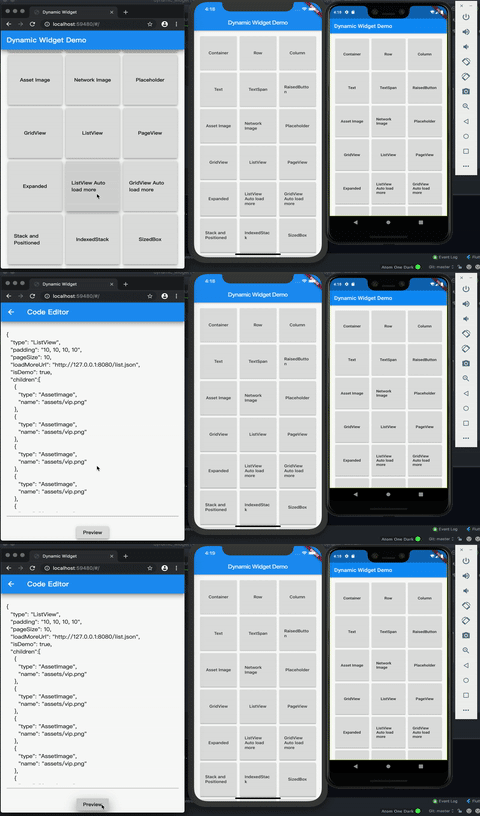
You can use whatever your favorite IDE to build the UI, then use DynamicWidgetJsonExportor to export to json code. For detail, please check the Dynamic Widget Demo source code.
Logic Dynamicization
By using DynamicWidget, you can pass JavaScript code(string) as parameters to achieve dynamic UI and logic in the app.
In DynamicWidget, the App object describes the structure of the UI. Dynamically modifying components involves changing the properties of the App object. In the App, the text component and grid_app are assembled to form the complete calculator UI.