Search packages, repositories and app categories

Package detailsv1.0.4

easy_splash_screen

Easy Splash Screen plugin for your flutter app. You can easily implement this plugin to show splash screen and save time.

AndroidiOSWebmacOSWindowsLinux
30-day downloads
1.1K
Likes
72
Pub points
150

Install package

flutter pub add easy_splash_screen

Package Overview

Package selection guidance compiled from public package information, community data, and project usage.

Easy Splash Screen is a Flutter plugin that simplifies the implementation of splash screens across multiple platforms. It allows developers to quickly add a customizable splash screen to their apps without writing complex code. The plugin supports Android, iOS, Web, macOS, Windows, and Linux, ensuring consistent startup experiences. With minimal configuration, it helps reduce development time while providing a professional first impression for users.

Use cases

  • Quickly adding a splash screen to a new app
  • Customizing splash appearance with images or colors
  • Ensuring consistent startup experience across platforms
  • Reducing boilerplate code for splash screens
  • Integrating splash screens in cross-platform applications

Key features

  • Simple setup with minimal code
  • Support for multiple platforms
  • Customizable background and image
  • Automatic navigation after delay
  • Lightweight and easy to integrate

Suitable for

  • Beginner Flutter developers
  • Projects needing fast splash screen implementation
  • Cross-platform mobile and desktop apps
  • Apps requiring a clean initial loading screen
  • Developers looking to save time on UI setup

Considerations

  • Limited customization beyond basic styling
  • Depends on external repository for updates
  • May require manual handling of navigation logic
  • Not suitable for complex splash animations
  • Best for static splash screens rather than dynamic content

Original README

Original README snapshot from the linked source repository. Visit the repository for the latest content.

Easy Splash Screen

  • easy_splash_screen is a flutter package for easily implement the splash screen in the app

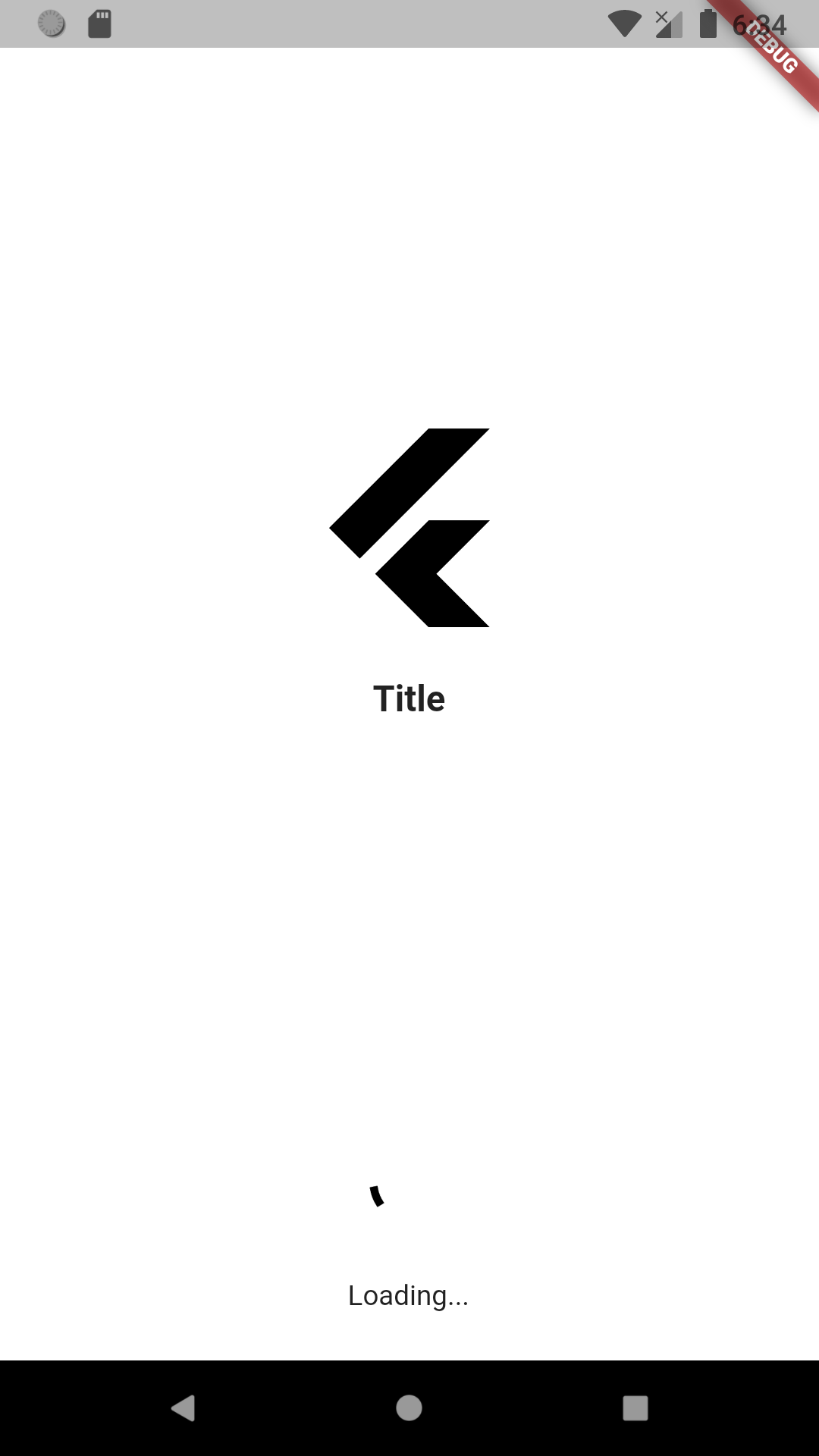
Screenshots

Screenshot

Usage

To use this package :

  • add the dependency to your pubspec.yaml file.
  dependencies:
    flutter:
      sdk: flutter
    easy_splash_screen:
How to use

As time based...

import 'package:easy_splash_screen/easy_splash_screen.dart';
import '../home.dart';
import 'package:flutter/material.dart';

class SplashPage extends StatefulWidget {
  SplashPage({Key? key}) : super(key: key);

  @override
  _SplashPageState createState() => _SplashPageState();
}

class _SplashPageState extends State<SplashPage> {
  @override
  Widget build(BuildContext context) {
    return EasySplashScreen(
      logo: Image.network(
          'https://cdn4.iconfinder.com/data/icons/logos-brands-5/24/flutter-512.png'),
      title: Text(
        "Title",
        style: TextStyle(
          fontSize: 18,
          fontWeight: FontWeight.bold,
        ),
      ),
      backgroundColor: Colors.grey.shade400,
      showLoader: true,
      loadingText: Text("Loading..."),
      navigator: HomePage(),
      durationInSeconds: 5,
    );
  }
}

As future based...

import 'dart:async';

import 'package:easy_splash_screen/easy_splash_screen.dart';
import '../home.dart';
import 'package:flutter/material.dart';

class SplashFuturePage extends StatefulWidget {
  SplashFuturePage({Key? key}) : super(key: key);

  @override
  _SplashFuturePageState createState() => _SplashFuturePageState();
}

class _SplashFuturePageState extends State<SplashFuturePage> {
  Future<Widget> futureCall() async {
    // do async operation ( api call, auto login)
    return Future.value(new HomePage());
  }

  @override
  Widget build(BuildContext context) {
    return EasySplashScreen(
      logo: Image.network(
          'https://cdn4.iconfinder.com/data/icons/logos-brands-5/24/flutter-512.png'),
      title: Text(
        "Title",
        style: TextStyle(
          fontSize: 18,
          fontWeight: FontWeight.bold,
        ),
      ),
      backgroundColor: Colors.grey.shade400,
      showLoader: true,
      loadingText: Text("Loading..."),
      futureNavigator: futureCall(),
    );
  }
}
Parameters
  1. title (Text)
  • App title, shown in the middle of screen in case of no image available
  1. logo (Image)
  • required
  • Your logo to be displayed in the center.
  1. logoWidth (double)
  • default 50
  • logo width as in radius
  1. backgroundColor (Color)
  • Default Colors.white
  1. backgroundImage (ImageProvider)
  • Background image for the entire screen
  1. loaderColor (Color)
  • default Colors.black
  • loader Color.
  1. loadingText (Text)
  • default Text('')
  • Loading text below loader
  1. showLoader (bool)
  • default false
  • Whether to display a loader or not
  1. durationInSeconds (int)
  • default 3
  • durationInSeconds to navigate after for time based navigation
  1. navigator (String or Widget)
  • The page where you want to navigate if you have chosen time based navigation
  1. futureNavigator (Future or Future)
  • expects a function that returns a future, when this future is returned it will navigate
  • If both futureNavigator and navigator are provided, futureNavigator will take priority

Categories

Source repository

Projects using this package

No data available yet.