Package selection guidance compiled from public package information, community data, and project usage.
Emoji Alert is a Flutter package that enables developers to create visually appealing and simple alert dialogs and bottom sheet modals with emoji support. It enhances user experience by adding expressive, colorful elements to standard UI components. Ideal for apps aiming to deliver friendly, engaging feedback, it works across all major platforms including Android, iOS, Web, macOS, Windows, and Linux. The package is lightweight and easy to integrate, requiring just a single command to add via pub. Its design focuses on simplicity and aesthetics without sacrificing functionality.
Use cases
Displaying user notifications
Showing app status updates
Enhancing onboarding experiences
Providing feedback after actions
Creating playful error messages
Key features
Built-in emoji support
Customizable alert styles
Cross-platform compatibility
Simple integration with Flutter
Support for bottom sheet modals
Lightweight and fast
Suitable for
Mobile and web applications
Apps targeting younger audiences
Onboarding flows
Feedback-driven interfaces
Simple notification systems
Considerations
Limited to basic alert and bottom sheet types
May require custom styling for advanced use cases
Depends on external GitHub repository for updates
Not suitable for complex dialog workflows
Original README
Original README snapshot from the linked source repository. Visit the repository for the latest content.
Flutter Emoji Alert
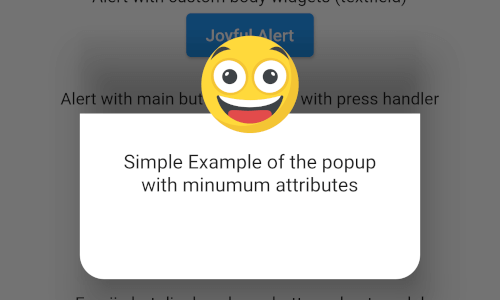
A new Stylish Emoji Alert with a wide variety of emojis, simple to implement and full customizable.
Features
Single line basic alert with default emoji
Add dynamic widgets not only text any widget you want
Add buttons with their onPress handlers
Choose the alert display behavior : Normal Alert or Bottom Sheet dialog
Choose an emoji from a variety of emojis
Animations when displaying the alert popup
Getting Started
To add emoji_alert to your project add this line to your pubspec.yaml
dependencies:emoji_alert:1.1.0
Or you can reference the github repository directly
in this example we used TRANSITION animation but you can choose any other built-in animations (see attributes description above)
EmojiAlert(
	description:  Column(
		children: [
			Text("Simple Example with animation"),
			Text("This is a transition animation"),
		],
	),
	animationType:  ANIMATION_TYPE.TRANSITION
).displayAlert(context);
the result:
Contribution
Of course the project is open source, and you can contribute to it repository link