Search packages, repositories and app categories

ensure_visible_when_focused cover
Package detailsv1.2.0

ensure_visible_when_focused

A handy Flutter widget to scroll to a certain widget every time this widget gains Focus.

AndroidiOSWebmacOSWindowsLinux
30-day downloads
15.9K
Likes
53
Pub points
160

Install package

flutter pub add ensure_visible_when_focused

Package Overview

Package selection guidance compiled from public package information, community data, and project usage.

A Flutter widget that automatically scrolls the viewport to ensure a specific widget is visible whenever it gains focus. Ideal for forms with long content, this package enhances usability by preventing input fields from being obscured by the keyboard. It works across all major platforms, including mobile, web, and desktop, providing a seamless user experience. The widget integrates easily into existing form layouts without requiring complex scroll logic.

Use cases

  • Form inputs on mobile devices
  • Scrolling to focused fields in long forms
  • Improving accessibility in web and desktop apps
  • Preventing keyboard overlap on iOS and Android
  • Ensuring visibility of dynamic form elements
  • Enhancing UX in multi-platform applications

Key features

  • Automatic scrolling on focus
  • Cross-platform compatibility
  • Minimal setup required
  • Works with any scrollable container
  • No additional dependencies
  • Supports nested scroll views

Suitable for

  • Developers building accessible forms
  • Apps with long or dynamic forms
  • Multi-platform Flutter projects
  • Teams prioritizing user experience
  • Projects requiring minimal boilerplate
  • Forms with keyboard interaction

Considerations

  • May interfere with custom scroll behavior
  • Requires proper parent scroll context
  • Not suitable for non-scrollable layouts
  • Can cause layout jank if used excessively
  • Limited customization options
  • Best used with explicit focus management

Original README

Original README snapshot from the linked source repository. Visit the repository for the latest content.

Buy Me A Coffee

Introduction

I was having a hard time scrolling to a specific wdget in a scenario where I had a very large form, with lots of form fields.

I found an issue with no concrete answer https://github.com/flutter/flutter/issues/58877

After digging a litlle deeper I found a solution to this problem https://www.didierboelens.com/2018/04/hint-4 -ensure-a-textfield-or-textformfield-is-visible-in-the-viewport-when-has-the-focus/. Hence the idea of ​​creating and making this widget available.

This widget solves this problem in a very elegant way. You just have to give the same FocusNode of the widget you want to scroll to.

Basic Usage

The widget is very simple to use. You need to Wrap your widget on a EnsureVisibleWhenFocused widget. You have to pass the FocusNode of the widget you want to scroll to when it's given focus.

EnsureVisibleWhenFocused(
    focusNode: _focusNode,
    child: TextFormField(
        focusNode: _focusNode,
    ),
)

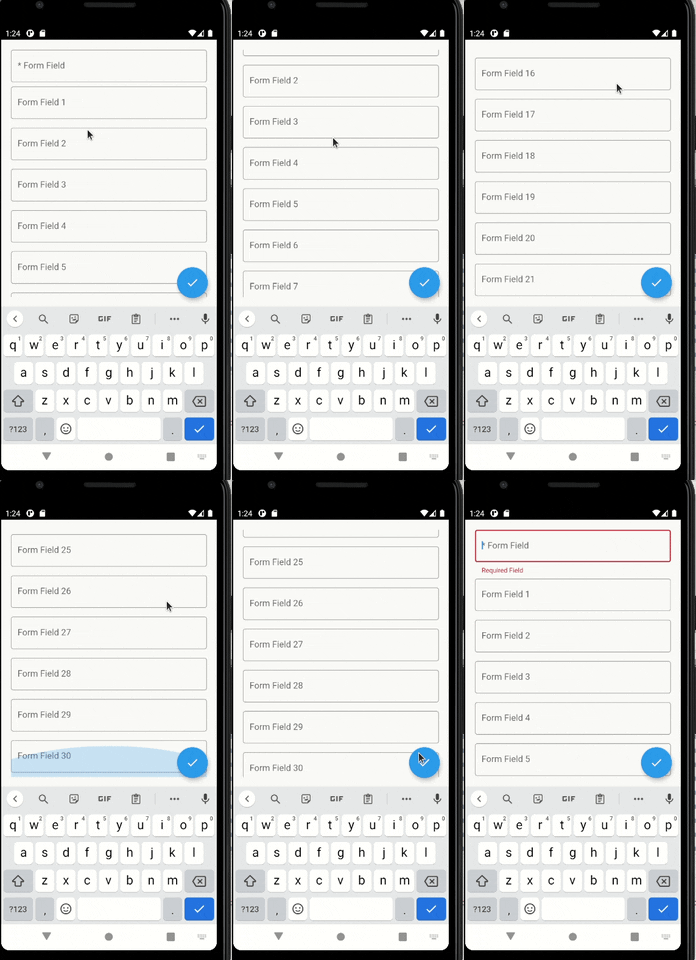
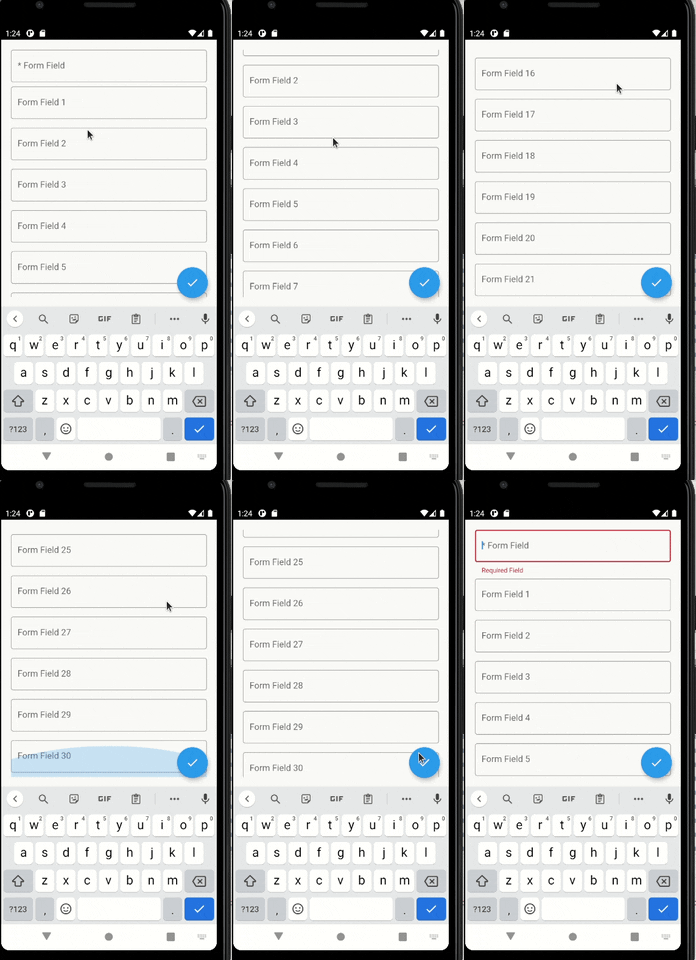
With the setup above, every time the TextFormField gains focus, a scroll will be made to it.

You can give focus to a field just doing:

_focusNode.requestFocus();

You can configure more things, such as the scroll duration and it's curve.

enter image description here

Suggestions & Bugs

For any suggestions or bug report please head to issue tracker.

Categories

Source repository

Projects using this package

No data available yet.